
Palletetown is a python library that makes it easy to style matplotlib plots using a color palettes based on pokemon.
You can use palletetown to:
- set global matplotlib settings based on a pokemon,
- set a colormap for a pokemon,
- set a color cycler for a pokemon,
- draw a pokemon sprite,
- get RGB color values from the sprite.
The easiest way to get started with palettetown is the set_rc command:
import palletetown.pokeplot as pkp

pkp.set_rc('pikachu')
This will set the colors of your plot to match the colors of the pokemon. It workes by setting the prop_cycle and cmap matplotlib rc parameters.
Check out the examples.ipynb jupyter notebook for usage examples.
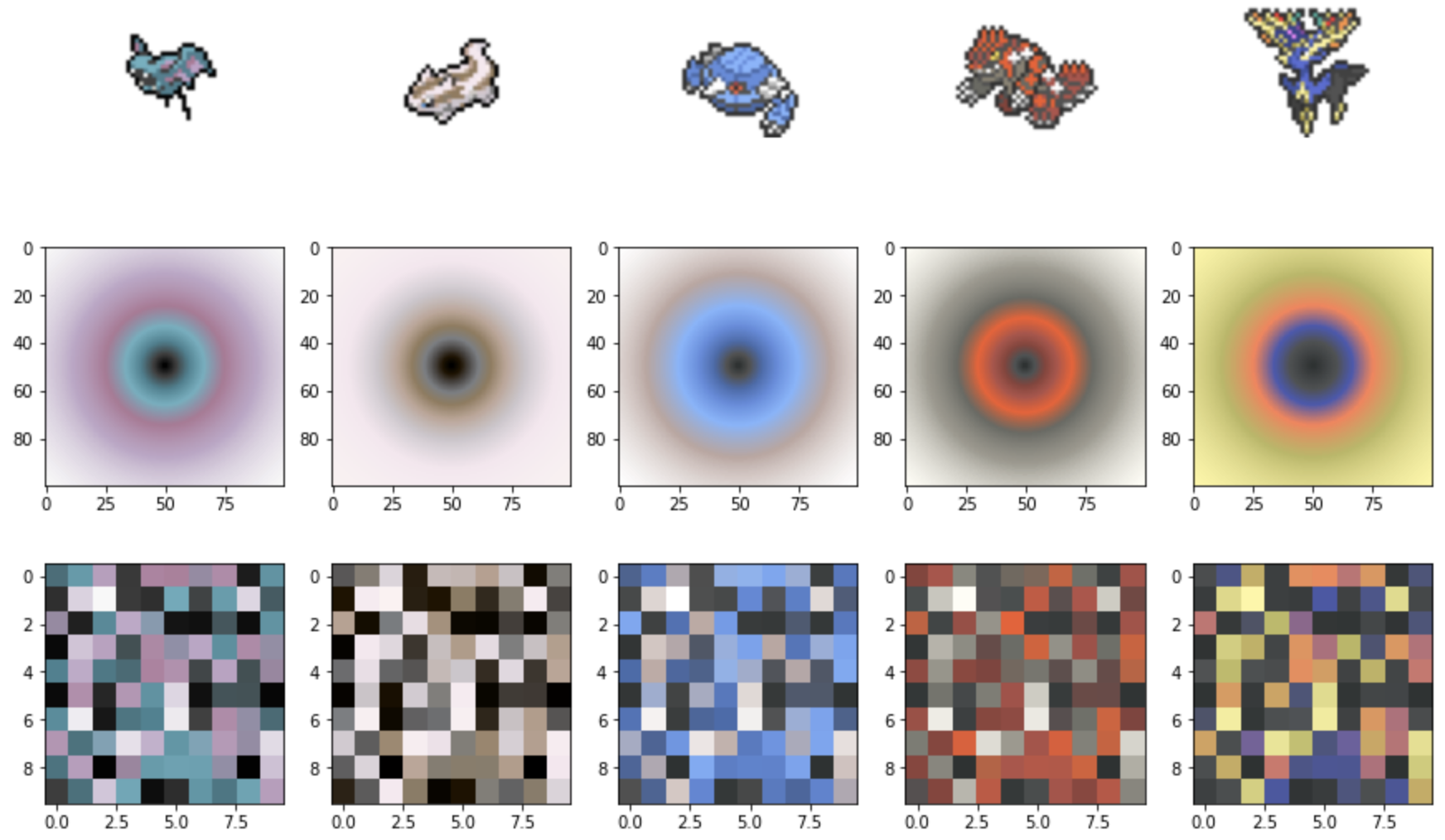
The pokeplot module handles high-level user interactions. Check out the jupyter notebook on our homepage for examples, or try these pokeplot features with your own plots.
import matplotlib.pyplot as plt
import numpy as np
import palletetown.pokeplot as pkp

# Get a colormap with colors set based on the pokemon sprite
cmap = pkp.get_cmap('pikachu')

# Use it with whatever plot you are working on.
data = np.random.random((10,10))
plt.imshow(data, cmap=cmap)

# Draw a pikachu sprite in the top right corner.
pkp.draw_sprite()

plt.show()

# The default colormap can be set.
pkp.set_rc('pikachu')
Pokemon and Pokedex objects can be manipulated directly for advanced use cases. A Pokemon object contains color data related to that pokemon. Pokedex objects are dictionary-like containers for Pokemon objects.
pikachu = pkp.get_pokemon('pikachu')
# matplotlib linear segmented colormap
cmap = pikachu.cmap
# color cycler
cycler = pikachu.cycler
# image of the pokemon as an ndarray
sprite = pikachu.sprite
# list of rgb colors as 8 bit integers
colors_int = pikachu.rgb_int
# list of rgb colors as floats normalized from 0. to 1.
colors_float = pikachu.rgb_float
# list of rgb colors as hex strings
colors_hex = pikachu.rgb_hex
1 maintainer

Metadata
1 maintainer
Release files for palettetown 1.0.3
For a detailed explanation of source distributions (sdists) and built distributions (wheels), please see the package formats documentation.
Source distribution (sdist)
| File | Size | Uploaded | Provenance | Actions |
|---|---|---|---|---|
| palettetown-1.0.3.tar.gz | 449.0 kB | Without provenance | Details for palettetown-1.0.3.tar.gz |
Built distribution (wheel)
| File | Interpreter | ABI | Platform | Actions Reset |
|---|---|---|---|---|
| palettetown-1.0.3-py3-none-any.whl | Python 3 | none | any | Details for palettetown-1.0.3-py3-none-any.whl |
Total release size: 1.2 MB
Release files / palettetown-1.0.3.tar.gz
| Download URL | palettetown-1.0.3.tar.gz |
|---|---|
| Size | 449.0 kB |
| Tags | Source |
|
SHA-256 checksum How to use checksums |
4f65e019c952783e9d3437dba512ecb3727e5d68063d28a0984cea4c27c1530d
|
|
BLAKE2b-256 checksum How to use checksums |
8613f2e11954a00b733cf25dda2e7741d20f02d12ca8e37c470504ef77b4c76b
|
| Upload date | |
|
Uploaded using Trusted Publishing? What is trusted publishing? |
No |
| Uploaded via |
twine/4.0.1 CPython/3.10.0
|
Release files / palettetown-1.0.3-py3-none-any.whl
| Download URL | palettetown-1.0.3-py3-none-any.whl |
|---|---|
| Size | 703.5 kB |
| Tags | Python 3 |
|
SHA-256 checksum How to use checksums |
c851b94830e9cb792e59c0ae41468bc6667ecf335f669ebcff66d3720024df65
|
|
BLAKE2b-256 checksum How to use checksums |
7eda37e498dd52fde33b69da13cba2b894010996306a97ddb257330b3620b2c4
|
| Upload date | |
|
Uploaded using Trusted Publishing? What is trusted publishing? |
No |
| Uploaded via |
twine/4.0.1 CPython/3.10.0
|
Security for palettetown 1.0.3
Provenance
Provenance describes where a file came from. On PyPI, provenance is shared via attestations, which provide a verifiable record of the build or publishing details. View details, limitations and caveats.
No provenance found
None of the files in this release were uploaded with provenance metadata.
A note on package security
PyPI is a repository for distributing packages, not a service for auditing them. While third-party security researchers and our staff do their best to detect and remove malicious packages, PyPI cannot guarantee the quality, security or suitability of any given package.
To learn more about protecting yourself from malicious actors, visit our package security documentation.














