
Pallas is a scalable trace format for HPC applications.

Project description
Pallas




Documentation
A detailed documentation is available here.
Building
Building is done with CMake and any compiler (GCC, Clang, Intel OneAPI). ZSTD is required.
git clone https://gitlab.inria.fr/pallas/pallas.git
cd pallas
mkdir -p build && cd build
cmake ..
cmake --install . --config Release
Optional libraries
If you want to use SZ and ZFP, you should install them,
then feed their install directory to CMake, using {SZ/ZFP}_ROOT_DIR
Python Library
Pallas comes with a Python library to read your traces.
It is available on the PyPi repository : pip install pallas_trace
Building it locally
You need to install the Python library via pip by running pip install ..
This will build and install a standalone version of the Pallas Python library.
To link it dynamically instead, you can use the flag --config-settings=cmake.define.Python3_DYNAMIC=ON,
but Pallas needs to be installed ( and in your LD_LIBRARY_PATH as well as in your pkg-config path).
Its requirements to build are the following:
- Python >=3.11
- pybind11 However, the library uses numpy and pandas, so you will need these as well.
Usage
You can then use it like this:
import pallas_trace as pallas
trace = pallas.open_trace("<my_trace_file>.pallas")
help( trace ) # Get some help reading you trace :)
A full documentation of the Pallas Python API is available here.
Usage
In your application
To use Pallas to log your application, you need to understand the hierarchical structure:
- There's one GlobalArchive that stores global information.
- Each Archive corresponds to a process / a self-contained information group. They're identified by LocationGroup
- Each Thread refers to a group of events that are to be logged. They're identified by Location
There is a bit more nuance, but it's what you need for now. The following code should give you an idea of what to do to start logging your app in C++. There is also a C API that functions the same way. Their documentation is available here.
#include <pallas/pallas.h>
#include <pallas/pallas_write.h>
namespace pallas;
int main() {
    GlobalArchive globalArchive("<trace directory>", "<main trace file name>");
    globalArchive.addString(...);                   // Register a String

    // Add a process
    globalArchive.addLocationGroup(<processID>);    // Register a LocationGroup
    Archive archive(globalArchive, <processID>);
    // An Archive is the interface used to store local definitions
    // It's analogous to a process

    // Add a Thread
    archive.addLocation(<threadID>);         // Register a Location
    ThreadWriter threadWriter(archive, <threadID>);
    // A ThreadWriter is the interface used to log events
    // It's analogous to a Thread

    // Start logging
    pallas_record_generic(&threadWriter, <custom Attribute>, <timestamp>, <name>);

    // Write the trace to file
    threadWriter.close();
    globalArchive.close();
}
Using EZTrace
After compiling Pallas and its OTF2 API, install EZTrace.
Make sure to build it from source, and to use the Pallas OTF2 library, not the normal OTF2 library.
You can check which otf2-config to see if you have the correct one. If not, check your PATH and LD_LIBRARY_PATH variables.
Make sure to enable the relevant ezTrace modules.
Then trace any program by running mpirun -np N eztrace -t <your modules> <your programm>.
The trace file will be generated in the <your programm>_trace folder.
You can then read it using pallas_print <your programm>_trace/eztrace_log.pallas
Visualizing Pallas traces
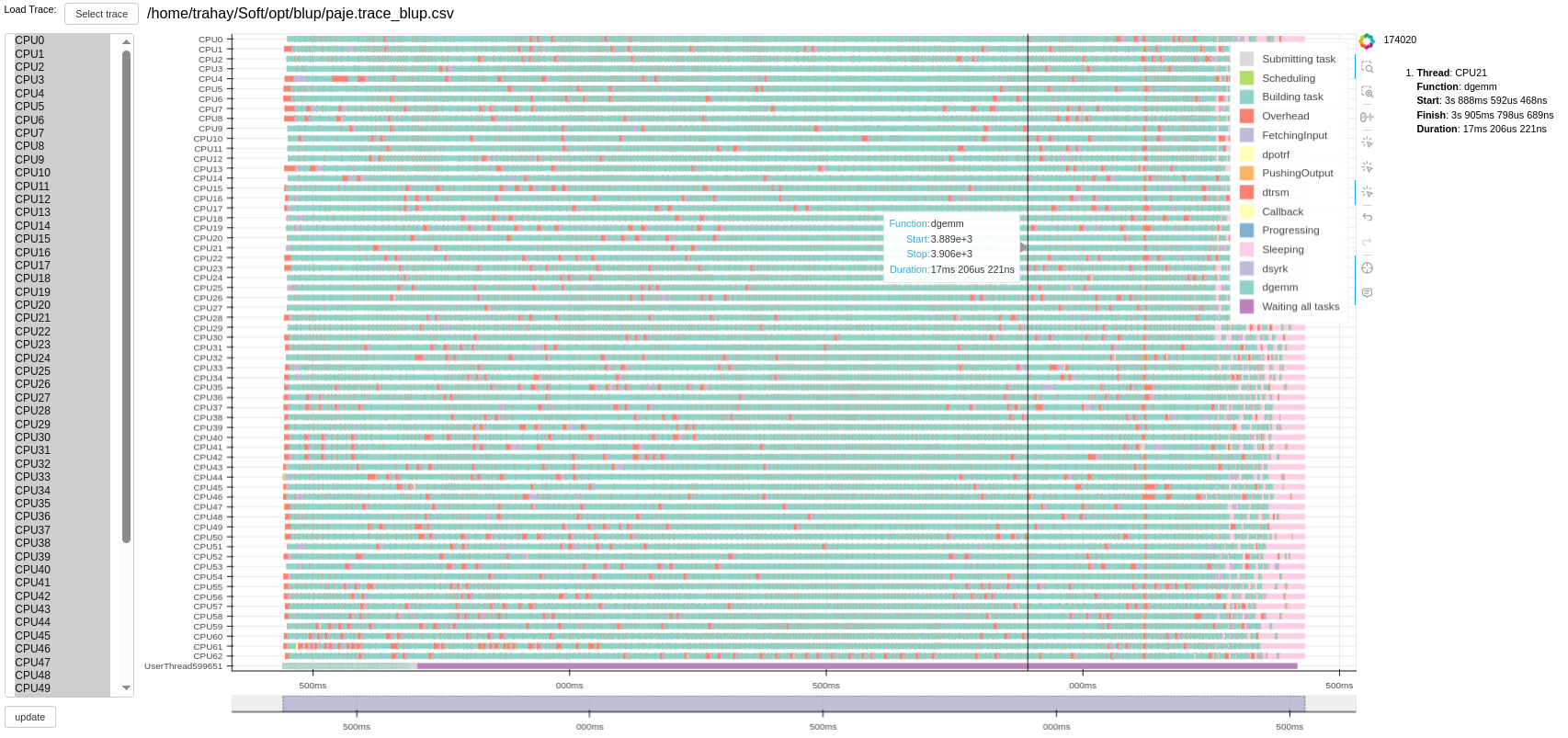
Blup is a web-based trace visualizer able to display Pallas traces. It uses Pallas Python API.
About
Pallas implements a subset of the OTF2 API. It also implements the Murmur3 hashing function.
Configuration
You can visualise your current (static) configuration with pallas_config.
You can give your own dynamic configuration with the PALLAS_CONFIG_PATH environment variable.
Here are the configuration options with specific values:
compressionAlgorithm: Specifies which compression algorithm is used for storing the timestamps. Its values are:NoneZSTDSZZFPHistogramZSTD_Histogram
encodingAlgorithm: Specifies which encoding algorithm is used for storing the timestamps. If the specified compression algorithm is lossy, this is defaulted to None. Its values are:NoneMaskingLeadingZeroes
loopFindingAlgorithm: Specifies what loop-finding algorithm is used. Its values are:NoneBasicBasicTruncatedFilter
Here are the configuration options with number values:
zstdCompressionLevel: Specifies the compression level used by ZSTD. Integer.maxLoopLength: Specifies the maximum loop length, if using a truncated loop finding algorithm. Integer.
Contributing
Contribution to Pallas are welcome. Just send us a pull request.
License
Pallas is distributed under the terms of both the BSD 3-Clause license.
See LICENSE for details
Citing Pallas
Feel free to use the following publications to reference Pallas:
@inproceedings{guelque:hal-04970114,
  TITLE = {{Pallas: a generic trace format for large HPC trace analysis}},
  AUTHOR = {Guelque, Catherine and Honor{\'e}, Valentin and Swartvagher, Philippe and Thomas, Ga{\"e}l and Trahay, Fran{\c c}ois},
  URL = {https://inria.hal.science/hal-04970114},
  BOOKTITLE = {{IPDPS 2025: 39th IEEE International Parallel \& Distributed Processing Symposium}},
  ADDRESS = {Milan, Italy},
  YEAR = {2025},
  MONTH = Jun,
}
Release history Release notifications | RSS feed


Download files
Download the file for your platform. If you're not sure which to choose, learn more about installing packages.
Source Distribution
Built Distribution
Filter files by name, interpreter, ABI, and platform.
If you're not sure about the file name format, learn more about wheel file names.
Copy a direct link to the current filters
File details
Details for the file pallas_trace-0.19.tar.gz.
File metadata
- Download URL: pallas_trace-0.19.tar.gz
- Upload date:
- Size: 1.4 MB
- Tags: Source
- Uploaded using Trusted Publishing? No
- Uploaded via: twine/6.2.0 CPython/3.14.4
File hashes
| Algorithm | Hash digest | |
|---|---|---|
| SHA256 |
cd22a2eb735c2577788d76125e557cda3f98ceb0f96eacabcb5fb1bd888761d9
|
|
| MD5 |
934fa302091f1a283229d336ecbd4bec
|
|
| BLAKE2b-256 |
84d501319e5be81c95be5540501a553d74542f3bc5ceb50d993f5a811854b3c8
|
File details
Details for the file pallas_trace-0.19-cp314-cp314-manylinux_2_39_x86_64.whl.
File metadata
- Download URL: pallas_trace-0.19-cp314-cp314-manylinux_2_39_x86_64.whl
- Upload date:
- Size: 828.9 kB
- Tags: CPython 3.14, manylinux: glibc 2.39+ x86-64
- Uploaded using Trusted Publishing? No
- Uploaded via: twine/6.2.0 CPython/3.14.4
File hashes
| Algorithm | Hash digest | |
|---|---|---|
| SHA256 |
876bad5435bfec0ea9ca6e0d5feec3a9427bf2054d103eca0cd1b1a145799ab5
|
|
| MD5 |
171ebfef2a0d80a49b32a70d6ef4a64e
|
|
| BLAKE2b-256 |
801e1b16e7c91021f97eedbda3a2b6bc324f69a16b7b2a16ef2bf8f3c0be558c
|






