
Palworld Admin is a GUI to manage your Palworld Dedicated Server, including deployment, configuration, monitoring and backups.

Project description
Palworld A.D.M.I.N.
(Automated Deployment, Management & Installation Nexus)

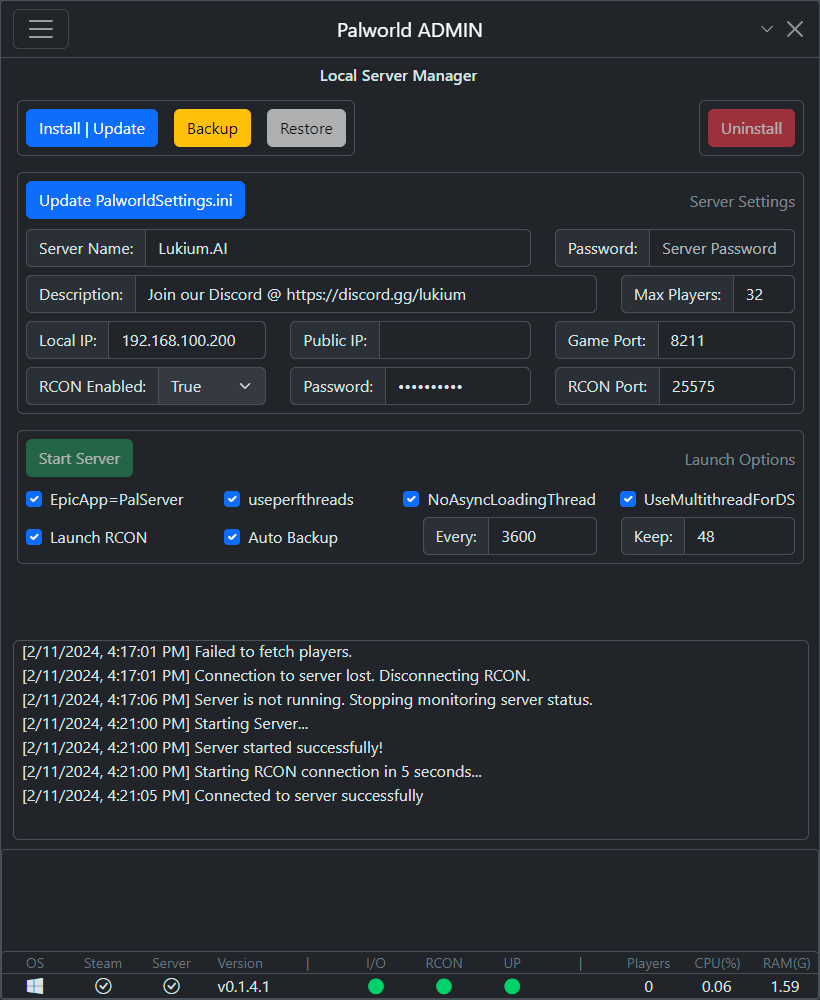
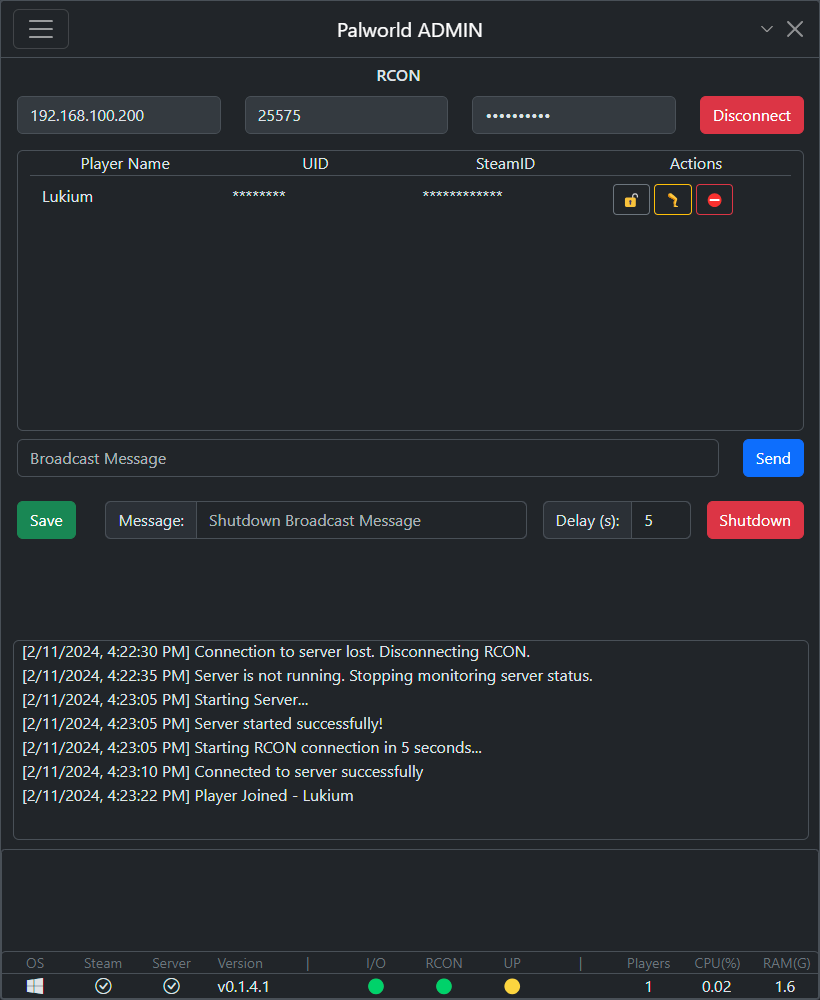
Feature Roadmap
Server Manager:
🟢 1-Click Installer
- 🟢 Windows- 🟢 Linux
🟢 1-Click Launcher
- 🟢 Windows- 🟢 Linux
🟡 Data Backup & Restore
- 🟢 Manually Backup Server Data- 🟢 Automatically Backup Server Data
- 🟢 AutoPrune Server Data (by quantity)
- ⚪ Restore Server Data from Backup
🟢 Server Performance Monitoring
- 🟢 Server CPU Usage Monitoring- 🟢 Server RAM Usage Monitoring
🟢 Server Auto Restart
- 🟢 On Unexpected Server Shutdown- 🟢 RAM Utilization Based
🟢 RCON Client:
- 🟢 Connect- 🟢 Broadcast Message (Multi Word working)
- 🟢 List Players
- 🟢 View SteamID/UID
- 🟢 Kick Players
- 🟢 Ban Players
- 🟢 Save Game
- 🟢 Shutdown Gracefully
🟡 Server Settings Manager:
🟢 Generate Settings:
- 🟢 PalWorldSettings.ini- 🟢 WorldOption.sav
⚪ Read/Write Directly to Server:
- ⚪ Read settings directly from server- ⚪ Write settings directly to server
- ⚪ Server Profile Manager (Store different settings that can be easily swapped)
⚪Beyond RCON
- ⚪ Whitelist Player- ⚪ Whitelist Mode (Only allow whitelisted players to join server)
- ⚪ Unban Player
- ⚪ Broadcast player joins in server
- ⚪ Create RCON Log
- ⚪ display HEX UID for easy Save Identification
Installation:
- Simply download the binary that matches your OS and run it.
- I recommend creating something like c:\Palworld Server, or c:\Palworld-Admin, or something simple like this
- IMPORTANT: DO NOT RUN IT FROM YOUR DESKTOP, OR ANYTHING LIKE MY DOCUMENTS OR DOWNLOADS (DIRECTORIES THAT CAN BE SYNCED BY ONE DRIVE).
This will cause the Dedicated Server Install to fail.
To access the Remote Server Manager:
- Run the binary on your host using the -r -mp flags:
For Windows:pal-admin.exe -r -mp [managementpassword]Also works with -console version
For Linux:pal-admin -r -mp [managementpassword]Make sure tochmod + xfirst - Make sure port 8210 is open and forwarded
- Access it with your browser of choice by navigating to http://[HOSTIP]:8210
Important: The remote manager does not have RCON built in. You still want to use the windows version to access the server managed in Linux via RCON
How to run directly from the code:
- Install python, at least 3.11
- Install poetry
pip install poetrymake sure you add it to your PATH - Download the code to a directory
- From that directory run
poetry install - Then run
poetry run python main.py - Profit
How to transition from an existing server:
- MAKE A BACKUP
- Download the newest version of the app
- Go to Local Server Manager in the main menu
- Click
Install | Update>Confirm> Wait for it to finish - Go to your backup and copy the directory:
steamapps/common/PalServer/Pal/SavedFROM your backup and overwrite that same directory inside the steamcmd that my app creates - Restart the app > Local Server Manager
- You should now see the existing options of your server
- Modify them as needed, including adding an Admin Password (this is the RCON password as well)
- Click the button to update settings (This will save the changes)
- Click Start Server, take note of the Local IP / RCON port / Admin Pass
- Switch to RCON window
- Enter the Local IP / RCON port / Admin
- Click Connect You should now be connected to the server via RCON
Troubleshooting:
1. Failure to Install/Launch Server:
The most likely cause for this is the user running Palworld A.D.M.I.N. from the desktop, a folder in the desktop, or a folder in a windows directory that's "syncable" like Documents / Downloads / etc.
Instead I recommend creating a directory like c:\Palworld-Admin or c:\Palworld Server.
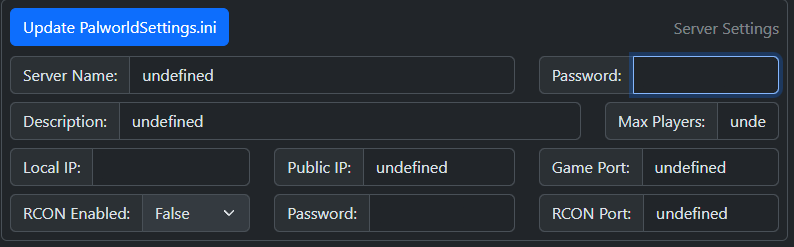
2. Undefined values in Server Manager after importing server (See screenshot below):
- This might happen if you have changed the default formatting on the PalWorldSettings.ini file. Palworld A.D.M.N.I.N. expects the file to be in its original formatting. The values can all be changed, but the formatting must remain intact (All options in a single line)
- Another possibility is that there are commas inside values surrounded by "" like your Server Name or Description. At this time this is a limitation of the app that I intend to eventually remove. So for now, no commas in the values.
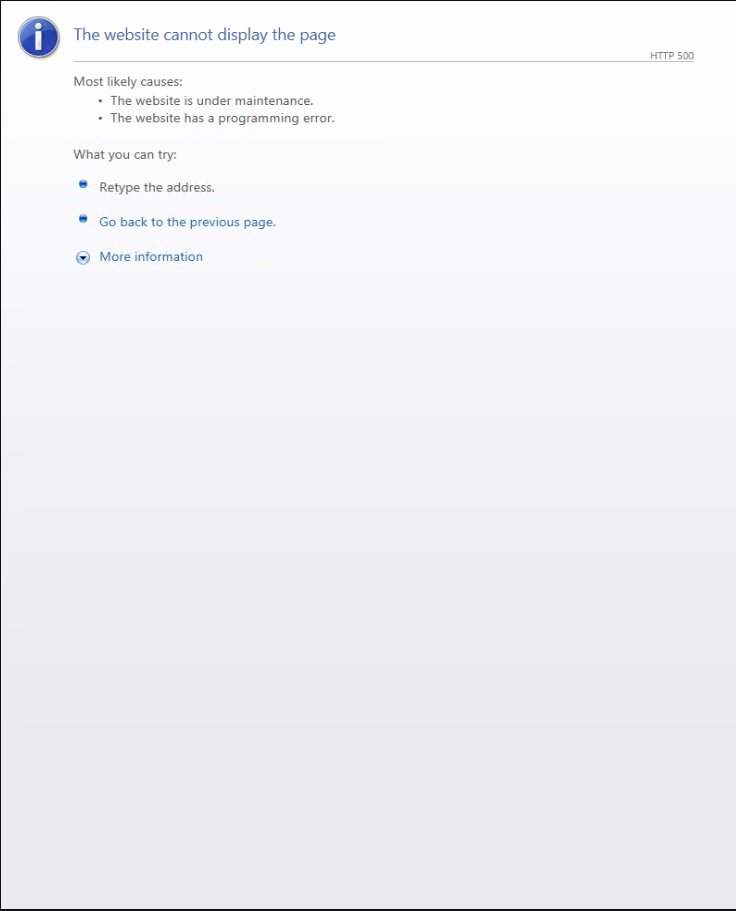
3. Webview2 Runtime Requirement:
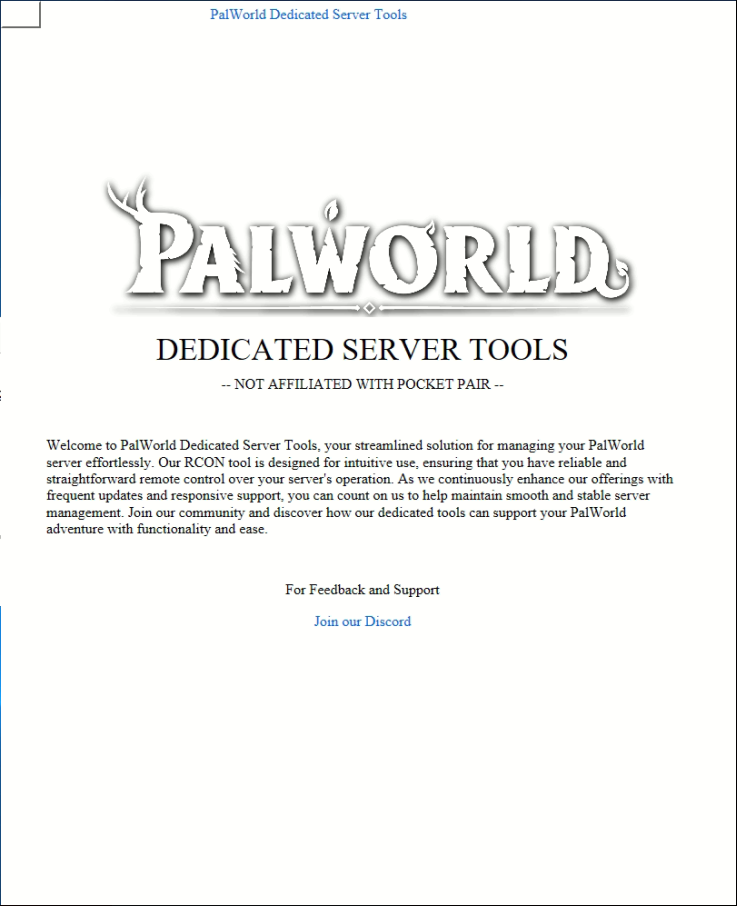
If you are running a non-standard version of windows (for example, Remote/Virtual Environment, Windows Server) you will likely need to install the Webview2 runtime from Microsoft, which can be found here. More information - here
You will know this is the case if upon opening the app, it looks like either of the following screenshots:
4. Crushed / Squeezed UI
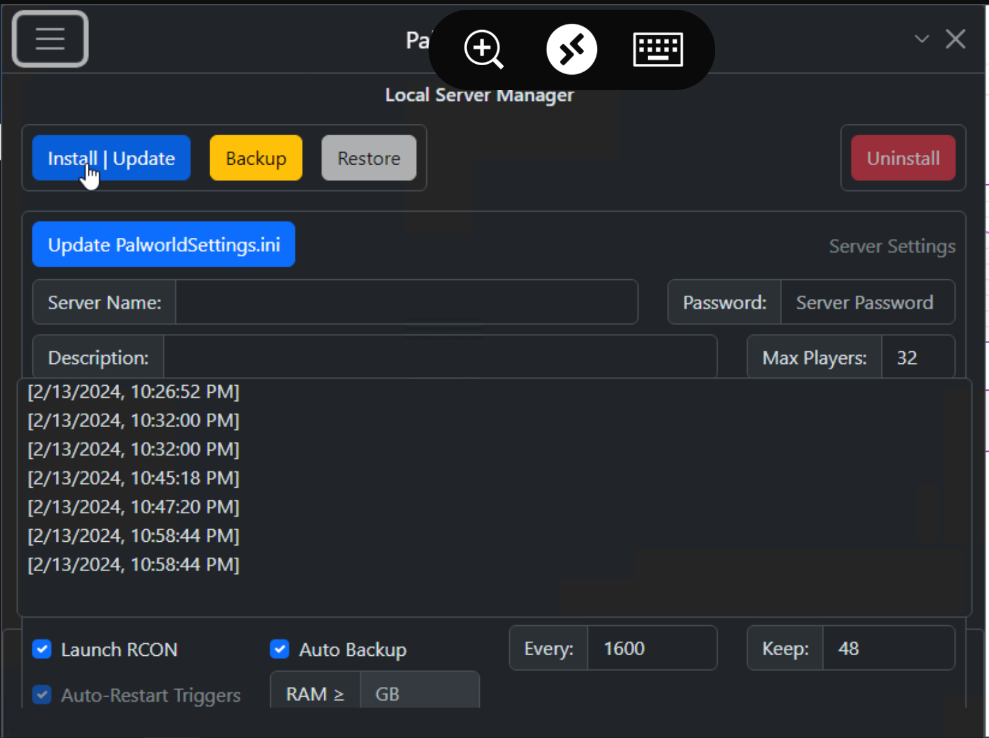
If the UI looks like the screenshot below, please increase the resolution of your display. If using a remote connection where you can't change the Resolution settings, you can usually do it from the Remote Client Options in the App that you use to connect (before actually making the Remote Desktop Connection):
Credits:
-
https://github.com/cheahjs/palworld-save-tools (Expanded and Modified)
-
https://github.com/itzg/rcon-cli (Expanded, Modified, Translated to Python)
Release history Release notifications | RSS feed


Download files
Download the file for your platform. If you're not sure which to choose, learn more about installing packages.
Source Distribution
Built Distribution
Filter files by name, interpreter, ABI, and platform.
If you're not sure about the file name format, learn more about wheel file names.
Copy a direct link to the current filters
File details
Details for the file palworld_admin-0.8.3.tar.gz.
File metadata
- Download URL: palworld_admin-0.8.3.tar.gz
- Upload date:
- Size: 894.6 kB
- Tags: Source
- Uploaded using Trusted Publishing? No
- Uploaded via: poetry/1.7.1 CPython/3.12.2 Windows/11
File hashes
| Algorithm | Hash digest | |
|---|---|---|
| SHA256 |
21a2d4fe168d20cae43044f178b0a6456036adce61f6072f70fc1f597eff5f1a
|
|
| MD5 |
90f4dc1c91cb7123ea45c443bf8a8c87
|
|
| BLAKE2b-256 |
62bc2924c50a9fb076160cc5874f99225ba96d1508a3467cd12221d7026d8130
|
File details
Details for the file palworld_admin-0.8.3-py3-none-any.whl.
File metadata
- Download URL: palworld_admin-0.8.3-py3-none-any.whl
- Upload date:
- Size: 881.8 kB
- Tags: Python 3
- Uploaded using Trusted Publishing? No
- Uploaded via: poetry/1.7.1 CPython/3.12.2 Windows/11
File hashes
| Algorithm | Hash digest | |
|---|---|---|
| SHA256 |
9b0c4d182ab0fb61a99e51e25f3dbe2c04c04570bd7584ef7d8e205ce0be44b6
|
|
| MD5 |
fea69fcb9dffc2cdb9c9daee7e3e2285
|
|
| BLAKE2b-256 |
4a6df3d877bd7e176ee3aabbf937b1249ce1aee44f704523251f7f29075c54eb
|






