
This release is a pre-release and may not be stable for production use.
Pamet
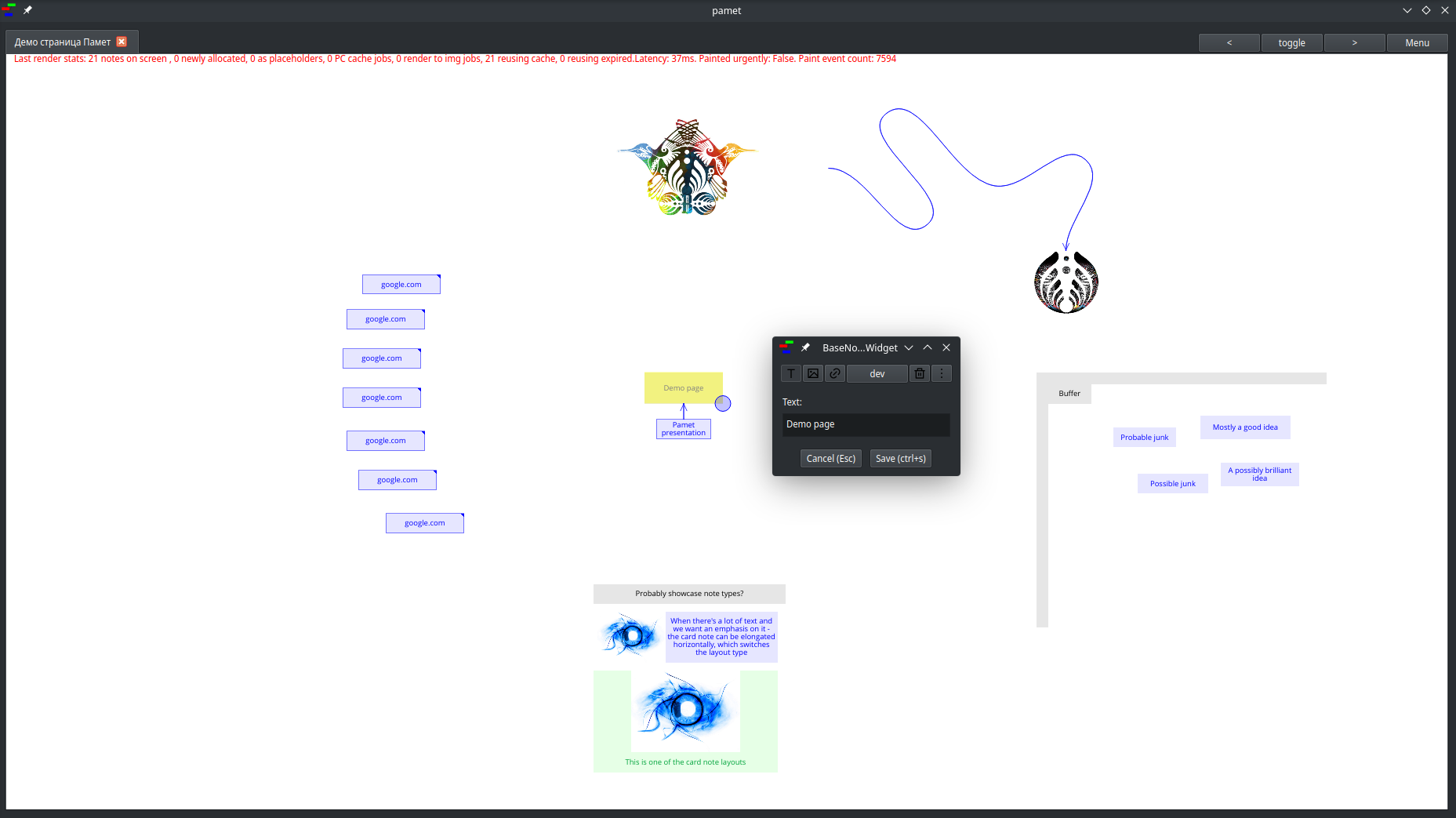
An infinite canvas for organizing information with text/images/links. Written using Qt for Python.
⚠ Still in alpha ⚠ - you'll probably encounter GUI bugs, but the data storage/saving is stable.
Installation
Via pip
Requires Python >3.10. If it's not available for your package manager(/app store) - you can use pyenv.
pip install pamet , start with pamet
From source
-
Clone the Fusion and Pamet repos.
-
Run
pip install .(with the respective repo as current working dir).- If you want a development install run
pip install -e .instead. Install Fusion first (otherwise it'll get pulled from PyPI). Also it would be best to do it in a virtual environment if you want to run the release version in parallel
- If you want a development install run
-
A Flatpak is in the works but I hit an issue there.
Usage
- Ctrl+shift+P for the command palette
- Double click to create a new note
- L to craete an arrow
- Click to select
- Long-press and drag to move selected notes/arrows
- Ctrl or shift to select multiple notes
- Ctrl+Shift to drag-select multiple notes
- Drag the lower right corner of a note to resize it
- Buttons 1,2,3,4 change the note color. 5 removes the background
- Selected notes get moved together and resized to the same size
- No manual saving is required
- Copy/paste/cut work as you'd expect
- Paste special with ctrl+shift+V (imports links and multiple notes) - will be improved

Testing
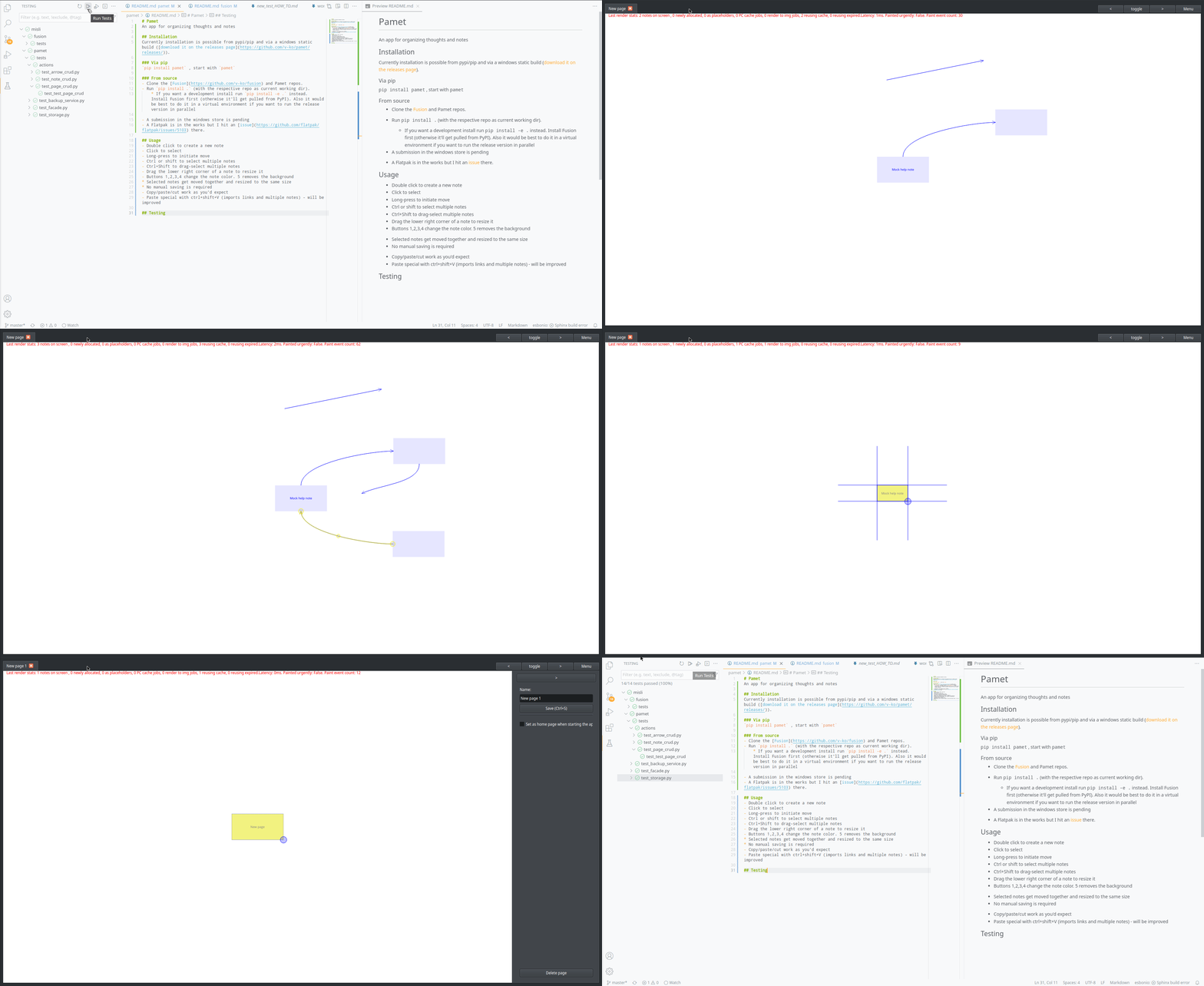
There are unit tests for some of the functionality and testing for the actions(=controller) which are not precise but are quite useful for visual verification (+are easy to generate).
Development state and future
Check some notes on the development so far
Currently the code documentation isn't updated, and typing annotations have to be completed in places.
Next goals in terms of features:
- Server for page sharing
- A minimal web app for viewing pages
- A minimal android app for viewing and limited input
1 maintainer

Metadata
1 maintainer
Release files for pamet 4.0.0a15
For a detailed explanation of source distributions (sdists) and built distributions (wheels), please see the package formats documentation.
Source distribution (sdist)
| File | Size | Uploaded | Provenance | Actions |
|---|---|---|---|---|
| pamet-4.0.0a15.tar.gz | 500.4 kB | Without provenance | Details for pamet-4.0.0a15.tar.gz |
Built distribution (wheel)
| File | Interpreter | ABI | Platform | Actions Reset |
|---|---|---|---|---|
| pamet-4.0.0a15-py3-none-any.whl | Python 3 | none | any | Details for pamet-4.0.0a15-py3-none-any.whl |
Total release size: 1.0 MB
Release files / pamet-4.0.0a15.tar.gz
| Download URL | pamet-4.0.0a15.tar.gz |
|---|---|
| Size | 500.4 kB |
| Tags | Source |
|
SHA-256 checksum How to use checksums |
b771823a9910510989aabd879ce6d89e3142945f5bdf9fa6dbf1ba5e4c7a116e
|
|
BLAKE2b-256 checksum How to use checksums |
d1c21a210d57330d6ebb37488cbba870b823c4070ea07e9a7b6f411bb236fd46
|
| Upload date | |
|
Uploaded using Trusted Publishing? What is trusted publishing? |
No |
| Uploaded via |
twine/4.0.1 CPython/3.10.9
|
Release files / pamet-4.0.0a15-py3-none-any.whl
| Download URL | pamet-4.0.0a15-py3-none-any.whl |
|---|---|
| Size | 530.0 kB |
| Tags | Python 3 |
|
SHA-256 checksum How to use checksums |
ea93a3b55dfaa19cd0e64c72c6a6095571471c27bd9a408caf8673592487866e
|
|
BLAKE2b-256 checksum How to use checksums |
6b33cd7dde38e031215a6bff9c21d558e9290100ab5780fa3d1df06aaf875b11
|
| Upload date | |
|
Uploaded using Trusted Publishing? What is trusted publishing? |
No |
| Uploaded via |
twine/4.0.1 CPython/3.10.9
|
Security for pamet 4.0.0a15
Provenance
Provenance describes where a file came from. On PyPI, provenance is shared via attestations, which provide a verifiable record of the build or publishing details. View details, limitations and caveats.
No provenance found
None of the files in this release were uploaded with provenance metadata.
A note on package security
PyPI is a repository for distributing packages, not a service for auditing them. While third-party security researchers and our staff do their best to detect and remove malicious packages, PyPI cannot guarantee the quality, security or suitability of any given package.
To learn more about protecting yourself from malicious actors, visit our package security documentation.














