
Print colored Numpy arrays / pandas DataFrames / Pandas Series / lists / dicts / tuples!
pip install PrettyColorPrinter
This is everything you have to do to use PrettyColorPrinter with pandas
from PrettyColorPrinter import add_printer
add_printer() #This function will add some methods to PandasObject

#Let’s import pandas and create a DataFrame:

import pandas as pd
df=pd.read_csv(r"https://github.com/pandas-dev/pandas/raw/main/doc/data/air_quality_no2_long.csv")
Update 2022/12/27
You can switch between the colored version and the black/white version.
import pandas as pd
from PrettyColorPrinter import add_printer, switch_color_bw
add_printer(True)
switch_color_bw()
Update 2022/10/08
Fixed a bug with empty DataFrames
Update 2022/10/05
add_printer(overwrite_pandas_printer=False)
If you pass overwrite_pandas_printer=True then the color printer will replace __str__ and __repr__ from pandas

You can configure the color printer using:
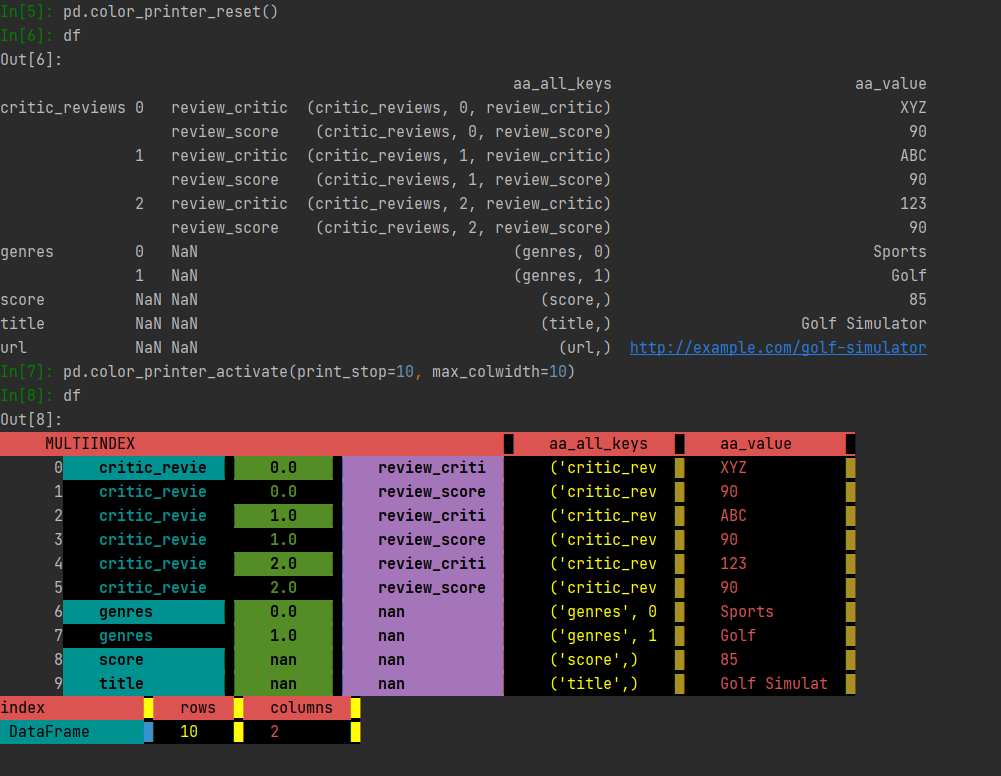
     pd.color_printer_activate(print_stop:int=69,max_colwidth:int=300,repeat_cols:int=70)
     print_stop = maximum lines to print
     max_colwidth = maximum column width
     repeat_cols = for better readability, the columns are printed each x row


    This is how you switch back and forth between standard pandas and color printer:
      pd.color_printer_reset() #to standard pandas
      pd.color_printer_activate() #to color printer
Have a look
from PrettyColorPrinter import add_printer
from a_pandas_ex_plode_tool import pd_add_explode_tools
import pandas as pd
pd_add_explode_tools()
add_printer(overwrite_pandas_printer=True)
data={'critic_reviews': [{'review_critic': 'XYZ', 'review_score': 90},
                    {'review_critic': 'ABC', 'review_score': 90},
                    {'review_critic': '123', 'review_score': 90}],
 'genres': ['Sports', 'Golf'],
 'score': 85,
 'title': 'Golf Simulator',
 'url': 'http://example.com/golf-simulator'}
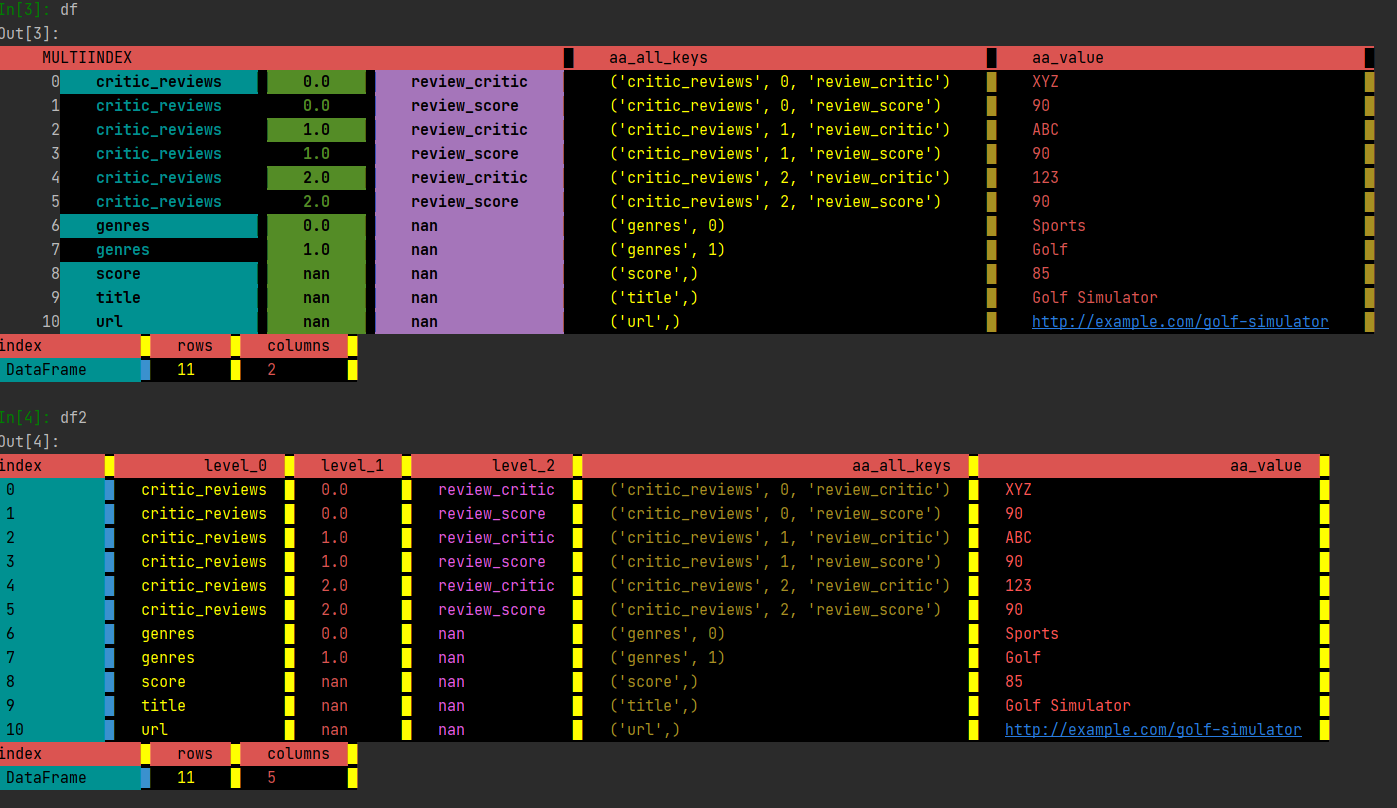
df = pd.Q_AnyNestedIterable_2df(data,unstack=False) #multiindex
df2 = df.d_unstack() #normal index
df #if you type df, you will get a colored dataframe instead of the regular pandas version
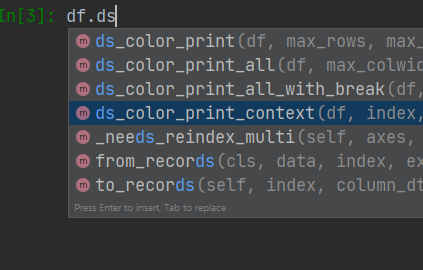
All methods added to pandas start either with:
-
ds_ (for DataFrames and Series)
-
s_ (only for Series)
-
d_ (only for DataFrames)
All methods that are added to PandasObject
-
ds_color_print
-
ds_color_print_all
-
d_color_print_columns
-
d_color_print_index
-
ds_color_print_all_with_break
-
ds_color_print_context
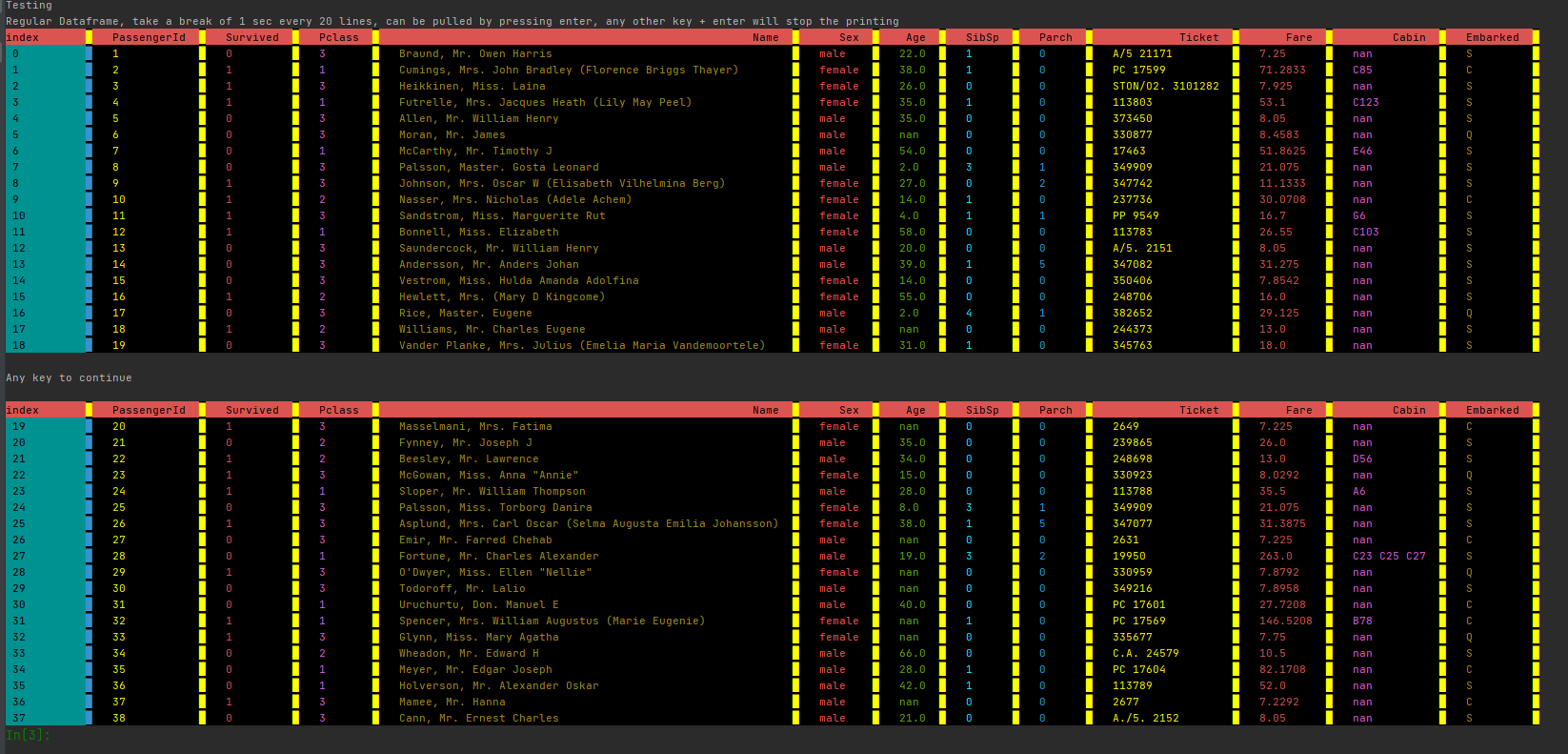
#If you want to see some examples:
from PrettyColorPrinter import print_test_from_pandas_github
print_test_from_pandas_github()

#If you need help
help(df.ds_color_print)
qq_ds_print(max_rows: int = 1000, max_colwidth: int = 300, repeat_cols: int = 70, asnumpy: bool = False, returndf: bool = False) -> Union[pandas.core.frame.DataFrame, pandas.core.series.Series, NoneType] method of pandas.core.frame.DataFrame instance
    Parameters
    ----------
    df : pd.DataFrame, pd.Series
        Array to print
    max_rows : int
        Stop printing after n lines (default is 1000)
    max_colwidth : int
        Width of each column (default is 300)
    repeat_cols : int (default is 70)
        Print columns again after n lines  (default is 70)
    asnumpy: bool (default is False)
        Converts pandas DataFrame to np before printing.
        If there are duplicated columns in a Pandas DataFrame,
        it changes to printasnp = True  (default is False)
    returndf:  bool (default is False)
        return the input DataFrame to allow chaining
Using PrettyColorPrinter without pandas
**
The function pdp can be used without pandas.
Doing it this way, you are not restricted to PandasObjects.
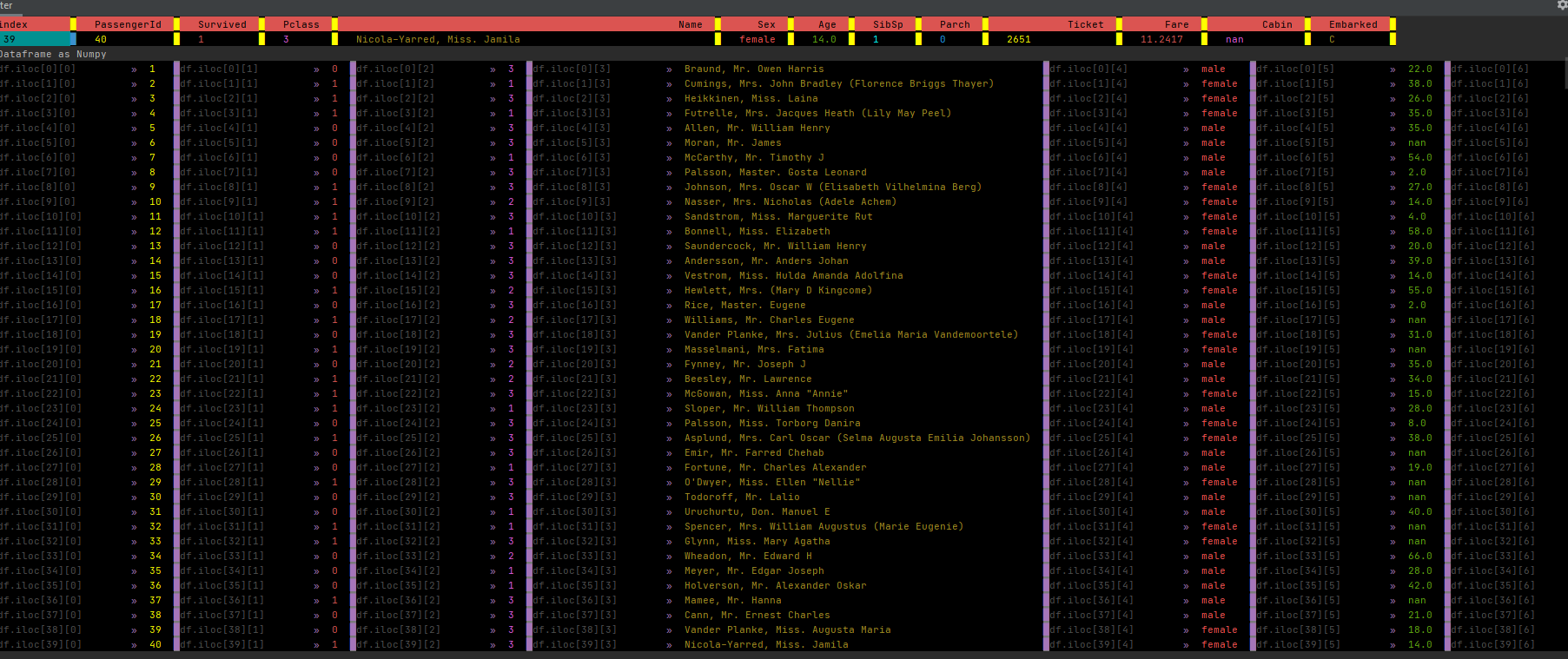
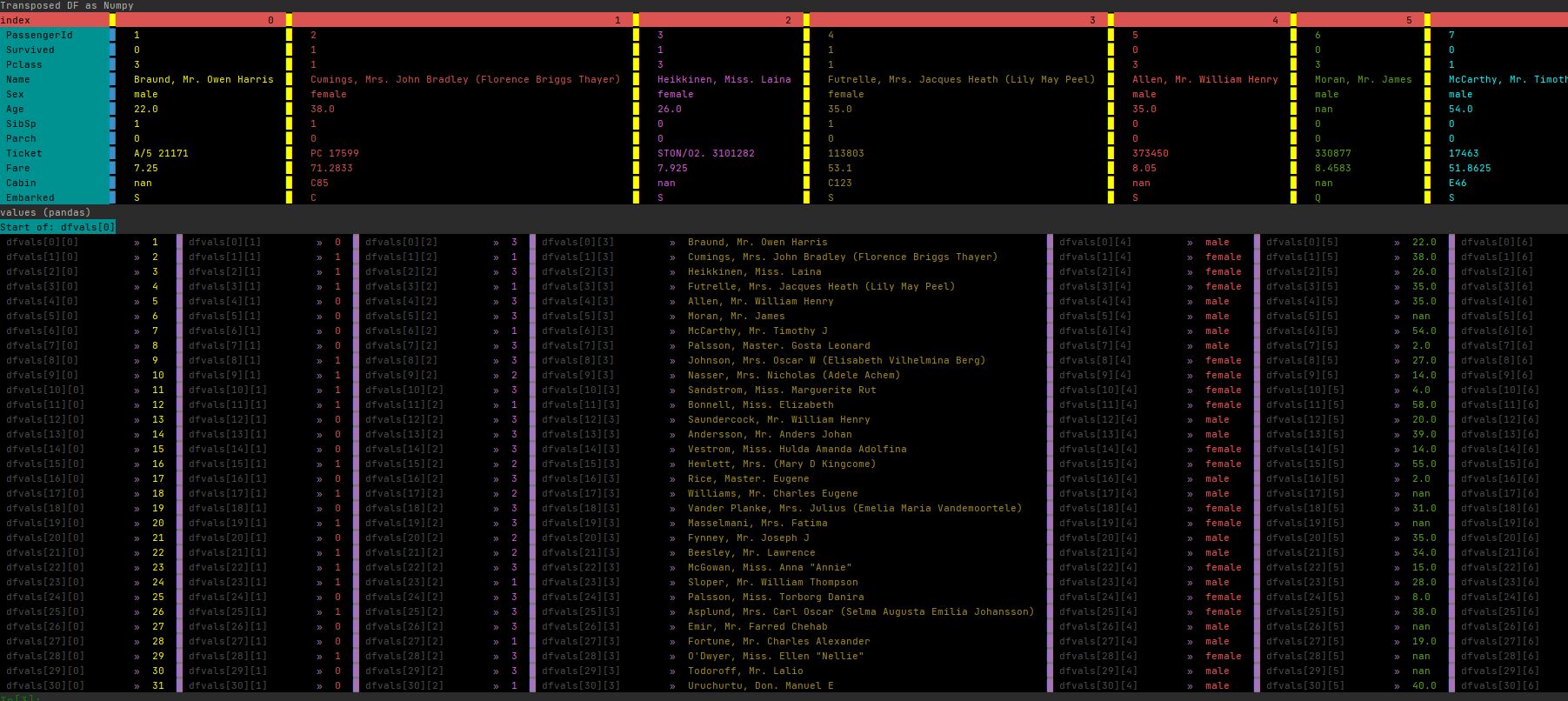
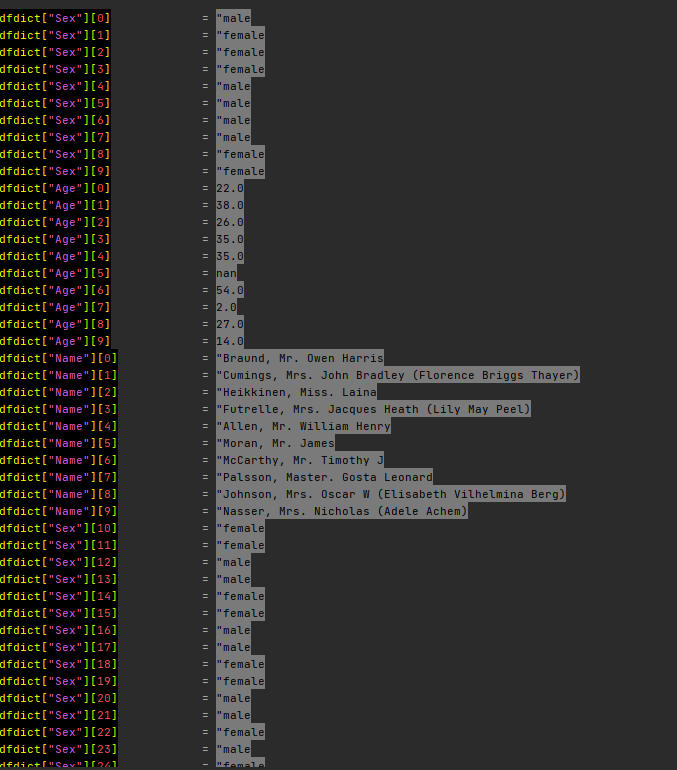
You can print lists, dicts, tuples, np.arrays, pd.DataFrames and pd.Series
**
from PrettyColorPrinter import pdp
1 maintainer

Metadata
1 maintainer
Release files for PandasColorPrinter 0.45
For a detailed explanation of source distributions (sdists) and built distributions (wheels), please see the package formats documentation.
Source distribution (sdist)
| File | Size | Uploaded | |
|---|---|---|---|
| PandasColorPrinter-0.45.tar.gz | 36.8 kB | Details |
Built distribution (wheel)
| File | Interpreter | ABI | Platform | Reset |
|---|---|---|---|---|
| PandasColorPrinter-0.45-py3-none-any.whl | Python 3 | none | any | Details |
Total release size: 73.0 kB
Release files / PandasColorPrinter-0.45.tar.gz
| Download URL | PandasColorPrinter-0.45.tar.gz |
|---|---|
| Size | 36.8 kB |
| Tags | Source |
|
SHA-256 checksum How to use checksums |
da9dd3e080cc3752dadf00e953b01cd2b2f12b530d5f638d2bc8b34e2737764b
|
|
BLAKE2b-256 checksum How to use checksums |
fdb0089c9381494b89e322a850f47729d8556bbd6b865d6cbb44aa69f9b09f5a
|
| Upload date | |
|
Uploaded using Trusted Publishing? What is trusted publishing? |
No |
| Uploaded via |
twine/4.0.2 CPython/3.11.7
|
Release files / PandasColorPrinter-0.45-py3-none-any.whl
| Download URL | PandasColorPrinter-0.45-py3-none-any.whl |
|---|---|
| Size | 36.2 kB |
| Tags | Python 3 |
|
SHA-256 checksum How to use checksums |
9be00594f17024d41c077a0c8812888fafd82a86876436f2ead087f3c66ea9a2
|
|
BLAKE2b-256 checksum How to use checksums |
2a95ef296bd627a175fe0de2393e2afa26b6d045b7a5077c7c4365853d54988e
|
| Upload date | |
|
Uploaded using Trusted Publishing? What is trusted publishing? |
No |
| Uploaded via |
twine/4.0.2 CPython/3.11.7
|














