
A project providing a Mermaid JS widget for use with HoloViz Panel.

Project description
✨ panel-mermaid


panel-mermaid provides the MermaidDiagram pane designed to integrate Mermaid diagramming functionality with notebooks and Panel data apps.
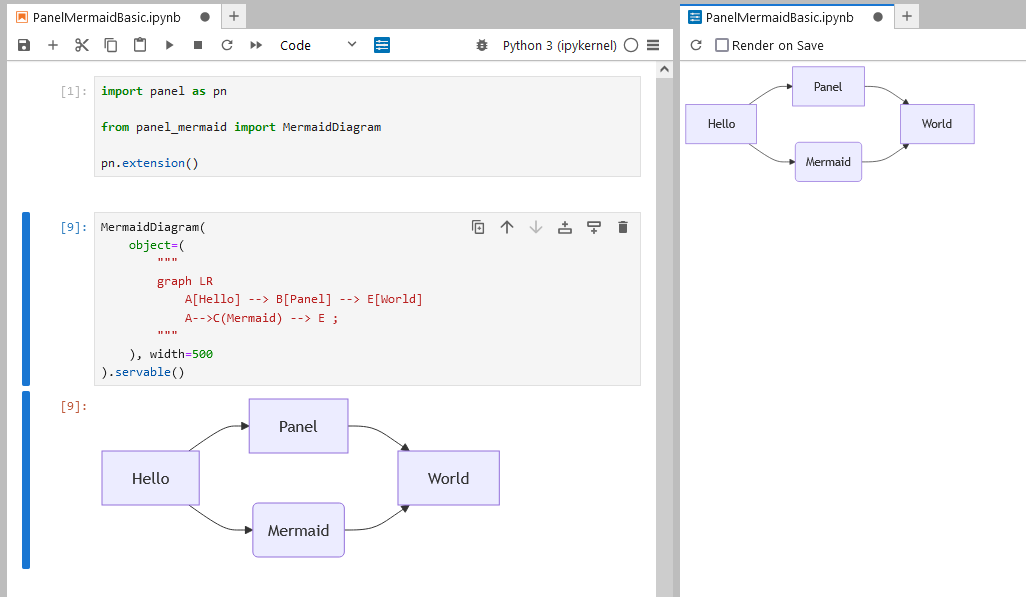
It is based on Mermaid JS.
Key Features
- Interactive Mermaid Diagrams: Easily create flowcharts, sequence diagrams, class diagrams, and more using the familiar Mermaid syntax.
- Configurable Themes and Looks: Choose from a variety of themes (
default,dark,forest, etc.) and looks (classic,handDrawn). - Real-time Configuration Updates: Use the
MermaidConfigurationwidget to dynamically update your diagram’s configuration. - Customizable Events: Handle diagram interactions with event subscriptions (e.g., click, mouseover).
- Font-Awesome Icon Support: Leverage Font-Awesome icons in your diagrams by including the Font-Awesome CSS in your application.
Installation
You can install the package using pip:
pip install panel-mermaid
Usage
1. Basic Mermaid Diagram
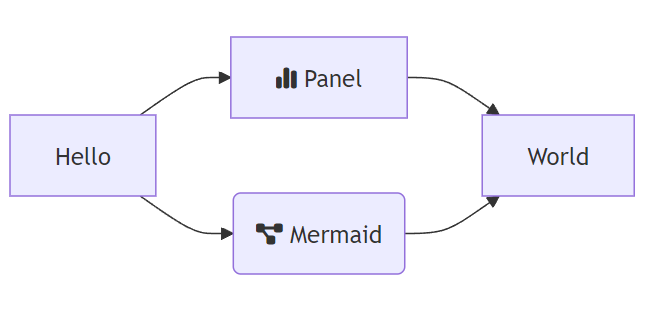
Here’s how to create a simple Mermaid diagram using the MermaidDiagram widget:
import panel as pn

from panel_mermaid import MermaidDiagram

pn.extension()

MermaidDiagram(
    object=(
        """
        graph LR
            A[Hello] --> B[Panel] --> E[World]
            A-->C(Mermaid) --> E ;
        """
    )
).servable()
2. Basic Mermaid Configuration
Use the configuration parameter to modify the Mermaid diagram configuration:
import panel as pn

from panel_mermaid import MermaidDiagram

pn.extension()

MermaidDiagram(
    object=(
        """
        graph LR
            A[Hello] --> B[Panel] --> E[World]
            A-->C(Mermaid) --> E ;
        """
    ),
    configuration={"look": "handDrawn", "theme": "forest"},
).servable()
3. The MermaidConfiguration Widget
The MermaidConfiguration widget allows you to adjust diagram styling and themes interactively, making it simple to adapt to various visual preferences. You can customize:
- Look: Choose between
classicorhandDrawn. - Theme: Choose from several themes like
default,dark,forest, etc.
Example:
import panel as pn

from panel_mermaid import MermaidDiagram, MermaidConfiguration

pn.extension()

configuration = MermaidConfiguration(look="handDrawn", theme="forest")
diagram = MermaidDiagram(
    object=(
        """
        graph LR
            A[Hello] --> B[Panel] --> E[World]
            A-->C(Mermaid) --> E ;
        """
    ),
    configuration=configuration,
)

pn.FlexBox(configuration, diagram).servable()
4. Event Handling
You can also add event listeners to the diagram, allowing interactivity such as responding to clicks on diagram nodes:
import panel as pn

from panel_mermaid import MermaidDiagram, MermaidConfiguration

pn.extension()

diagram = MermaidDiagram(
    object=(
        """
        graph LR
            A[Hello] --> B[Panel] --> E[World]
            A-->C(Mermaid) --> E ;
        """
    ),
    event_configuration=[("click", ".node")]
)

pn.FlexBox(diagram, pn.pane.JSON(diagram.param.event, theme="light")).servable()
In this example we will subscribe to all click events on elements with the .node class.
5. Mermaid SVG Value
If you would like the Mermaid SVG value to be updated would will need to set update_value=True:
from io import StringIO
import panel as pn
from panel_mermaid import MermaidDiagram

pn.extension()

diagram = MermaidDiagram(
    object=(
        """
        graph LR
            A[Hello] --> B[Panel] --> E[World]
            A-->C(Mermaid) --> E ;
        """
    ),
    update_value=True,
)

pn.FlexBox(
    pn.Column(
        diagram,
        diagram.param.update_value,
    ),
    pn.Column(
        pn.widgets.TextAreaInput(value=diagram.param.value, disabled=True, height=200),
        pn.widgets.FileDownload(
            file=pn.bind(StringIO, diagram.param.value), filename="diagram.svg"
        ),
    ),
).servable()
6. Font-Awesome Icons
To use Font-Awesome icons in your Mermaid diagrams, include the Font-Awesome CSS. Once included, you can add icons to your diagrams by prefixing with fa::
import panel as pn

from panel_mermaid import MermaidDiagram

pn.extension(sizing_mode="stretch_width", css_files=["https://cdnjs.cloudflare.com/ajax/libs/font-awesome/6.6.0/css/all.min.css"])

MermaidDiagram(
    object=(
        """
        graph LR
            A[Hello] --> B[fa:fa-chart-simple Panel] --> E[World]
            A-->C(fa:fa-diagram-project Mermaid) --> E ;
        """
    )
).servable()
API
Parameters
object(str): A valid Mermaid string.value(str): The SVG Value corresponding to Mermaidobject. Will only be updated ifupdate_valueis True.update_value: If True thevaluewill be updated. Default is False to save resources.configuration(dict): The mermaid configuration as described in Mermaid | config.schema.json.event(dict): An event from interacting with the diagram.event_configuration: List of (event name, query selector string) tuples to subscribe to. For example[("click", ".node")]or[("mouseover", ".node")].
Mermaid Editor
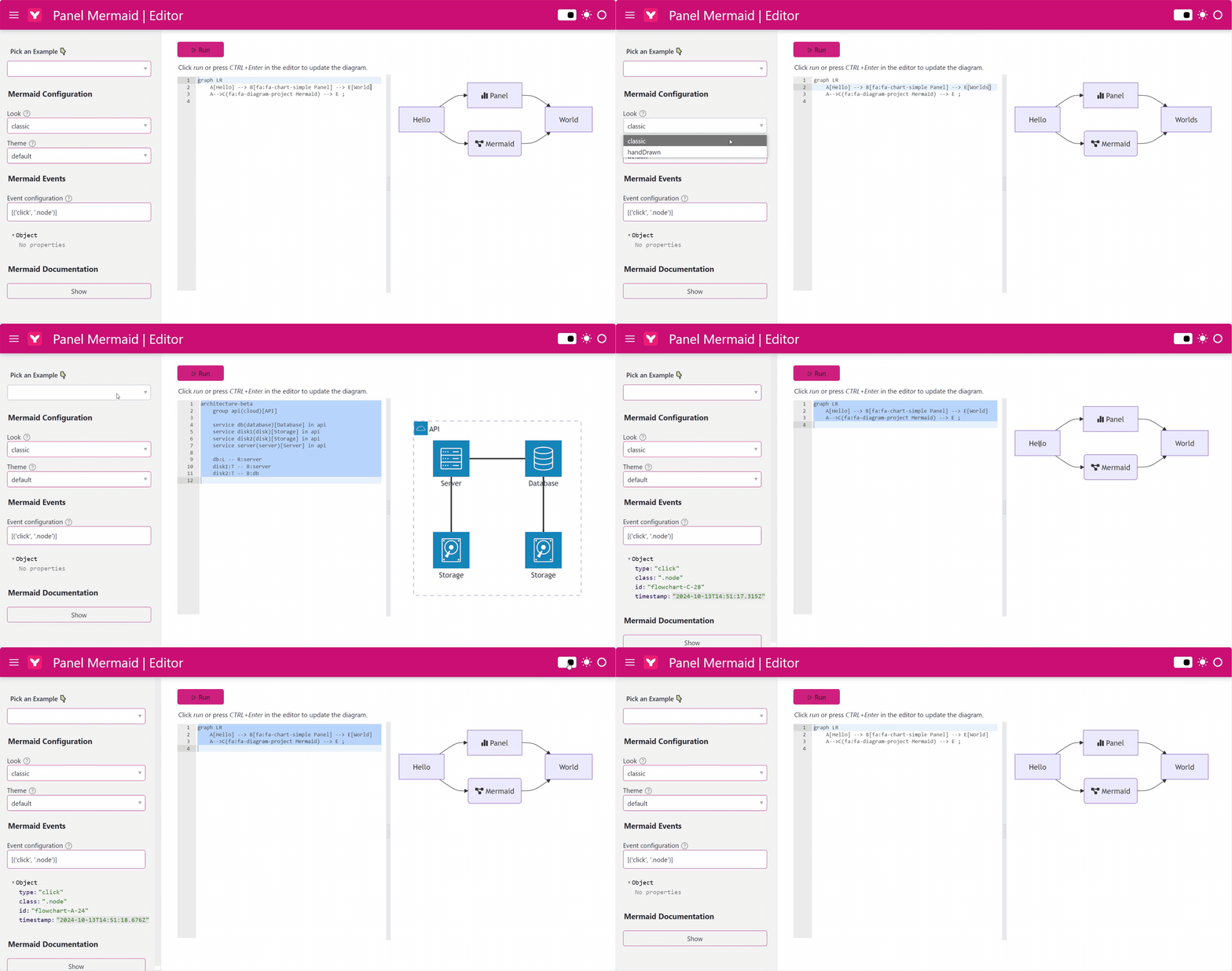
Open the Mermaid Editor to explore the features and documentation of the PanelMermaid pane interactively.
❤️ Contributions
Contributions and co-maintainers are very welcome! Please submit issues or pull requests to the GitHub repository. Check out the DEVELOPER_GUIDE for more information.
Alternative Projects
Start building rich, interactive diagrams directly in your Python applications with panel-mermaid!


Download files
Download the file for your platform. If you're not sure which to choose, learn more about installing packages.
Source Distribution
Built Distribution
Filter files by name, interpreter, ABI, and platform.
If you're not sure about the file name format, learn more about wheel file names.
Copy a direct link to the current filters
File details
Details for the file panel_mermaid-0.2.1.tar.gz.
File metadata
- Download URL: panel_mermaid-0.2.1.tar.gz
- Upload date:
- Size: 4.4 MB
- Tags: Source
- Uploaded using Trusted Publishing? No
- Uploaded via: uv/0.4.26
File hashes
| Algorithm | Hash digest | |
|---|---|---|
| SHA256 |
fdcb1b0796dd48caaa32af84d5ba31e3c666c3ca6604fd8e4b2e638aa3c1d3a4
|
|
| MD5 |
b02dae7bd0285b44b90dc6863ffc315a
|
|
| BLAKE2b-256 |
ca549cc7537d64947ff2e8ac0f2f5c3eeee7ce1f8c4d896746bdceb1ecf7e7a5
|
File details
Details for the file panel_mermaid-0.2.1-py3-none-any.whl.
File metadata
- Download URL: panel_mermaid-0.2.1-py3-none-any.whl
- Upload date:
- Size: 10.4 kB
- Tags: Python 3
- Uploaded using Trusted Publishing? No
- Uploaded via: uv/0.4.26
File hashes
| Algorithm | Hash digest | |
|---|---|---|
| SHA256 |
f271446a048f1c3e5cfa38f34ff175367c2936d1dc7a13f9fcf1eefc65be1949
|
|
| MD5 |
91f1e93b5e983f825c9bbcbb985e5556
|
|
| BLAKE2b-256 |
f0df466e1c1b3b116d0555be1b59eae6e537ea2165fba420f0f1d512a48afa91
|






