
✨ panel-reactflow




A Panel wrapper for the React Flow JS library.
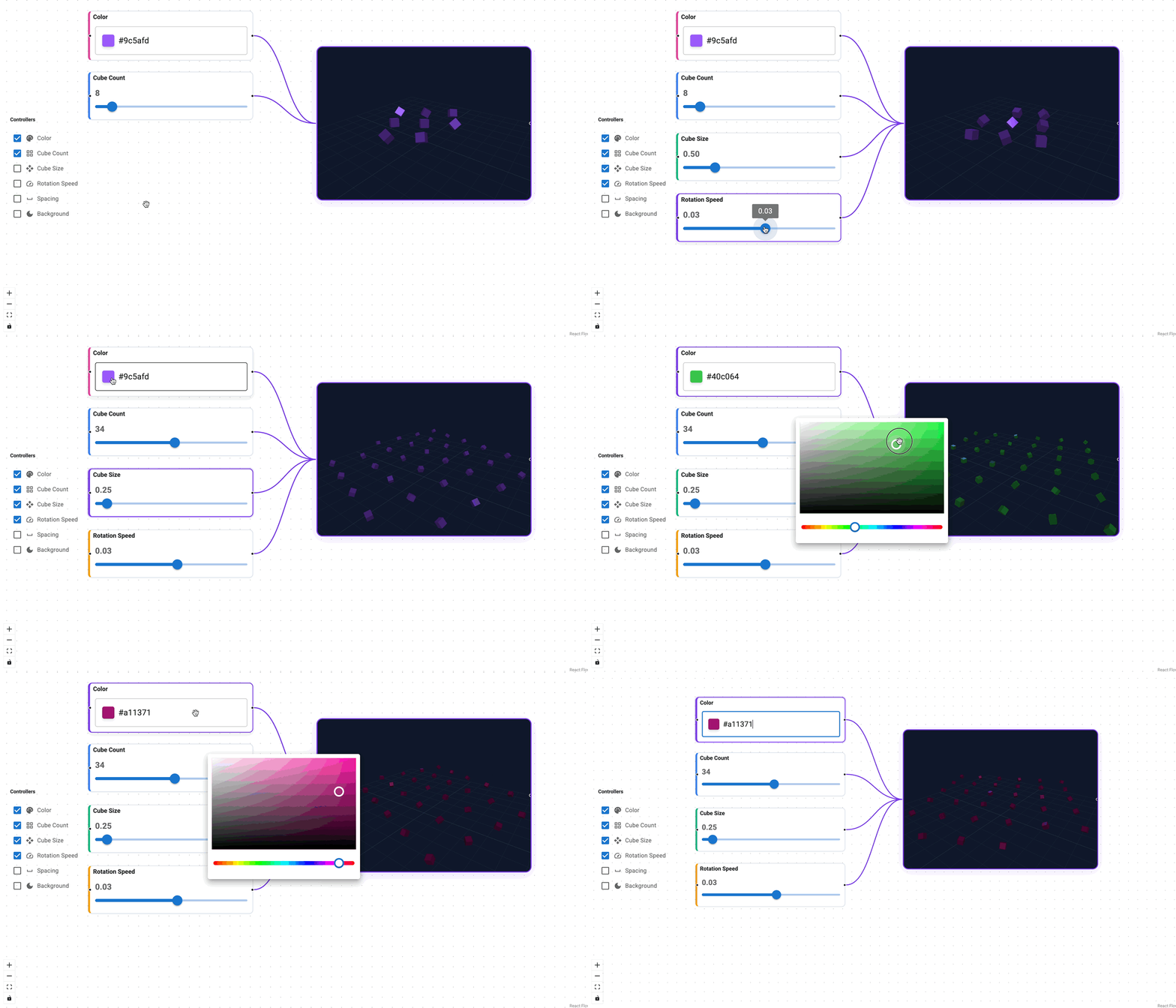
Features
- Python-first, JSON-serializable graph state
- Panel viewables inside nodes via node
viewentries - Interactive editing (drag/select/connect/delete) with sync back to Python
- Optional schema definitions for node/edge properties
- Event callbacks via
ReactFlow.on(...)for app-level handling (callback signature:callback(payload, flow))
Pin your version!
This project is in its early stages, so if you find a version that suits your needs, it’s recommended to pin your version, as updates may introduce changes.
Installation
Install it via pip:
pip install panel-reactflow
Usage
import panel as pn

from panel_reactflow import ReactFlow

pn.extension("jsoneditor")

nodes = [
    {
        "id": "n1",
        "position": {"x": 0, "y": 0},
        "type": "panel",
        "label": "Start",
        "data": {},
        "view": pn.pane.Markdown("Node 1 content"),
    },
    {
        "id": "n2",
        "position": {"x": 260, "y": 60},
        "type": "panel",
        "label": "End",
        "data": {},
        "view": pn.pane.Markdown("Node 2 content"),
    },
]
edges = [
    {"id": "e1", "source": "n1", "target": "n2"},
]

flow = ReactFlow(
    nodes=nodes,
    edges=edges,
)

flow
For property schemas and richer editors, provide node_types/edge_types with PropertySpec and handle changes via ReactFlow.on(...). .on callbacks receive the event payload as the first argument and can optionally accept the ReactFlow instance as a second argument.
Connection validation
Connection checks are opt-in. For frontend-only validation, set connection_validation with any of direction, types, capacity, duplicates, or cycles set to True. types compares declared handle types case-insensitively and permits unknown types; capacity uses maxConnections on input handle dictionaries, with no limit when omitted. Existing handle connectability flags still apply.
from panel_reactflow import NodeType, ReactFlow

flow = ReactFlow(
    node_types={
        "source": NodeType(type="source", outputs=[{"id": "value", "type": "str"}]),
        "sink": NodeType(type="sink", inputs=[{"id": "value", "type": "str", "maxConnections": 1}]),
    },
    connection_validation={"direction": True, "types": True, "capacity": True, "cycles": True},
)
For application rules, register a Python validator. On each drag start, ReactFlow requests results for every candidate port and shows the returned reasons while dragging. The callback receives an edge-shaped payload with source, target, sourceHandle, and targetHandle; return None to allow or a string to reject. Hooks and frontend checks can be used together. Validate again in your edge_added handler before accepting the connection, since the graph may have changed after drag start.
def validate_connection(edge, flow):
    if edge["source"] == edge["target"]:
        return "A node cannot connect to itself."

flow.add_connection_validator(validate_connection)
Run the connection validation demo with PYTHONPATH=src pixi run panel serve examples/connection_validation.py --show from the repository root.
Development
git clone https://github.com/panel-extensions/panel-reactflow
cd panel-reactflow
For a simple setup use uv:
uv venv
source .venv/bin/activate # on linux. Similar commands for windows and osx
uv pip install -e .[dev]
pre-commit run install
pytest tests
For the full Github Actions setup use pixi:
pixi run pre-commit-install
pixi run postinstall
pixi run test
This repository is based on copier-template-panel-extension (you can create your own Panel extension with it)!
To update to the latest template version run:
pixi exec --spec copier --spec ruamel.yaml -- copier update --defaults --trust
Note: copier will show Conflict for files with manual changes during an update. This is normal. As long as there are no merge conflict markers, all patches applied cleanly.
❤️ Contributing
Contributions are welcome! Please follow these steps to contribute:
- Fork the repository.
- Create a new branch:
git checkout -b feature/YourFeature. - Make your changes and commit them:
git commit -m 'Add some feature'. - Push to the branch:
git push origin feature/YourFeature. - Open a pull request.
Please ensure your code adheres to the project's coding standards and passes all tests.
1 maintainer

Release files for panel-reactflow 0.5.0
For a detailed explanation of source distributions (sdists) and built distributions (wheels), please see the package formats documentation.
Source distribution (sdist)
| File | Size | Uploaded | |
|---|---|---|---|
| panel_reactflow-0.5.0.tar.gz | 2.0 MB | Details |
Built distribution (wheel)
| File | Interpreter | ABI | Platform | Reset |
|---|---|---|---|---|
| panel_reactflow-0.5.0-py3-none-any.whl | Python 3 | none | any | Details |
Total release size: 2.2 MB
Release files / panel_reactflow-0.5.0.tar.gz
| Download URL | panel_reactflow-0.5.0.tar.gz |
|---|---|
| Size | 2.0 MB |
| Tags | Source |
|
SHA-256 checksum How to use checksums |
26e5351c06076a36003431c86b6bd9f31cd1e82824047aac6849d154bb5488a9
|
|
BLAKE2b-256 checksum How to use checksums |
19fe546f167de138e5b977b97ee0b45da104430049d06aadcf3c6719c0d19332
|
| Upload date | |
|
Uploaded using Trusted Publishing? What is trusted publishing? |
Yes |
| Uploaded via |
twine/7.0.0 CPython/3.13.14
|
Provenance
Provenance describes where a file came from. On PyPI, provenance is shared via attestations, which provide a verifiable record of the build or publishing details. View details, limitations and caveats.


PyPI Publish Attestation
PyPI verified that this artifact, at this checksum, originated from the publisher listed below.
Signed by GitHub Actions, verified by PyPI on Sep 29, 2026.
Transparency logRelease files / panel_reactflow-0.5.0-py3-none-any.whl
| Download URL | panel_reactflow-0.5.0-py3-none-any.whl |
|---|---|
| Size | 188.8 kB |
| Tags | Python 3 |
|
SHA-256 checksum How to use checksums |
bc3c48034fb6ccaa0873efc28a188bc8792239b651f0a299d0813ed4b98be559
|
|
BLAKE2b-256 checksum How to use checksums |
1af51a7d4530744c276ffc44834a33f403df83d3f9bafeb0c416c0127f3bdbec
|
| Upload date | |
|
Uploaded using Trusted Publishing? What is trusted publishing? |
Yes |
| Uploaded via |
twine/7.0.0 CPython/3.13.14
|
Provenance
Provenance describes where a file came from. On PyPI, provenance is shared via attestations, which provide a verifiable record of the build or publishing details. View details, limitations and caveats.
PyPI Publish Attestation
PyPI verified that this artifact, at this checksum, originated from the publisher listed below.
Signed by GitHub Actions, verified by PyPI on Sep 29, 2026.
Transparency log













