
✨ panel-xml


panel-xml provides the XML pane to display and explore XML in notebooks and Panel data apps.
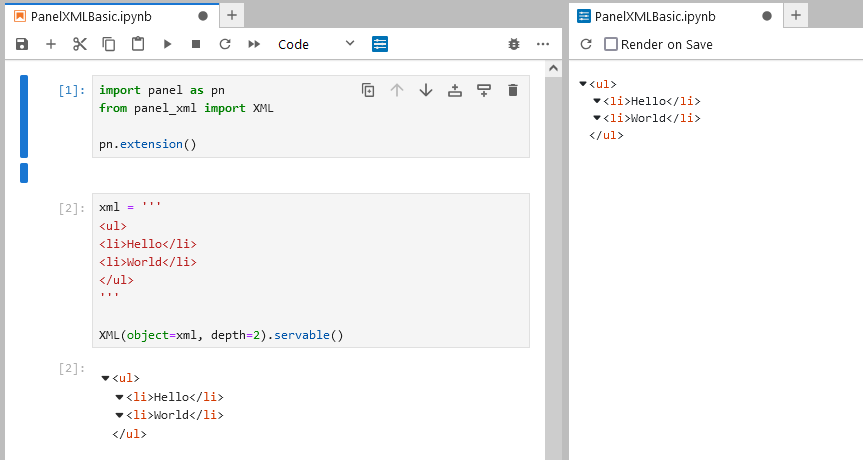
It is based on react-xml-viewer.
Key Features
- Configurable Depth: Set an initial collapsible depth for better navigation.
- Collapse/Expand Tags: Intuitively collapse or expand tags to streamline XML exploration.
- Customizable Theme: Configure the colors and appearance with a customizable theme.
Installation
You can install panel-xml using pip:
pip install panel-xml
Usage
Basic XML Pane
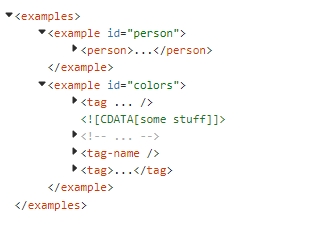
Here’s how to create a simple XML pane using the XML widget:
import panel as pn
from panel_xml import XML

pn.extension()

xml = '''
<ul>
<li>Hello</li>
<li>World</li>
</ul>
'''

XML(xml, depth=2).servable()
Api
Parameters
object(str): The XML string to display in a prettified format.indent_size(int): The size of the indentation.collapsible(bool): Enable collapsing/expanding tags. When collapsed, content and attributes are hidden.depth(int): Whencollapsibleis set toTrue, this defines the initial collapsed depth. Set it to0for fully collapsed, or-1for fully expanded.theme(dict): A dictionary to customize the theme. See the react-xml-viewer theme documentation for details.
XML Editor
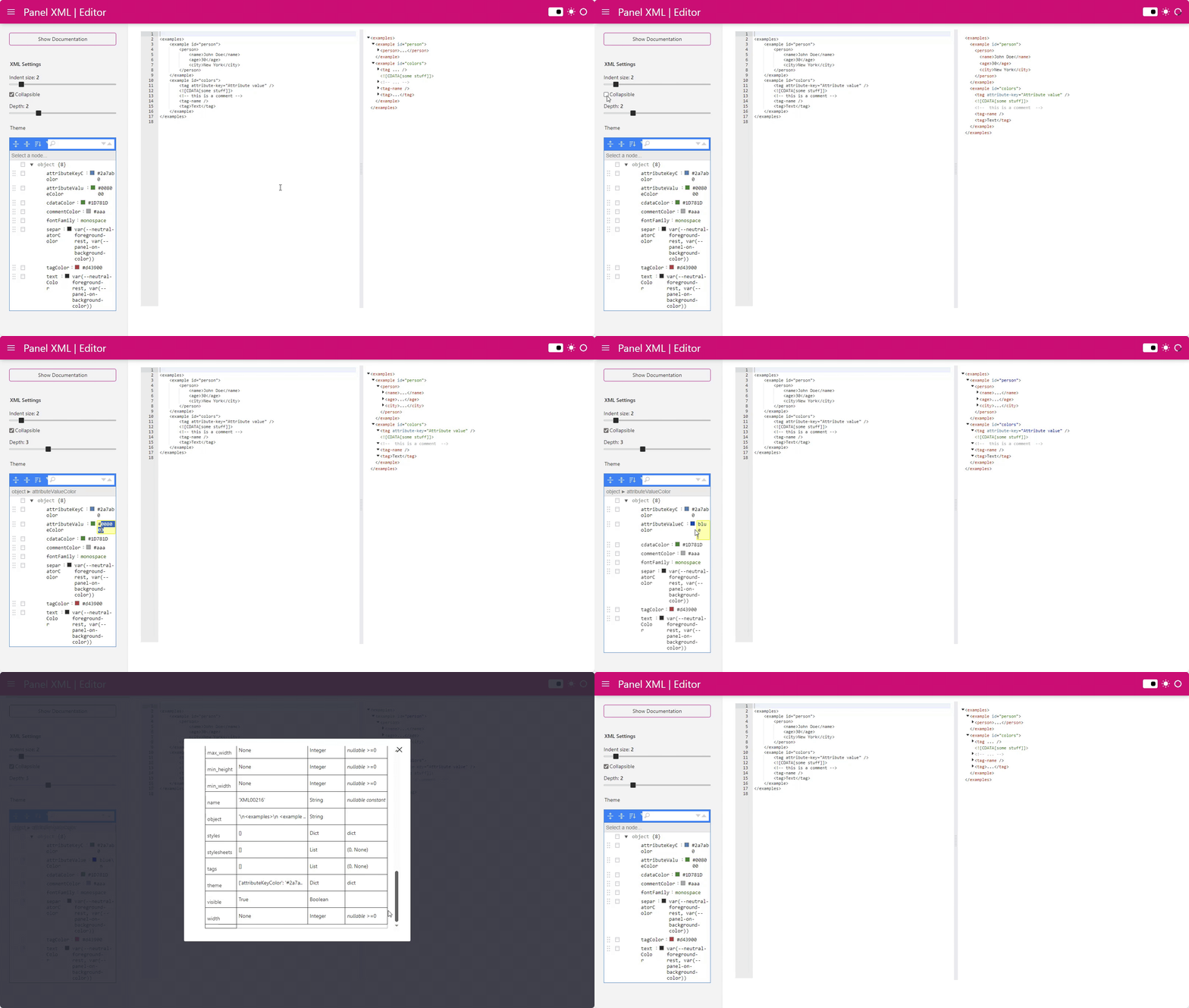
Open the XML Editor to explore the features and documentation of the XML pane interactively.
❤️ Contributions
Contributions and co-maintainers are very welcome! Please submit issues or pull requests to the GitHub repository. Check out the DEVELOPER_GUIDE for more information.
Alternatives
- Panel CodeEditor: Displays XML nicely if
language="xml".
Start using panel-xml to integrate rich, interactive XML displays directly into your Python applications!
1 maintainer

Metadata
1 maintainer
Release files for panel-xml 0.1.4
For a detailed explanation of source distributions (sdists) and built distributions (wheels), please see the package formats documentation.
Source distribution (sdist)
| File | Size | Uploaded | Provenance | Actions |
|---|---|---|---|---|
| panel_xml-0.1.4.tar.gz | 7.2 MB | Without provenance | Details for panel_xml-0.1.4.tar.gz |
Built distribution (wheel)
| File | Interpreter | ABI | Platform | Actions Reset |
|---|---|---|---|---|
| panel_xml-0.1.4-py3-none-any.whl | Python 3 | none | any | Details for panel_xml-0.1.4-py3-none-any.whl |
Total release size: 7.2 MB
Release files / panel_xml-0.1.4.tar.gz
| Download URL | panel_xml-0.1.4.tar.gz |
|---|---|
| Size | 7.2 MB |
| Tags | Source |
|
SHA-256 checksum How to use checksums |
dc197f580d83a668a10bad9b7ffa10dfed05118ab4611259a1a2a28ee0c435ff
|
|
BLAKE2b-256 checksum How to use checksums |
3cea309c87dc655cdd42c574d9621a0978926d783ddcfb8f9f917db63c8e413a
|
| Upload date | |
|
Uploaded using Trusted Publishing? What is trusted publishing? |
No |
| Uploaded via |
uv/0.4.28
|
Release files / panel_xml-0.1.4-py3-none-any.whl
| Download URL | panel_xml-0.1.4-py3-none-any.whl |
|---|---|
| Size | 4.2 kB |
| Tags | Python 3 |
|
SHA-256 checksum How to use checksums |
2997e3164d2930cb4c70b800c88ede619ef30339a7337e7b30d1fc3c84b26081
|
|
BLAKE2b-256 checksum How to use checksums |
39df4cfc0e5103d413f06d5ec15b87a791fd91b0696d52b264173d206d5e2181
|
| Upload date | |
|
Uploaded using Trusted Publishing? What is trusted publishing? |
No |
| Uploaded via |
uv/0.4.28
|
Security for panel-xml 0.1.4
Provenance
Provenance describes where a file came from. On PyPI, provenance is shared via attestations, which provide a verifiable record of the build or publishing details. View details, limitations and caveats.
No provenance found
None of the files in this release were uploaded with provenance metadata.
A note on package security
PyPI is a repository for distributing packages, not a service for auditing them. While third-party security researchers and our staff do their best to detect and remove malicious packages, PyPI cannot guarantee the quality, security or suitability of any given package.
To learn more about protecting yourself from malicious actors, visit our package security documentation.














