
A high level app and dashboarding solution for Python.


Project description

A high-level app and dashboarding solution for Python
| Build Status |  |
| Coverage |  |
| Latest dev release |   |
| Latest release |      |
| Docs |   |
| Binder |  |
| Support |  |
What is it?
Panel provides tools for easily composing widgets, plots, tables, and other viewable objects and controls into custom analysis tools, apps, and dashboards. Panel works with visualizations from Altair, Bokeh, HoloViews, Matplotlib, Plotly, pydeck, PyVista and many other Python plotting libraries, making them instantly viewable either individually or when combined with interactive widgets that control them.
Panel works equally well in Jupyter Notebooks, for creating quick data-exploration tools, or as standalone deployed apps and dashboards, and allows you to easily switch between those contexts as needed.
Panel makes it simple to make:
- Plots with user-defined controls
- Property sheets for editing parameters of objects in a workflow
- Control panels for simulations or experiments
- Custom data-exploration tools
- Dashboards reporting key performance indicators (KPIs) and trends
- Streaming applications
- Data-rich Python-backed web servers
- and anything in between
Panel objects are reactive, immediately updating to reflect changes to their state, which makes it simple to compose viewable objects and link them into simple, one-off apps to do a specific exploratory task. The same objects can then be reused in more complex combinations to build more ambitious apps, while always sharing the same code that works well on its own.
Attractors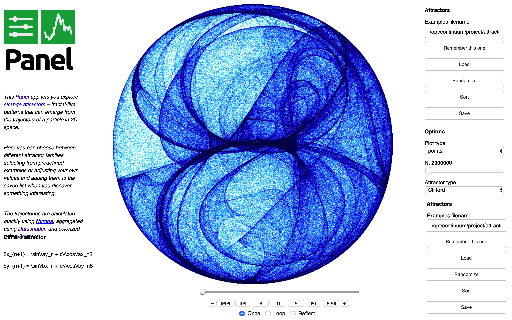 |
Gapminders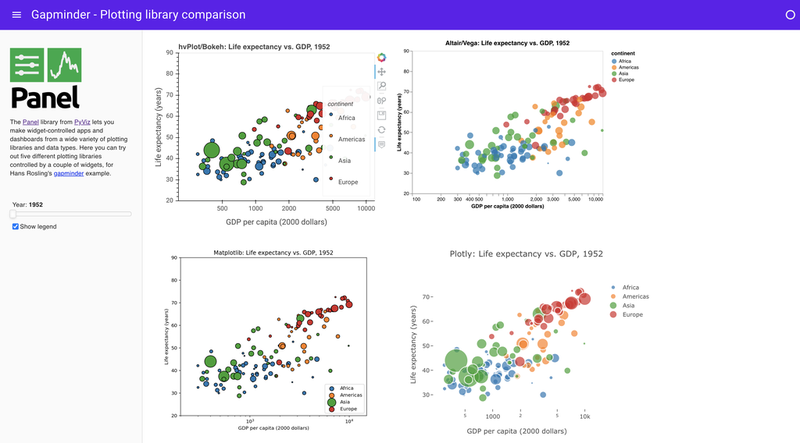 |
NYC Taxi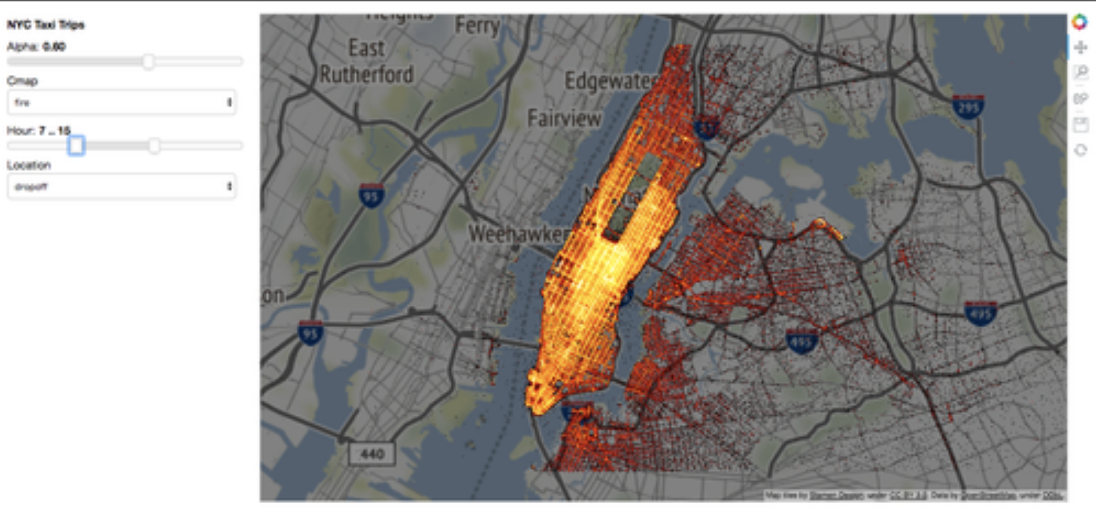 |
Glaciers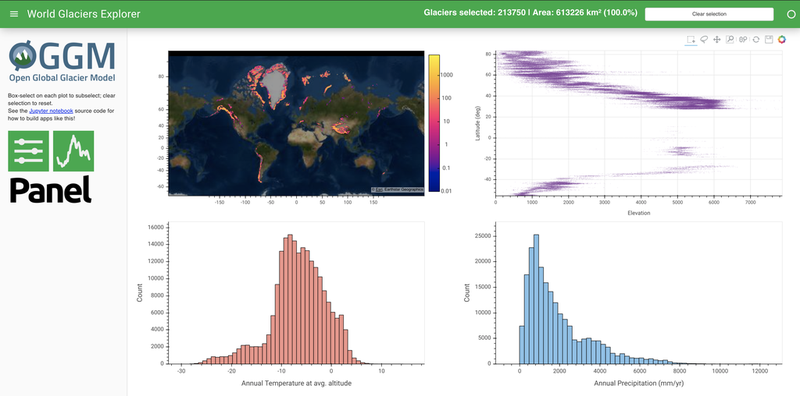 |
Portfolio Optimizer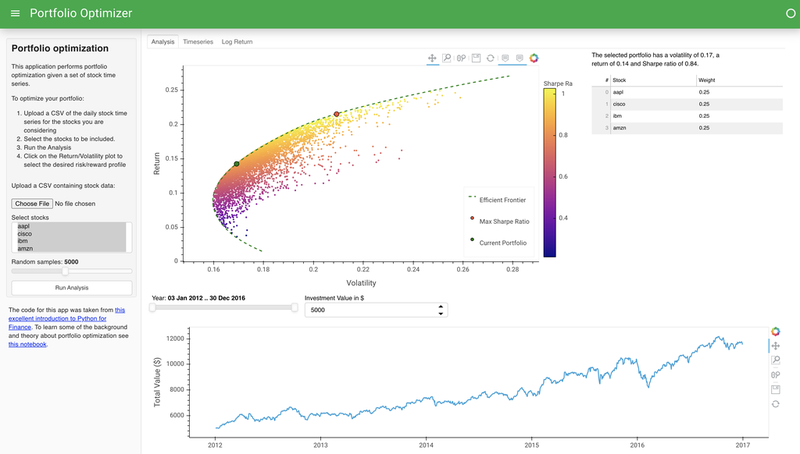 |
Using Panel for declarative, reactive programming
Panel can also be used with the separate Param project to create interactively configurable objects with or without associated visualizations, in a fully declarative way. With this approach, you declare your configurable object using the pure-Python, zero-dependency param library, annotating your code with parameter ranges, documentation, and dependencies between parameters and your code. Using this information, you can make all of your domain-specific code be optionally configurable in a GUI, with optional visual displays and debugging information if you like, all with just a few lines of declarations. With this approach, you don't ever have to commit to whether your code will be used in a notebook, in a GUI app, or completely behind the scenes in batch processing or reports -- the same code can support all of these cases equally well, once you declare the associated parameters and constraints. This approach lets you completely separate your domain-specific code from anything to do with web browsers, GUI toolkits, or other volatile technologies that would otherwise make your hard work become obsolete as they change over time.
Usage
Panel can be used in a wide range of development environments:
Editor + Server
You can edit your Panel code as a .py file in any text editor, marking the objects you want to render as .servable(), then launch a server with:
panel serve my_script.py --show --autoreload
to open a browser tab showing your app or dashboard and backed by a live Python process. The --autoreload flag ensures that the app reloads whenever you make a change to the Python source.
JupyterLab and Classic notebook
In the classic Jupyter notebook environment and JupyterLab, first make sure to load the pn.extension(). Panel objects will then render themselves if they are the last item in a notebook cell. For versions of jupyterlab>=3.0 the necessary extension is automatically bundled in the pyviz_comms package, which must be >=2.0. However note that for version of jupyterlab<3.0 you must also manually install the JupyterLab extension with:
jupyter labextension install @pyviz/jupyterlab_pyviz
Google Colab
In the Google Colaboratory notebook, first make sure to load the pn.extension(). Panel objects will then render themselves if they are the last item in a notebook cell. Please note that in Colab rendering for each notebook cell is isolated, which means that every cell must reload the Panel extension code separately. This will result in somewhat slower and larger notebook than with other notebook technologies.
VSCode notebook
Visual Studio Code (VSCode) versions 2020.4.74986 and later support ipywidgets, and Panel objects can be used as ipywidgets since Panel 0.10 thanks to jupyter_bokeh, which means that you can now use Panel components interactively in VSCode. Ensure you install jupyter_bokeh with pip install jupyter_bokeh or conda install -c bokeh jupyter_bokeh and then enable the extension with pn.extension().
nteract and other ipywidgets notebooks
In other notebook environments that support rendering ipywidgets interactively, such as nteract, you can use the same underlying ipywidgets support as for vscode: Install jupyter_bokeh and then use pn.extension(comms='ipywidgets').
Other environments
If your development environment offers embedded Python processes but does not support ipywidgets or Jupyter "comms" (communication channels), you will notice that some or all interactive functionality is missing. Some widgets that operate only in JavaScript will work fine, but others require communication channels between JavaScript and Python. In such cases you can either request ipywidgets or Panel support from the editor or environment, or else use the Editor + Server approach above.
Sponsors
The Panel project is grateful for the sponsorship by the organizations and companies below:

|

|
|
Release history Release notifications | RSS feed


Download files
Download the file for your platform. If you're not sure which to choose, learn more about installing packages.
Source Distribution
Built Distribution
Filter files by name, interpreter, ABI, and platform.
If you're not sure about the file name format, learn more about wheel file names.
Copy a direct link to the current filters
File details
Details for the file panel-0.14.0.tar.gz.
File metadata
- Download URL: panel-0.14.0.tar.gz
- Upload date:
- Size: 20.1 MB
- Tags: Source
- Uploaded using Trusted Publishing? No
- Uploaded via: twine/3.7.1 importlib_metadata/4.11.4 pkginfo/1.8.2 requests/2.28.1 requests-toolbelt/0.9.1 tqdm/4.64.1 CPython/3.8.13
File hashes
| Algorithm | Hash digest | |
|---|---|---|
| SHA256 |
3b1723010b9851cb8f49b247f3efc50a340d6cc85e512029e0ac8edc76c051fc
|
|
| MD5 |
79a225f48a06a1d631d8f15309ac1fde
|
|
| BLAKE2b-256 |
6d62236e341d709b49d59dbce51bef13765badeb52f3f97ea1d78983732fab10
|
File details
Details for the file panel-0.14.0-py2.py3-none-any.whl.
File metadata
- Download URL: panel-0.14.0-py2.py3-none-any.whl
- Upload date:
- Size: 17.3 MB
- Tags: Python 2, Python 3
- Uploaded using Trusted Publishing? No
- Uploaded via: twine/3.7.1 importlib_metadata/4.11.4 pkginfo/1.8.2 requests/2.28.1 requests-toolbelt/0.9.1 tqdm/4.64.1 CPython/3.8.13
File hashes
| Algorithm | Hash digest | |
|---|---|---|
| SHA256 |
de465b6b447d27defc6ef8ec8d130b493a3b74e3dde4c97b54f919a8c415dae6
|
|
| MD5 |
a6b296ed64eed3e800a9ccb937185cf4
|
|
| BLAKE2b-256 |
fea9318bc1ed786e6333226ef9df87811aed9a63b1addb9c26c659707d8e4030
|






