
PANOPTES Observatory Control System

Project description
Welcome to POCS documentation!
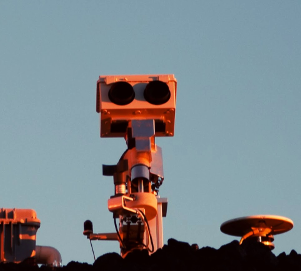




Project PANOPTES
PANOPTES is an open source citizen science project designed to find transiting exoplanets with digital cameras. The goal of PANOPTES is to establish a global network of of robotic cameras run by amateur astronomers and schools (or anyone!) in order to monitor, as continuously as possible, a very large number of stars. For more general information about the project, including the science case and resources for interested individuals, see the project overview.
POCS
POCS (PANOPTES Observatory Control System) is the main software driver for a PANOPTES unit, responsible for high-level control of the unit.
For more information, see the full documentation at: https://pocs.readthedocs.io.
Beginner Resources
New to POCS? Start here:
- CLI Guide: See docs/cli-guide.md for complete command line reference
- Command Line Examples: Quick start at examples/README.md
- Conceptual Overview: Read docs/conceptual-overview.md to understand POCS without installing
- Architecture Guide: Read docs/architecture-for-beginners.md to understand how POCS works
- Glossary: Check docs/glossary.md for definitions of all terms
- Python Examples: Run examples/beginner_simulation.py for API tutorial (advanced)
Install
POCS Environment
If you are running a PANOPTES unit then you will most likely want an entire PANOPTES environment, which includes the necessary tools for operation of a complete unit.
There is a bash shell script that will install an entire working POCS system on your computer. Some folks even report that it works on a Mac.
To install POCS via the script, open a terminal and enter (you may be prompted for your sudo password):
curl -fsSL https://install.projectpanoptes.org > install.sh
bash install.sh
Or using wget:
wget -qO- https://install.projectpanoptes.org > install.sh
bash install.sh
The install script will ask a few questions at the beginning of the process. If you are unsure of the answer the default is probably okay.
In addition to installing POCS, the install script will create the Config Server
and Power Monitor services, which will automatically be restarted upon reboot of the computer.
POCS Module
If you want just the POCS module, for instance if you want to override it in
your own OCS (see Huntsman-POCS
for an example), then install via pip:
pip install panoptes-pocs
If you want the extra features, such as Google Cloud Platform connectivity, then use the extras options:
pip install "panoptes-pocs[google,focuser,testing]"
Running POCS
POCS requires a few things to properly run:
- A
panoptes-utilsconfig-serverrunning to provide dynamic configuration. - An
Observatoryinstance that has details about the location of a POCS unit (real or simulated), which hardware is available, etc.
A minimal working example with a simulated Observatory would be:
import os
from panoptes.utils.config.server import config_server
from panoptes.pocs.core import POCS

os.environ['PANDIR'] = '/var/panoptes'
conf_server = config_server('conf_files/pocs.yaml')
I 01-20 01:01:10.886 Starting panoptes-config-server with  config_file='conf_files/pocs.yaml'
S 01-20 01:01:10.926 Config server Loaded 17 top-level items
I 01-20 01:01:10.928 Config items saved to flask config-server
I 01-20 01:01:10.934 Starting panoptes config server with localhost:6563

pocs = POCS.from_config(simulators=['all'])
I 01-20 01:01:20.408 Initializing PANOPTES unit - Generic PANOPTES Unit - Mauna Loa Observatory
I 01-20 01:01:20.419 Making a POCS state machine from panoptes
I 01-20 01:01:20.420 Loading state table: panoptes
S 01-20 01:01:20.485 Unit says: Hi there!
W 01-20 01:01:20.494 Scheduler not present
W 01-20 01:01:20.495 Cameras not present
W 01-20 01:01:20.496 Mount not present
I 01-20 01:01:20.497 Scheduler not present, cannot get current observation.

pocs.initialize()
W 01-20 01:01:28.386 Scheduler not present
W 01-20 01:01:28.388 Cameras not present
W 01-20 01:01:28.389 Mount not present
S 01-20 01:01:28.390 Unit says: Looks like we're missing some required hardware.
Out[10]: False
For a more realistic usage, see the full documentation at: https://pocs.readthedocs.io.
For actually deploying a PANOPTES unit, refer to the Operating Guide.
Using POCS
POCS provides a command line interface for all operations. After installation:
1. Configure your unit (required first step):
pocs config setup
2. Run automated observing:
pocs run auto
3. Manual hardware control:
# Mount control
pocs mount slew-to-target --target M42
pocs mount park

# Camera testing
pocs camera take-pics --num-images 5 --exptime 2.0
For more CLI commands, run pocs --help or see the beginner documentation above.
Developing POCS
Development with UV
This project uses UV for fast Python package and environment management with modern PEP 735 dependency groups.
Prerequisites:
- Python 3.12+
- UV: https://docs.astral.sh/uv/ (install via
curl -LsSf https://astral.sh/uv/install.sh | shorpipx install uv).
Basic workflow:
-
Create and sync a dev environment with all dependencies:
# Install all optional extras and dev dependencies (recommended for development)
uv sync --all-extras --group dev

# Or install only base dependencies
uv sync

# Activate the virtual environment
source .venv/bin/activate
# or run commands without activating using `uv run ...`
-
Install specific dependency groups as needed:
# Install testing dependencies
uv sync --group testing

# Install linting tools
uv sync --group lint

# Install all dev dependencies (includes testing + lint)
uv sync --group dev
-
Install specific optional extras as needed (choose any):
# Examples: google, focuser, weather
uv sync --extra google --extra focuser --extra weather

# Or install the 'all' extra which includes everything
uv sync --extra all
-
Run tests:
# All tests with coverage, using pytest options from pyproject.toml
uv run pytest

# Single test file
uv run pytest tests/test_mount.py
-
Lint / style checks:
# Lint with Ruff
uv run ruff check .

# Auto-fix linting issues
uv run ruff check --fix .

# Format code with Ruff
uv run ruff format .

# Check formatting without making changes
uv run ruff format --check .
-
Build the package (wheel and sdist):
uv build -
Run the CLI locally (Typer app):
uv run pocs --help
-
Versioning: Version is derived from git tags via setuptools-scm. To produce a new version, create and push a tag (e.g.,
v0.1.0).
Testing
To test the software, use uv run to execute pytest with the configured environment:
uv run pytest
By default all tests will be run. If you want to run one specific test, give the specific filename as an argument to pytest:
uv run pytest tests/test_mount.py
Links
- PANOPTES Homepage: https://www.projectpanoptes.org
- Forum: https://forum.projectpanoptes.org
- Documentation: https://pocs.readthedocs.io
- Source Code: https://github.com/panoptes/POCS


Download files
Download the file for your platform. If you're not sure which to choose, learn more about installing packages.
Source Distribution
Built Distribution
Filter files by name, interpreter, ABI, and platform.
If you're not sure about the file name format, learn more about wheel file names.
Copy a direct link to the current filters
File details
Details for the file panoptes_pocs-0.8.1.tar.gz.
File metadata
- Download URL: panoptes_pocs-0.8.1.tar.gz
- Upload date:
- Size: 9.0 MB
- Tags: Source
- Uploaded using Trusted Publishing? No
- Uploaded via: uv/0.10.12 {"installer":{"name":"uv","version":"0.10.12","subcommand":["publish"]},"python":null,"implementation":{"name":null,"version":null},"distro":{"name":"Ubuntu","version":"24.04","id":"noble","libc":null},"system":{"name":null,"release":null},"cpu":null,"openssl_version":null,"setuptools_version":null,"rustc_version":null,"ci":true}
File hashes
| Algorithm | Hash digest | |
|---|---|---|
| SHA256 |
a7f58c06b43860f21e2ca8cc499f1ac5b6bde01518ec3773e8b389a0872ba836
|
|
| MD5 |
5670a2e63182fd2e039bb9161843c98b
|
|
| BLAKE2b-256 |
6c4190815bc1f6c519f0b887fc75d90c39717b31a019f52937411a7e5a819670
|
File details
Details for the file panoptes_pocs-0.8.1-py3-none-any.whl.
File metadata
- Download URL: panoptes_pocs-0.8.1-py3-none-any.whl
- Upload date:
- Size: 7.8 kB
- Tags: Python 3
- Uploaded using Trusted Publishing? No
- Uploaded via: uv/0.10.12 {"installer":{"name":"uv","version":"0.10.12","subcommand":["publish"]},"python":null,"implementation":{"name":null,"version":null},"distro":{"name":"Ubuntu","version":"24.04","id":"noble","libc":null},"system":{"name":null,"release":null},"cpu":null,"openssl_version":null,"setuptools_version":null,"rustc_version":null,"ci":true}
File hashes
| Algorithm | Hash digest | |
|---|---|---|
| SHA256 |
a2fd9254ebcb5ccae4a2fa97b1cf37eb69ad3ad29d384dc6e11496ba6b674563
|
|
| MD5 |
502f7cf7301693ec920456908c24b26d
|
|
| BLAKE2b-256 |
d308272d0bc80d05106f23b5940447715ed3e81c9acbbb5daf6751e6bb7433d1
|






