
A previous release had provenance metadata, but this release does not. View details.





Find missing PDFs. Clean up your library. Keep control of your papers.
Paperful is a local workbench for a Zotero library you already keep.
It finds PDFs that are missing, tidies the records, and keeps a folder of copies on this computer. It looks for free copies first, then uses your campus login when you have one. Downloads always go into that folder first. On Zotero 10 or newer you can attach them yourself, or let a download attach them. On Zotero 7–9 the files stay in the folder; you attach them in Zotero.
Zotero is well tested. Mendeley and EndNote are seeking testers. How it compares. Fetch stance and what never leaves this machine: legal and privacy.
What can I do with it?
- See which items still need a PDF, check what a search would find, then download the files onto this computer
- Add papers from a topic search or from people you follow (the record first; the PDF after)
- Check identifiers, review duplicates, and repair broken attachments
- Keep a folder of your papers that you can back up or give to another tool
- Optionally ask questions of the PDFs you already have (local models via Ollama when your machine can run them, or hosted APIs via LiteLLM — off until you turn it on)
- Optionally, from Firefox, save the page you are reading or the tabs you have open into the folder on this computer (Firefox add-on). The Zotero Connector stays the way to save into Zotero. This one writes the folder copy, can search your sources when the page has no PDF, and can take several tabs at once. It does not attach them.
Walkthroughs: first fill, grow the library, tidy a collection. All of them: Walkthroughs.
Screenshots
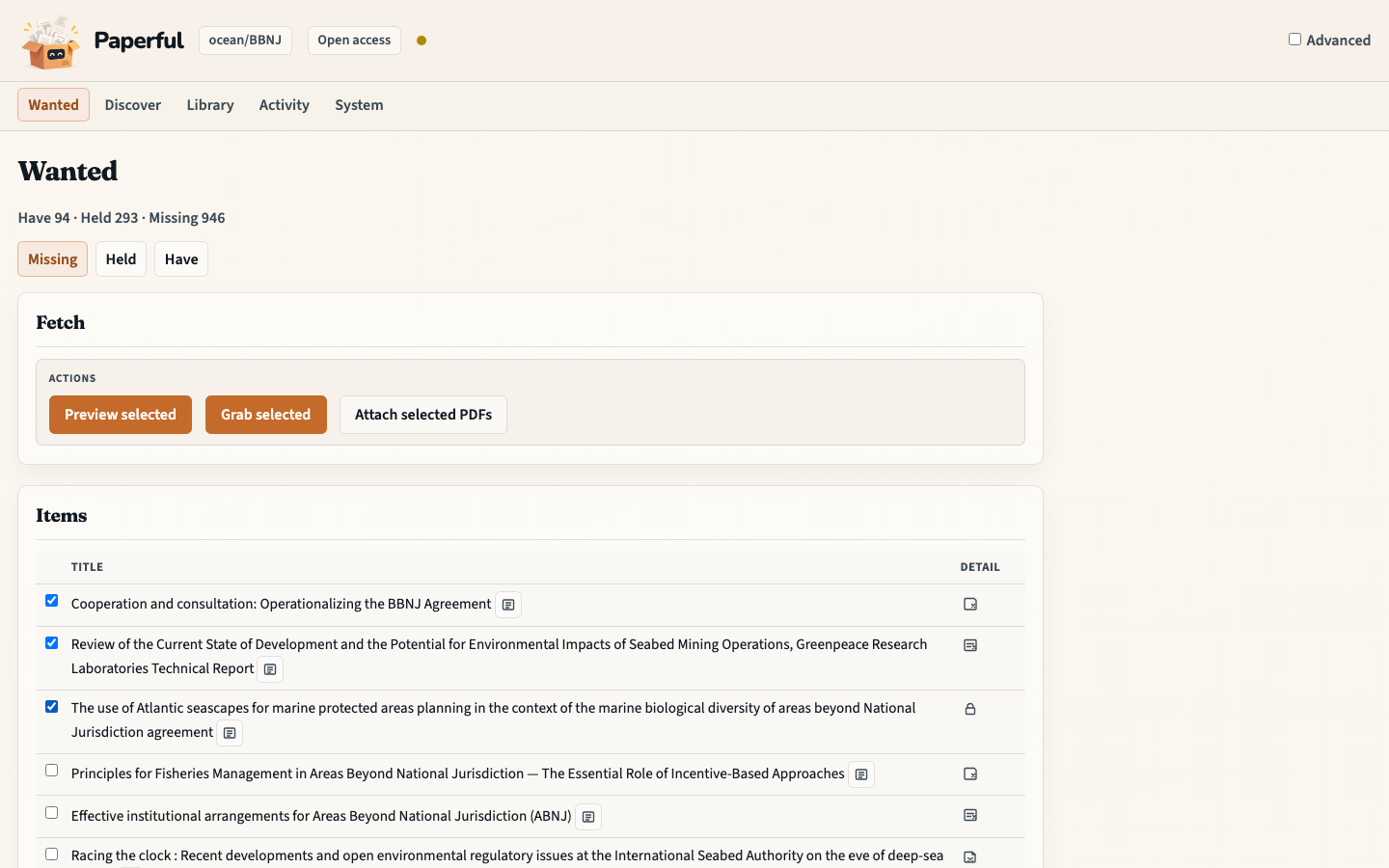
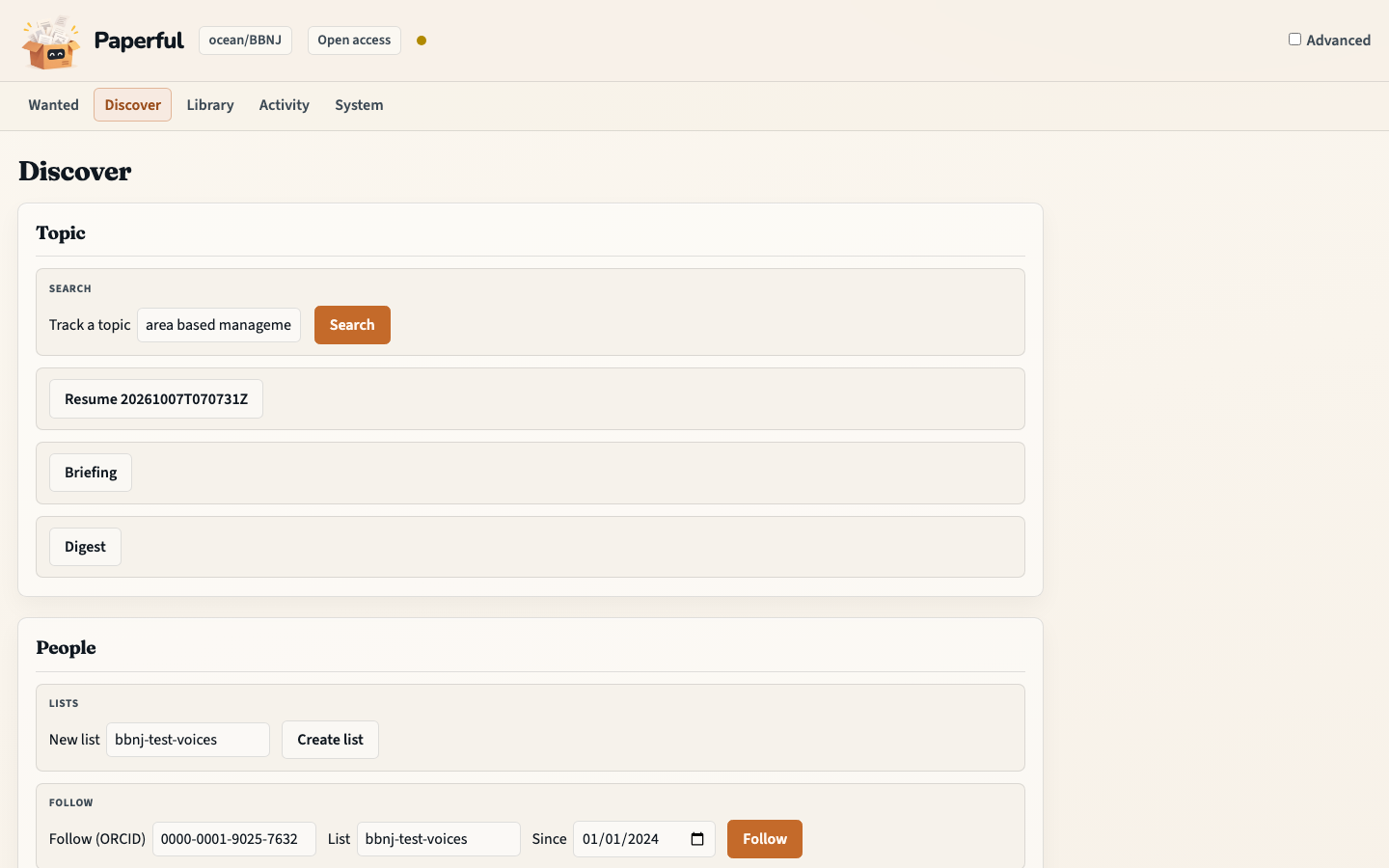
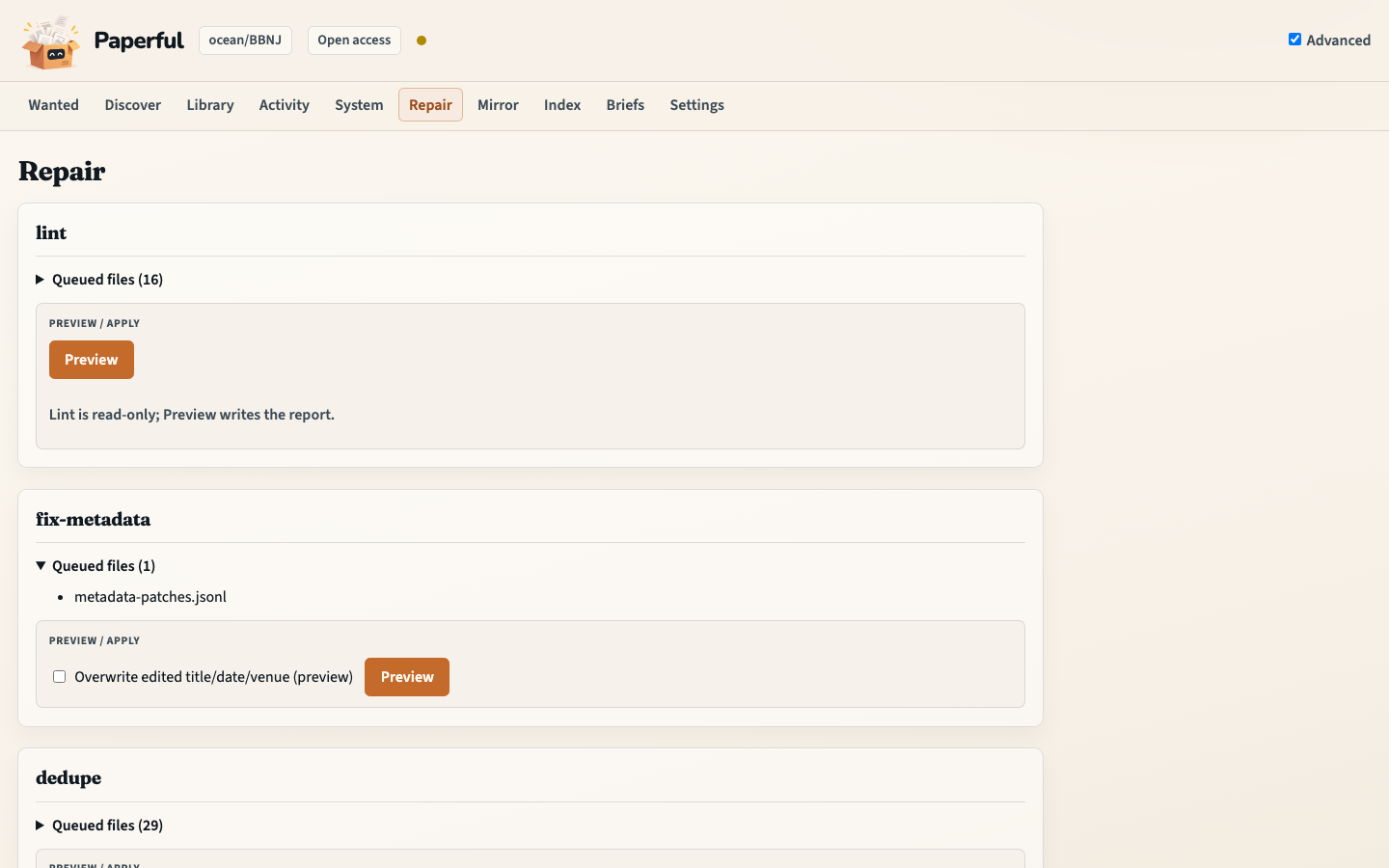
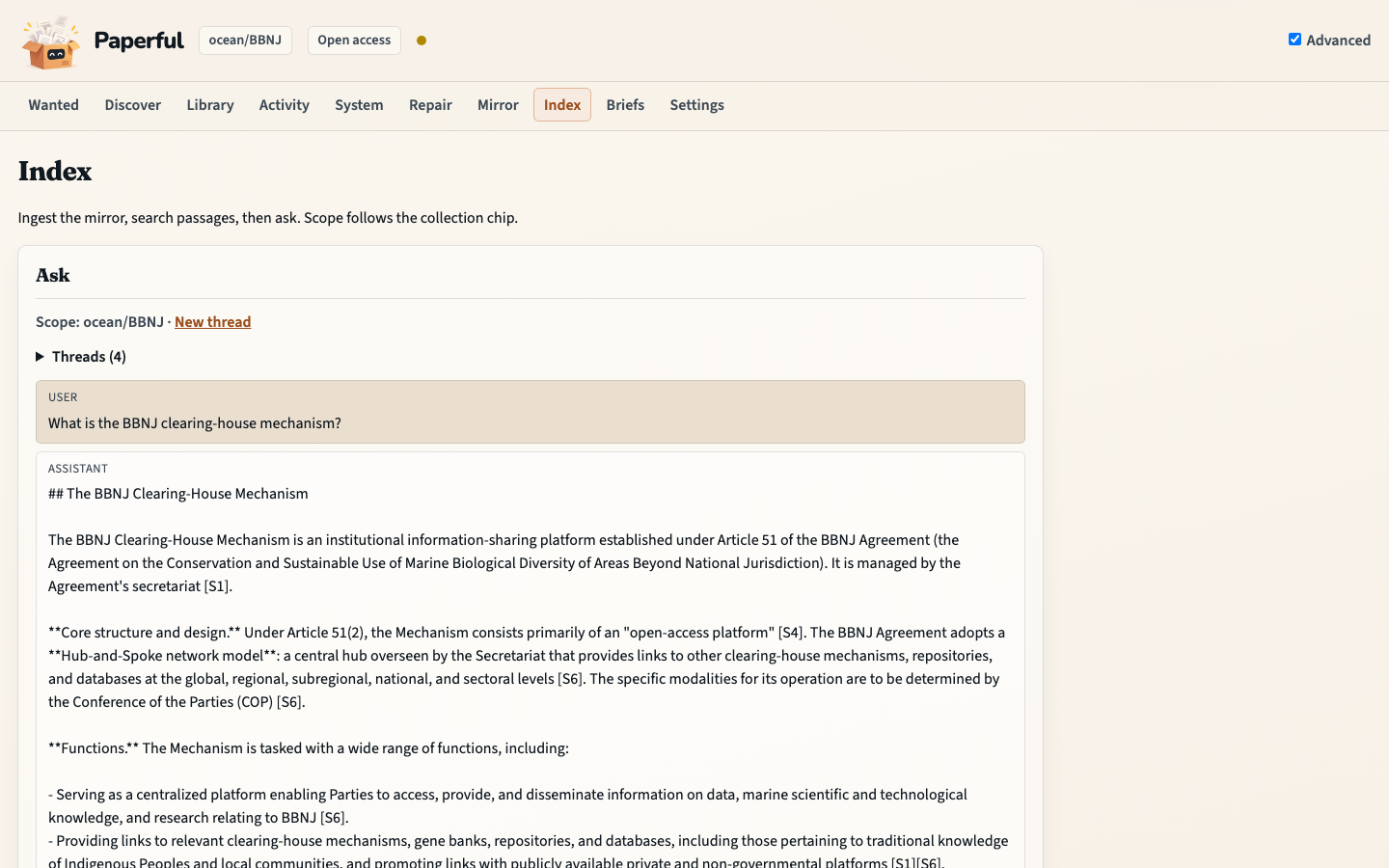
From a collection to PDFs on your computer
- Start the workbench and open http://127.0.0.1:8765 (the Wanted page).
- Choose a collection on Library.
- Preview what can be found, then Grab the files. They are saved in a folder on this computer (
out/). By default you open that folder and Attach the copies you want. In Settings you can have Grab attach them for you on Zotero 10 or newer. On Zotero 7–9 the files stay in the folder; attach them in Zotero.
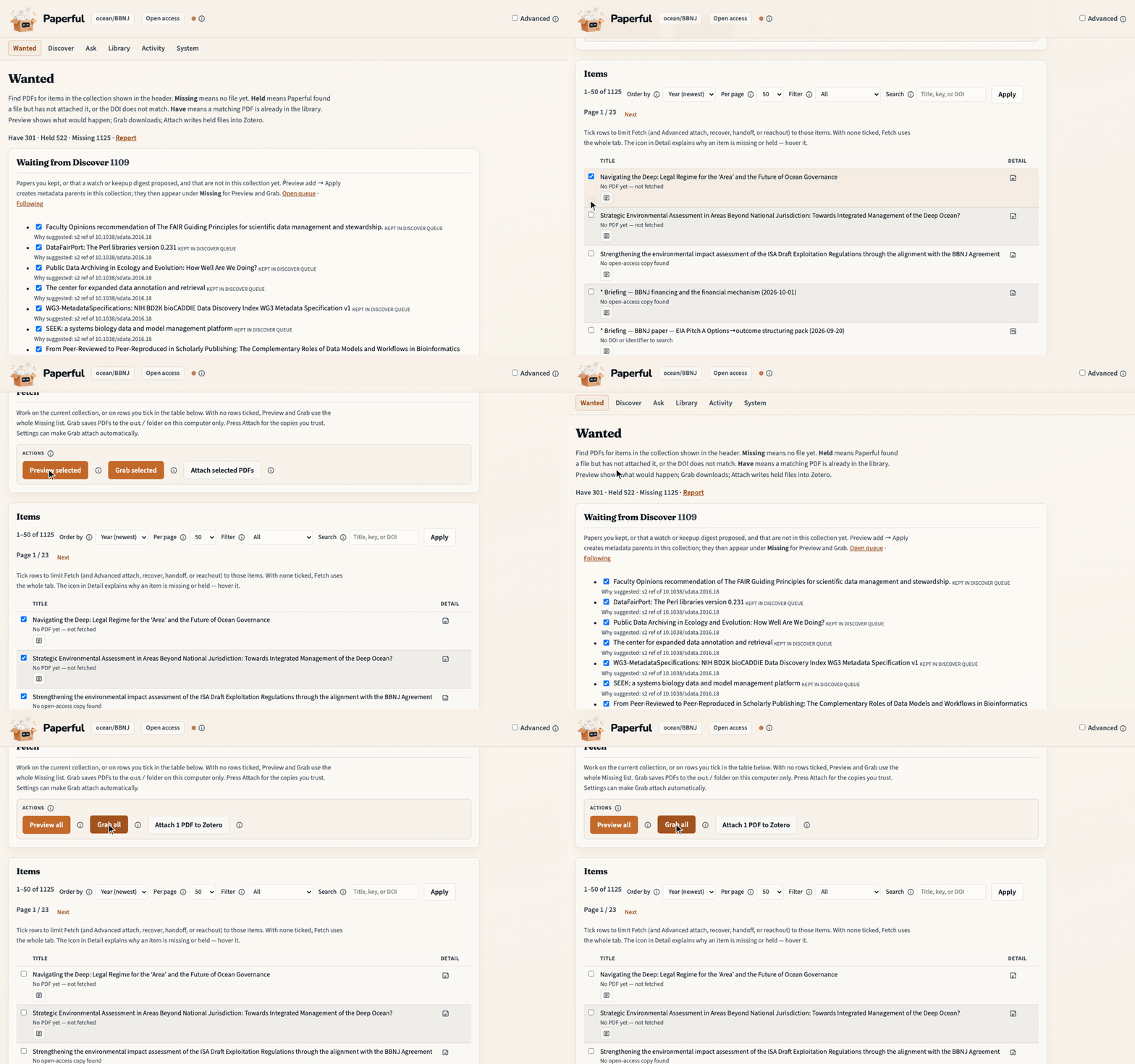
Full walkthrough: First fill. How a search works: How it works. The same actions from the command line: Commands.
Quick start
Clone the repo and build the image with Compose.
You need
- Docker with Compose v2.
- Zotero on the host (not in Docker), local API enabled: Settings → Advanced → Allow other applications on this computer to communicate with Zotero.
- Zotero 10 or newer to attach PDFs (manual Attach, or automatic on Grab). On Zotero 7–9 the tool still downloads to disk; attach later in Zotero. Zotero.
- A one-time browser sign-in on this computer if you use a campus library login. The workbench itself runs from Docker. Docker.
- A real email address in the config file. The free-copy lookup (Unpaywall) will not run without it.
No campus access: choose Open access. Campus library login: choose Campus after you set your library proxy address. Configuration.
git clone --branch v1.8.3 https://github.com/glen-w/Paperful.git
cd Paperful
cp .env.example .env          # PAPERFUL_DATA=. PAPERFUL_OUT=./out keeps data here
                              # .env.example sets PAPERFUL_IMAGE_MODE=heavy
cp config.minimal.toml config.toml   # set email; full file is config.example.toml
docker compose build                 # heavy when set in .env; CI uses light
docker compose run --rm paperful doctor          # once; --guide for Enter walk
docker compose up                                # stays up; workbench at http://127.0.0.1:8765
The sample .env keeps your config and downloads in this folder. Where those
files live, and what the first health check means if Zotero is not open yet:
Docker.
The same jobs from the command line: Commands.
Campus library login: EZProxy. Optional libraries (seeking testers): Mendeley, EndNote.
Site: paperful.app.
Reference:
- Walkthroughs — Wanted, Discover, Repair
- Example setups — one collection, campus, a growing desk, all-in
- Docker — operator install; light/heavy packs
- Workbench — pages, Preview tokens, what stays CLI
- Commands · Workflows · Configuration
- Source routing · Camofox · Quiet mirror
- Why Paperful · Roadmap
On your machine
Paperful runs on this computer. It does not upload your library to a Paperful server. Downloads, notes, and the folder of copies stay here. Zotero stays your catalogue. Notes and questions use a model only when you enable one — usually Ollama on your computer, or an external provider through LiteLLM if you prefer hosted APIs. Terms.
Read the file before you trust a note or an answer:
- See which items are still missing a PDF.
- Paperful downloads the PDF and saves it in a folder on your computer.
- You open that folder and read the file.
- Then you write a note or ask a question.
Attach is the step that puts the PDF into Zotero. How a search is checked before it runs, and how each file records where it came from: How it works.
Optional: ask your papers
Asking questions of PDFs you already have is off until you turn it on.
Local first: run models on this computer with Ollama when your hardware
can support the tags you need (summaries from ~7B; the browser agent from
~14B). Optional hosted APIs: install paperful[llm] and set
provider = "litellm" to call OpenAI, Anthropic, or another LiteLLM-backed
service (API keys in the environment, not in config.toml). Commands print
a notice when text leaves the machine. Ask is in the workbench; notes and
collection reviews are under Advanced.
What is feasible (local vs hosted, library scale) · LLM setup · Ask your library.
ollama pull qwen2.5:7b                       # local default; then enable [llm] in config
# Ask also needs: ollama pull nomic-embed-text
# Hosted instead: uv sync --extra llm  — see docs/llm.md
Install with pip
For a CLI on the host (Zotero local API on this machine; no Docker workbench image):
pipx install paperful          # or: uv tool install paperful, or pip install paperful
pip install "paperful[browser]"   # for campus login / HTML PDF (Playwright)
playwright install chromium    # once
cp config.minimal.toml config.toml   # set email — see docs/config.md
paperful doctor
Optional extras: [browser] (Playwright; session login / htmlpdf), [llm], [rag], [rag-docling], [browser-agent] (Python 3.11+), [openxml], [network]. The [serve] extra
(workbench) runs without Docker; the operator path tested end to end in CI is
clone + Compose (Docker), and CI also smoke-tests a fresh
paperful[serve] install (doctor exit 2 without Zotero, then /health).
Develop
Contributors use uv (Python 3.10+). Operators use the Compose steps above.
uv sync --group dev
cp config.example.toml config.toml
uv run paperful doctor
uv run pytest
Local docs preview: uv sync --extra docs && make pages-site.
Workbench screenshots: uv run python scripts/docs/capture_workbench.py;
workflow GIFs: uv run python scripts/docs/record_workflows.py (needs
ffmpeg). Both run against a live workbench (docker compose up, or
PAPERFUL_UI=http://127.0.0.1:<port> for paperful serve --port).
See CONTRIBUTING.
License

1 maintainer

Metadata
1 maintainer
Release files for paperful 1.8.3
For a detailed explanation of source distributions (sdists) and built distributions (wheels), please see the package formats documentation.
Loss of provenance
These files do not have provenance metadata, despite files in a prior release including this data.
We recommend further investigation before installing these files. View details.
Source distribution (sdist)
| File | Size | Uploaded | Provenance | Actions |
|---|---|---|---|---|
| paperful-1.8.3.tar.gz | 4.4 MB | Without provenance | Details for paperful-1.8.3.tar.gz |
Built distribution (wheel)
| File | Interpreter | ABI | Platform | Actions Reset |
|---|---|---|---|---|
| paperful-1.8.3-py3-none-any.whl | Python 3 | none | any | Details for paperful-1.8.3-py3-none-any.whl |
Total release size: 6.3 MB
Release files / paperful-1.8.3.tar.gz
Loss of provenance
This file belongs to a release without provenance metadata, despite a prior release including this data.
We recommend further investigation before installing this file. View details.
| Download URL | paperful-1.8.3.tar.gz |
|---|---|
| Size | 4.4 MB |
| Tags | Source |
|
SHA-256 checksum How to use checksums |
d4fb617cd2c4a99e6c3b1c70195941c90fa2b3c2e4fc504a15ed893654cec99d
|
|
BLAKE2b-256 checksum How to use checksums |
520c554605ecf9ce193e143eac9274be584bbbd64b4a690cccf376e81c513756
|
| Upload date | |
|
Uploaded using Trusted Publishing? What is trusted publishing? |
Yes |
| Uploaded via |
twine/7.0.0 CPython/3.13.16
|
Release files / paperful-1.8.3-py3-none-any.whl
Loss of provenance
This file belongs to a release without provenance metadata, despite a prior release including this data.
We recommend further investigation before installing this file. View details.
| Download URL | paperful-1.8.3-py3-none-any.whl |
|---|---|
| Size | 1.9 MB |
| Tags | Python 3 |
|
SHA-256 checksum How to use checksums |
d0126f7d4975157de9119c75c20581f3aa30c7f1e3552f14b3d201dc36b55b3f
|
|
BLAKE2b-256 checksum How to use checksums |
769cf3f84026af42683e70c401a495f008b097d621a24e467507881c5ed339c7
|
| Upload date | |
|
Uploaded using Trusted Publishing? What is trusted publishing? |
Yes |
| Uploaded via |
twine/7.0.0 CPython/3.13.16
|
Security for paperful 1.8.3
Provenance
Provenance describes where a file came from. On PyPI, provenance is shared via attestations, which provide a verifiable record of the build or publishing details. View details, limitations and caveats.
Loss of provenance
A previous release of these files had provenance metadata, but this release does not.
While this could reflect a routine change by the project maintainers, it may also indicate that the release files have been compromised.
Release comparison
- Removed 1.6.2 2 files With provenance
- Added 1.8.3 2 files Without provenance
A note on package security
PyPI is a repository for distributing packages, not a service for auditing them. While third-party security researchers and our staff do their best to detect and remove malicious packages, PyPI cannot guarantee the quality, security or suitability of any given package.
To learn more about protecting yourself from malicious actors, visit our package security documentation.














