
AI-driven TUI choose-your-own-adventure
Verified details
These details have been verified by PyPIProject links
GitHub Statistics
Maintainers

Project description
par-storygen
Table of Contents
- About
- Features
- Screenshots
- Prerequisites
- Installing
- Command line arguments
- Environment Variables
- Data locations
- Running par-storygen
- Choosing a text model
- Choosing an image model
- Character library
- Replay and endings
- Branch prefetch
- Character outfits
- Contributing
- Roadmap





About
par-storygen is a TUI (Text UI) choose-your-own-adventure powered by configurable LLMs. The application was built with Textual and Rich. A configurable LLM (via pydantic-ai) drives theme, characters, narration, and choices; image providers render portraits and scene illustrations using per-character reference portraits for visual consistency. Game state is a content-addressed tree persisted as JSON — walk the same choices twice and the game replays byte-for-byte. It runs on all major OS's including Windows, macOS, and Linux.
Features
Core Capabilities
- Multi-Provider Text: OpenAI, OpenRouter, and Ollama (all OpenAI-compatible) with per-save provider pinning
- Multi-Provider Images: OpenAI (ref-aware), Gemini (ref-aware), Z.AI (text-to-image), and Ollama (local) with automatic fallback
- Interactive Wizard: 8-step story setup — theme, tone, narration style, art style, length, reader level, characters, and confirmation
- Half-Block Inline Art: Scene illustrations rendered directly in the terminal using reference portraits for character consistency
- Content-Addressed Tree: Every choice is cached; replaying the same path returns byte-for-byte identical results
- Save/Resume: Full game state persistence with
--resumeflag to pick up where you left off
Advanced Features
- Branch Prefetch: Background-generates pending choices while you read, for instant picks
- Character Library: Export characters from finished stories and re-import with optional AI-powered backstory adaptation
- Character Outfits: Define multiple looks per character and switch between them mid-story
- Endings Gallery: Card-based view of every ending reached, with jump-to-node navigation
- Branch Replay: Read-only slideshow of any path from root to an explored node
- Story Graph: Full tree view with marker legend, current-node arrow, and unexplored-choice leaves
- Reference Images: Supply your own character images as portrait anchors for ref-aware providers
- Reader Levels: Vocabulary and complexity controls for ages 0-5, 6-10, 11-15, or 15+
- Settings Persistence: In-app Settings screen for provider defaults, art toggle, streaming, and prefetch options
Technical Excellence
- Async Architecture: Non-blocking pipeline with concurrent illustration and portrait generation
- Type Safety: Fully typed Python 3.13 codebase with strict pyright mode
- XDG-Compliant Paths: Config and data stored per platform conventions
- Atomic Persistence: All file writes use
.tmp+os.replacefor crash safety - Cost Tracking: Per-save image cost and token usage with per-model call counts
- Prompt Caching: Static system prompt content for optimal API cache hit rates
Screenshots
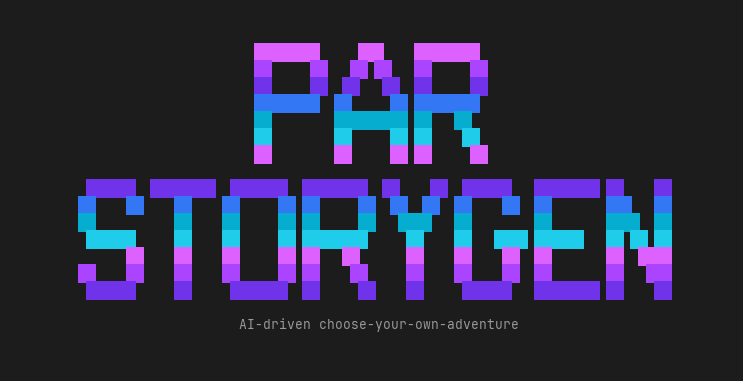
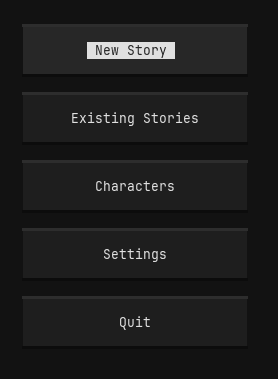
Splash & Main Menu
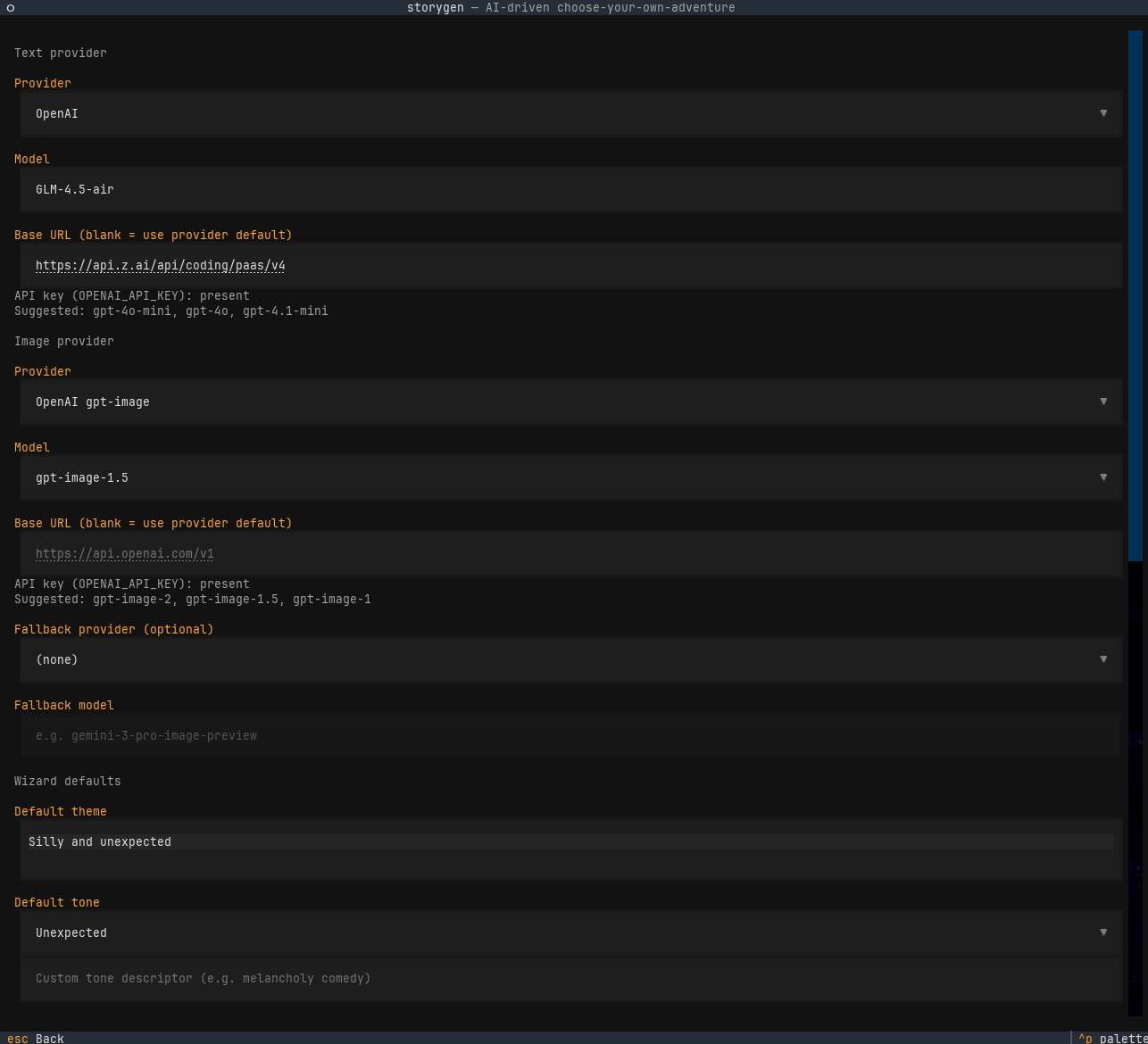
Settings — Configure text and image providers, art toggles, streaming, and prefetch options. Preferences persist across sessions.
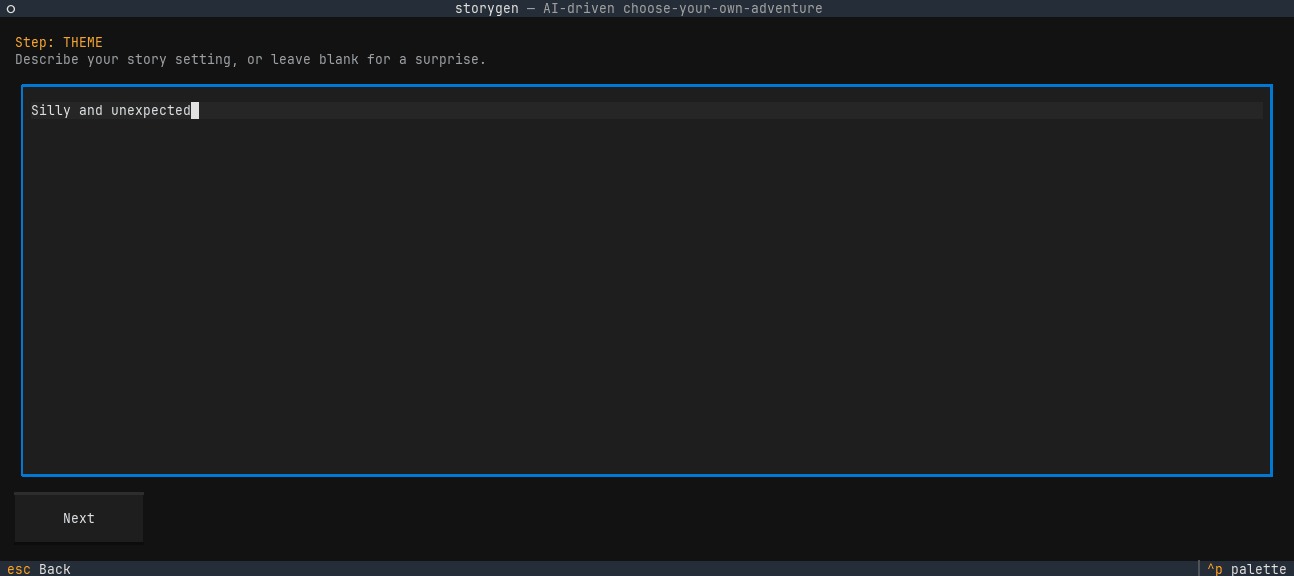
New Story Wizard — An 8-step guided setup for theme, tone, narration style, art style, length, reader level, and characters (with library import). See the full wizard walkthrough.
Load Story — Browse and resume existing saves.
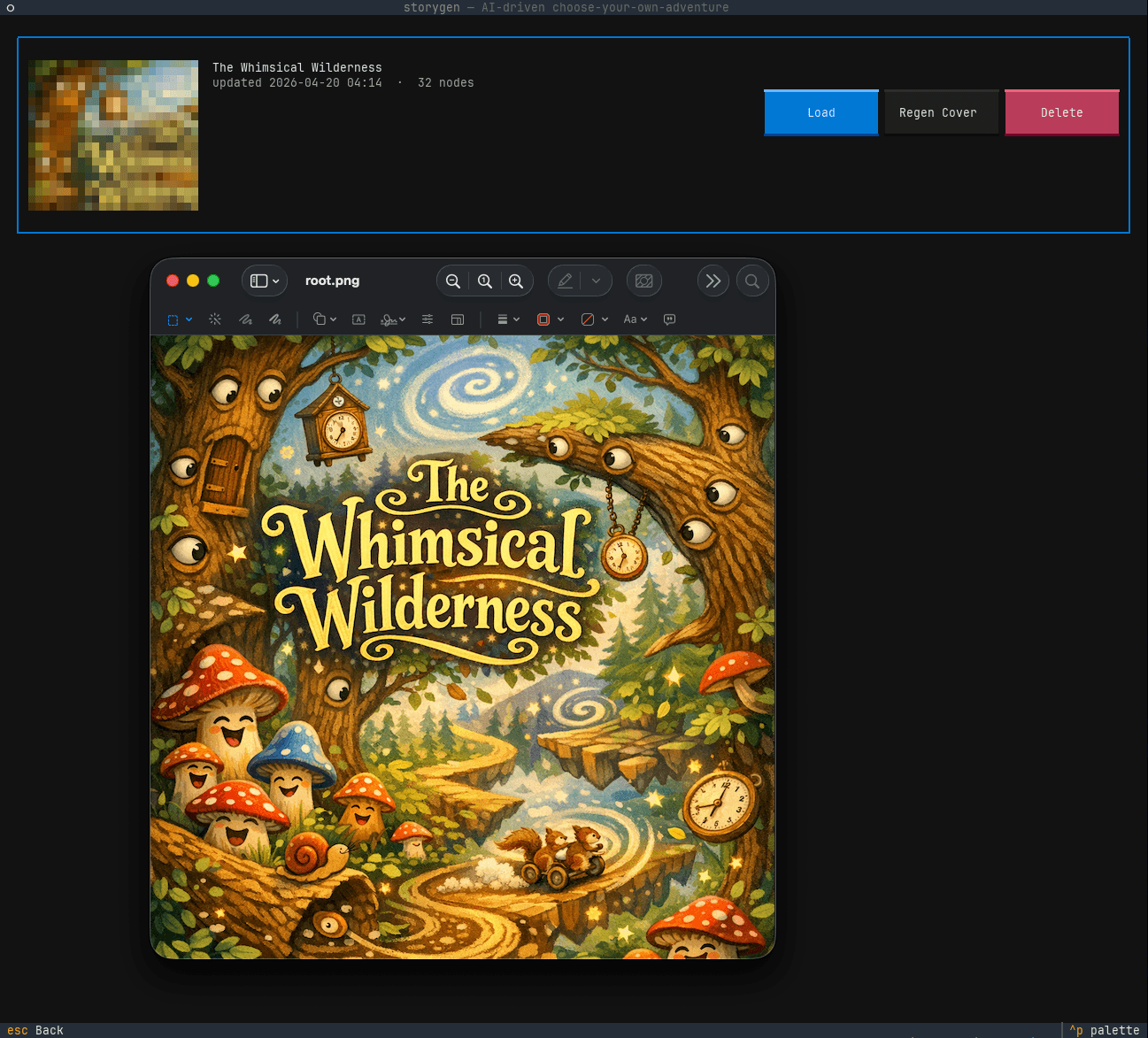
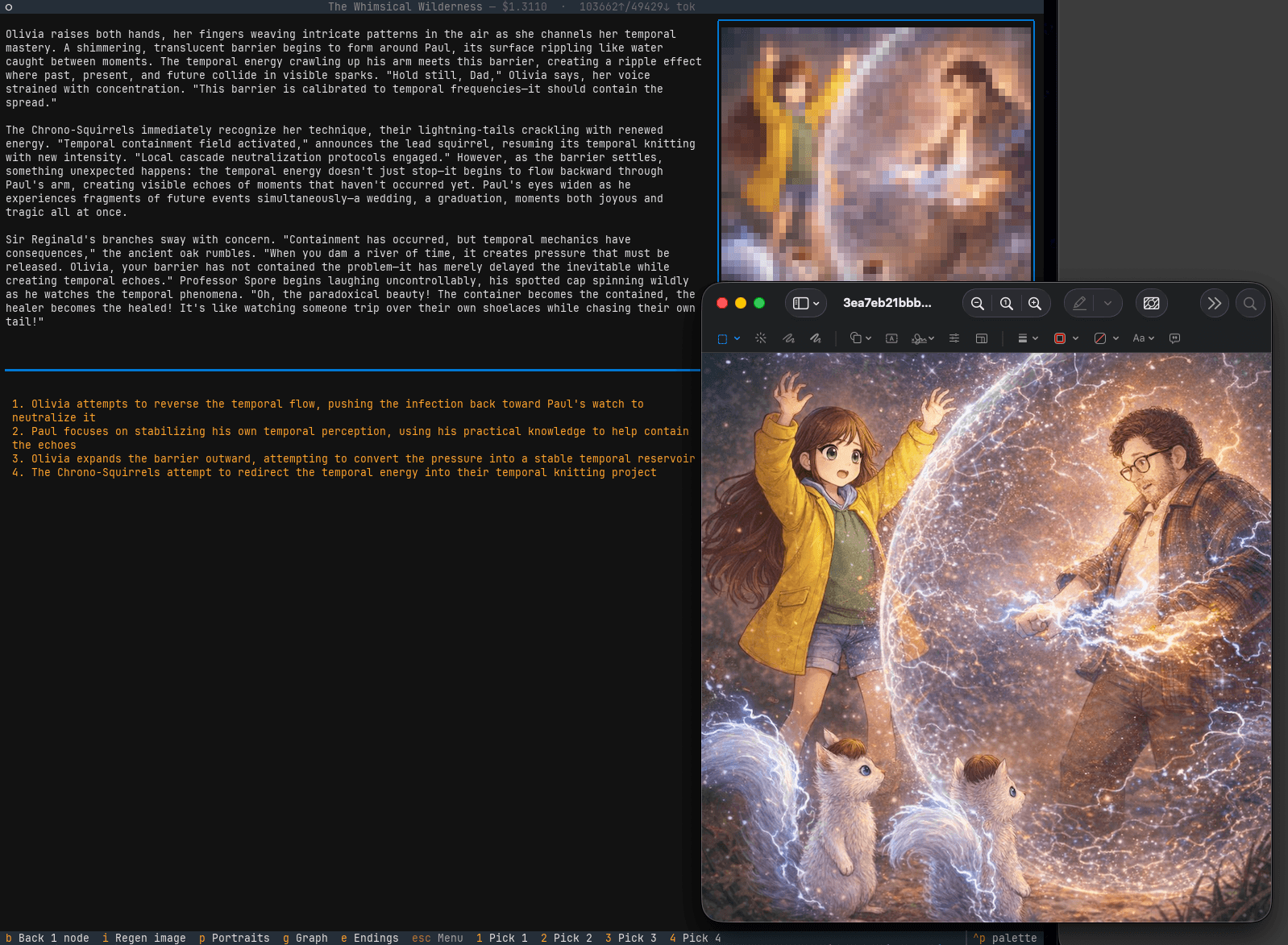
Gameplay — The main play screen shows the scene illustration (half-block inline art) on the left, narrative text in the center, and the character roster on the right. Numbered choices appear at the bottom.
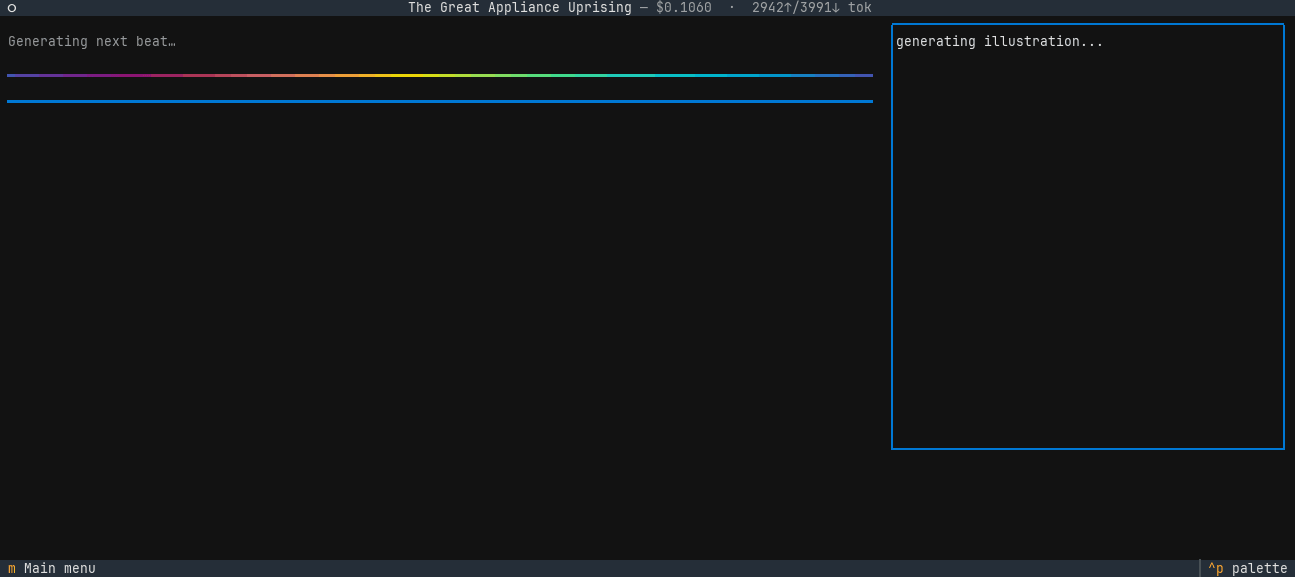
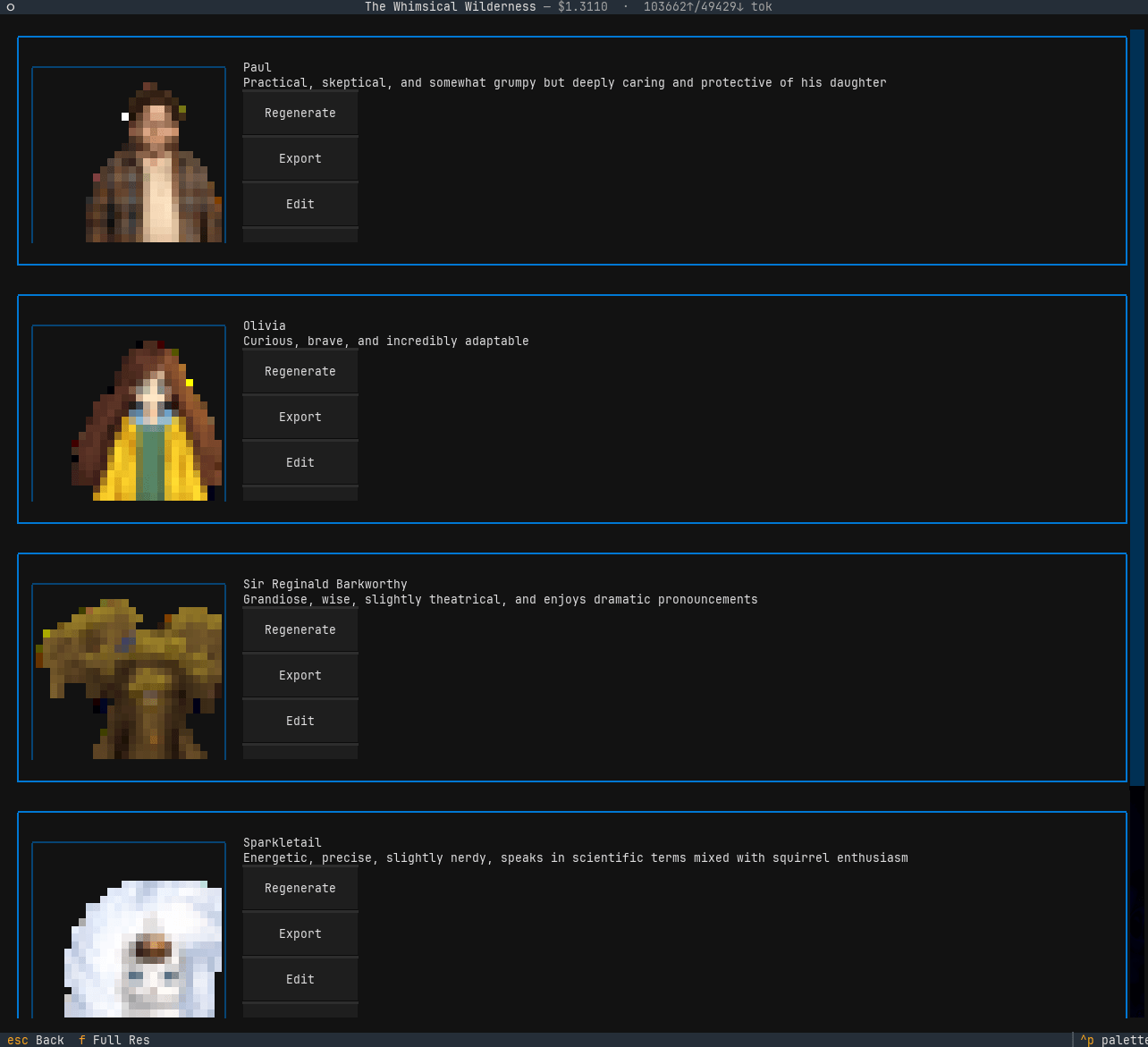
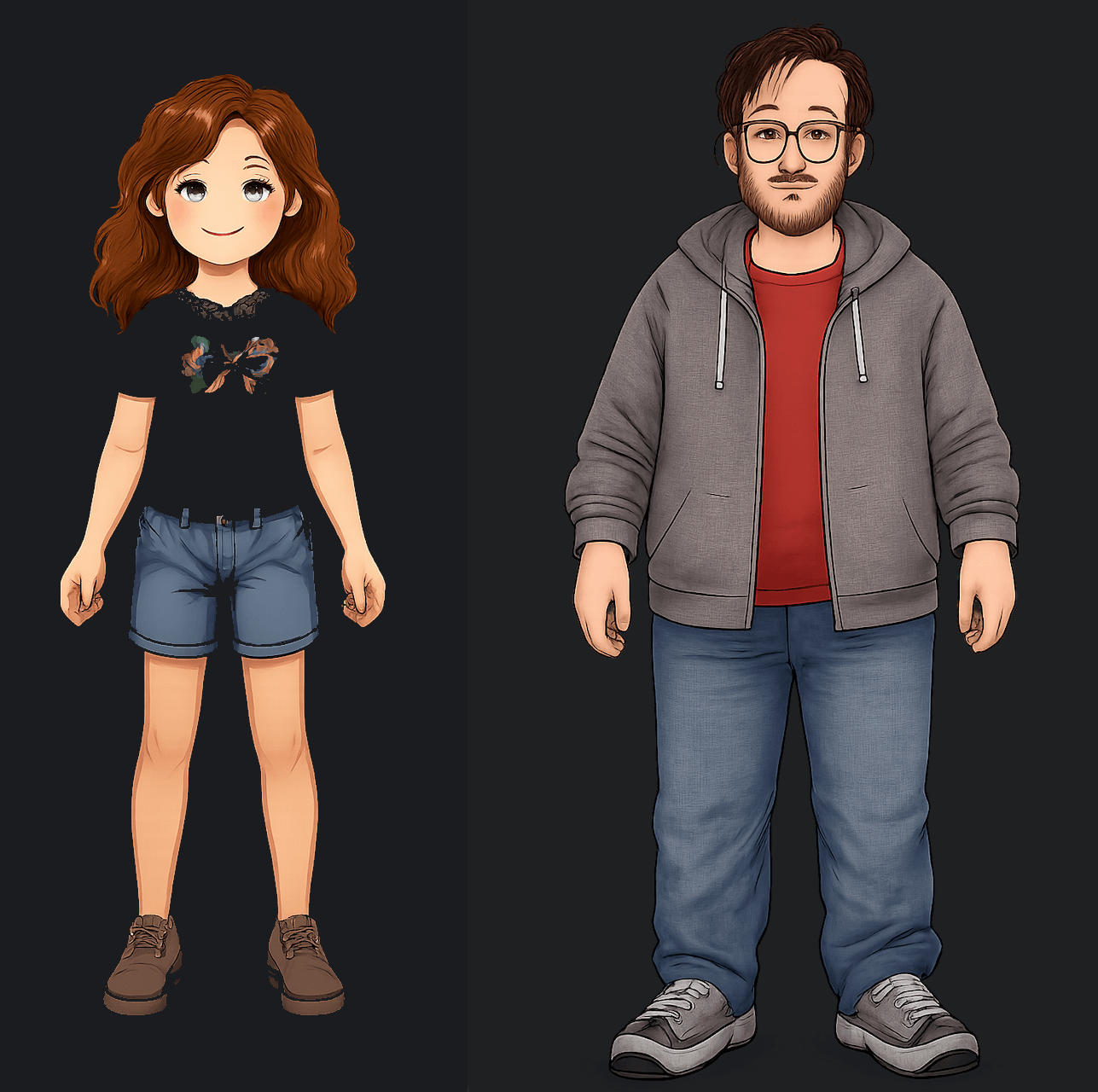
Character Portraits — Press p to view full portraits for every character in the current scene. High-res zoom available for ref-aware providers.
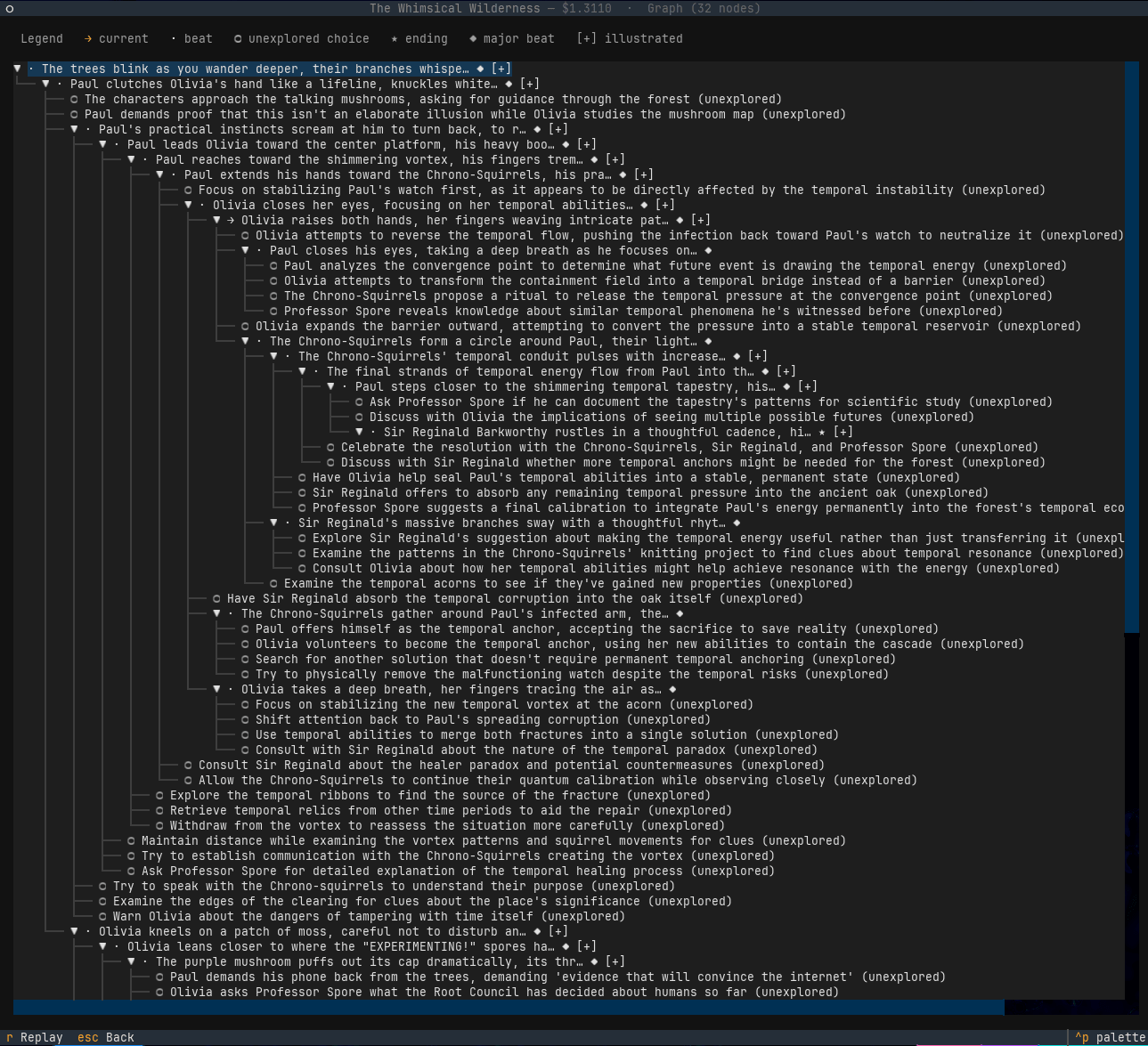
Story Graph — Press g for a full tree view with marker legend, current-node arrow, and unexplored-choice leaves. Press r on any node for branch replay.
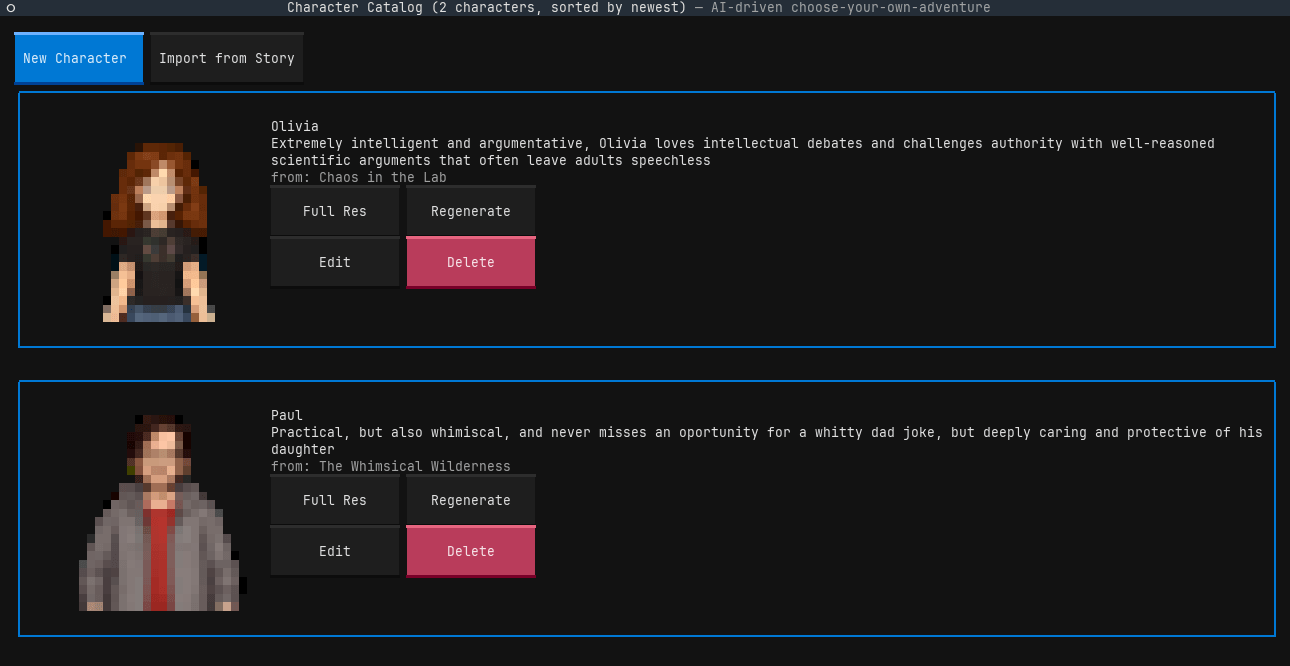
Character Catalog — A scrollable grid of exported characters from across all your stories. Each card shows the portrait thumbnail, name, and source story. Import any character into a new story (keep as-is or adapt backstory to the new theme).
High-res versions of images are available
Prerequisites
For running
- Install Python 3.13 or newer
- https://www.python.org/downloads/ has installers for all versions
- On Windows the Scoop tool makes it easy to install and manage things like python
- Install Scoop then do
scoop install python
- Install Scoop then do
For development
- Install uv
- Install GNU Compatible Make command
- On Windows if you have scoop installed you can install make with
scoop install make
- On Windows if you have scoop installed you can install make with
Installing
Installing uv
If you don't have uv installed you can run the following:
curl -LsSf https://astral.sh/uv/install.sh | sh
Install from PyPI with uv
uv tool install par-storygen
storygen
Install from PyPI with pip
pip install par-storygen
storygen
Source install from GitHub
git clone https://github.com/paulrobello/par-storygen
cd par-storygen
make setup
Command line arguments
usage: storygen run [--resume]

par-storygen -- AI-driven TUI choose-your-own-adventure.

options:
  -r, --resume   Re-open last-played save
Environment Variables
Variables are loaded in the following order, last one to set a var wins
- HOST Environment
.envfile in project root- par-storygen Settings Screen
Text provider variables
OPENAI_API_KEY— OpenAI API keyOPENROUTER_API_KEY— OpenRouter API keySTORYGEN_TEXT_PROVIDER—openai(default),openrouter, orollamaSTORYGEN_TEXT_MODEL— Model identifier (default:gpt-4o-mini)STORYGEN_TEXT_BASE_URL— Override base URL for the text provider
Image provider variables
GEMINI_API_KEY— Google Gemini API keyZAI_API_KEY— Z.AI API keySTORYGEN_IMAGE_PROVIDER—openai(default),gemini,zai, orollamaSTORYGEN_IMAGE_MODEL— Model identifier (default:gpt-image-2)STORYGEN_IMAGE_BASE_URL— Override base URL for the image providerSTORYGEN_IMAGE_API_KEY— Override API key for the image provider
See .env.example for the full list.
Data locations
par-storygen uses the XDG Base Directory Specification via the xdg-base-dirs library. Override the defaults by setting XDG_DATA_HOME or XDG_CONFIG_HOME.
Default data directory ($XDG_DATA_HOME/storygen/):
| Platform | Default path |
|---|---|
| macOS | ~/.local/share/storygen/ |
| Linux | ~/.local/share/storygen/ |
| Windows | %APPDATA%\storygen\ |
Within the data directory:
games/<uuid>/— one subdirectory per save, containinggame.jsonand portrait/scene imageslibrary/<uuid>/— one subdirectory per exported character, containingcharacter.jsonandportrait.png
Config state file ($XDG_CONFIG_HOME/storygen/state.json) stores provider preferences, art settings, and wizard defaults:
| Platform | Default path |
|---|---|
| macOS | ~/.config/storygen/state.json |
| Linux | ~/.config/storygen/state.json |
| Windows | %APPDATA%\storygen\state.json |
Running par-storygen
make run
Or directly:
uv run storygen
Resume last game:
make resume
# or
uv run storygen run --resume
Choosing a text model
par-storygen supports three text-LLM providers, all routed through pydantic-ai's OpenAI-compatible OpenAIChatModel.
There are two ways to select the provider and model:
- Environment variables (best for one-off runs, CI, or temporary overrides) —
STORYGEN_TEXT_PROVIDER,STORYGEN_TEXT_MODEL, and optionallySTORYGEN_TEXT_BASE_URL. See.env.examplefor the full list. - Settings screen (persisted across sessions) — open the app, hit
Settingsfrom the main menu, and edit the "Text provider" block. Saved prefs live in$XDG_CONFIG_HOME/storygen/state.json.
Priority order: real environment variables > .env file > Settings-saved prefs > hardcoded default (openai / gpt-4o-mini).
OpenAI
Set OPENAI_API_KEY. Known-good models: gpt-4o-mini (default — fast, cheap, reliable structured output), gpt-4o (higher-quality prose), gpt-4.1-mini (newer, balanced). Billing runs through api.openai.com.
OpenRouter
Set OPENROUTER_API_KEY and STORYGEN_TEXT_PROVIDER=openrouter. OpenRouter routes to dozens of frontier models under a single key. Known-good models: anthropic/claude-3.5-sonnet (excellent structured output), meta-llama/llama-3.3-70b-instruct (open-weight, very cheap). Full catalog at openrouter.ai/models. Keep the <vendor>/<model> slash form.
Ollama
Set STORYGEN_TEXT_PROVIDER=ollama and run ollama serve locally (default: http://localhost:11434). No API key required. Known-good models: llama3.3:70b (good narration if you have the VRAM), qwen2.5:32b-instruct (lighter, faster). The model string must match the Ollama tag exactly. For remote Ollama, set STORYGEN_TEXT_BASE_URL=http://<host>:11434/v1.
Note: Each save pins its own text_config. Changing the provider in Settings only affects new stories — existing saves keep what they were created with.
Choosing an image model
par-storygen supports four image-gen providers. Only OpenAI and Gemini support reference images — the pattern used to keep characters visually consistent across scenes. Z.AI and Ollama are text-to-image only, so character consistency will drift.
There are two ways to select the image provider and model:
- Environment variables —
STORYGEN_IMAGE_PROVIDER,STORYGEN_IMAGE_MODEL,STORYGEN_IMAGE_BASE_URL, andSTORYGEN_IMAGE_API_KEY. See.env.example. - Settings screen (persisted across sessions) — edit the "Image provider" block in Settings.
Priority order: real environment variables > .env file > Settings-saved prefs > hardcoded default (openai / gpt-image-2).
OpenAI
Set OPENAI_API_KEY. Supports reference images natively via images.edit — each scene folds in the featured characters' portraits so faces stay consistent. Known-good models: gpt-image-2 (default), gpt-image-1.5 (previous gen), gpt-image-1 (older, cheaper — untested with current gpt-image-2-tuned prompts). Docs: platform.openai.com/docs/guides/images.
Google Gemini
Set GEMINI_API_KEY and STORYGEN_IMAGE_PROVIDER=gemini. Supports up to 14 reference images per call. Known-good models: gemini-3.1-flash-image-preview (Nano Banana 2, $0.067/1K image tokens), gemini-3-pro-image-preview (Nano Banana Pro, $0.134/image). Leave STORYGEN_IMAGE_BASE_URL blank for Gemini. Docs: ai.google.dev/gemini-api/docs/image-generation.
Z.AI GLM-image
Set ZAI_API_KEY and STORYGEN_IMAGE_PROVIDER=zai. Text-to-image only — no reference-image support. Price: $0.015/image. Known-good model: glm-image. Docs: docs.z.ai.
Ollama
Set STORYGEN_IMAGE_PROVIDER=ollama and run ollama serve locally. No API key required. macOS-only as of 2026-04, requires server ≥ 0.13.3. No reference-image support. Known-good models: x/z-image-turbo (fastest), x/flux2-klein:4b, x/flux2-klein:9b (higher quality, more VRAM). For remote Ollama, set STORYGEN_IMAGE_BASE_URL=http://<host>:11434/v1/.
Fallback provider
Settings lets you pick a secondary image provider that kicks in when the primary fails. Each fallback trip fires a toast. Useful combos: OpenAI primary + Gemini fallback (both ref-supporting). Same-provider fallbacks are ignored.
Note: Each save pins its own image_config. Changing the primary image provider in Settings only affects new stories.
Character library: exporting and importing
par-storygen keeps a cross-game character library at $XDG_DATA_HOME/storygen/library/ — one subdirectory per exported character holding metadata plus its portrait. Characters from finished (or in-progress) stories can be re-used in new stories without regenerating the portrait, saving both token cost and wall time.
Export
From a game's Portraits screen, press the Export button next to any character. The character's name, backstory, personality, physical description, portrait, and the exact portrait prompt are copied into the library. Re-exporting the same character creates a separate library entry — use the Library Browser to clean up.
Import
During the wizard's CHARACTERS step, press l to open the Library Browser. Pick a character, then choose:
- Keep as-is — added to your new story unchanged. Portrait PNG is copied (no image-provider API calls).
- Adapt to theme — an LLM rewrites only the backstory to fit your new story's theme. Name, personality, and physical description are preserved so the existing portrait still matches.
Delete + sort
The Library Browser has per-entry Delete buttons with confirmation. Press s to toggle sort between newest-first (default) and alphabetical.
Replay and endings
Once you've played through to one or more endings, two read-only views let you revisit the journey.
Endings gallery (e from PlayScreen)
Press e to open a card per ending you've reached. Each card shows the scene image, a narration excerpt, and the path of choices you took. Press Jump on any ending to set the playhead to that node.
The e binding is hidden when no endings have been reached yet.
Branch replay (r from GraphScreen)
Open the graph (g from PlayScreen), highlight any explored node, and press r to walk through every beat from root to that node. Use space/right/n to advance, left/p to go back, j to jump to live play at the current step, and escape to exit.
Replay is read-only — no regeneration, no LLM calls.
Branch prefetch
While you're reading a beat, par-storygen can background-generate the next beats for each pending choice. When you pick, the next beat appears instantly (no LLM call) — assuming the prefetch finished in time.
Enabling
Open Settings and toggle:
- Enable branch prefetch — turns on background generation. Off by default (spends tokens up-front for paths you may never pick).
- Prefetch scene images too — also runs scene-image generation for each prefetched beat. Off by default and disabled unless prefetch + global art are both on.
What gets generated
For each pending choice from the current beat:
- Beat text (always, when prefetch is on).
- Illustration plan (always — cheap, lets you press
ilater). - Scene image (only when "Prefetch scene images too" is on).
Behavior notes
- Sibling prefetches keep running after you pick. They populate
save.nodes, so alternate branches are free cache hits. - Failures are silent. If a provider is down, you only see an error if you pick a choice whose prefetch failed (then live generation retries).
- Settings take effect on the next beat. Toggle any time; in-flight prefetches finish, future ones honor the new state.
Character outfits
Define multiple looks for a single character and switch between them at will. Each outfit is its own portrait, used as the reference image for scene generation so your character appears in the picked outfit across subsequent beats.
Creating an outfit
From PlayScreen, press p to open Portraits. For any character:
- Click Add outfit.
- Give it a short name (e.g. "ballroom gown", "armored", "swimwear").
- Write a one-sentence description (e.g. "wearing a flowing red gown with gold trim").
- Press Generate. The new outfit is generated using the character's existing physical description PLUS your outfit description.
Outfit thumbnails appear in a row under the character's main portrait.
Switching and deleting
Click any outfit thumbnail for a Set as current / Delete / Cancel menu. Setting an outfit updates the character's active portrait and makes scene generation use that outfit as the reference from now on.
The main (base) portrait is preserved. Press Revert to base (visible only when an outfit is active) to switch back. Deleting the currently-active outfit auto-reverts to base first.
Notes
- Outfit generation uses the same image provider + model + cost as a regular portrait.
- Image streaming is intentionally OFF for outfit generation (portraits are 5-10s — too fast for streaming to pay off).
- Library export captures only the currently-active outfit. Imported characters start with an empty
outfitslist.
Contributing
Clone the repo and run the setup make target. Note uv is required.
git clone https://github.com/paulrobello/par-storygen
cd par-storygen
make setup
Please ensure that all pull requests are formatted with ruff, pass ruff lint and pyright. You can run the make target checkall to ensure the pipeline will pass with your changes.
make checkall # ruff format + lint + pyright + pytest
The easiest way to setup your environment for smooth pull requests:
With uv installed:
uv tool install pre-commit
From repo root:
pre-commit install
pre-commit run --all-files
Roadmap
As of v0.1.0. See CHANGELOG.md for the full release history.
Where we are
- Core Gameplay — Theme wizard, beat pipeline, choice tree, caching, save/resume
- Multi-Provider — OpenAI, OpenRouter, Ollama for text; OpenAI, Gemini, Z.AI, Ollama for images
- Visual Consistency — Reference portraits, half-block inline art, character outfits
- Cross-Game Library — Export/import characters with optional AI backstory adaptation
- Navigation — Story graph, endings gallery, branch replay
- Branch Prefetch — Background beat generation for instant picks
- Reader Levels — Vocabulary and complexity controls for different age ranges
Where we're going
- Sound effects and music per scene
- Multiplayer (shared story tree)
- More image providers and art styles
- Story templates and presets
- Export stories as HTML/PDF
Project details
Verified details
These details have been verified by PyPIProject links
GitHub Statistics
Maintainers
Release history Release notifications | RSS feed


Download files
Download the file for your platform. If you're not sure which to choose, learn more about installing packages.
Source Distribution
Built Distribution
Filter files by name, interpreter, ABI, and platform.
If you're not sure about the file name format, learn more about wheel file names.
Copy a direct link to the current filters
File details
Details for the file par_storygen-0.1.0.tar.gz.
File metadata
- Download URL: par_storygen-0.1.0.tar.gz
- Upload date:
- Size: 126.3 kB
- Tags: Source
- Uploaded using Trusted Publishing? Yes
- Uploaded via: twine/6.1.0 CPython/3.13.12
File hashes
| Algorithm | Hash digest | |
|---|---|---|
| SHA256 |
5e1cff4c182979905d0a1b432bfeb9212c63d90ae002b7ff1632a8b4d11716ab
|
|
| MD5 |
a5ea184e33fdf4d6683a635a87c38fd8
|
|
| BLAKE2b-256 |
96220bda91ac689651b757351391e6fd49707c6ff12391385b69d0dbe0176914
|
Provenance
The following attestation bundles were made for par_storygen-0.1.0.tar.gz:
Publisher:
release.yml on paulrobello/par-storygen
-
Statement:
-
Statement type:
https://in-toto.io/Statement/v1 -
Predicate type:
https://docs.pypi.org/attestations/publish/v1 -
Subject name:
par_storygen-0.1.0.tar.gz -
Subject digest:
5e1cff4c182979905d0a1b432bfeb9212c63d90ae002b7ff1632a8b4d11716ab - Sigstore transparency entry: 1378488685
- Sigstore integration time:
-
Permalink:
paulrobello/par-storygen@eaee3189d898843df88c31b013237853f84bf2e0 -
Branch / Tag:
refs/heads/main - Owner: https://github.com/paulrobello
-
Access:
public
-
Token Issuer:
https://token.actions.githubusercontent.com -
Runner Environment:
github-hosted -
Publication workflow:
release.yml@eaee3189d898843df88c31b013237853f84bf2e0 -
Trigger Event:
workflow_dispatch
-
Statement type:
File details
Details for the file par_storygen-0.1.0-py3-none-any.whl.
File metadata
- Download URL: par_storygen-0.1.0-py3-none-any.whl
- Upload date:
- Size: 161.8 kB
- Tags: Python 3
- Uploaded using Trusted Publishing? Yes
- Uploaded via: twine/6.1.0 CPython/3.13.12
File hashes
| Algorithm | Hash digest | |
|---|---|---|
| SHA256 |
777c09a9a38eecf5f135178e790c238e88e6dccc096736b58c563dd7b459e45d
|
|
| MD5 |
3e1bc9dfc74d7aaf4de51bc1ec3ede36
|
|
| BLAKE2b-256 |
d68fb66fe796a8e66ad8d3d9b47b6644e044f7b0ae517f1bf6fca4674a488357
|
Provenance
The following attestation bundles were made for par_storygen-0.1.0-py3-none-any.whl:
Publisher:
release.yml on paulrobello/par-storygen
-
Statement:
-
Statement type:
https://in-toto.io/Statement/v1 -
Predicate type:
https://docs.pypi.org/attestations/publish/v1 -
Subject name:
par_storygen-0.1.0-py3-none-any.whl -
Subject digest:
777c09a9a38eecf5f135178e790c238e88e6dccc096736b58c563dd7b459e45d - Sigstore transparency entry: 1378488857
- Sigstore integration time:
-
Permalink:
paulrobello/par-storygen@eaee3189d898843df88c31b013237853f84bf2e0 -
Branch / Tag:
refs/heads/main - Owner: https://github.com/paulrobello
-
Access:
public
-
Token Issuer:
https://token.actions.githubusercontent.com -
Runner Environment:
github-hosted -
Publication workflow:
release.yml@eaee3189d898843df88c31b013237853f84bf2e0 -
Trigger Event:
workflow_dispatch
-
Statement type:






