
🔪 Pare






Pare is the easiest way to deploy Python Lambdas alongside your primary web application.
Why use Pare?
Pare is built to allow web developers to independently scale parts of a web application. More specifically, Pare is useful if you have functions which are:
- compute intensive
- blocking
- isolated
- parallel
Some examples are document parsing, data aggregation, webhook handling and image processing.
With Pare, you can offload these tasks from your main web server, while also getting automatic scaling for concurrent requests.
Quickstart
> pip install pare
First, mark the function you want to deploy onto a Lambda:
import pare

@pare.endpoint(name="quickstart")
def my_function(*args, **kwargs):
    ...
This will tell Pare to use this function as the Lambda handler.
Calling the function in your code will still execute locally, but the decorator adds additional methods to make calls to the deployed Lambda.
from my_module import my_function

my_function(*args, **kwargs)  # local function call

my_function.invoke(*args, **kwargs)  # remote Lambda call

await my_function.invoke_async(*args, **kwargs)  # async remote Lambda call
Next, login with Github to get a Pare API Key:
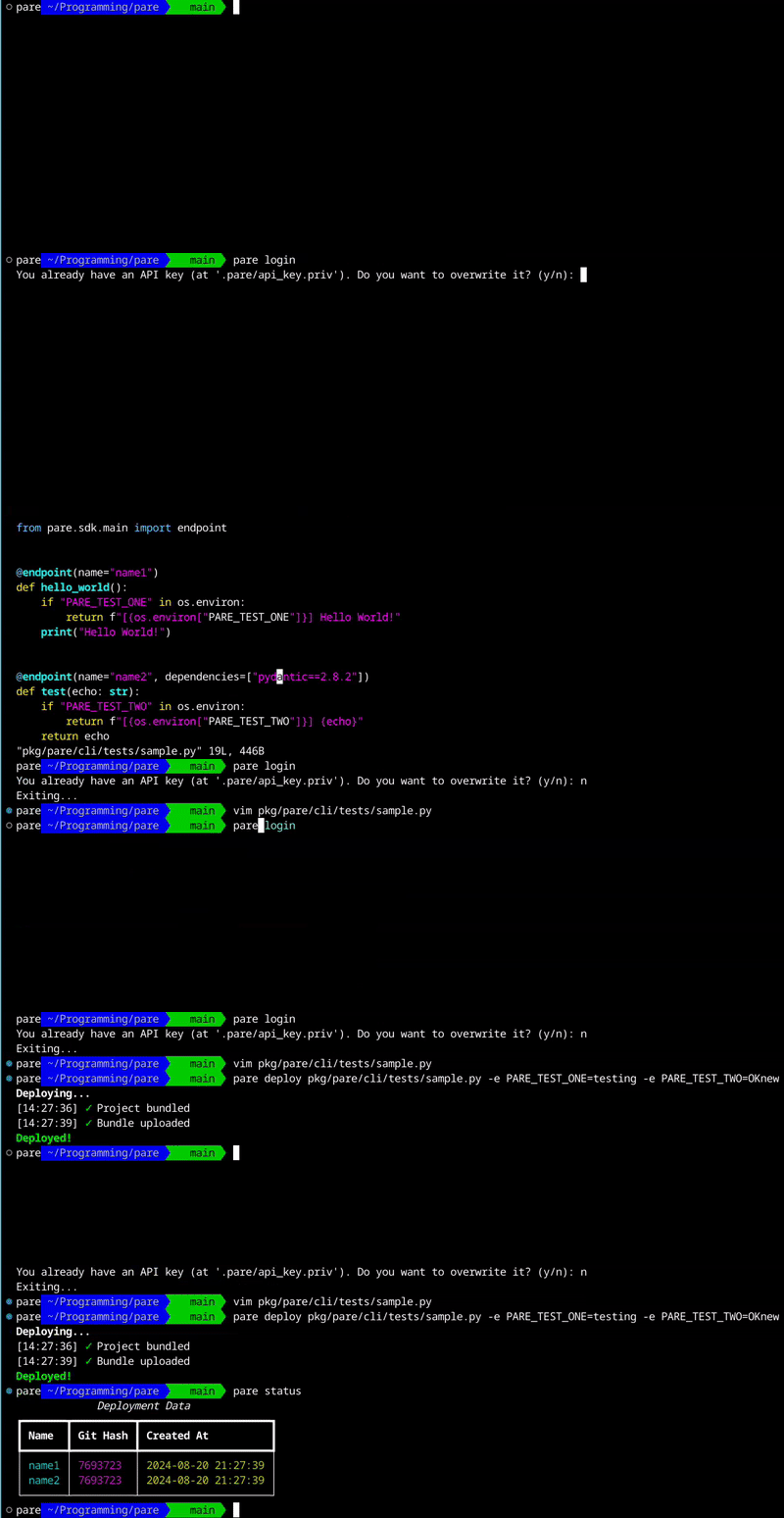
> pare login
Please visit: https://github.com/login/device
and enter code: 1111-1111
Following the on-screen instructions will authorize Gauge to retrieve your Github username and email for the purposes of account creation. The token has no other permissions.
After logging in, you can run a deploy of your function into the Pare Cloud:
> pare deploy my_module.py
[!NOTE] This generally takes between 3s (when heavily cached) and 60s (no cache, heavy dependencies)
[!NOTE] Make sure you are in a git repository. Pare uses the latest git hash to tag your deploy.
Once the deploy is finished, you can verify with pare status:
> pare status
                      Deployment Data
┏━━━━━━━━━━━━━━━━━━━━━━━━┳━━━━━━━━━━┳━━━━━━━━━━━━━━━━━━━━━┓
┃ Name                   ┃ Git Hash ┃ Created At          ┃
┡━━━━━━━━━━━━━━━━━━━━━━━━╇━━━━━━━━━━╇━━━━━━━━━━━━━━━━━━━━━┩
│ quickstart             │ 8a4096b  │ 2024-08-19 22:55:51 │
└────────────────────────┴──────────┴─────────────────────┘
That's it! Your function is now serverless.
To delete a deployed function, use pare delete:
> pare delete quickstart
Notes on Deployment
The pare deploy command accepts a sequence of file patterns (filepaths, directories, or glob paths).
The corresponding files will be collected into a single bundle, which will be built and deployed with each function.
The entrypoint for each function will be defined by pare.endpoint, and it is critical that
all of the entrypoint's imports are included in the bundle.
Third party dependencies are bundled with each function individually, see the section below for more details.
In the future, we plan to use the technology behind [Tach] to automatically determine the transitive dependencies in your project and create a complete bundle. Reach out on Discord if this is an important feature for you!
Advanced Usage
3rd Party Dependencies
Pare allows installing 3rd party dependencies from PyPI for each deployed function.
Use the dependencies kwarg in the endpoint decorator to specify the dependencies for a function,
and they will automatically be installed during the deploy.
@pare.endpoint(name="3rd-party-deps", dependencies=["pydantic", ...])
The dependency names can specify version numbers as well, just as if they were listed in requirements.txt.
@pare.endpoint(name="3rd-party-deps", dependencies=["pydantic==2.8.2", ...])
[!TIP] If you want to quickly determine the 3rd party dependencies used by a set of files, consider using Tach with
tach report-external
Environment Variables
Pare allows setting environment variables for your functions during the deploy.
Use the -e option to set environment variables:
> pare deploy my_module.py -e MY_VARIABLE=myvalue -e OTHER_VARIABLE=othervalue [...]
Atomic Deployment
Pare supports 'atomic deployment' of services based on a git hash.
When atomic deployment is disabled (the default), the Pare API will route requests by name to the latest deployed version of your function.
When atomic deployment is enabled, the Pare SDK will include the git hash in its requests to your deployed functions, and the Pare API will route your request to the service with a matching git hash.
This feature is enabled on the client-side with the environment variable PARE_ATOMIC_DEPLOYMENT_ENABLED.
Since your main application likely will not have access to git to determine its git hash at runtime,
you will need to set the PARE_GIT_HASH environment variable during your build and deployment pipeline.
1 maintainer

Release files for pare 0.3.2
For a detailed explanation of source distributions (sdists) and built distributions (wheels), please see the package formats documentation.
Source distribution (sdist)
| File | Size | Uploaded | |
|---|---|---|---|
| pare-0.3.2.tar.gz | 17.9 kB | Details |
Built distribution (wheel)
| File | Interpreter | ABI | Platform | Reset |
|---|---|---|---|---|
| pare-0.3.2-py3-none-any.whl | Python 3 | none | any | Details |
Total release size: 36.9 kB
Release files / pare-0.3.2.tar.gz
| Download URL | pare-0.3.2.tar.gz |
|---|---|
| Size | 17.9 kB |
| Tags | Source |
|
SHA-256 checksum How to use checksums |
5e381415bbd8c5d23196cbd494627864a926ba6d8f6fa80041fcd189cced9d80
|
|
BLAKE2b-256 checksum How to use checksums |
f1dc80ddcf3e1e8f144b3f0ebee0b0e1fb72c70b5ca78fd5e35cf2dd9e48ced8
|
| Upload date | |
|
Uploaded using Trusted Publishing? What is trusted publishing? |
No |
| Uploaded via |
twine/5.1.1 CPython/3.9.19
|
Release files / pare-0.3.2-py3-none-any.whl
| Download URL | pare-0.3.2-py3-none-any.whl |
|---|---|
| Size | 19.0 kB |
| Tags | Python 3 |
|
SHA-256 checksum How to use checksums |
d304bab760c24d749248faca0ce78ff19e4faf461d1e5ffc96d21b6bad820375
|
|
BLAKE2b-256 checksum How to use checksums |
8b08febdea638b596c0529ffff80697f3f0c730dbb59378ccc65cf1b14162e92
|
| Upload date | |
|
Uploaded using Trusted Publishing? What is trusted publishing? |
No |
| Uploaded via |
twine/5.1.1 CPython/3.9.19
|














