
parsel_text
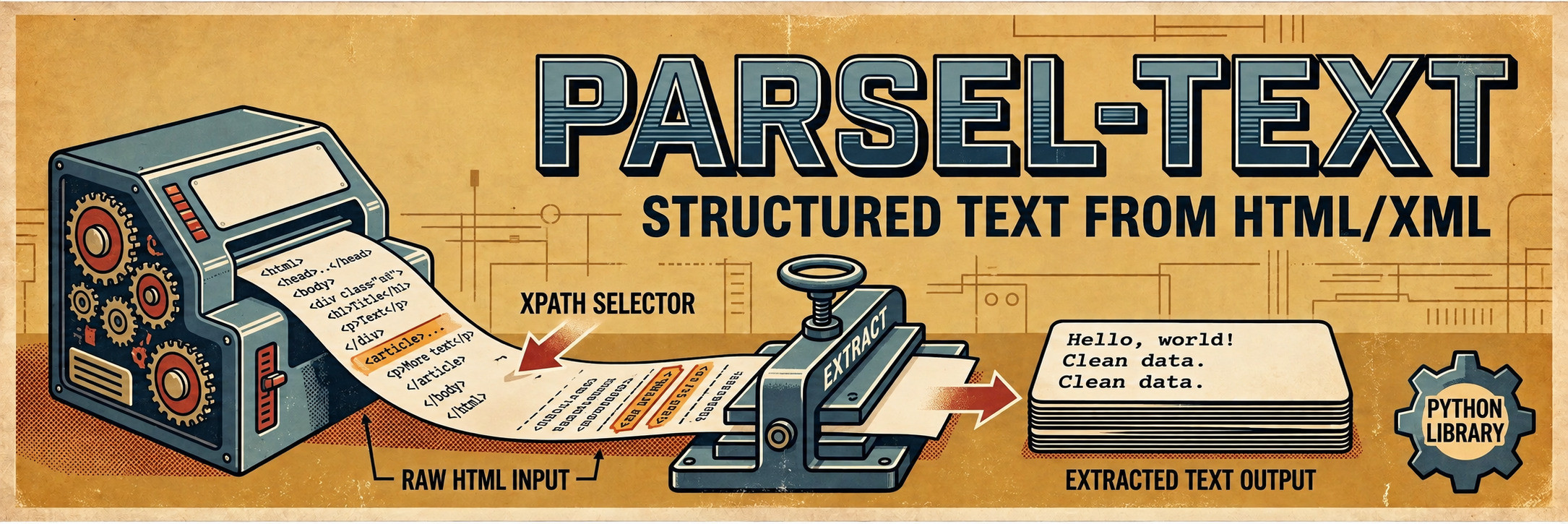





parsel_text is a Python library designed to simplify the extraction of text data from HTML or XML documents using XPath queries on parsel Selector objects. It provides a straightforward interface to obtain and optionally fix mojibake (garbled text due to encoding issues).
Installation
To install parsel-text, use pip:
pip install parsel-text
Usage
Function: get_xpath_text
This is the main function of the library, designed to extract all text results from an XPath query on a parsel Selector object.
Parameters
parsel_sel: What to run the XPath on: aparsel.Selector, aparsel.SelectorListor a Scrapy response.xpath(str): The XPath query string to specify the text extraction path.fix_mojibake(bool, optional): A flag to indicate whether to fix mojibake issues in the extracted text. Default isTrue.guess_layout(bool, optional): Join the text the way a browser lays it out instead of one text node per line (see Layout). Default isFalse.
Returns
str: A string containing the concatenated text results from the specified XPath query.
Example
Here's a simple example of how to use the get_xpath_text function:
from parsel import Selector
from parsel_text import get_xpath_text

html_content = """
<html>
  <body>
    <div id="content">
      <p>Hello, world!</p>
      <p>Welcome to the parsel_text library.</p>
    </div>
  </body>
</html>
"""

# Create a parsel Selector object
selector = Selector(text=html_content)

# Define the XPath query
xpath_query = "//div[@id='content']/p//text()"

# Extract text using the get_xpath_text function
extracted_text = get_xpath_text(parsel_sel=selector, xpath=xpath_query)

print(extracted_text)
Output
Hello, world!
Welcome to the parsel_text library.
What gets extracted
When the XPath selects elements, you get the text inside them:
- Text inside
<script>,<style>,<noscript>and<template>, and HTML comments, is dropped. - Whitespace is collapsed, except inside
<pre>and<textarea>. - When the XPath matches nested elements (
//div, for example), their text appears only once. - Mojibake is fixed with
ftfy.fix_encoding, which leaves the rest of the text as is (curly quotes, ligatures, full-width characters...). Passfix_mojibake=Falseto skip it.
When the XPath selects text nodes (.../text()), you get exactly those nodes with their whitespace collapsed, even inside <script>.
Layout
By default every text node goes on its own line, so a sentence with a <b> or a link in the middle comes out split. With guess_layout=True the text is joined the way a browser lays it out:
- Inline tags (
<b>,<a>,<span>...) keep the original spacing. - Block tags (
<div>,<li>,<tr>...) and<br>start a new line. - Paragraphs, headings and lists are separated by a blank line.
- Table cells are separated by a space, and
<pre>is kept verbatim.
Only whitespace changes: the extracted text is the same. It is meant for HTML.
from parsel import Selector
from parsel_text import get_xpath_text

selector = Selector(text="""
<p><b>Total</b>: 42 (<a href="#">see all</a>).</p>
<ul><li>Python</li><li>Scrapy</li></ul>
""")

get_xpath_text(parsel_sel=selector, xpath="//body")
# 'Total\n: 42 (\nsee all\n).\nPython\nScrapy'

get_xpath_text(parsel_sel=selector, xpath="//body", guess_layout=True)
# 'Total: 42 (see all).\n\nPython\nScrapy'
Function: get_css_text
Same as get_xpath_text, but takes a CSS selector (css) instead of an XPath. The other parameters are the same.
from parsel import Selector
from parsel_text import get_css_text

selector = Selector(text='<div class="body"><p>Hello <b>world</b>.</p><p>Bye.</p></div>')

get_css_text(parsel_sel=selector, css="div.body", guess_layout=True)
# 'Hello world.\n\nBye.'

get_css_text(parsel_sel=selector, css="div.body ::text", guess_layout=True)
# 'Hello world.\n\nBye.'
Since the library runs the query itself, ::text gets the layout too. Like .../text() XPaths, ::text keeps the text inside <script>: select the element (div.body) to drop it.
Function: get_selector_text
Extracts the text of a selection you already made: a Selector or a SelectorList from .css(), .xpath() or a chain of them. It takes fix_mojibake and guess_layout too.
from parsel import Selector
from parsel_text import get_selector_text

selector = Selector(text="""
<div class="card"><h2>First</h2><div class="body"><p>Hello <b>world</b>.</p><p>Second paragraph.</p></div></div>
<div class="card"><h2>Second</h2><div class="body"><p>More text.</p></div></div>
""")

for card in selector.css("div.card"):
    title = get_selector_text(parsel_sel=card.css("h2"))
    body = get_selector_text(parsel_sel=card.css("div.body"), guess_layout=True)
    print((title, body))
# ('First', 'Hello world.\n\nSecond paragraph.')
# ('Second', 'More text.')
Selecting elements gives the same result as get_xpath_text. Text and attribute selections (::text, ::attr()) behave like .../text() XPaths: one piece per line, whitespace collapsed even inside <pre>, script text included and no layout. To get the exclusions and the layout, select the element (div.body), not its text (div.body ::text).
A Scrapy response is not a selection: pass response.css(...) or response.selector, or use get_xpath_text.
Function: get_results_row_text
Takes the same parameters as get_xpath_text, but returns one string per match instead of joining them: N matches give N strings, in document order. Each match keeps all of its text, even when matches are nested.
from parsel import Selector
from parsel_text import get_results_row_text

selector = Selector(text="<ul><li>Python</li><li>Scrapy <b>2.x</b></li></ul>")

get_results_row_text(parsel_sel=selector, xpath="//li")
# ['Python', 'Scrapy\n2.x']

get_results_row_text(parsel_sel=selector, xpath="//li", guess_layout=True)
# ['Python', 'Scrapy 2.x']
Function: get_bs4_soup_text
Extracts the text of a BeautifulSoup object with the same rules, and also takes fix_mojibake and guess_layout. parsel_text no longer depends on BeautifulSoup: this function works with anything whose str() is HTML. To install BeautifulSoup along with the library, use the bs4 extra:
pip install "parsel-text[bs4]"
Contributing
Contributions are welcome! If you find a bug or have a feature request, please open an issue on the GitHub repository.
License
This project is licensed under the MIT License. See the LICENSE file for details.
1 maintainer

Metadata
1 maintainer
Release files for parsel-text 2.2.1
For a detailed explanation of source distributions (sdists) and built distributions (wheels), please see the package formats documentation.
Source distribution (sdist)
| File | Size | Uploaded | |
|---|---|---|---|
| parsel_text-2.2.1.tar.gz | 20.4 kB | Details |
Built distribution (wheel)
| File | Interpreter | ABI | Platform | Reset |
|---|---|---|---|---|
| parsel_text-2.2.1-py3-none-any.whl | Python 3 | none | any | Details |
Total release size: 31.0 kB
Release files / parsel_text-2.2.1.tar.gz
| Download URL | parsel_text-2.2.1.tar.gz |
|---|---|
| Size | 20.4 kB |
| Tags | Source |
|
SHA-256 checksum How to use checksums |
97f9ee793687502415b49399dacc0b62324017b7006eedc7d75e934074640e4f
|
|
BLAKE2b-256 checksum How to use checksums |
d770753013558a225e52b580fe354078e2f1fbe60ab396f24b8f69df53de97a7
|
| Upload date | |
|
Uploaded using Trusted Publishing? What is trusted publishing? |
Yes |
| Uploaded via |
twine/7.0.0 CPython/3.13.14
|
Provenance
Provenance describes where a file came from. On PyPI, provenance is shared via attestations, which provide a verifiable record of the build or publishing details. View details, limitations and caveats.


PyPI Publish Attestation
PyPI verified that this artifact, at this checksum, originated from the publisher listed below.
Signed by GitHub Actions, verified by PyPI on Oct 11, 2026.
Transparency logRelease files / parsel_text-2.2.1-py3-none-any.whl
| Download URL | parsel_text-2.2.1-py3-none-any.whl |
|---|---|
| Size | 10.6 kB |
| Tags | Python 3 |
|
SHA-256 checksum How to use checksums |
da0fb9a300a4135e054fecc096f388cfea0e1c8743a7a0030ee0d45bf8852fca
|
|
BLAKE2b-256 checksum How to use checksums |
3e85be75484a46ac705336def586cd64361e8039060e81a0b005718509c4de57
|
| Upload date | |
|
Uploaded using Trusted Publishing? What is trusted publishing? |
Yes |
| Uploaded via |
twine/7.0.0 CPython/3.13.14
|
Provenance
Provenance describes where a file came from. On PyPI, provenance is shared via attestations, which provide a verifiable record of the build or publishing details. View details, limitations and caveats.
PyPI Publish Attestation
PyPI verified that this artifact, at this checksum, originated from the publisher listed below.
Signed by GitHub Actions, verified by PyPI on Oct 11, 2026.
Transparency log













