
PartialJson

Parse Partial and incomplete JSON in python
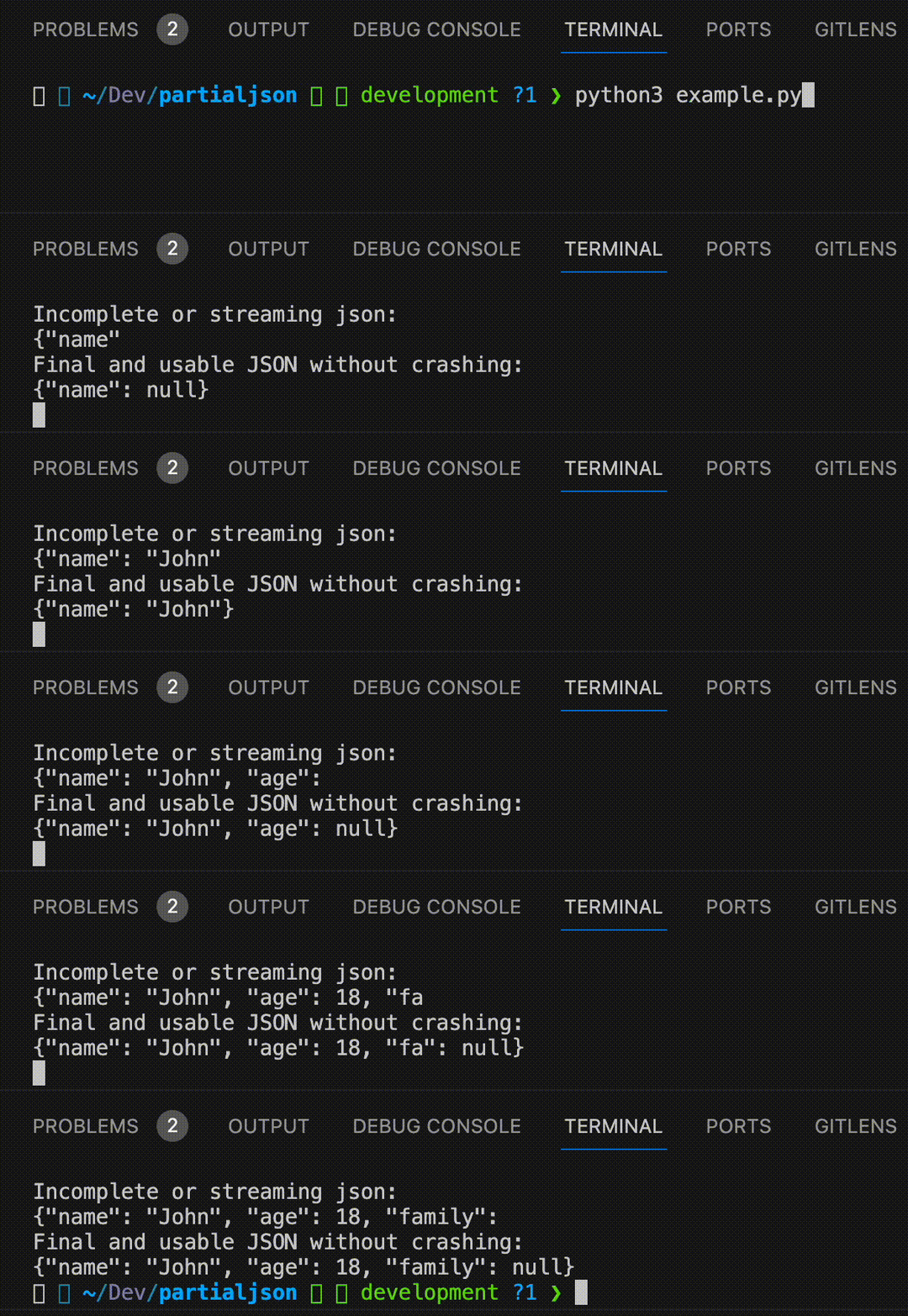
Parse Partial and incomplete JSON in python with just 3 lines of python code.



Example
from partialjson import JSONParser
parser = JSONParser()

incomplete_json = '{"name": "John Doe", "age": 30, "is_student": false, "courses": ["Math", "Science"'
print(parser.parse(incomplete_json))
# {'name': 'John Doe', 'age': 30, 'is_student': False, 'courses': ['Math', 'Science']}
Problem with \n? Use strict=False:
from partialjson import JSONParser
parser = JSONParser(strict=False)

incomplete_json = '{"name": "John\nDoe", "age": 30, "is_student": false, "courses": ["Math", "Science"'
print(parser.parse(incomplete_json))
# {'name': 'John\nDoe', 'age': 30, 'is_student': False, 'courses': ['Math', 'Science']}
JSON5 support
Use create_json5_parser or JSONParser(json5_enabled=True) for JSON5 (comments, unquoted keys, single quotes, etc.):
from partialjson import create_json5_parser
parser = create_json5_parser()

incomplete_json5 = '{name: "Demo", version: 1.0, items: [1, 2, 3,]'
print(parser.parse(incomplete_json5))
# {'name': 'Demo', 'version': 1.0, 'items': [1, 2, 3]}
The optional json5 dependency speeds up parsing of complete JSON5 documents: pip install partialjson[json5]. Partial documents parse the same way with or without it.
What you get while a string is still streaming
Text that has already arrived is returned; only what cannot be decided yet is held back. With strict=True (the default) escapes are decoded and an unfinished escape or half an emoji is dropped until it is complete:
parser.parse('{"msg": "caf\\u00')        # {'msg': 'caf'}
parser.parse('{"msg": "caf\\u00e9"')      # {'msg': 'café'}
parser.parse('{"msg": "hi \\ud83d"')      # {'msg': 'hi '}
parser.parse('{"msg": "hi \\ud83d\\ude00"')  # {'msg': 'hi 😀'}
With strict=False the raw text of an unfinished string is returned untouched, backslashes included.
Extra tokens
If the input contains a complete value followed by more text, the value is returned and the callback passed as on_extra_token is called with the input, the value and the leftover text. The default callback prints to stdout; pass on_extra_token=None to silence it, or read parser.last_parse_reminding afterwards.
parser = JSONParser(on_extra_token=None)
parser.parse('{"a": 1} trailing')   # {'a': 1}
parser.last_parse_reminding         # ' trailing'
Installation
$ pip install partialjson
Also can be found on pypi
How can I use it?
- Install the package by pip package manager.
- After installing, you can use it and call the library.
Testing
pip install -e '.[json5]'
pip install -r requirements-dev.txt
pytest -q
tests/test_compat_1_1_0.py runs the frozen 1.1.0 parser next to the current one over every prefix of a corpus of documents, so behaviour changes for existing users show up as test failures.
Citation
If you use this software, please cite it using the metadata in CITATION.cff.
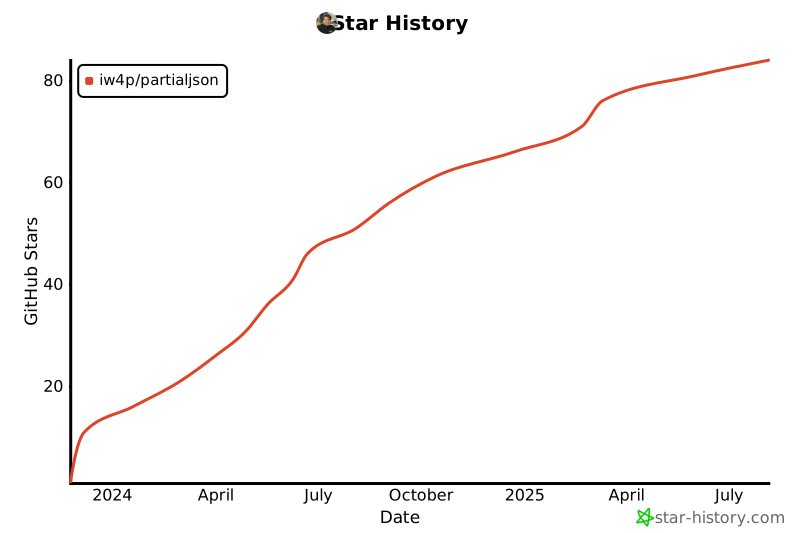
Star History
Issues
Feel free to submit issues and enhancement requests or contact me via vida.page/nima.
Contributing
Please refer to each project's style and contribution guidelines for submitting patches and additions. In general, we follow the "fork-and-pull" Git workflow.
- Fork the repo on GitHub
- Clone the project to your own machine
- Update the Version inside
partialjson/__init__.pyand add aCHANGELOG.mdentry - Commit changes to your own branch
- Push your work back up to your fork
- Submit a Pull request so that we can review your changes
1 maintainer

Metadata
1 maintainer
Release files for partialjson 1.2.0
For a detailed explanation of source distributions (sdists) and built distributions (wheels), please see the package formats documentation.
Source distribution (sdist)
| File | Size | Uploaded | |
|---|---|---|---|
| partialjson-1.2.0.tar.gz | 21.6 kB | Details |
Built distribution (wheel)
| File | Interpreter | ABI | Platform | Reset |
|---|---|---|---|---|
| partialjson-1.2.0-py3-none-any.whl | Python 3 | none | any | Details |
Total release size: 32.7 kB
Release files / partialjson-1.2.0.tar.gz
| Download URL | partialjson-1.2.0.tar.gz |
|---|---|
| Size | 21.6 kB |
| Tags | Source |
|
SHA-256 checksum How to use checksums |
64fda6610d8a203b8cc4034369c799f1d5d279f4134c81f4d85a1b1342ae72a9
|
|
BLAKE2b-256 checksum How to use checksums |
026e52bd71f17ba73eb18a474b7cdfe3d7bcc4822369b86870b3598a2a13acee
|
| Upload date | |
|
Uploaded using Trusted Publishing? What is trusted publishing? |
No |
| Uploaded via |
twine/7.0.0 CPython/3.13.14
|
Release files / partialjson-1.2.0-py3-none-any.whl
| Download URL | partialjson-1.2.0-py3-none-any.whl |
|---|---|
| Size | 11.1 kB |
| Tags | Python 3 |
|
SHA-256 checksum How to use checksums |
42e5ef4a862c32febbc20a7279ddcb6bf740f1417468053cb9afcab30b969f35
|
|
BLAKE2b-256 checksum How to use checksums |
969ff0545a26dbaf3caf2915037448def3410697392b266ebb0dfec3ec894684
|
| Upload date | |
|
Uploaded using Trusted Publishing? What is trusted publishing? |
No |
| Uploaded via |
twine/7.0.0 CPython/3.13.14
|














