
Security-focused CLI for managing secrets in GPG-backed environments. Extends pass with TOTP, AES-256-GCM backups, secure clipboard handling, and runtime secret injection.
Verified details
These details have been verified by PyPIProject links
GitHub Statistics
Maintainers

Project description
Passclip



TL;DR: A local-first CLI over
pass+ GPG — inject secrets into processes without shell history or disk writes, auto-clearing clipboard, built-in TOTP, health auditing, encrypted backups, and CSV import from Bitwarden/LastPass/1Password.
pass handles encryption and git. Passclip handles everything around it.
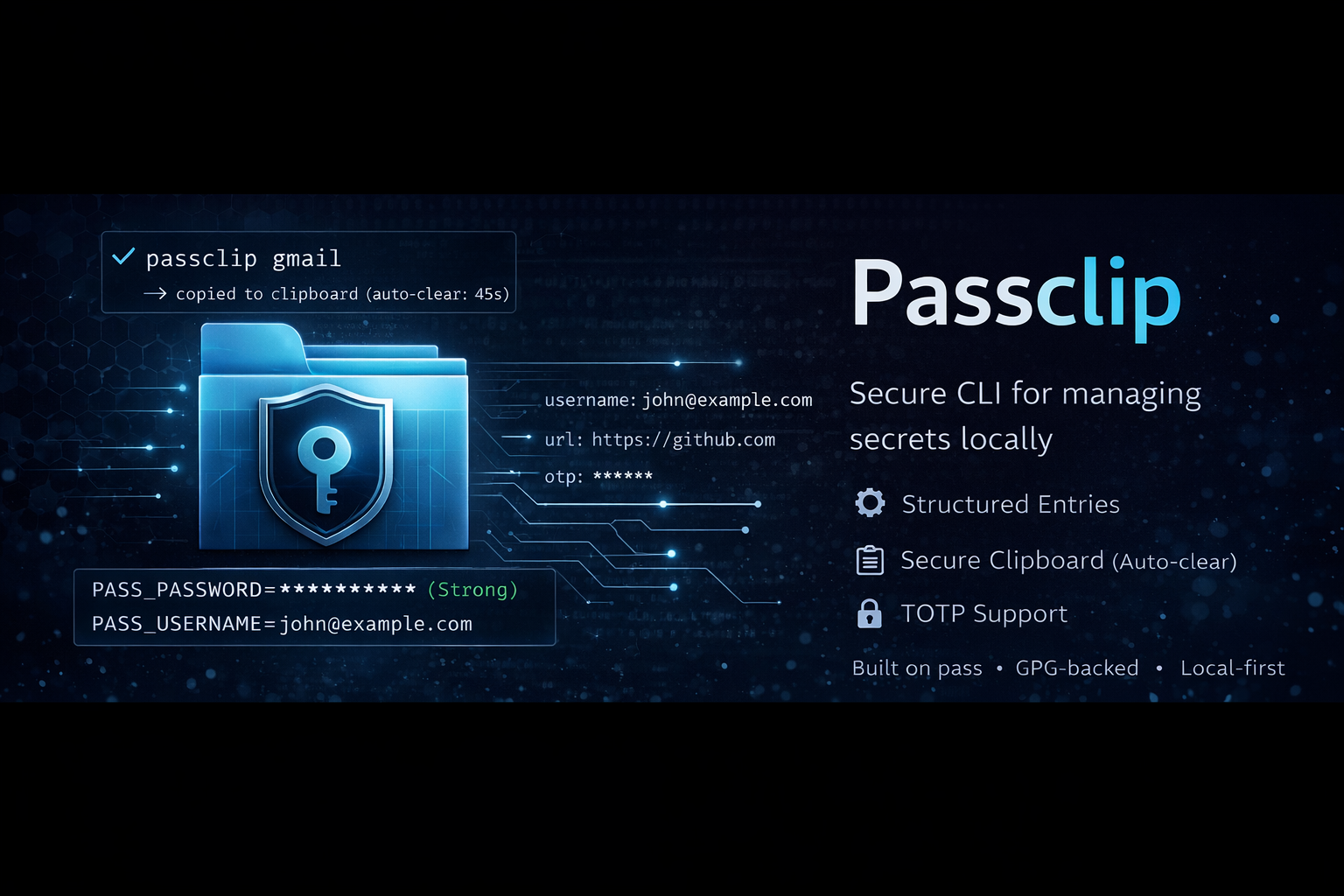
A CLI built on top of pass that adds what it's missing — structured entries, clipboard auto-clear, TOTP, password health checks, CSV import, encrypted backups, and an interactive shell.
Install
# System deps (pass + GPG must be installed separately)
brew install gnupg pass          # macOS
sudo apt install gnupg2 pass     # Ubuntu/Debian

# Passclip
pip install passclip[all]

# First-time setup
passclip wizard
Or clone and run directly:
git clone https://github.com/rxb06/Passclip.git
cd Passclip
pip install -e ".[all]"
passclip wizard
See docs/setup.md for GPG key setup, Linux/Arch instructions, and troubleshooting.
Quick start
passclip gmail                    # copy password (fuzzy match)
passclip gmail -u                 # copy username
passclip gmail -o                 # copy OTP code
passclip gmail -s                 # show full entry
No subcommand needed. Type a search term — Passclip finds the entry and copies what you need.
What Passclip adds
pass is solid — one GPG-encrypted file per password, a directory tree as your database, and git for sync. Passclip doesn't replace any of that. It uses pass under the hood for every read and write.
But pass is intentionally minimal, and that minimalism has real gaps in daily use:
What pass gives you:
- Rock-solid GPG encryption
- Git-based version control and sync
- A dead-simple
pass insert/pass showinterface - A healthy ecosystem of community extensions
What it doesn't:
- There's no structured format for entries — every user invents their own convention
- No clipboard auto-clear out of the box (and the built-in
--clipis inconsistent across platforms) - No password strength feedback or health audit
- No TOTP without a separate extension (
pass-otp) - Importing from Bitwarden, LastPass, or 1Password means hunting for
pass-import - No interactive shell with tab completion
- No encrypted backup format independent of GPG
What Passclip adds:
Gap in pass |
What Passclip does about it |
|---|---|
| No structured entries | First line is the password, everything else is key: value pairs. Compatible with pass-import. |
Clipboard --clip is inconsistent cross-platform |
Reliable auto-clear with a configurable timer. Checks clipboard content before clearing. |
| No strength feedback | Visual strength bar, entropy estimate, actionable tips. |
| No health audit | passclip health scans every entry — flags weak passwords and duplicates. |
| TOTP needs an extension | Built in. passclip otp --add to set up, passclip gmail -o to copy a code. |
| Importing is painful | passclip import file.csv — auto-detects Bitwarden, LastPass, 1Password. |
| No interactive shell | Full REPL with tab completion, history, and single-letter shortcuts (c, u, o). |
| No GPG-independent backup | export-vault creates an AES-256-GCM encrypted file. Restore on any machine with Python + cryptography. |
| No secret injection for devs | passclip run entry -- command injects fields as env vars. |
| Deletes are permanent | Pre-delete backups to ~/.config/passclip/backups/. |
| No entry validation | Blocks path traversal, shell metacharacters, and bad input. |
Your password store is still a directory of GPG files. pass show, pass insert, pass edit — all still work. Passclip reads and writes through pass, not around it. No lock-in.
How it compares
| Capability | Passclip | pass | .env files |
|---|---|---|---|
| Runtime secret injection | ✅ | ❌ | ❌ |
| Clipboard auto-clear | ✅ | ⚠️ --clip (inconsistent cross-platform) |
❌ |
| Built-in TOTP | ✅ | ❌ (needs pass-otp) |
❌ |
| CSV import (Bitwarden/LastPass/1P) | ✅ | ❌ (needs pass-import) |
❌ |
| Password health audit | ✅ | ❌ | ❌ |
| Encrypted backup (non-GPG) | ✅ | ❌ | ❌ |
| Secrets encrypted at rest | ✅ (GPG) | ✅ (GPG) | ❌ (plaintext) |
| No secrets in version control | ✅ | ✅ | ⚠️ (easy to commit accidentally — use Credactor) |
Passclip is not:
- A cloud password manager (no account, no sync server)
- A replacement for pass/GPG storage (it uses pass under the hood for every read and write)
- A secrets server like HashiCorp Vault (it's a local CLI tool)
- Windows-compatible (
passand GPG tooling assume a Unix environment — macOS and Linux only)
It is: a secure local interface for using secrets stored in pass.
What can it do?
Secure secret injection — the differentiator:
passclip run aws/prod -- aws s3 ls    # inject secrets as env vars
passclip run db/prod -- psql          # secrets never hit disk or shell history

# verify: nothing leaks
env | grep PASS_                      # empty after process exits
Quick copy — the daily driver:
passclip gmail                        # fuzzy match → copy password
passclip gmail -u                     # copy username
passclip gmail -o                     # copy OTP code
passclip gmail -s                     # show full entry
Full commands:
passclip get email/gmail --clip       # copy to clipboard, auto-clears in 45s
passclip insert web/github            # add entry (guided prompts)
passclip browse                       # interactive picker → copy by default
passclip otp --add web/github         # add OTP secret to an entry
Housekeeping:
passclip health                       # password strength + duplicate report
passclip sync                         # git pull + push
passclip archive web/old-site         # stash it, don't delete it
passclip export-vault ~/backup.vault  # AES-256 encrypted backup
Migration:
passclip import bitwarden_export.csv  # migrate from another manager
passclip import export.csv --dry-run  # preview before committing
Interactive shell — launch with passclip. Single-letter shortcuts: c gmail (password), u gmail (username), o gmail (OTP).
All commands
| Command | What it does |
|---|---|
<term> |
Smart copy — fuzzy match and copy password |
<term> -u |
Smart copy — copy username |
<term> -o |
Smart copy — copy OTP code |
<term> -s |
Smart copy — show full entry |
get [entry] [--clip] [--field F] |
Show, copy, or extract a specific field |
clip [entry] |
Copy password to clipboard (auto-clears) |
insert [entry] |
Add new entry with guided prompts |
generate [entry] [len] |
Generate a random password |
edit [entry] |
Open in $EDITOR |
delete [entry] |
Delete (previews first, backs up before removing) |
browse |
Fuzzy-pick an entry → copy (default) |
ls |
List everything |
find <term> |
Search by name |
mv <old> <new> |
Move or rename |
cp <old> <new> |
Copy an entry |
archive [entry] |
Move to archive/ |
restore [entry] |
Bring back from archive/ |
otp [entry] |
Generate a TOTP code |
otp --add [entry] |
Add or update OTP secret on an entry |
run <entry> -- <cmd> |
Inject fields as env vars into a command |
health |
Password strength and duplicate report |
import <file> [--format F] [--dry-run] |
Import from CSV (Bitwarden, LastPass, 1Password) |
export-vault <file> |
Encrypted vault backup |
import-vault <file> [--force] |
Restore from vault |
sync |
Git pull + push |
gitlog [n] |
Recent git history |
config [key] [value] |
View or change settings |
wizard |
First-time setup |
init |
Init or re-init the password store |
gpg_gen |
Generate a new GPG key |
gpg_list |
List GPG keys |
Pre-commit hook
Passclip uses Credactor to scan for hardcoded credentials before every commit:
# .pre-commit-config.yaml
repos:
  - repo: https://github.com/rxb06/Credactor
    rev: v2.2.2
    hooks:
      - id: credactor
pip install pre-commit
pre-commit install
See docs/integration.md for CI setup and more.
How entries are stored
Passclip uses the same format as pass — GPG-encrypted files, one per entry:
MyS3cr3tP@ssw0rd
username: john@example.com
url: https://github.com
notes: work account
First line is always the password. Everything else is optional key: value metadata. Compatible with pass-import and most pass extensions.
Security
Properties:
- Secrets are not written to disk during normal operation (exception: pre-delete backups are plaintext — see below)
- Never exposed in shell history — passed as env vars or clipboard, not CLI args
runinjects secrets as env vars into child processes — they are visible in/proc/<pid>/environon Linux for the lifetime of that process- Clipboard auto-clears after configurable timeout (constant-time comparison)
- All subprocess calls use list arguments — no
shell=Trueanywhere - Vault encryption authenticates header metadata (AAD) — tampering is detected
- Tar extraction rejects symlinks, hardlinks, and path traversal
Controls:
- Entry name validation blocks
.., shell metacharacters, control characters, and excessive depth - Atomic vault writes — no partial files on disk-full
- Pre-delete backups saved to
~/.config/passclip/backups/with0600permissions - AES-256-GCM with PBKDF2-SHA256 at 600,000 iterations
Full threat model: SECURITY.md
Documentation
| Document | Description |
|---|---|
| docs/setup.md | Installation, configuration, and troubleshooting |
| docs/user-guide.md | Feature deep-dives, workflows, and best practices |
| docs/examples.md | 12 real-world workflow recipes |
| docs/integration.md | Pre-commit hooks, CI/CD, shell completions |
| docs/disclaimer.md | Warranty, liability, and limitations |
| docs/changelog.md | Version history |
| SECURITY.md | Security policy and threat model |
| CONTRIBUTING.md | How to contribute |
License
Licensed under the GNU General Public License v3.0.
Passclip is a personal open-source project. It is not audited by a third party. See docs/disclaimer.md for details.
Project details
Verified details
These details have been verified by PyPIProject links
GitHub Statistics
Maintainers


Download files
Download the file for your platform. If you're not sure which to choose, learn more about installing packages.
Source Distribution
Built Distribution
Filter files by name, interpreter, ABI, and platform.
If you're not sure about the file name format, learn more about wheel file names.
Copy a direct link to the current filters
File details
Details for the file passclip-1.2.0.tar.gz.
File metadata
- Download URL: passclip-1.2.0.tar.gz
- Upload date:
- Size: 47.5 kB
- Tags: Source
- Uploaded using Trusted Publishing? Yes
- Uploaded via: twine/6.1.0 CPython/3.13.7
File hashes
| Algorithm | Hash digest | |
|---|---|---|
| SHA256 |
3247d7b82977b1327e5c687d62af3acf39e3564c2c6da8d7b8524eba459a26ce
|
|
| MD5 |
9260549a86f91720fecae75f01ab466e
|
|
| BLAKE2b-256 |
0feebd658fcd62c1fb84ebb52d58e4f5cfcf8219ef43e30f9659a2604738a8c7
|
Provenance
The following attestation bundles were made for passclip-1.2.0.tar.gz:
Publisher:
publish.yml on rxb06/Passclip
-
Statement:
-
Statement type:
https://in-toto.io/Statement/v1 -
Predicate type:
https://docs.pypi.org/attestations/publish/v1 -
Subject name:
passclip-1.2.0.tar.gz -
Subject digest:
3247d7b82977b1327e5c687d62af3acf39e3564c2c6da8d7b8524eba459a26ce - Sigstore transparency entry: 1187407404
- Sigstore integration time:
-
Permalink:
rxb06/Passclip@f173e0f594f1fa16e42658b3928326fac0bbd99f -
Branch / Tag:
refs/tags/v.1.2.0 - Owner: https://github.com/rxb06
-
Access:
public
-
Token Issuer:
https://token.actions.githubusercontent.com -
Runner Environment:
github-hosted -
Publication workflow:
publish.yml@f173e0f594f1fa16e42658b3928326fac0bbd99f -
Trigger Event:
release
-
Statement type:
File details
Details for the file passclip-1.2.0-py3-none-any.whl.
File metadata
- Download URL: passclip-1.2.0-py3-none-any.whl
- Upload date:
- Size: 42.9 kB
- Tags: Python 3
- Uploaded using Trusted Publishing? Yes
- Uploaded via: twine/6.1.0 CPython/3.13.7
File hashes
| Algorithm | Hash digest | |
|---|---|---|
| SHA256 |
cc2e6f2e559565dcd644574a4ce6e27ab814da4f2f71bc51d74d901d1caebce7
|
|
| MD5 |
97622c05196ef1db7d7df9418909d5b0
|
|
| BLAKE2b-256 |
2d65523c8fafbd82a746180456ce45b0b7db54a8d89211376ecf0ee0b18f03f5
|
Provenance
The following attestation bundles were made for passclip-1.2.0-py3-none-any.whl:
Publisher:
publish.yml on rxb06/Passclip
-
Statement:
-
Statement type:
https://in-toto.io/Statement/v1 -
Predicate type:
https://docs.pypi.org/attestations/publish/v1 -
Subject name:
passclip-1.2.0-py3-none-any.whl -
Subject digest:
cc2e6f2e559565dcd644574a4ce6e27ab814da4f2f71bc51d74d901d1caebce7 - Sigstore transparency entry: 1187407413
- Sigstore integration time:
-
Permalink:
rxb06/Passclip@f173e0f594f1fa16e42658b3928326fac0bbd99f -
Branch / Tag:
refs/tags/v.1.2.0 - Owner: https://github.com/rxb06
-
Access:
public
-
Token Issuer:
https://token.actions.githubusercontent.com -
Runner Environment:
github-hosted -
Publication workflow:
publish.yml@f173e0f594f1fa16e42658b3928326fac0bbd99f -
Trigger Event:
release
-
Statement type:






