
pass.sh
pass.sh is a local password manager with a command-line interface and a
terminal UI. It stores logins in one encrypted vault file and does not require
an account or a hosted service.
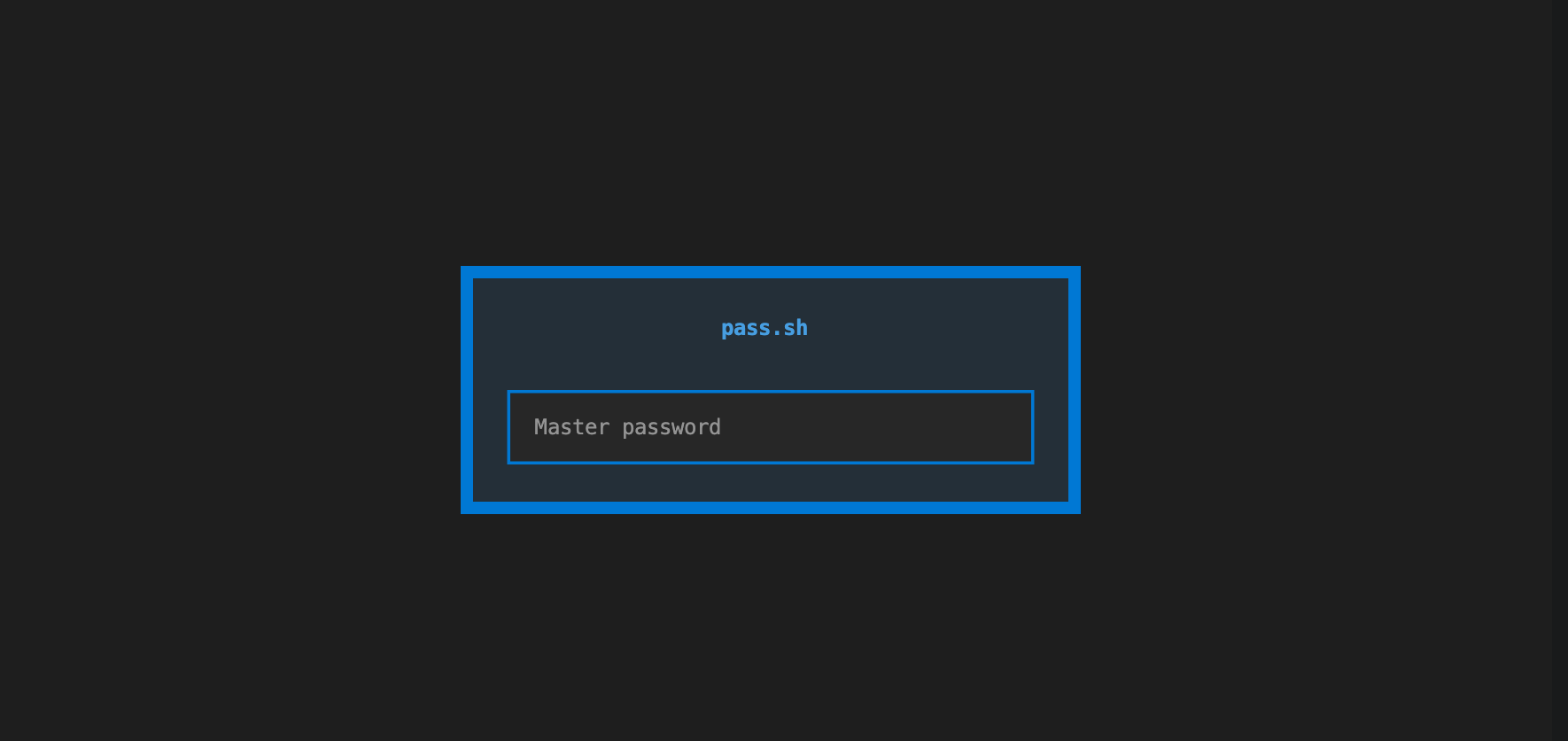
The master password is used to derive an encryption key with Argon2id. Neither the password nor the derived key is written to disk. A short-lived background process can cache the key in memory so nearby commands do not need another password prompt.
What it includes
- AES-256-GCM authenticated encryption with a fresh nonce for every vault write
- Argon2id key derivation with a 64 MiB memory cost, 3 iterations, and 4 lanes
- Authentication of the vault version and KDF settings to detect header changes
- A Click-based CLI for creating, reading, updating, importing, and exporting entries
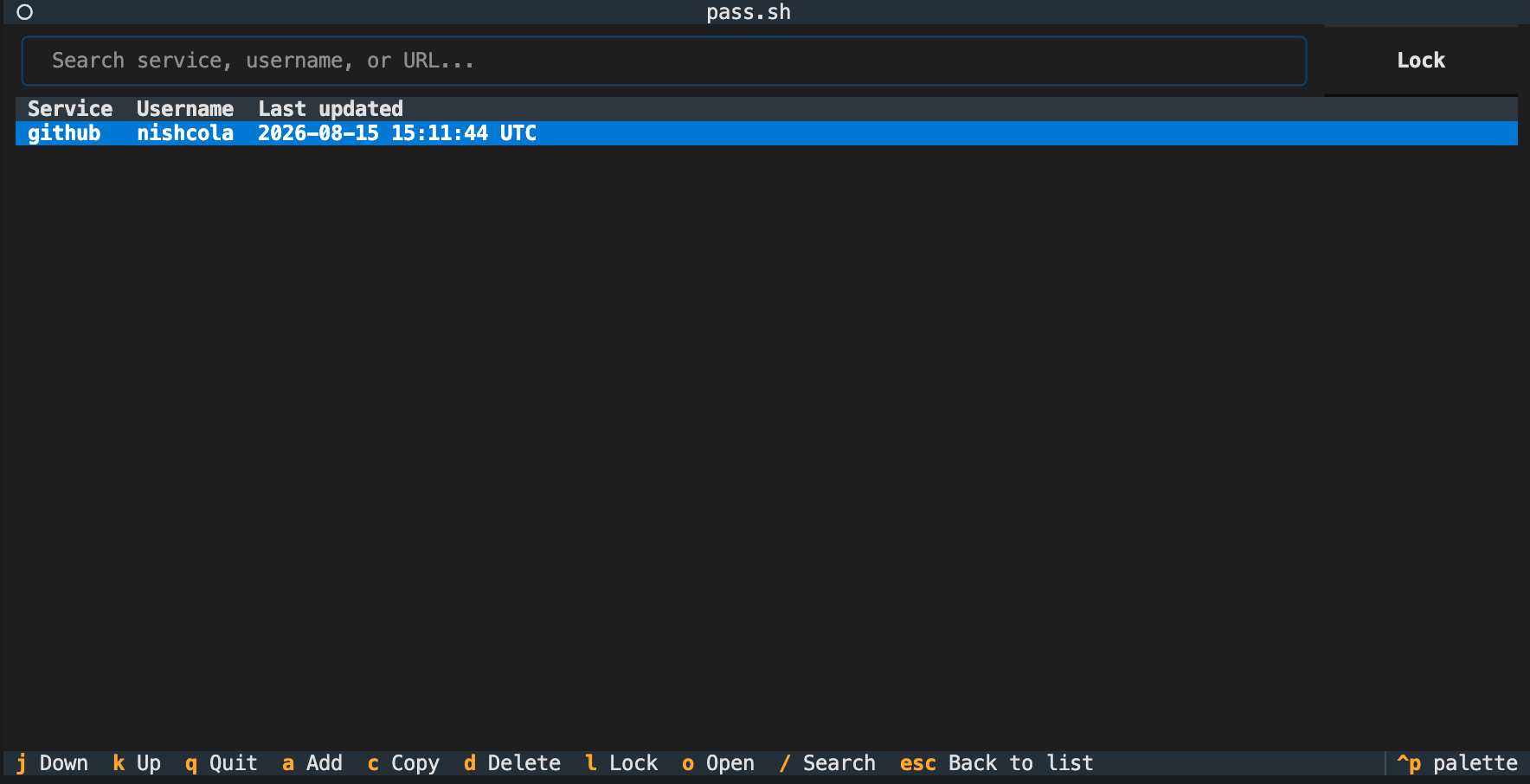
- A Textual terminal UI with search, add, edit, copy, open, delete, and lock actions
- Clipboard copying that clears only if the copied password is still present
- Five-minute session caching over an owner-only Unix domain socket
- Local retry delays after failed unlock attempts
- Atomic vault writes through a temporary file and same-filesystem rename
Requirements
- Python 3.10 or later
- macOS or Linux for cached sessions
- A clipboard provider supported by
pyperclip
The CLI and vault operations also work on Windows, but the Unix socket session agent is disabled there. Each command will ask for the master password.
Gallery
Install
git clone https://github.com/nishcola/pass.sh.git
cd pass.sh
python3 -m venv .venv
source .venv/bin/activate
python -m pip install -e ".[dev]"
This installs the pm command and the dependencies declared in
pyproject.toml: cryptography, pyperclip, click, and textual.
On Linux, pyperclip needs a supported clipboard tool. Install one if copy
commands report that the clipboard is unavailable:
sudo apt install xclip
# or
sudo apt install xsel
Quick start
Create the default vault at ~/.passsh/vault.json:
$ pm init
Master password:
Confirm password:
Vault created at /home/you/.passsh/vault.json
Add and retrieve an entry:
$ pm add github --username alice --url https://github.com
Master password:
Password for 'github':
Confirm password:
Added 'github'.

$ pm get github
Name:     github
Username: alice
URL:      https://github.com
Password copied to clipboard (clears in 15s).
Launch the terminal UI:
pm tui
Every vault command accepts --vault PATH for a non-default location:
pm init --vault ./work-vault.json
pm list --vault ./work-vault.json
CLI reference
| Command | Purpose |
|---|---|
pm init |
Create an empty encrypted vault |
pm add NAME |
Add an entry with optional username, URL, and notes |
pm get NAME |
Show entry metadata and copy its password |
pm list |
List entry names and usernames |
pm update NAME |
Change selected fields on an entry |
pm rename OLD NEW |
Rename an entry |
pm delete NAME |
Delete an entry after confirmation |
pm open NAME |
Open the saved URL in the default browser |
pm generate |
Generate a password with secrets.choice |
pm passwd |
Re-encrypt the vault under a new master password |
pm export |
Export every entry as plaintext JSON |
pm import FILE |
Merge entries from an exported JSON file |
pm lock |
End the cached session immediately |
pm tui |
Open the terminal UI |
Run pm COMMAND --help for the full option list. Common options include:
pm add --username TEXT --url URL --notes TEXTpm get --no-copyto print a password instead of copying itpm get --clear-delay SECONDSto change the clipboard timerpm update --username TEXT --url URL --notes TEXT --passwordpm generate --length N --no-symbols --exclude-ambiguouspm delete --yesto skip the confirmation promptpm import --forceto replace entries with matching names
pm init --force can replace an existing vault after confirmation. This
deletes every entry in that vault.
Terminal UI controls
The terminal UI displays service names, usernames, and update times. Passwords remain hidden until copied or explicitly revealed in the entry form.
| Key | Action |
|---|---|
a |
Add an entry |
Enter |
Edit the selected entry |
c |
Copy the selected password |
o |
Open the selected URL |
d |
Delete the selected entry |
/ |
Focus search |
Esc |
Return focus to the entry list or close a form |
j / k |
Move down or up |
l |
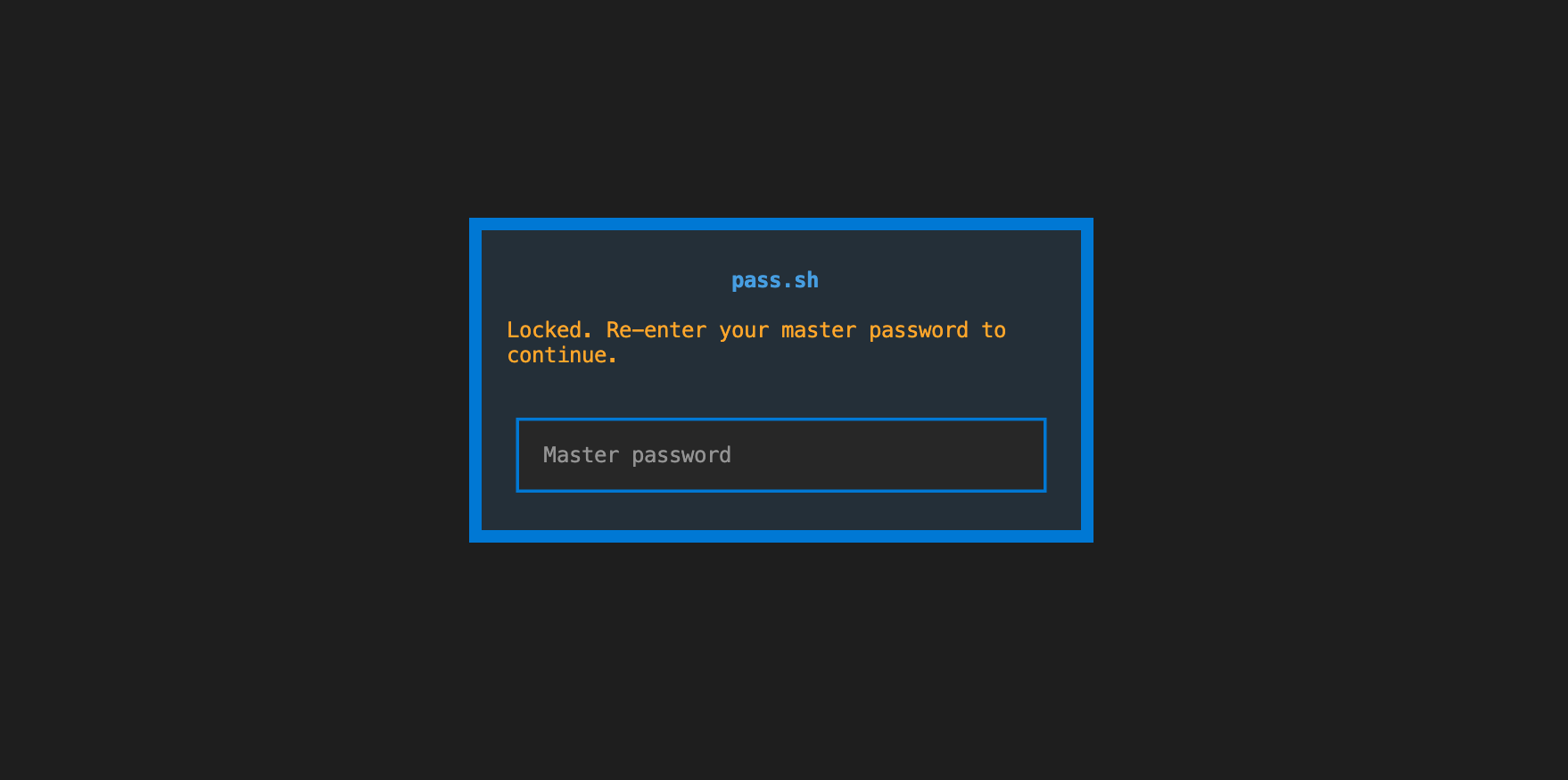
Lock the session |
q |
Quit |
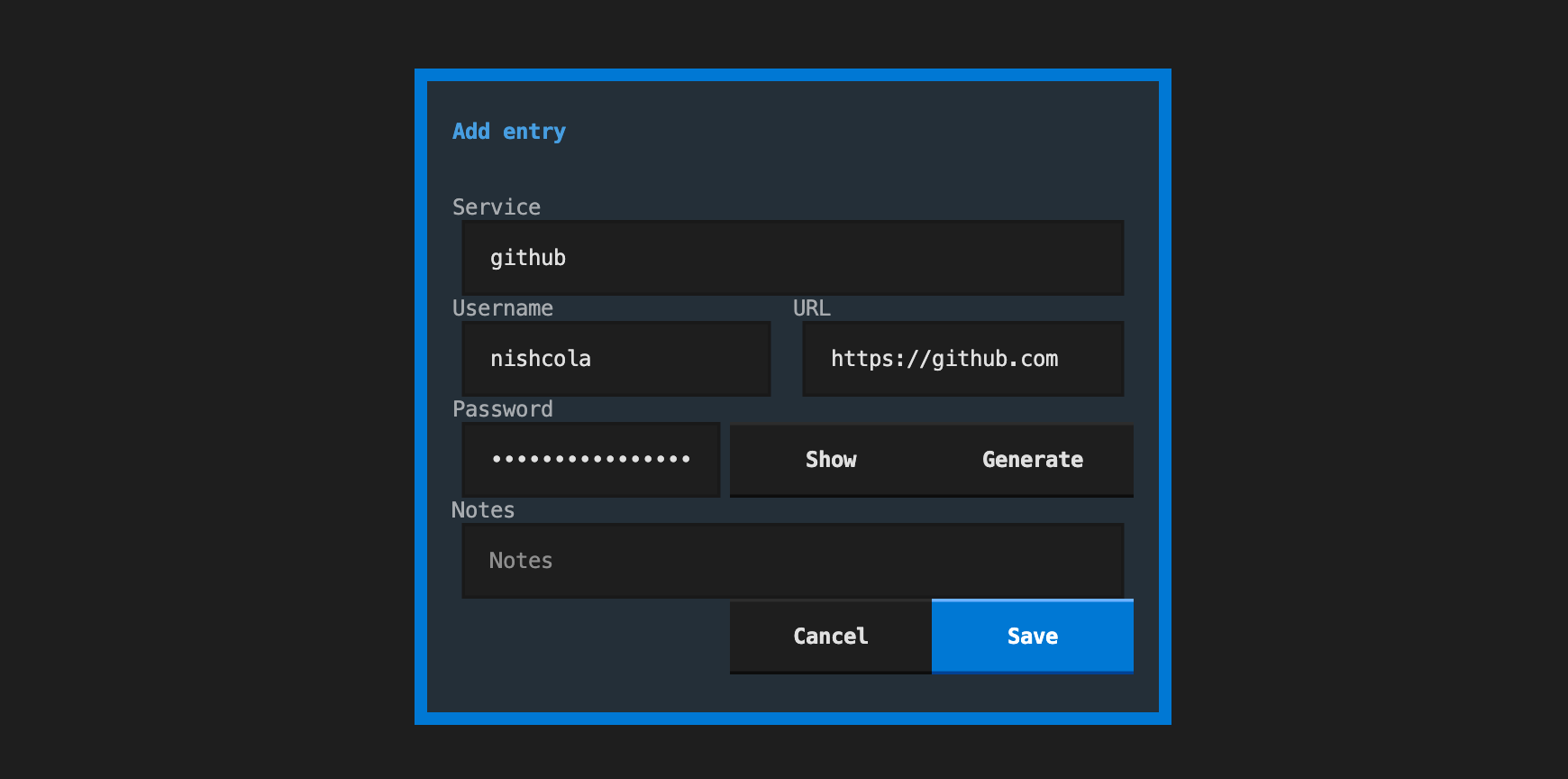
The add and edit forms can generate a 20-character password and reveal it before saving.
How the vault works
The vault is a JSON document with three relevant parts:
- Version and Argon2id settings, including a random salt
- An encryption label for AES-256-GCM
- Base64-encoded ciphertext containing the entry map
The version and KDF settings are passed to AES-GCM as authenticated data. Changing those fields causes decryption to fail instead of silently applying weaker settings. Each save encrypts the complete entry map with a new random nonce, writes the encrypted document to a temporary file, flushes it, and replaces the previous vault with an atomic rename.
The first successful unlock starts a detached session agent on macOS and
Linux. Later commands request the cached key through a Unix domain socket.
The socket directory uses mode 0700, and the socket uses mode 0600. The
agent drops the cached key and exits after five minutes without a request.
It also attempts to lock the key's memory pages with mlock when the platform
and process limits allow it.
Security boundaries
pass.sh is designed to protect a vault file at rest and to reject modified
ciphertext or authenticated header fields. Its safeguards have narrower
limits at runtime:
- A process running as the same operating-system user can access the session socket and may be able to inspect process memory.
- Memory locking is best effort. The operating system can reject
mlock. - Clipboard contents are available to other applications until the timer clears them. The clear worker leaves newer clipboard content untouched.
- The retry delay is a local guard against repeated attempts through the app. An attacker with a copied vault can remove its state file and perform an offline password-guessing attack.
pm exportwrites plaintext passwords. Export files need separate protection and secure deletion when no longer needed.pm opensends a saved URL to the default browser. No password is included.
Use a long, unique master password and keep backups of the encrypted vault.
Code structure
| Path | Responsibility |
|---|---|
src/passsh/cli.py |
Click commands and command-line output |
src/passsh/tui.py |
Textual screens, forms, search, and keyboard actions |
src/passsh/session.py |
Shared unlock policy for the CLI and TUI |
src/passsh/agent.py |
In-memory key cache and local socket protocol |
src/passsh/storage.py |
Vault serialization, encryption calls, and atomic writes |
src/passsh/crypto.py |
Argon2id and AES-GCM primitives |
src/passsh/clipboard.py |
Copy and compare-before-clear worker |
src/passsh/ratelimit.py |
Failed-attempt state and retry delays |
src/passsh/entry_ops.py |
Shared entry creation and update behavior |
src/passsh/generator.py |
Password generation |
tests/ |
Unit, CLI, socket integration, and Textual pilot tests |
Both interfaces call the same session, storage, clipboard, and entry helper modules. This keeps encryption and persistence behavior out of the presentation layers.
Development
Install the development dependencies and run the test suite:
python -m pip install -e ".[dev]"
pytest -q
The tests use temporary vaults and replace clipboard and browser integrations with fakes. They cover cryptographic round trips, tamper rejection, vault storage and permissions, CLI workflows, session-agent sockets, retry delays, and TUI interactions.
License
Released under the MIT License.
1 maintainer

Download files
Download the file for your platform. If you're not sure which to choose, learn more about installing packages.
Source Distribution
Built Distribution
Filter files by name, interpreter, ABI, and platform.
If you're not sure about the file name format, learn more about wheel file names.
Copy a direct link to the current filters
File details
Details for the file passsh-0.1.0.tar.gz.
File metadata
- Download URL: passsh-0.1.0.tar.gz
- Upload date:
- Size: 39.9 kB
- Tags: Source
- Uploaded using Trusted Publishing? No
- Uploaded via:
twine/7.0.0 CPython/3.13.2
File hashes
| Algorithm | Hash digest | |
|---|---|---|
| SHA256 |
3918fa324a7e1bfc0963e53aa62ca04a731a4ca7a07bccc95bdc922a608784ac
|
|
| MD5 |
a33a3710a90d733ad002a6d8b3df609e
|
|
| BLAKE2b-256 |
9152170eadfb24291058279aa2e361fa6bb1c366e49b0ccaeb91629670e2ef35
|
File details
Details for the file passsh-0.1.0-py3-none-any.whl.
File metadata
- Download URL: passsh-0.1.0-py3-none-any.whl
- Upload date:
- Size: 27.8 kB
- Tags: Python 3
- Uploaded using Trusted Publishing? No
- Uploaded via:
twine/7.0.0 CPython/3.13.2
File hashes
| Algorithm | Hash digest | |
|---|---|---|
| SHA256 |
a32df99e2296a214f82565b465425731201d30ae73f70a475c6405aecc2b8397
|
|
| MD5 |
0ef98fcc49b77e79d15805efbea4990e
|
|
| BLAKE2b-256 |
c019569508126f573dceafe349e0cf68fd4ccca302fd1210a4144b300cc0e559
|













