
PathFind




Implementation of path finding algorithms including:
- Depth-First Search (DFS)
- Breadth-First Search (BFS)
- Dijkstra Search
- Greedy Best-First Search
- A*
- D*-Lite
- Jump Point Search (JPS)
Install
pip install pathfind
Basic Usage
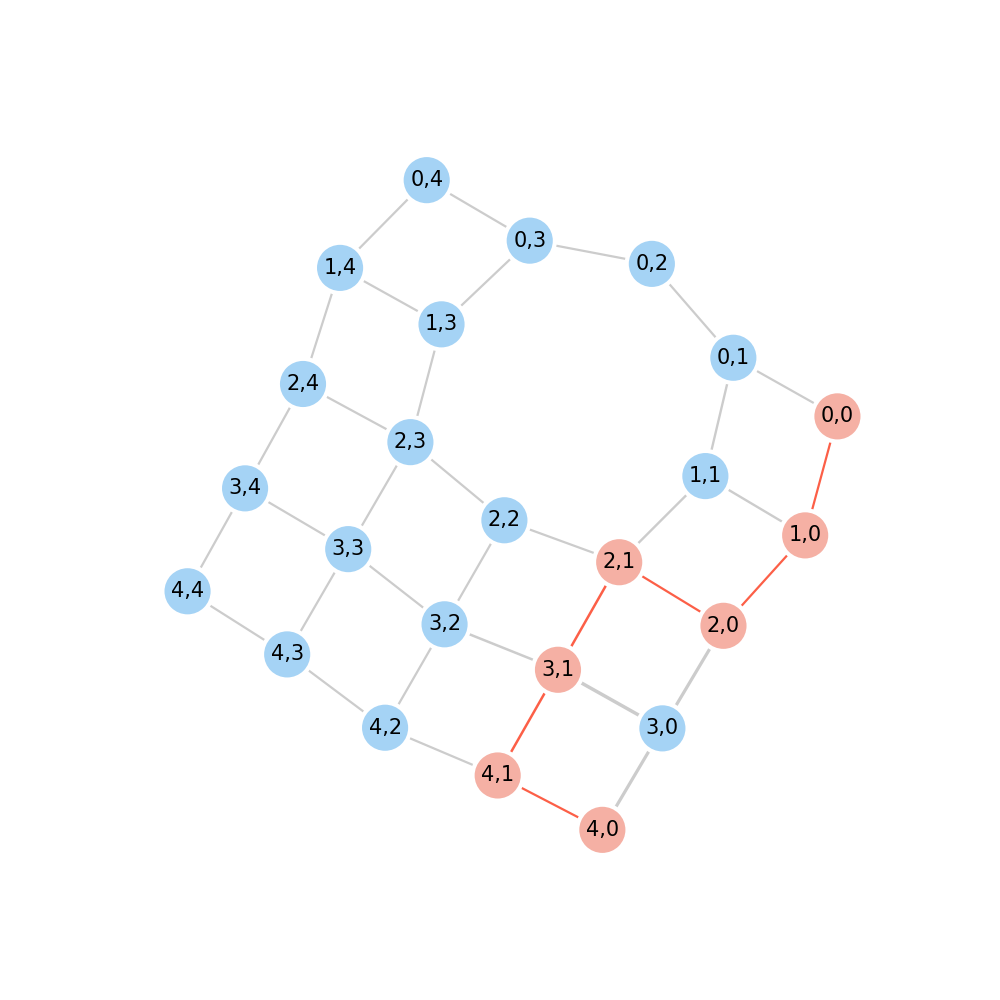
Define a graph to transform graph from a matrix, then find a path from start point to end point. The value in m
indicates a cost at that node. Note that the -1 in m represents the cost in that node is infinity, which means this
node is not connected to others.
import pathfind

m = [
    [1, 1, 1, 1, 1],
    [1, 2, -1, 1, 1],
    [1, 1, 1, 1, 1],
    [8, 3, 1, 1, 1],
    [1, 1, 1, 1, 1],
]
graph = pathfind.transform.matrix2graph(m)
path = pathfind.find(graph, start="4,0", end="0,0")
# ['4,0', '4,1', '3,1', '2,1', '2,0', '1,0', '0,0']

graph.show(trace=path)
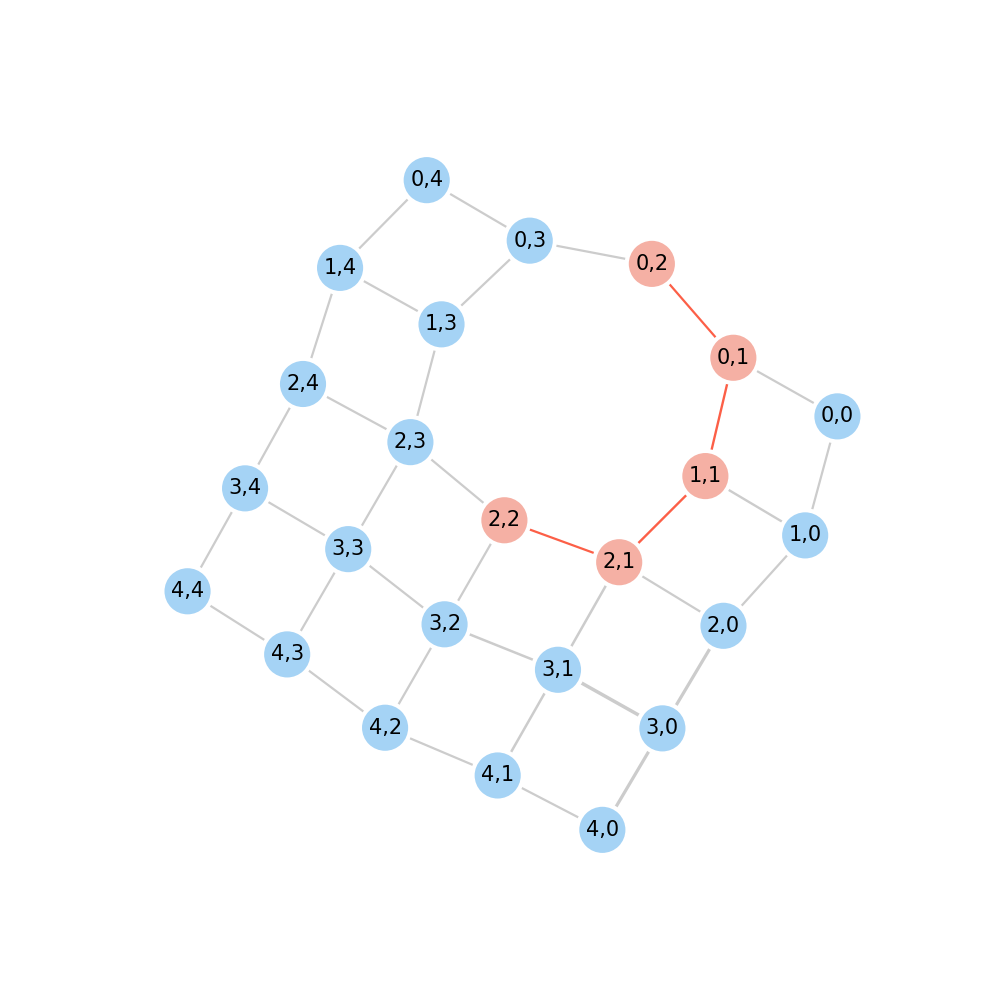
Finder can be changed by passing a string method ("a*", "bfs", "greedy", "dijkstra", "dfs", "d*lite", "jps").
path = pathfind.find(graph, start="2,2", end="0,2", method="bfs")
# ['2,2', '2,1', '1,1', '0,1', '0,2']

graph.show(trace=path)
Graph setup
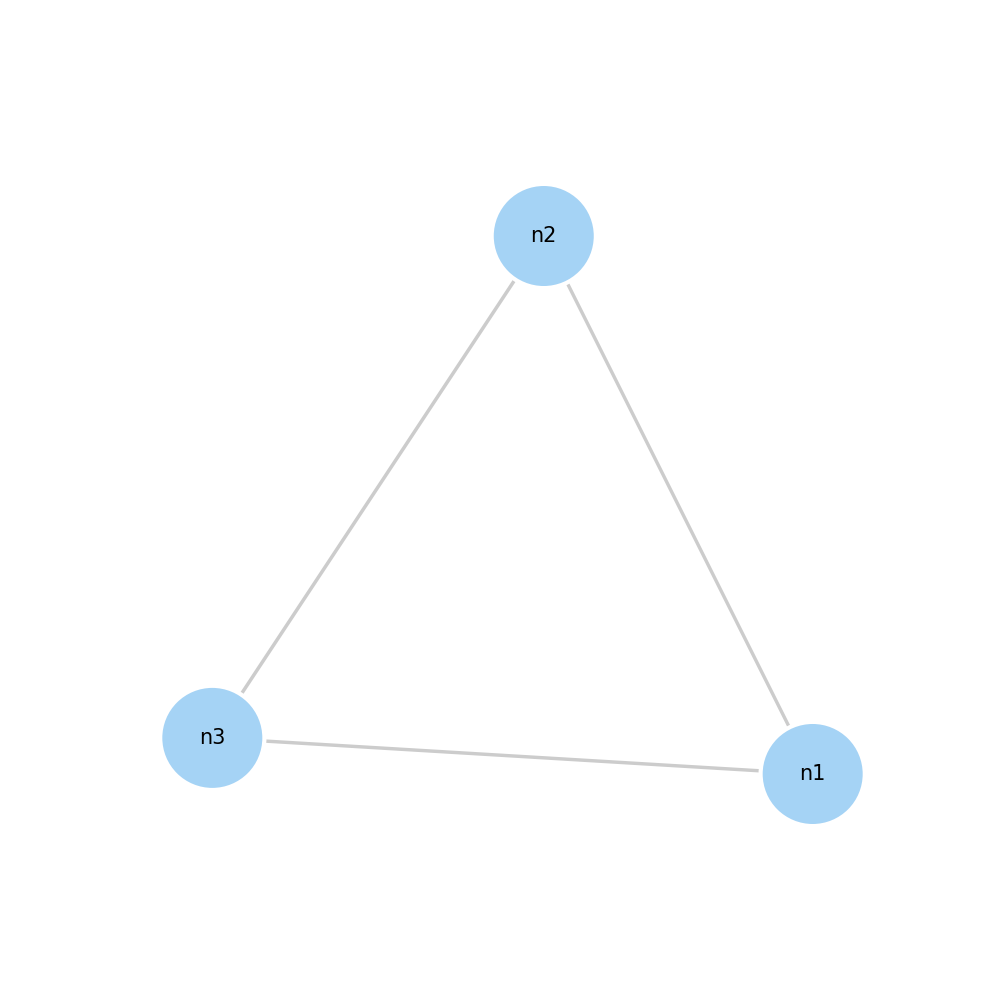
Another way to define a graph is to config the edge by give [node1's name, node2's name, cost] pairs.
import pathfind

conf = [
    # [node1's name, node2's name, weight, *back_weight]
    ["n1", "n2", 0.1],
    ["n1", "n3", 0.2],
    ["n2", "n3", 0.3]
]
graph = pathfind.Graph(conf)
graph.show()
Or you can set edge's and node's details by following way:
import pathfind

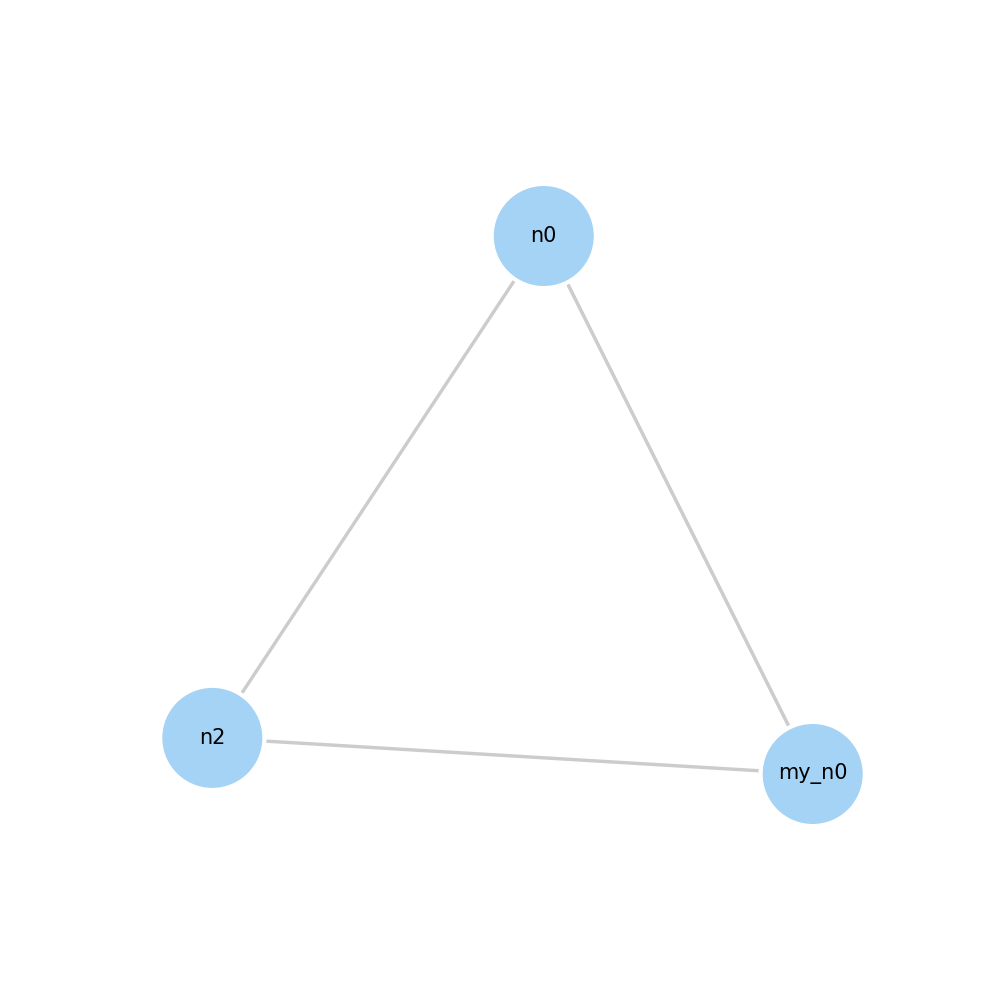
my_n0 = pathfind.Node(name="my_n0")  # node name set to "my_n0"
auto_name = pathfind.Node()  # node name automatically set to "n0"
n2 = "n2"  # pass a string to represent node name
e0 = pathfind.Edge(node1=my_n0, node2=auto_name, weight=0.2)
e1 = pathfind.Edge(node1=my_n0, node2=n2, weight=0.1)
e2 = pathfind.Edge(auto_name, n2, weight=0)

g = pathfind.Graph()
g.add_edges([e0, e1, e2])
g.show()
g.edges
"""
{'my_n0:n0': my_n0:n0, 'my_n0:n2': my_n0:n2, 'n0:n2': n0:n2}
"""
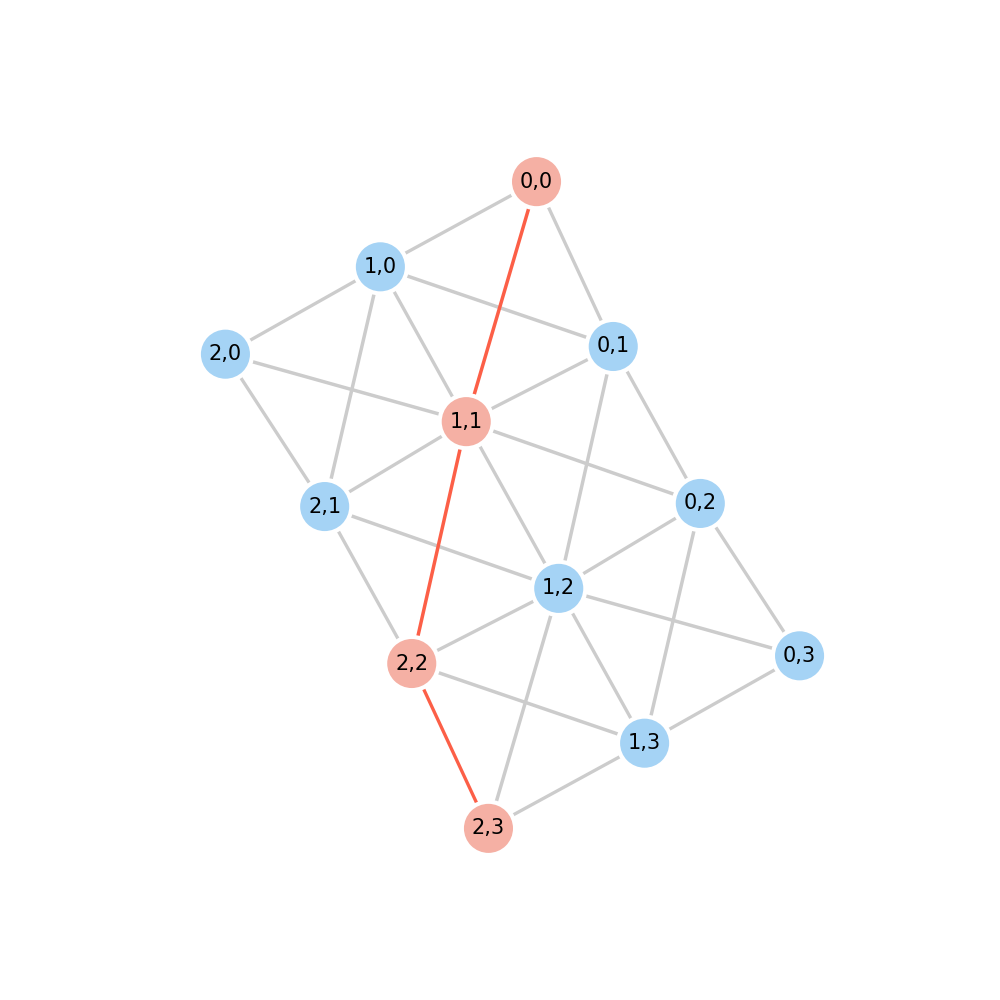
A diagonal grid graph can be generated by following way:
import pathfind

m = [
    [1, 1, 1, 1],
    [1, 1, 1, 1],
    [1, 1, 1, 1],
]
graph = pathfind.transform.matrix2graph(m, diagonal=True)
path = pathfind.find(graph, start="0,0", end="2,3")
# ['0,0', '1,1', '2,2', '2,3']

graph.show(trace=path)
More examples
More examples and usages can be found in test
1 maintainer

Release files for pathfind 0.1.2
For a detailed explanation of source distributions (sdists) and built distributions (wheels), please see the package formats documentation.
Source distribution (sdist)
| File | Size | Uploaded | |
|---|---|---|---|
| pathfind-0.1.2.tar.gz | 19.0 kB | Details |
Built distribution (wheel)
| File | Interpreter | ABI | Platform | Reset |
|---|---|---|---|---|
| pathfind-0.1.2-py3-none-any.whl | Python 3 | none | any | Details |
Total release size: 39.4 kB
Release files / pathfind-0.1.2.tar.gz
| Download URL | pathfind-0.1.2.tar.gz |
|---|---|
| Size | 19.0 kB |
| Tags | Source |
|
SHA-256 checksum How to use checksums |
fdbf5d822906b5939cd1eb036f99a6559d1dec7bb009985f6f936aea9816ada2
|
|
BLAKE2b-256 checksum How to use checksums |
7acba32ce22f38b7e21ec95dac3eef79cde472c98a6f8b4cd953e1bb4f3656fa
|
| Upload date | |
|
Uploaded using Trusted Publishing? What is trusted publishing? |
No |
| Uploaded via |
twine/4.0.2 CPython/3.9.6
|
Release files / pathfind-0.1.2-py3-none-any.whl
| Download URL | pathfind-0.1.2-py3-none-any.whl |
|---|---|
| Size | 20.4 kB |
| Tags | Python 3 |
|
SHA-256 checksum How to use checksums |
95213d0e50c123245a223439ac93a84fd22a80c4c9254040b183b71b7ebd6019
|
|
BLAKE2b-256 checksum How to use checksums |
3ef08da3ba180886626adbd058508ef87b50d37a384fe8878a18a5d226e6591b
|
| Upload date | |
|
Uploaded using Trusted Publishing? What is trusted publishing? |
No |
| Uploaded via |
twine/4.0.2 CPython/3.9.6
|














