



Pattern Analyzer
Pattern Analyzer is a comprehensive, plugin-based framework for binary data analysis in Python. It provides a powerful engine to apply statistical tests, cryptographic analysis, and structural format detection on any binary data source.
Features
- Extensible Plugin Architecture: Easily add new statistical tests, data transformers, or visualizers.
- Rich Plugin Library: Comes with a wide range of built-in plugins for:
- Statistical Analysis: NIST-like tests (Monobit, Runs, FFT), Dieharder-inspired tests, and advanced metrics like Hurst Exponent and Entropy.
- Cryptographic Analysis: Detects ECB mode encryption, repeating-key XOR patterns, and searches for known constants like AES S-boxes.
- Structural Analysis: Basic parsers for formats like ZIP, PNG, and PDF.
- Machine Learning: Anomaly detection using Autoencoders, LSTMs, and pre-trained classifiers.
- Multiple Interfaces: Use Pattern Analyzer the way you want:
- Command-Line Interface (CLI) for scripting and automation.
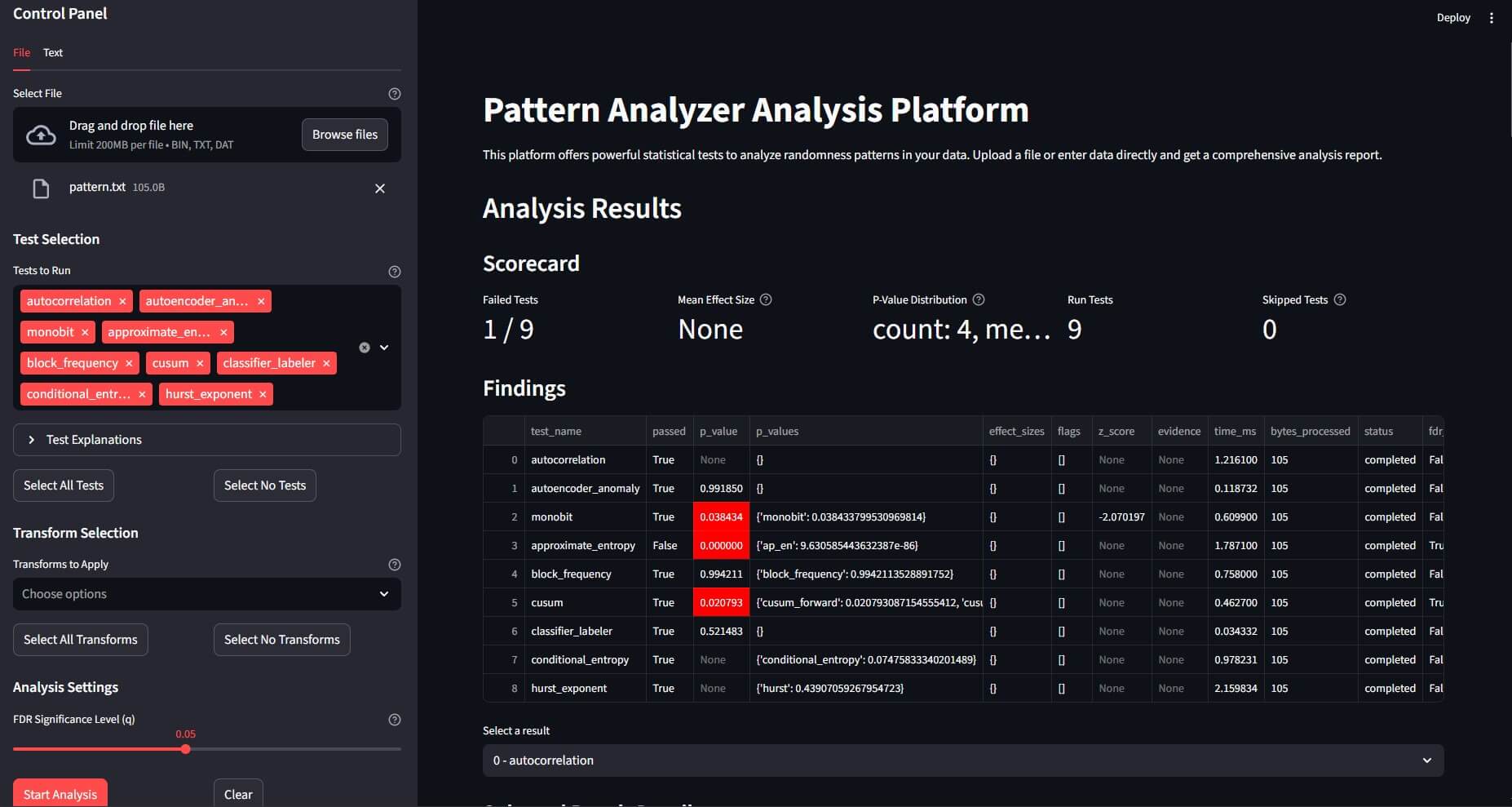
- Web User Interface (Streamlit) for interactive analysis and visualization.
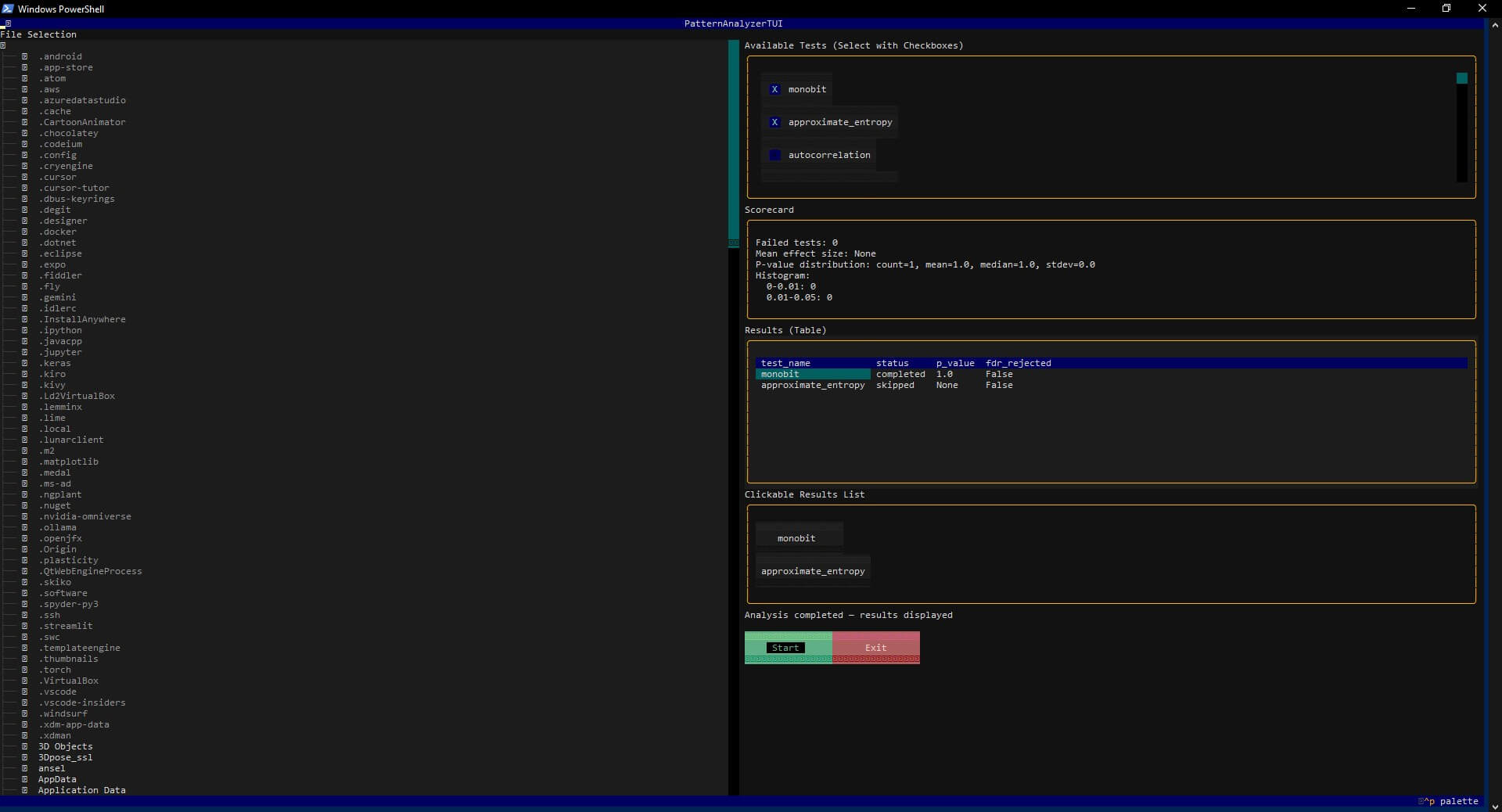
- Text-based User Interface (TUI) for terminal-based interaction.
- REST API (FastAPI) to integrate Pattern Analyzer into other services.
- High-Performance Engine: Supports parallel test execution, streaming analysis for large files, and sandboxed plugin execution for security and stability.
Installation
It is recommended to install Pattern Analyzer in a virtual environment.
# Clone the repository
git clone https://github.com/edgetype/pattern-analyzer.git
cd pattern-analyzer

# Create and activate a virtual environment
python -m venv .venv
# On Windows: .venv\Scripts\activate
# On macOS/Linux: source .venv/bin/activate

# Install the package in editable mode with all optional dependencies
pip install -e .[test,ml,ui]
The optional dependencies are:
test: for running the test suite withpytest.ml: for machine learning-based plugins (TensorFlow, scikit-learn).ui: for the Streamlit web UI and Textual TUI.
Quick Start
Command Line Interface (CLI)
Standard Analysis
Analyze a binary file using a default set of tests and save the report.
patternanalyzer analyze test.bin --out report.json
Use a specific configuration profile for a focused analysis (e.g., cryptographic tests).
patternanalyzer analyze encrypted.bin --profile crypto --out crypto_report.json
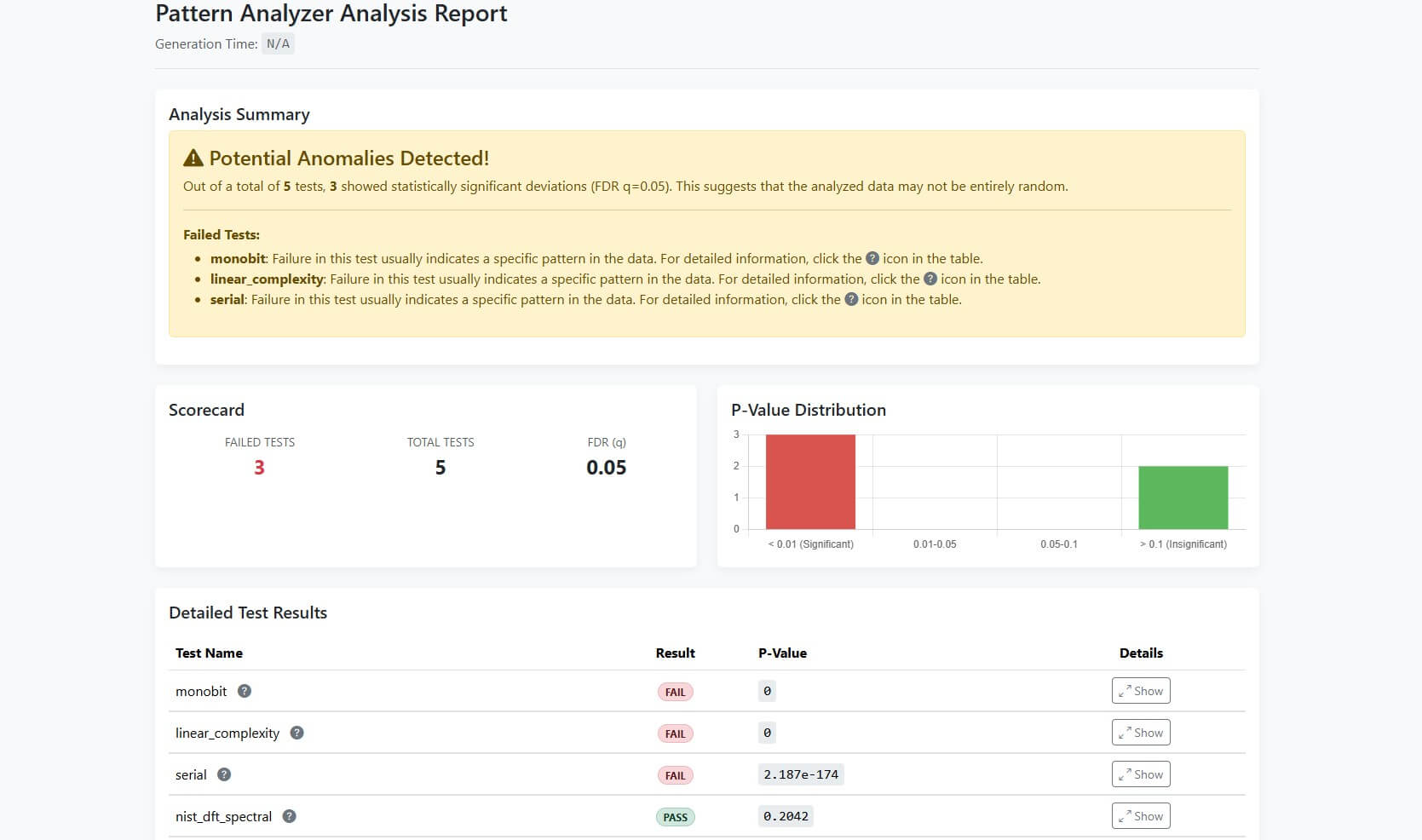
Generate an HTML report from the analysis results.
patternanalyzer analyze test.bin --profile crypto --out crypto_report.json --html-report crypto_report.html
Discovery Mode
If you don't know what kind of transformation might have been applied to your data, use --discover mode. It automatically tries to find common patterns like single-byte XOR keys and reports the most likely candidates.
patternanalyzer analyze secret.bin --discover --out discover_report.json
The output file discover_report.json will contain a list of potential transformations and a preview of the resulting data.
User Interfaces (Web & Terminal)
Web UI (Streamlit) Launch an interactive web interface to upload files and visualize results.
patternanalyzer serve-ui
Start a terminal-based interface for analysis directly in your console.
patternanalyzer tui
Python API
Programmatically run an analysis pipeline.
from patternanalyzer.engine import Engine

# Initialize the analysis engine
engine = Engine()

# Load data from a file
with open("test.bin", "rb") as f:
    data_bytes = f.read()

# Define an analysis configuration
# This example applies a simple XOR transform before running the monobit test
config = {
    "transforms": [{"name": "xor_const", "params": {"xor_value": 127}}],
    "tests": [{"name": "monobit", "params": {}}],
    "fdr_q": 0.05 # Set the False Discovery Rate significance level
}

# Run the analysis
output = engine.analyze(data_bytes, config)

# Print the results
import json
print(json.dumps(output, indent=2))
Project Structure
pattern-analyzer/
├── patternanalyzer/               # Main source code for the framework
│   ├── plugins/              # Built-in analysis and transform plugins
│   ├── __init__.py
│   ├── engine.py             # The core analysis engine
│   ├── plugin_api.py         # Base classes for plugins (Test, Transform, Visual)
│   ├── cli.py                # Click-based Command Line Interface
│   ├── api.py                # FastAPI-based REST API
│   ├── tui.py                # Textual-based Terminal User Interface
│   └── ...
├── app.py                    # Streamlit Web User Interface
├── docs/                     # Documentation files for MkDocs
├── tests/                    # Pytest unit and integration tests
├── pyproject.toml            # Project metadata and dependencies
└── README.md
Contributing
Contributions are welcome! Please feel free to open an issue or submit a pull request.
- Fork the repository.
- Create a new feature branch (
git checkout -b feature/my-new-feature). - Implement your changes and add tests.
- Ensure all tests pass (
pytest). - Submit a pull request.
License
This project is licensed under the MIT License. See the LICENSE file for details.
1 maintainer

Metadata
1 maintainer
Release files for patternanalyzer 0.1.0
For a detailed explanation of source distributions (sdists) and built distributions (wheels), please see the package formats documentation.
Source distribution (sdist)
| File | Size | Uploaded | |
|---|---|---|---|
| patternanalyzer-0.1.0.tar.gz | 130.9 kB | Details |
Built distribution (wheel)
| File | Interpreter | ABI | Platform | Reset |
|---|---|---|---|---|
| patternanalyzer-0.1.0-py3-none-any.whl | Python 3 | none | any | Details |
Total release size: 308.0 kB
Release files / patternanalyzer-0.1.0.tar.gz
| Download URL | patternanalyzer-0.1.0.tar.gz |
|---|---|
| Size | 130.9 kB |
| Tags | Source |
|
SHA-256 checksum How to use checksums |
a0cf75ccf13df559d73d1ba5d253acaa6cdf846f740437297faae104aaf70d21
|
|
BLAKE2b-256 checksum How to use checksums |
3a18fc2c31af52c617573e3f2c8f083736f5f5c8e0bdc5452fed3891078d1926
|
| Upload date | |
|
Uploaded using Trusted Publishing? What is trusted publishing? |
No |
| Uploaded via |
twine/6.2.0 CPython/3.13.6
|
Release files / patternanalyzer-0.1.0-py3-none-any.whl
| Download URL | patternanalyzer-0.1.0-py3-none-any.whl |
|---|---|
| Size | 177.1 kB |
| Tags | Python 3 |
|
SHA-256 checksum How to use checksums |
f8964cdcbe1acdd10c36a9ea57d8dd4a220ed77463a49193a734c2bc5890aa2b
|
|
BLAKE2b-256 checksum How to use checksums |
4670f7194e484729f2c885fd18566a35e202fd2120bf017dd80390f8e3457ba3
|
| Upload date | |
|
Uploaded using Trusted Publishing? What is trusted publishing? |
No |
| Uploaded via |
twine/6.2.0 CPython/3.13.6
|













