
A comprehensive, plugin-based framework for binary data analysis in Python.

Project description



Pattern Analyzer
Pattern Analyzer is a comprehensive, plugin-based framework for binary data analysis in Python. It provides a powerful engine to apply statistical tests, cryptographic analysis, and structural format detection on any binary data source.
Features
- Extensible Plugin Architecture: Easily add new statistical tests, data transformers, or visualizers.
- Rich Plugin Library: Comes with a wide range of built-in plugins for:
- Statistical Analysis: NIST-like tests (Monobit, Runs, FFT), Dieharder-inspired tests, and advanced metrics like Hurst Exponent and Entropy.
- Cryptographic Analysis: Detects ECB mode encryption, repeating-key XOR patterns, and searches for known constants like AES S-boxes.
- Structural Analysis: Basic parsers for formats like ZIP, PNG, and PDF.
- Machine Learning: Anomaly detection using Autoencoders, LSTMs, and pre-trained classifiers.
- Multiple Interfaces: Use Pattern Analyzer the way you want:
- Command-Line Interface (CLI) for scripting and automation.
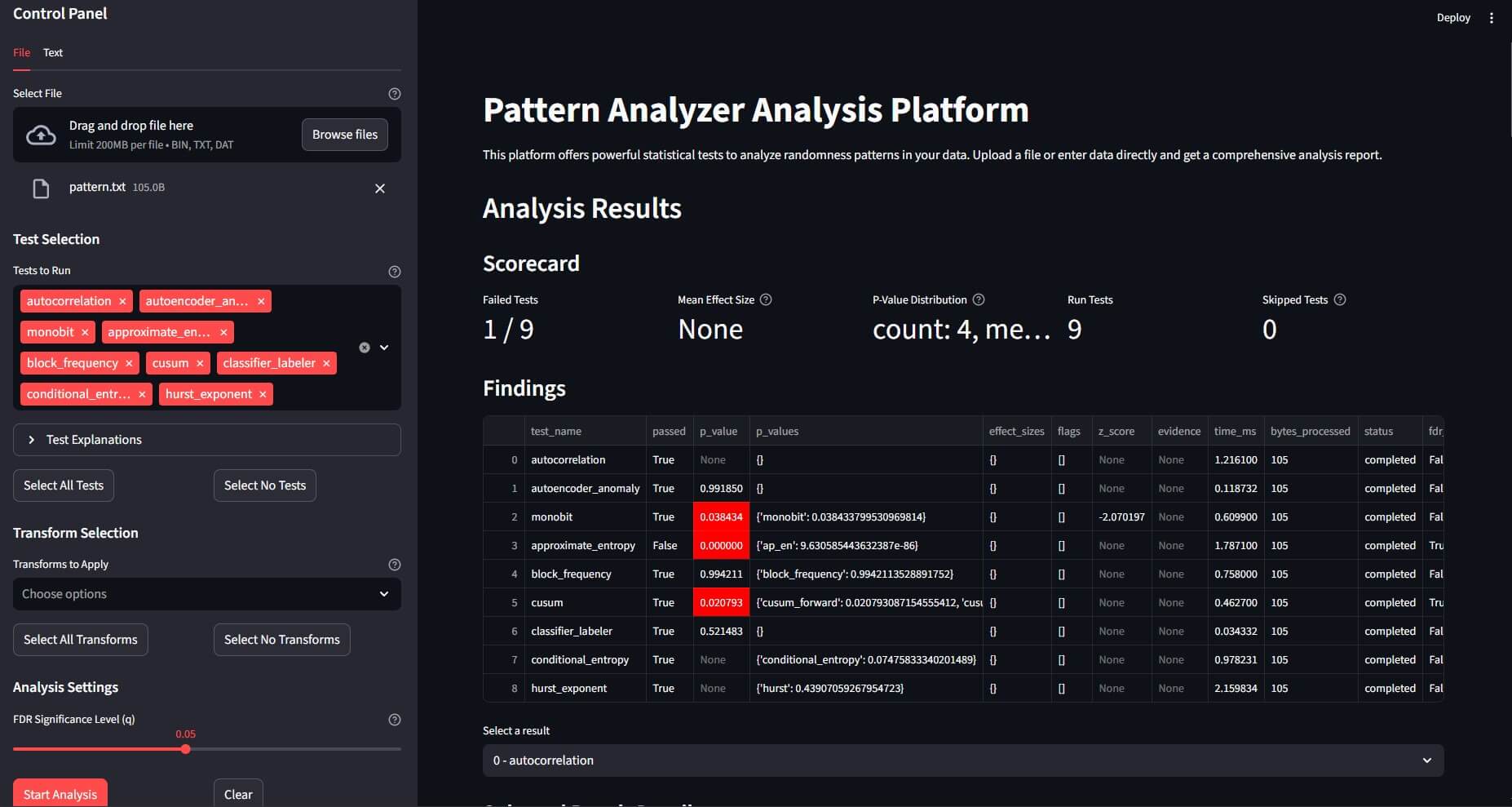
- Web User Interface (Streamlit) for interactive analysis and visualization.
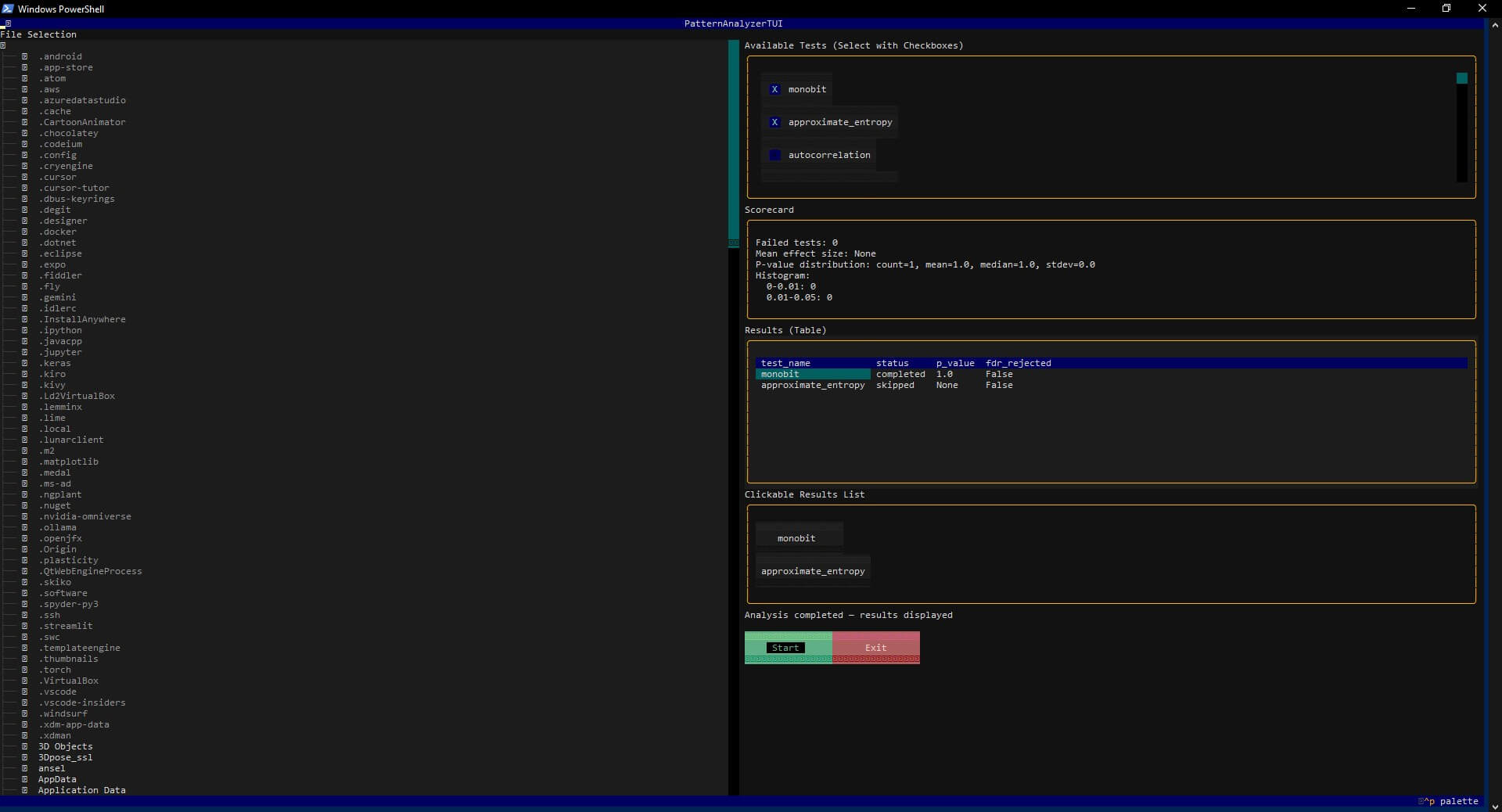
- Text-based User Interface (TUI) for terminal-based interaction.
- REST API (FastAPI) to integrate Pattern Analyzer into other services.
- High-Performance Engine: Supports parallel test execution, streaming analysis for large files, and sandboxed plugin execution for security and stability.
Installation
It is recommended to install Pattern Analyzer in a virtual environment.
# Clone the repository
git clone https://github.com/edgetype/pattern-analyzer.git
cd pattern-analyzer

# Create and activate a virtual environment
python -m venv .venv
# On Windows: .venv\Scripts\activate
# On macOS/Linux: source .venv/bin/activate

# Install the package in editable mode with all optional dependencies
pip install -e .[test,ml,ui]
The optional dependencies are:
test: for running the test suite withpytest.ml: for machine learning-based plugins (TensorFlow, scikit-learn).ui: for the Streamlit web UI and Textual TUI.
Quick Start
Command Line Interface (CLI)
Standard Analysis
Analyze a binary file using a default set of tests and save the report.
patternanalyzer analyze test.bin --out report.json
Use a specific configuration profile for a focused analysis (e.g., cryptographic tests).
patternanalyzer analyze encrypted.bin --profile crypto --out crypto_report.json
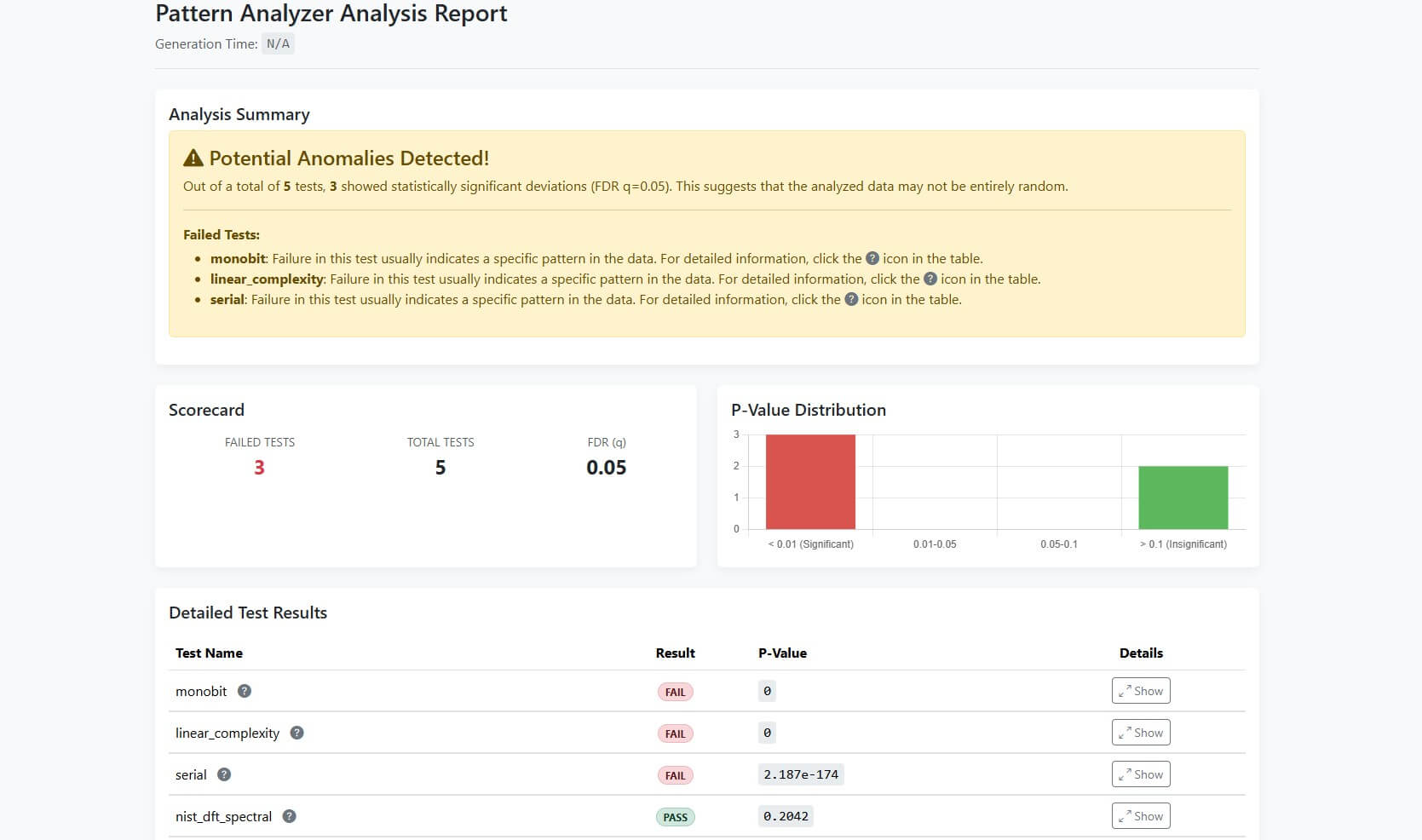
Generate an HTML report from the analysis results.
patternanalyzer analyze test.bin --profile crypto --out crypto_report.json --html-report crypto_report.html
Discovery Mode
If you don't know what kind of transformation might have been applied to your data, use --discover mode. It automatically tries to find common patterns like single-byte XOR keys and reports the most likely candidates.
patternanalyzer analyze secret.bin --discover --out discover_report.json
The output file discover_report.json will contain a list of potential transformations and a preview of the resulting data.
User Interfaces (Web & Terminal)
Web UI (Streamlit) Launch an interactive web interface to upload files and visualize results.
patternanalyzer serve-ui
Start a terminal-based interface for analysis directly in your console.
patternanalyzer tui
Python API
Programmatically run an analysis pipeline.
from patternanalyzer.engine import Engine

# Initialize the analysis engine
engine = Engine()

# Load data from a file
with open("test.bin", "rb") as f:
    data_bytes = f.read()

# Define an analysis configuration
# This example applies a simple XOR transform before running the monobit test
config = {
    "transforms": [{"name": "xor_const", "params": {"xor_value": 127}}],
    "tests": [{"name": "monobit", "params": {}}],
    "fdr_q": 0.05 # Set the False Discovery Rate significance level
}

# Run the analysis
output = engine.analyze(data_bytes, config)

# Print the results
import json
print(json.dumps(output, indent=2))
Project Structure
pattern-analyzer/
├── patternanalyzer/               # Main source code for the framework
│   ├── plugins/              # Built-in analysis and transform plugins
│   ├── __init__.py
│   ├── engine.py             # The core analysis engine
│   ├── plugin_api.py         # Base classes for plugins (Test, Transform, Visual)
│   ├── cli.py                # Click-based Command Line Interface
│   ├── api.py                # FastAPI-based REST API
│   ├── tui.py                # Textual-based Terminal User Interface
│   └── ...
├── app.py                    # Streamlit Web User Interface
├── docs/                     # Documentation files for MkDocs
├── tests/                    # Pytest unit and integration tests
├── pyproject.toml            # Project metadata and dependencies
└── README.md
Contributing
Contributions are welcome! Please feel free to open an issue or submit a pull request.
- Fork the repository.
- Create a new feature branch (
git checkout -b feature/my-new-feature). - Implement your changes and add tests.
- Ensure all tests pass (
pytest). - Submit a pull request.
License
This project is licensed under the MIT License. See the LICENSE file for details.
Release history Release notifications | RSS feed

Download files
Download the file for your platform. If you're not sure which to choose, learn more about installing packages.
Source Distribution
Built Distribution
Filter files by name, interpreter, ABI, and platform.
If you're not sure about the file name format, learn more about wheel file names.
Copy a direct link to the current filters
File details
Details for the file patternanalyzer-0.1.0.tar.gz.
File metadata
- Download URL: patternanalyzer-0.1.0.tar.gz
- Upload date:
- Size: 130.9 kB
- Tags: Source
- Uploaded using Trusted Publishing? No
- Uploaded via: twine/6.2.0 CPython/3.13.6
File hashes
| Algorithm | Hash digest | |
|---|---|---|
| SHA256 |
a0cf75ccf13df559d73d1ba5d253acaa6cdf846f740437297faae104aaf70d21
|
|
| MD5 |
20fdfd27e4560bdf924de18fd5ecf3df
|
|
| BLAKE2b-256 |
3a18fc2c31af52c617573e3f2c8f083736f5f5c8e0bdc5452fed3891078d1926
|
File details
Details for the file patternanalyzer-0.1.0-py3-none-any.whl.
File metadata
- Download URL: patternanalyzer-0.1.0-py3-none-any.whl
- Upload date:
- Size: 177.1 kB
- Tags: Python 3
- Uploaded using Trusted Publishing? No
- Uploaded via: twine/6.2.0 CPython/3.13.6
File hashes
| Algorithm | Hash digest | |
|---|---|---|
| SHA256 |
f8964cdcbe1acdd10c36a9ea57d8dd4a220ed77463a49193a734c2bc5890aa2b
|
|
| MD5 |
a14e10cb0c4945358f91ce792d202250
|
|
| BLAKE2b-256 |
4670f7194e484729f2c885fd18566a35e202fd2120bf017dd80390f8e3457ba3
|






