
Pawnix





Pawnix is a keyboard-first chess client for the terminal. Play over-the-board
chess locally or connect to Lichess for AI practice, casual matchmaking, and
username challenges. It combines a responsive curses interface with
python-chess for standard chess rules.
Features
- Local two-player games with clocks, SAN/UCI input, castling, promotion, undo/redo, draw controls, and PGN import/export.
- Lichess AI games, casual online matches, direct challenges, premoves, and draw offers through the official Board API.
- Browser-based Lichess sign-in using OAuth with PKCE. Credentials are stored in the operating system's credential store.
- Fifteen preset board themes, terminal-resizing piece sizes, zoom, coordinates, move review, captured pieces, and board annotations.
- Public Lichess profile lookup without signing in.
Installation
Pawnix requires Python 3.10 or newer and a UTF-8 terminal. macOS and Linux are supported. Color support is optional; a no-color fallback is included.
PyPI
Use pipx to install Pawnix in an isolated environment:
pip install pawnix
pawnix
Or install it into the active Python environment:
python -m pip install pawnix
pawnix
Homebrew
The formula is in this repository:
brew trust --formula a-shygun/pawnix/pawnix
brew install pawnix
Nix
Run directly from the repository flake:
nix run 'github:a-shygun/Pawnix?dir=packaging/nix'
Linux release downloads
Tagged GitHub releases include standalone Linux archives and .deb packages
for amd64 and arm64. Download the matching .deb from
Releases, then install it with:
sudo apt install ./pawnix_<version>_linux_amd64.deb
Standalone .tar.gz downloads are also available for Linux and macOS. The
release page includes SHA-256 checksums.
From source
git clone https://github.com/a-shygun/Pawnix.git
cd Pawnix
python3 -m venv .venv
source .venv/bin/activate
python -m pip install -e .
pawnix
Using the CLI
With no arguments, pawnix opens the interactive welcome screen. Choose a match
type and clock there, then press Start Game.
pawnix --help
pawnix --version
pawnix --minutes 3 --increment 2 --theme ocean
--minutes accepts 1–180 minutes per player; --increment accepts 0–180
seconds per move. Defaults are 5 minutes and a 3-second increment. --theme
sets a preset for this run. Available theme keys are sand, walnut, copper,
parchment, mist, ocean, ice, olive, moss, stone, silver,
graphite, linen, violet, and wood4.
Look up a public Lichess profile in plain text or JSON:
pawnix profile DrNykterstein
pawnix profile DrNykterstein --json
Controls
| Input | Action |
|---|---|
| Click a piece, then a destination | Select and move a piece |
| Type SAN or UCI, then Enter | Enter a move, such as Nf3 or e2e4 |
| Arrow keys / WASD | Navigate the focused setup options |
| Tab | Move between setup boxes |
= / - |
Zoom the board in / out |
T / t |
Cycle themes forward / backward |
V |
Move the side panel |
G |
Toggle gaps between board squares |
C |
Toggle board coordinates |
R |
Toggle piece rain |
? |
Open the quick guide |
Q in a match |
Open the forfeit-and-exit confirmation |
| Right-click / right-drag | Circle a square / draw an arrow |
The in-game guide lists controls and shortcuts. Local games also support restart, undo/redo, pause, draw offers and claims, autosave/resume, and PGN import/export. In Lichess games, click or drag one of your pieces during the opponent's turn to queue a premove.
Lichess
Sign in from the welcome screen to play Lichess AI, join a casual random match,
or challenge a username. Pawnix uses the official Board API and requests
board:play and challenge:write access. Sign-in opens Lichess in your browser;
Pawnix does not ask for your Lichess password. OAuth credentials are kept in
your operating system's credential store. Public profile lookup does not
require an account.
Pawnix's online games are casual. Pawnix does not provide engine assistance during online games. See the Lichess developer guidance, Terms of Service, and Fair Play policy.
Themes
Choose a preset in the app or start a session with pawnix --theme <key>. The
screenshots below show the complete board and piece palette for each preset.
Sand · sand |
Walnut · walnut |
Rust · copper |
|---|---|---|
 |
 |
 |
Parchment · parchment |
Mist · mist |
Ocean · ocean |
|---|---|---|
 |
 |
 |
Ice · ice |
Olive · olive |
Moss · moss |
|---|---|---|
 |
 |
 |
Stone · stone |
Steel · silver |
Graphite · graphite |
|---|---|---|
 |
 |
 |
Linen · linen |
Mauve · violet |
Wood4 · wood4 |
|---|---|---|
 |
 |
 |
Project layout
src/pawnix/
  cli.py                 CLI parsing and command dispatch
  game/                  chess session, clocks, PGN, and autosave
  lichess/               OAuth, credentials, profile, and Board API client
  ui/                    curses app, renderers, controls, themes, and dialogs
assets/
  pawnix.gif             animated terminal demo
  themes/                theme preview images
Formula/pawnix.rb        Homebrew formula
packaging/nix/           Nix flake and package definition
.github/workflows/       CI and tag-based release automation
Project checklist
Implemented
- Local standard chess with legal move handling, clocks, review, and PGN save/load.
- Lichess sign-in, AI practice, casual matchmaking, challenges, premoves, and draw actions.
- Responsive terminal board, themes, zoom, mouse input, and keyboard shortcuts.
- CI plus tag-based PyPI publishing and GitHub release assets; Homebrew formula and Nix packaging are included.
Good next steps
- Add automated tests for chess flows, terminal layout, and Lichess API responses.
- Recover cleanly from interrupted online-game connections and support Board API draw claims.
- Improve accessibility options and terminal-specific color/layout handling.
- Explore local UCI engine analysis as a separate offline feature.
Release process
Set the version in pyproject.toml, push a matching tag such as v0.1.0, and
GitHub Actions builds the Python packages, platform archives, Linux .deb
installers, checksums, and GitHub release. The workflow publishes to PyPI and
updates the Homebrew formula; publishing to a separate Homebrew tap is optional
and uses repository secrets. Nix users can build from packaging/nix/.
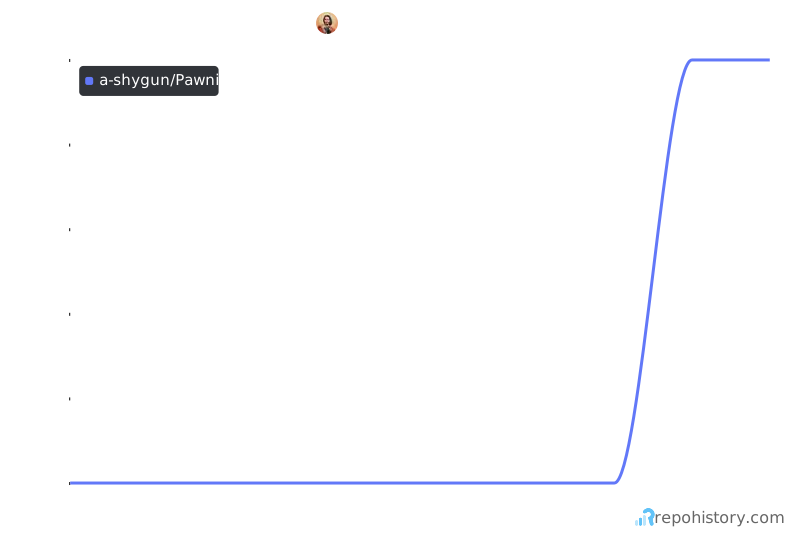
Repository history
License
Pawnix is released under the MIT License.
1 maintainer

Metadata
1 maintainer
Release files for pawnix 0.1.1
For a detailed explanation of source distributions (sdists) and built distributions (wheels), please see the package formats documentation.
Source distribution (sdist)
| File | Size | Uploaded | |
|---|---|---|---|
| pawnix-0.1.1.tar.gz | 51.5 kB | Details |
Built distribution (wheel)
| File | Interpreter | ABI | Platform | Reset |
|---|---|---|---|---|
| pawnix-0.1.1-py3-none-any.whl | Python 3 | none | any | Details |
Total release size: 104.7 kB
Release files / pawnix-0.1.1.tar.gz
| Download URL | pawnix-0.1.1.tar.gz |
|---|---|
| Size | 51.5 kB |
| Tags | Source |
|
SHA-256 checksum How to use checksums |
e7ce5614d6d2b66fa5aa6670dfe18ab6594ad1bb1859dc9694b716f744ed2b00
|
|
BLAKE2b-256 checksum How to use checksums |
7188278abe9482a5edb185b01841610ccce6403784a671371cda8c0fbb3dc75c
|
| Upload date | |
|
Uploaded using Trusted Publishing? What is trusted publishing? |
Yes |
| Uploaded via |
twine/7.0.0 CPython/3.13.14
|
Provenance
Provenance describes where a file came from. On PyPI, provenance is shared via attestations, which provide a verifiable record of the build or publishing details. View details, limitations and caveats.


PyPI Publish Attestation
PyPI verified that this artifact, at this checksum, originated from the publisher listed below.
Signed by GitHub Actions, verified by PyPI on Oct 12, 2026.
Transparency logRelease files / pawnix-0.1.1-py3-none-any.whl
| Download URL | pawnix-0.1.1-py3-none-any.whl |
|---|---|
| Size | 53.3 kB |
| Tags | Python 3 |
|
SHA-256 checksum How to use checksums |
c6aecb891c808c266d750745b9ec3577a5f1e3e4c0779cbcc2a69df8acf1365f
|
|
BLAKE2b-256 checksum How to use checksums |
3abf6c9efd670ab9f658965f643fc7a25b600f6f57e5323c1729b2aa81a953d3
|
| Upload date | |
|
Uploaded using Trusted Publishing? What is trusted publishing? |
Yes |
| Uploaded via |
twine/7.0.0 CPython/3.13.14
|
Provenance
Provenance describes where a file came from. On PyPI, provenance is shared via attestations, which provide a verifiable record of the build or publishing details. View details, limitations and caveats.
PyPI Publish Attestation
PyPI verified that this artifact, at this checksum, originated from the publisher listed below.
Signed by GitHub Actions, verified by PyPI on Oct 12, 2026.
Transparency log













