
PowerBI Ontology Extractor

Transform 20 million Power BI dashboards into AI-ready ontologies





Installation • Quick Start • Documentation • Examples • Contributing
🎯 The Problem
As detailed in my Medium article "The Power BI Ontology Paradox", enterprises have 20+ million Power BI semantic models that are actually informal ontologies trapped in proprietary .pbix files.
- The Challenge: Each Power BI model contains entities, relationships, and business logic—but AI agents can't access this semantic intelligence
- The Cost: Enterprises spend $50K-$200K per semantic definition to reconcile conflicts across dashboards
- The Impact: This creates billions in "semantic debt" and prevents AI agents from functioning at scale
- The $4.6M Mistake: A logistics company lost $4.6M when an AI agent used a renamed column (
Warehouse_Location→FacilityID) because there was no semantic binding validation
💡 The Solution
PowerBI Ontology Extractor unlocks the hidden ontologies in your Power BI dashboards and transforms them into formal, AI-ready ontologies.
# In 3 lines of code:
extractor = PowerBIExtractor("Supply_Chain_Operations.pbix")
ontology = extractor.extract().to_ontology()  # 70% auto-generated!
ontology.export_fabric_iq("supply_chain_ontology.json")  # Ready for AI agents
What you get:
- ✅ Extract entities, properties, and relationships from Power BI models
- ✅ Parse DAX formulas into business rules automatically
- ✅ Generate Fabric IQ ontology format for Microsoft Fabric
- ✅ Export to OntoGuard for semantic validation firewalls
- ✅ Detect schema drift (prevents the $4.6M mistake!)
- ✅ Calculate semantic debt across multiple dashboards
- ✅ Create semantic contracts for AI agents
🚀 Quick Start
Installation
pip install pbi-ontology-extractor
Or install from source:
git clone https://github.com/cloudbadal007/powerbi-ontology-extractor.git
cd powerbi-ontology-extractor
pip install -e .
Basic Usage
from powerbi_ontology import PowerBIExtractor, OntologyGenerator

# Step 1: Extract semantic model from Power BI
extractor = PowerBIExtractor("path/to/your/dashboard.pbix")
semantic_model = extractor.extract()

# Step 2: Generate formal ontology
generator = OntologyGenerator(semantic_model)
ontology = generator.generate()

print(f"✅ Extracted {len(ontology.entities)} entities")
print(f"✅ Generated {len(ontology.business_rules)} business rules")

# Step 3: Export to your preferred format
from powerbi_ontology.export import FabricIQExporter, OntoGuardExporter

fabric_exporter = FabricIQExporter(ontology)
fabric_json = fabric_exporter.export()

ontoguard_exporter = OntoGuardExporter(ontology)
ontoguard_json = ontoguard_exporter.export()
📊 Real-World Example
Scenario: Supply chain dashboard with 500K shipments
# Extract from Power BI
extractor = PowerBIExtractor("Supply_Chain_Operations.pbix")
model = extractor.extract()

# Found:
# - 5 entities (Shipment, Customer, Warehouse, IoTSensor, ComplianceRule)
# - 8 relationships
# - 12 DAX measures (High Risk Shipments, At-Risk Revenue, etc.)

# Generate ontology
ontology = OntologyGenerator(model).generate()

# Business rules extracted automatically from DAX:
# - "High Risk" = Temperature > 25 OR Vibration > 5
# - "At-Risk Customer" = RiskScore > 80 AND has delayed shipments

# Add the missing 30% (business analyst input):
from powerbi_ontology.ontology_generator import BusinessRule

ontology.add_business_rule(BusinessRule(
    name="RerouteApproval",
    entity="Shipment",
    condition="RiskScore > 80",
    action="RerouteShipment",
    description="High-risk shipments require manager approval for rerouting"
))

# Create schema bindings (PREVENT THE $4.6M MISTAKE!)
from powerbi_ontology import SchemaMapper

mapper = SchemaMapper(ontology, data_source="azure_sql")
binding = mapper.create_binding("Shipment", "dbo.shipments")

# Validate and detect drift
current_schema = {
    "shipment_id": "GUID",
    "warehouse_location": "String",  # Critical column!
    "temperature": "Decimal"
}

drift = mapper.detect_drift(binding, current_schema)
if drift.severity == "CRITICAL":
    print(f"🚨 DRIFT DETECTED: {drift.message}")
    print("This would have caused the $4.6M mistake!")

# Export for AI agents
from powerbi_ontology.export import FabricIQExporter
import json

fabric_exporter = FabricIQExporter(ontology)
fabric_json = fabric_exporter.export()

with open("supply_chain_ontology.json", "w") as f:
    json.dump(fabric_json, f, indent=2)
Result: Your Power BI dashboard is now an AI-ready ontology!
🎨 Architecture
flowchart LR
    A[Power BI .pbix] --> B[PBIX Reader]
    B --> C[Semantic Model]
    C --> D[DAX Parser]
    C --> E[Ontology Generator]
    D --> E
    E --> F[Formal Ontology]
    F --> G1[Fabric IQ]
    F --> G2[OntoGuard]
    F --> G3[OWL/RDF]
    F --> G4[JSON Schema]
    F --> H[Schema Mapper]
    F --> I[Contract Builder]
    H --> J[Drift Detection]
    I --> K[AI Agents]

    style F fill:#90EE90
    style A fill:#FFE4B5
    style J fill:#FFB6C1
    style K fill:#87CEEB
🔥 Key Features
1. Automatic Extraction
- ✅ Reads Power BI .pbix files (ZIP-based format)
- ✅ Extracts tables, columns, relationships, hierarchies
- ✅ Parses DAX measures and calculated columns
- ✅ Identifies primary keys and foreign keys
- ✅ Captures descriptions and annotations
- ✅ Extracts row-level security (RLS) rules
2. DAX to Business Rules
- ✅ Parses DAX formulas automatically
- ✅ Extracts conditional logic (IF, SWITCH)
- ✅ Converts CALCULATE filters to business rules
- ✅ Identifies dependencies and relationships
- ✅ Classifies measure types (aggregation, conditional, time intelligence)
3. Ontology Generation (70% Automated)
- ✅ Entities from tables
- ✅ Properties from columns (with data types)
- ✅ Relationships from foreign keys (with cardinality)
- ✅ Business rules from DAX measures
- ✅ Constraints from data validation
- ✅ Pattern detection (date tables, dimensions, facts)
4. Multi-Format Export
- ✅ Fabric IQ: Ready for Microsoft Fabric deployment
- ✅ OntoGuard: Semantic validation firewall format
- ✅ OWL/RDF: Standard semantic web format
- ✅ JSON Schema: Universal validation format
5. Schema Drift Detection (Prevents $4.6M Mistakes!)
- ✅ Validates schema bindings
- ✅ Detects column renames/deletions
- ✅ Alerts when data sources change
- ✅ Prevents AI agents from breaking
- ✅ Suggests fixes for detected drift
6. Semantic Debt Analysis
- ✅ Analyzes multiple Power BI dashboards
- ✅ Detects conflicting definitions
- ✅ Calculates reconciliation costs ($50K per conflict)
- ✅ Suggests canonical definitions
- ✅ Generates HTML consolidation reports
7. Semantic Contracts for AI Agents
- ✅ Define read/write/execute permissions
- ✅ Add business rules to contracts
- ✅ Create validation constraints
- ✅ Export contracts for agent deployment
8. Visualization
- ✅ Entity-relationship diagrams (matplotlib)
- ✅ Interactive graphs (plotly)
- ✅ Mermaid diagram export
- ✅ Export to PNG, SVG, PDF
9. CLI Tool for Automation
# Extract ontology
pbi-ontology extract dashboard.pbix --output ontology.json

# Analyze multiple dashboards
pbi-ontology analyze *.pbix --report semantic_debt.html

# Export to different formats
pbi-ontology export ontology.json --format fabric-iq --output fabric.json
pbi-ontology export ontology.json --format ontoguard --output ontoguard.json

# Validate schema bindings
pbi-ontology validate ontology.json --schema database_schema.json

# Visualize ontology
pbi-ontology visualize ontology.json --output diagram.png --interactive

# Batch process
pbi-ontology batch --input-dir ./dashboards/ --output-dir ./ontologies/
📚 Documentation
- 📖 Getting Started Guide - Installation and quick start
- 📖 Power BI Semantic Models Explained - Understanding .pbix structure
- 📖 Ontology Format Specification - Ontology structure and definitions
- 📖 Fabric IQ Integration Guide - Exporting to Microsoft Fabric
- 📖 Use Cases & Examples - Real-world scenarios
- 📖 API Reference - Complete API documentation
💼 Use Cases
1. Supply Chain Optimization
Extract ontology from supply chain dashboards → Deploy AI agents for real-time monitoring → Prevent $4.6M mistakes with schema drift detection
2. Customer Risk Management
Extract customer risk definitions → Create unified ontology → Deploy AI agents with semantic contracts → Monitor risk in real-time
3. Financial Reconciliation
Extract financial dashboards → Detect semantic conflicts → Calculate semantic debt → Consolidate definitions → Reduce reconciliation costs
4. Cross-Department Consolidation
Analyze all Power BI dashboards → Identify duplicate logic → Suggest canonical definitions → Reduce semantic debt by $600K+
5. AI Agent Deployment
Extract ontologies → Create semantic contracts → Deploy AI agents → Monitor with OntoGuard → Prevent failures
🔗 Integration with Other Tools
Microsoft Fabric IQ
from powerbi_ontology.export import FabricIQExporter
import json

exporter = FabricIQExporter(ontology)
fabric_json = exporter.export()

# Save and import into Fabric workspace
with open("ontology.json", "w") as f:
    json.dump(fabric_json, f, indent=2)

# Deploy as Ontology Item to OneLake
OntoGuard (Semantic Firewall)
from powerbi_ontology.export import OntoGuardExporter
import json

exporter = OntoGuardExporter(ontology)
ontoguard_json = exporter.export()

# Use with github.com/cloudbadal007/ontoguard-ai
# Prevents schema drift and AI agent failures
with open("ontoguard_config.json", "w") as f:
    json.dump(ontoguard_json, f, indent=2)
Universal Agent Connector (MCP)
from powerbi_ontology import ContractBuilder

# Create semantic contract
contract_builder = ContractBuilder(ontology)
contract = contract_builder.build_contract(
    agent_name="SupplyChainMonitor",
    permissions={
        "read": ["Shipment", "Customer"],
        "write": {"Shipment": ["Status"]},
        "execute": ["RerouteShipment"]
    }
)

# Export contract for MCP
contract_json = contract_builder.export_contract(contract, "json")
# Use with github.com/cloudbadal007/universal-agent-connector
📖 Related Articles
This project implements the concepts from my Medium article series:
- The Power BI Ontology Paradox - Why Power BI models are hidden ontologies and how to unlock them
- Microsoft vs Palantir: Two Paths to Enterprise Ontology - Strategic comparison of ontology approaches
- OntoGuard: Building a Semantic Firewall - Preventing the $4.6M mistake with schema drift detection
- Universal Agent Connector: MCP + Ontology - Production AI infrastructure with semantic contracts
🤝 Contributing
We welcome contributions! See CONTRIBUTING.md for guidelines.
Ways to contribute:
- 🐛 Report bugs via GitHub Issues
- 💡 Suggest features via Feature Requests
- 📝 Improve documentation - Fix typos, add examples, clarify concepts
- 🔧 Submit pull requests - Fix bugs, add features, improve code
- ⭐ Star the repository - Help others discover this project
- 📢 Share with your network - Spread the word about unlocking Power BI ontologies
Development Setup
# Clone repository
git clone https://github.com/cloudbadal007/powerbi-ontology-extractor.git
cd powerbi-ontology-extractor

# Create virtual environment
python -m venv venv
source venv/bin/activate  # On Windows: venv\Scripts\activate

# Install dependencies
pip install -r requirements.txt
pip install -r requirements-dev.txt
pip install -e .

# Run tests
pytest

# Format code
black powerbi_ontology/ tests/
isort powerbi_ontology/ tests/
🧪 Testing
# Run all tests
pytest

# Run with coverage
pytest --cov=powerbi_ontology --cov-report=html

# Run specific test file
pytest tests/test_extractor.py -v
📊 Project Status
- ✅ Core extraction - Fully implemented
- ✅ DAX parsing - Fully implemented
- ✅ Ontology generation - Fully implemented
- ✅ Schema drift detection - Fully implemented
- ✅ Multi-format export - Fully implemented
- ✅ CLI tool - Fully implemented
- ✅ Visualization - Fully implemented
- 🔄 Test coverage - In progress (aiming for >90%)
- 🔄 Documentation - Continuously improving
🙏 Acknowledgments
- Inspired by Microsoft's Fabric IQ and semantic layer approach
- Built with feedback from the enterprise AI community
- Special thanks to all contributors and early adopters
- Powered by the open-source community
📄 License
This project is licensed under the MIT License - see the LICENSE file for details.
📞 Contact & Support
- 🐛 Issues: GitHub Issues
- 💬 Discussions: GitHub Discussions
- 📧 Email: cloudpankaj@example.com
- 🐦 Twitter/X: @cloudpankaj
- 💼 LinkedIn: Pankaj Kumar
- 📝 Medium: @cloudpankaj
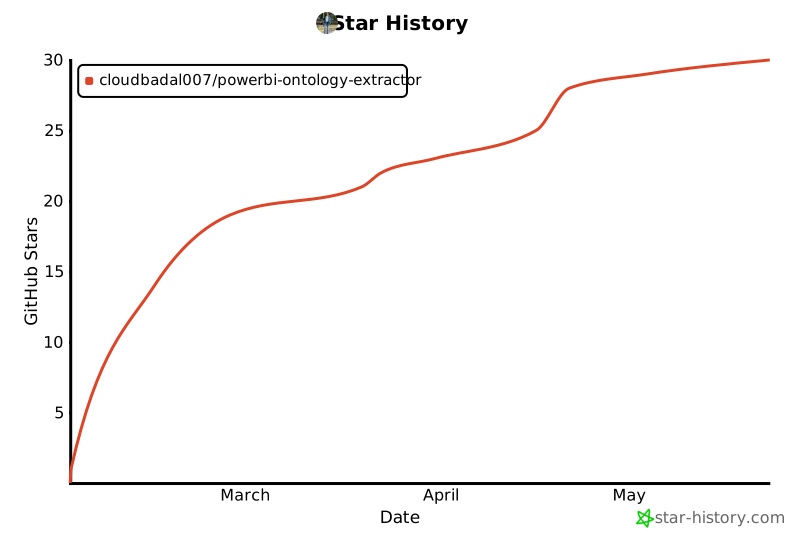
⭐ Star History
Built with ❤️ by Pankaj Kumar
If this project helps you unlock the hidden ontologies in your Power BI dashboards, consider sponsoring ☕
Star ⭐ this repo if you find it useful!
🎯 Roadmap
- Enhanced DAX parsing for complex formulas
- Power BI Service API integration
- Real-time ontology updates
- GraphQL endpoint for ontologies
- Visual ontology editor
- Automated testing with sample .pbix files
- Performance optimizations for large models
- Multi-language support
Ready to unlock the semantic intelligence in your Power BI dashboards? 🚀
pip install pbi-ontology-extractor
1 maintainer

Download files
Download the file for your platform. If you're not sure which to choose, learn more about installing packages.
Source Distribution
Built Distribution
Filter files by name, interpreter, ABI, and platform.
If you're not sure about the file name format, learn more about wheel file names.
Copy a direct link to the current filters
File details
Details for the file pbi_ontology_extractor-0.1.5.tar.gz.
File metadata
- Download URL: pbi_ontology_extractor-0.1.5.tar.gz
- Upload date:
- Size: 61.3 kB
- Tags: Source
- Uploaded using Trusted Publishing? No
- Uploaded via:
twine/6.2.0 CPython/3.12.5
File hashes
| Algorithm | Hash digest | |
|---|---|---|
| SHA256 |
36106396885950cee5b70a87f9a71c5d56b42117a652190e76dcb750d6ce9331
|
|
| MD5 |
2f5639db4c2cc0fbdf038a30b49fa179
|
|
| BLAKE2b-256 |
c0d0e1c4be203439cc397a9d964da801bf3e897c0f193097f5c5286461a6c437
|
File details
Details for the file pbi_ontology_extractor-0.1.5-py3-none-any.whl.
File metadata
- Download URL: pbi_ontology_extractor-0.1.5-py3-none-any.whl
- Upload date:
- Size: 47.4 kB
- Tags: Python 3
- Uploaded using Trusted Publishing? No
- Uploaded via:
twine/6.2.0 CPython/3.12.5
File hashes
| Algorithm | Hash digest | |
|---|---|---|
| SHA256 |
c86a99f05507eacc22e74e607dc6db5c4ca8637a8720df2cd05e94ac0d46ab9f
|
|
| MD5 |
97496f2a9926fcb625a504d40816b0c6
|
|
| BLAKE2b-256 |
c16227b9d1fb4f88f967d247ceb964fd5d8ccfaf1c212faa7ac384389cf041d7
|







