
Textual TUI dashboard for monitoring PBS Pro schedulers

Project description
PBS Pro Textual TUI
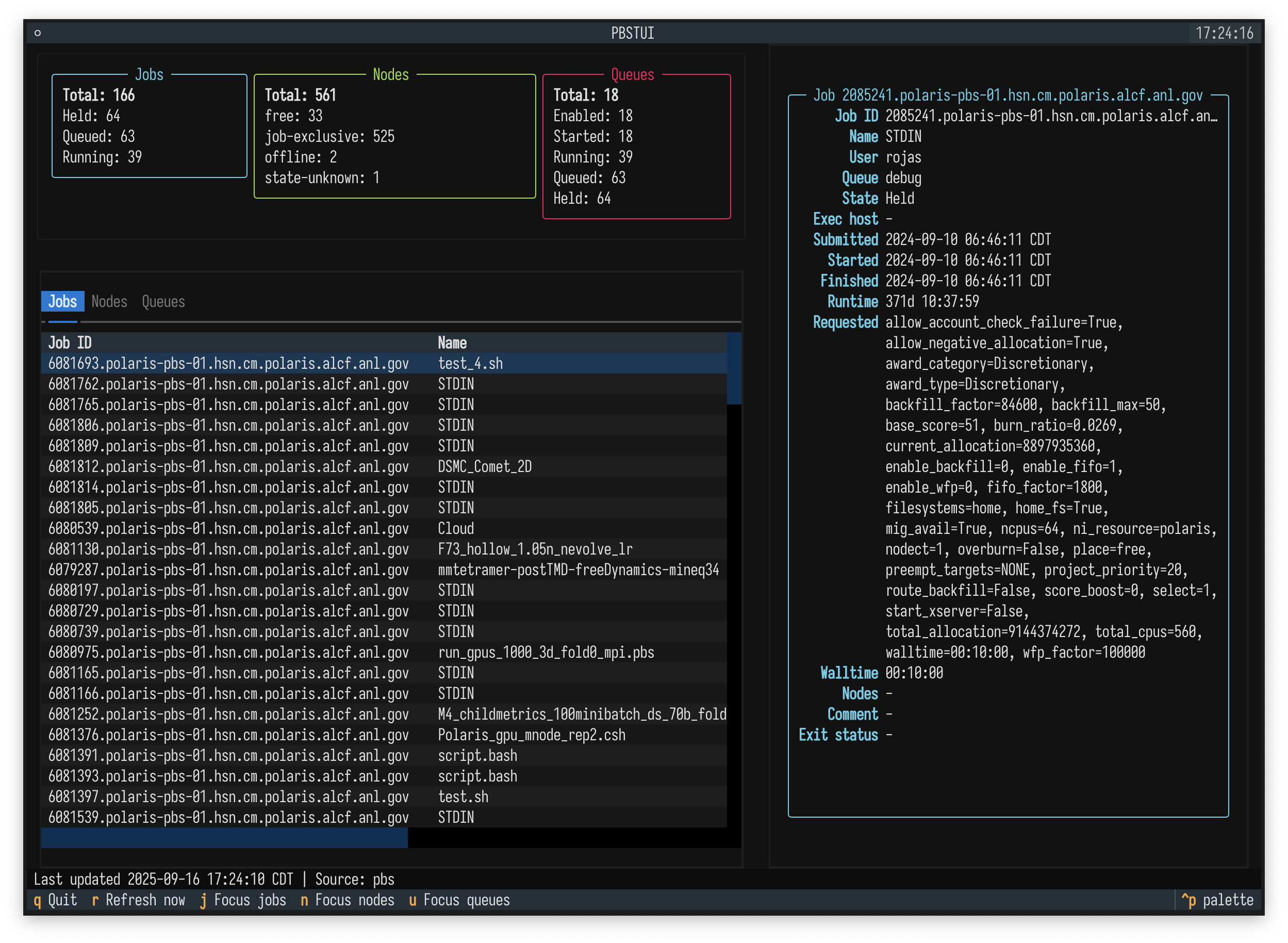
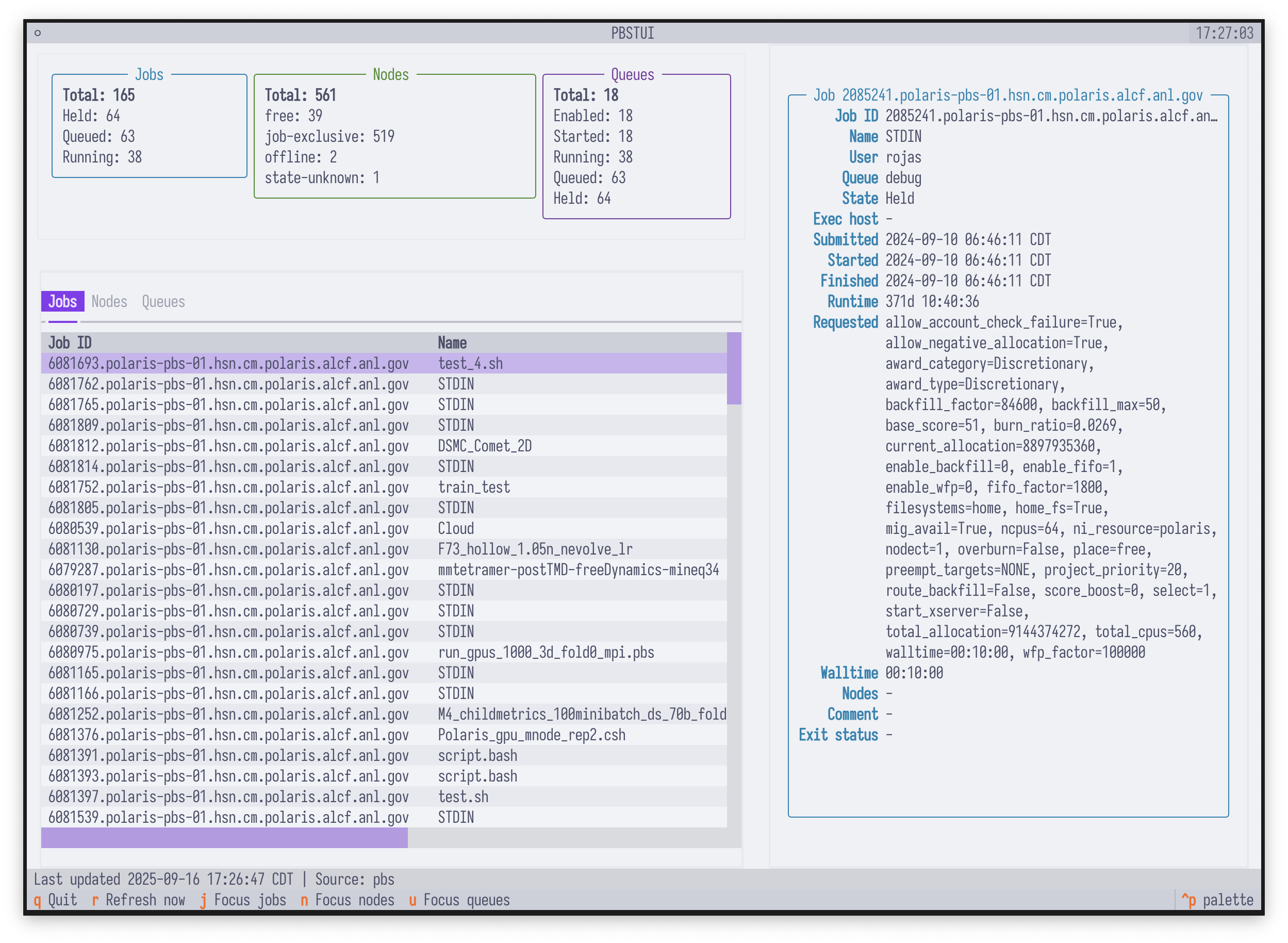
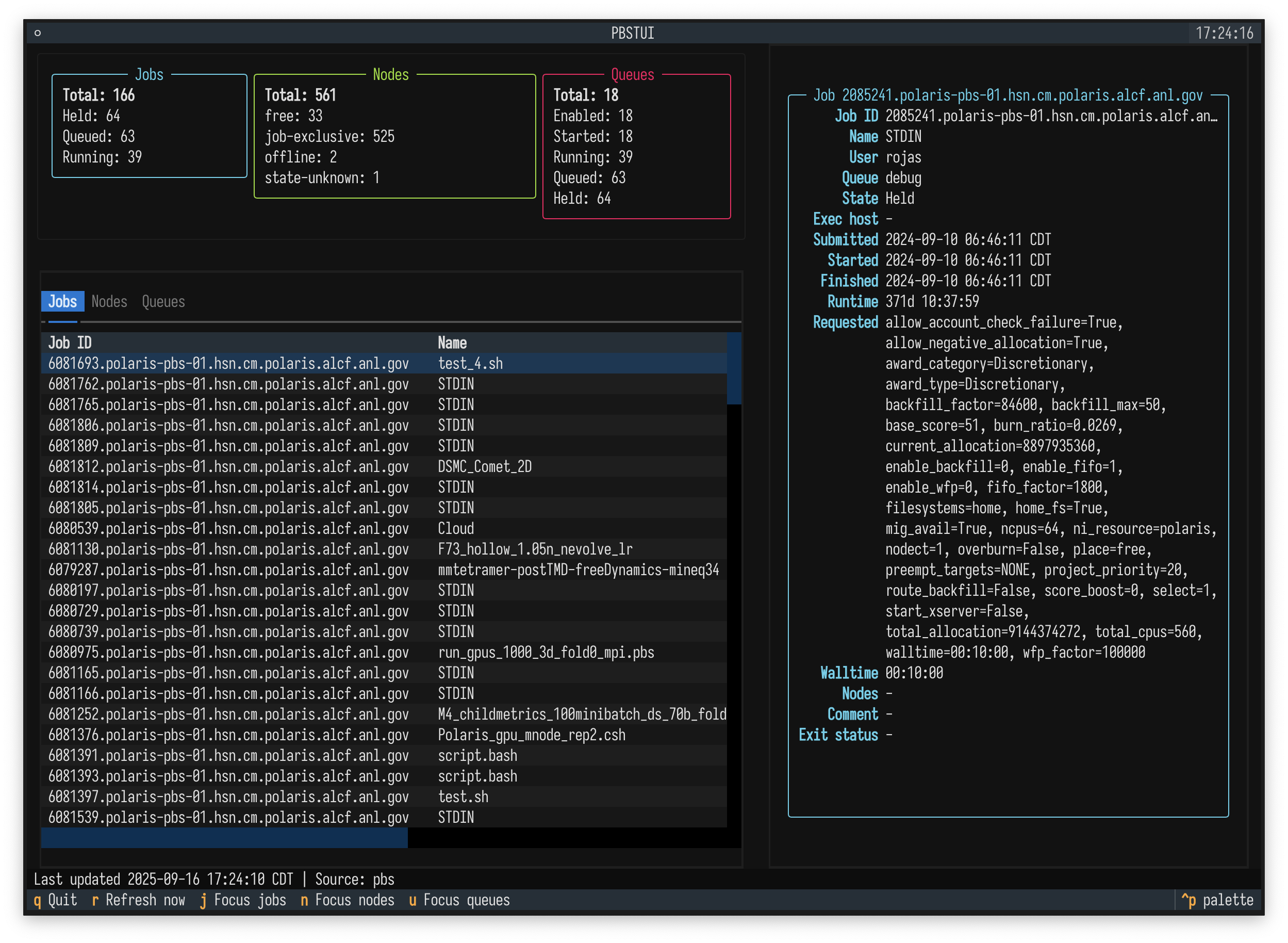
A terminal user interface built with Textual for monitoring PBS Pro schedulers at the Argonne Leadership Computing Facility. The dashboard surfaces job, queue, and node activity in a single view and refreshes itself automatically so operators can track workload health in real time.
Features
- Live PBS data – prefers the JSON (
-F json) output ofqstat/pbsnodesand falls back to XML or text parsing so schedulers without newer flags continue to work. - Automatic refresh – updates every 30 seconds by default with a manual refresh binding
(
r). - Summary cards – quick totals for job states, node states, and queue health.
- Rich tables – sortable (via cursor) tables for jobs, nodes, and queues with detail views for the selected record.
- Fallback sample data – optional bundled data makes it easy to demo the interface without
connecting to a production scheduler (
PBS_TUI_SAMPLE_DATA=1). - Inline snapshot – render the current queue as a Rich table with
pbs-tui --inlineand optionally write a Markdown summary alongside it.
Installation
-
Ensure Python 3.10 or newer is available.
-
Install the project (and Textual) in your environment:
pip install -e .
Development extras (formatting, etc.) can be installed with
pip install -e .[dev].
Usage
Launch the dashboard once the PBS CLI utilities (qstat, pbsnodes) are on the PATH:
pbs-tui
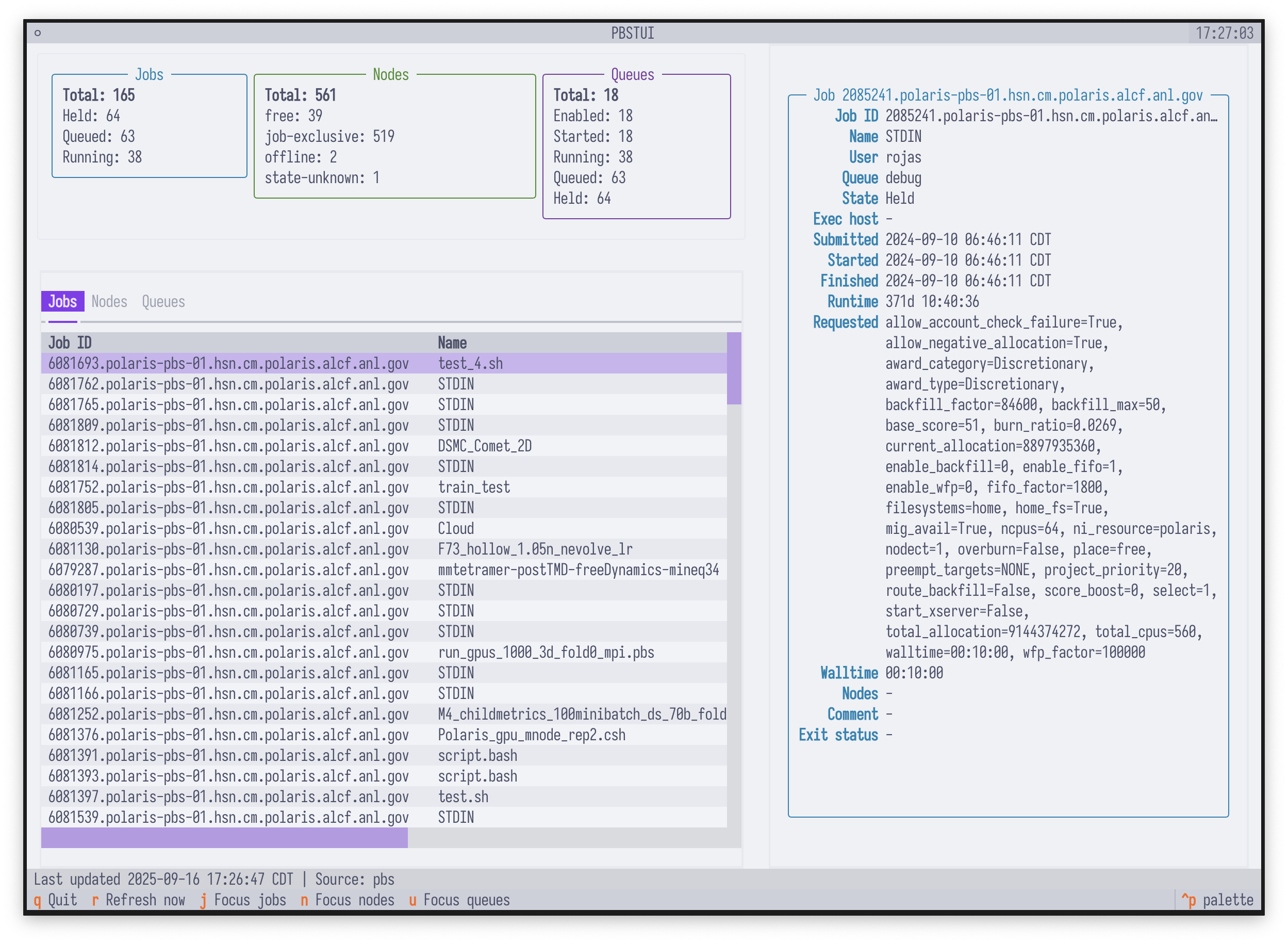
The same entry point is available via python -m pbs_tui. The interface displays a summary
panel, tables for jobs/nodes/queues, and a detail pane for the selected row. Refreshing happens
automatically; press r to force an immediate update.
Adjust the refresh cadence with pbs-tui --refresh-interval 60 (seconds) if you prefer a slower or
faster polling loop.
Key bindings
| Key | Action |
|---|---|
q |
Quit the application |
r |
Refresh immediately |
j |
Focus the jobs table |
n |
Focus the nodes table |
u |
Focus the queues table |
Use the arrow keys/PageUp/PageDown to move through rows once a table has focus.
Sample mode
If you want to explore the UI without a live PBS cluster, export PBS_TUI_SAMPLE_DATA=1
(or pass force_sample=True to PBSDataFetcher). The application will display bundled example
jobs, nodes, and queues along with a warning banner indicating that the data is synthetic.
Headless / automated runs
For automated testing or CI environments without an interactive terminal you can run the TUI in
headless mode by exporting PBS_TUI_HEADLESS=1. Pairing this with PBS_TUI_AUTOPILOT=quit
presses the q binding automatically after startup so pbs-tui exits cleanly once the interface
has rendered its first update.
Inline snapshot mode
When running non-interactively you can emit a Rich-rendered table summarising the active PBS jobs instead of starting the Textual interface:
PBS_TUI_SAMPLE_DATA=1 pbs-tui --inline
The command prints a table that can be pasted into terminals that support Unicode box drawing. Pass
--file snapshot.md alongside --inline to also write an aligned Markdown table to snapshot.md
for sharing in chat or documentation systems. Any warnings raised while collecting data are written
to standard error so they remain visible in logs.
Architecture
pbs_tui.fetcher.PBSDataFetcherorchestratesqstat/pbsnodescalls, preferring JSON output and falling back to XML/text before converting everything into structured dataclasses (Job,Node,Queue).pbs_tui.app.PBSTUIis the Textual application that renders the dashboard, periodically asks the fetcher for new data, and updates the widgets.pbs_tui.samples.sample_snapshotprovides the demonstration snapshot used when PBS commands cannot be executed.
The UI styles are defined in pbs_tui/app.tcss. Adjust the CSS to change layout or theme
attributes.
Development notes
- The application refresh interval defaults to 30 seconds. Pass a different value to
PBSTUI(refresh_interval=...)if desired. - Errors encountered while running PBS commands are surfaced in the status bar so operators can quickly see when data is stale.
- When both PBS utilities are unavailable and the fallback is disabled, the UI will show an empty dashboard with an error message in the status bar.
Screenshots
-
pbs-tui: -
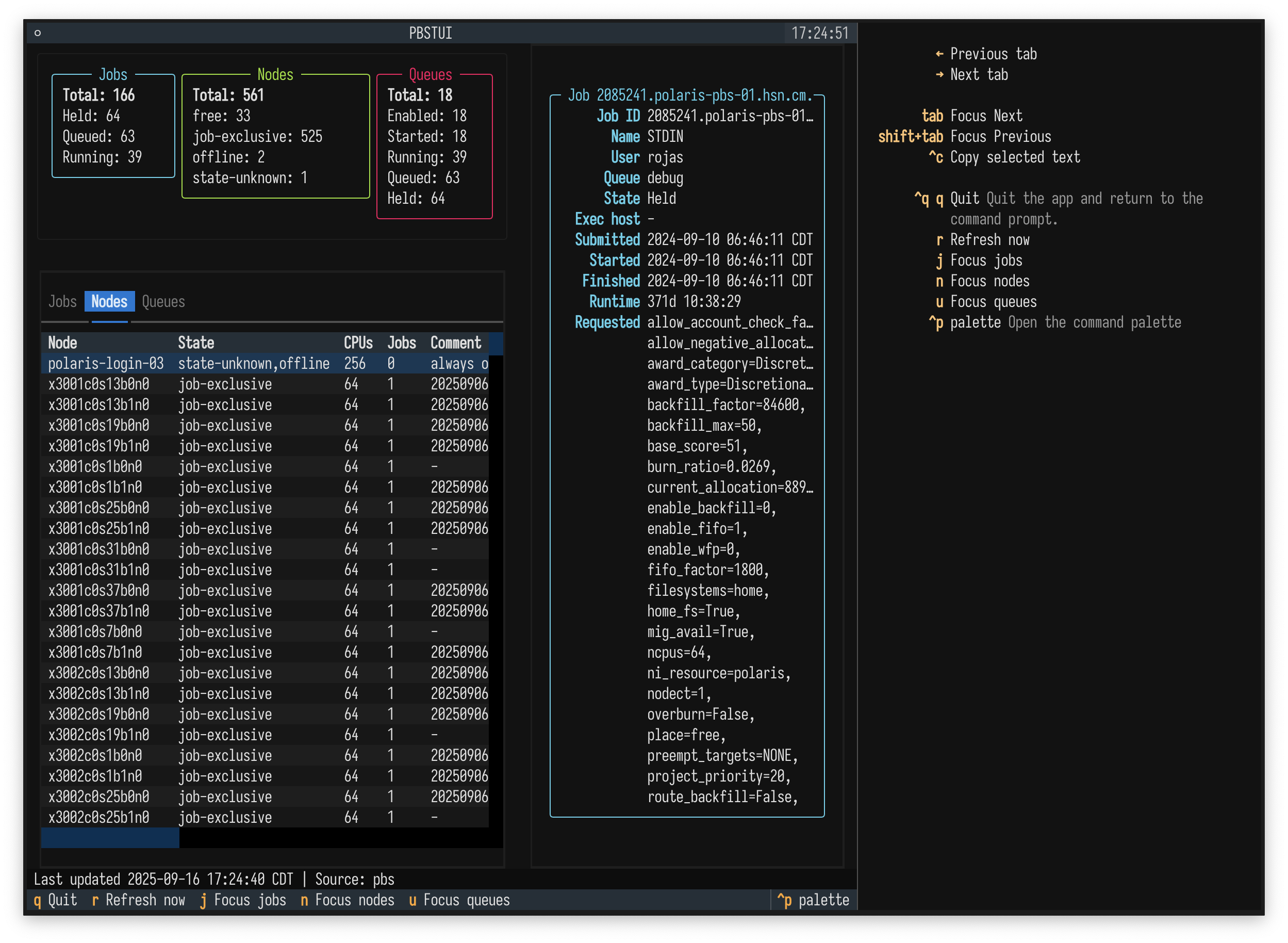
Keys and Help Panel:
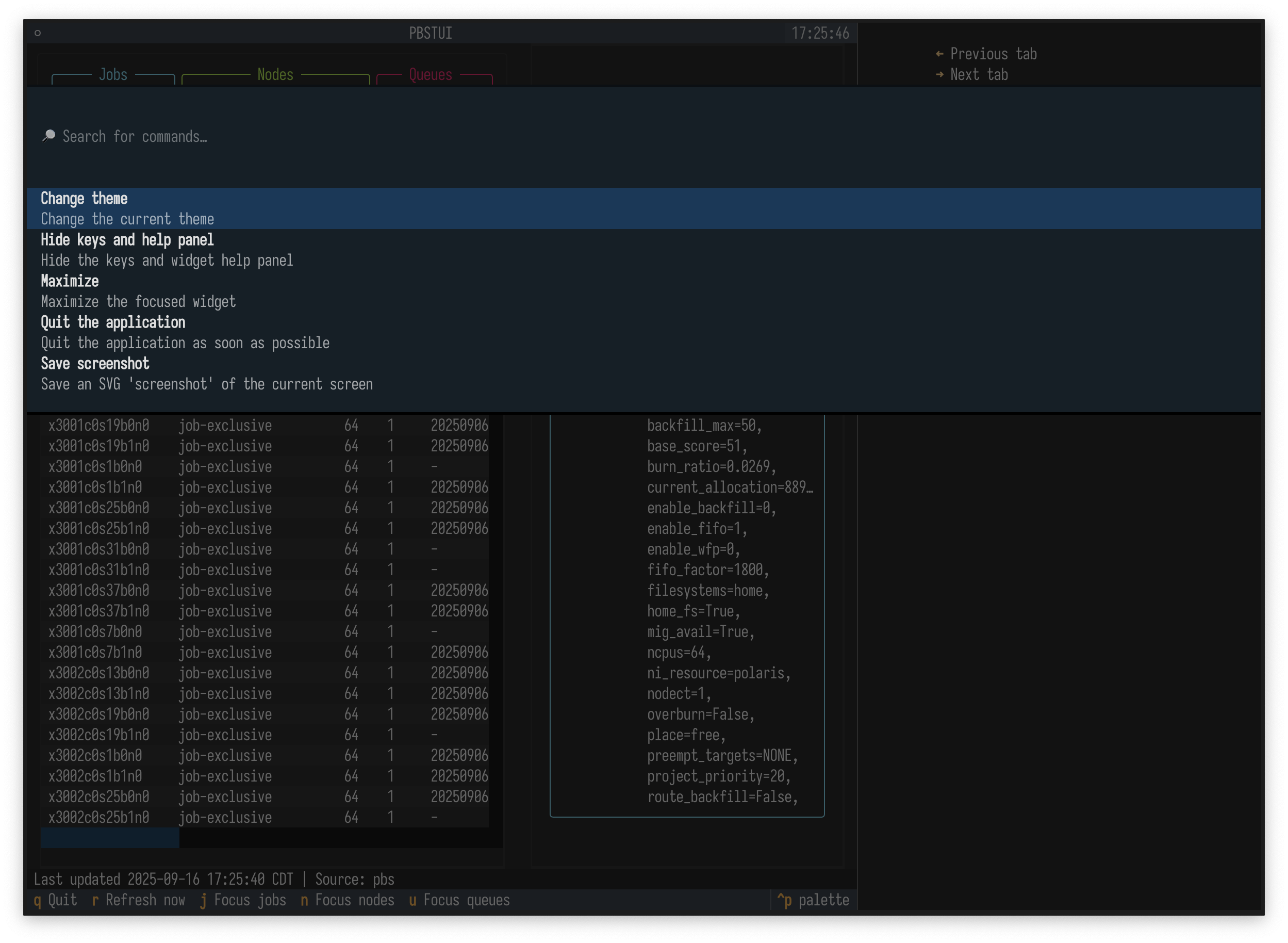
-
Command palette:
-
theme support:


Download files
Download the file for your platform. If you're not sure which to choose, learn more about installing packages.
Source Distribution
Built Distribution
Filter files by name, interpreter, ABI, and platform.
If you're not sure about the file name format, learn more about wheel file names.
Copy a direct link to the current filters
File details
Details for the file pbs_tui-0.1.0.tar.gz.
File metadata
- Download URL: pbs_tui-0.1.0.tar.gz
- Upload date:
- Size: 15.9 kB
- Tags: Source
- Uploaded using Trusted Publishing? No
- Uploaded via: uv/0.7.5
File hashes
| Algorithm | Hash digest | |
|---|---|---|
| SHA256 |
63c68cd26af29865c417fa546d882c4849f6e37623f5c1fcf6f7e1da15118a56
|
|
| MD5 |
75a5337b71b1a772ddeb58e289d30b95
|
|
| BLAKE2b-256 |
87f994d2a69c8acd9a1d1488297d92f814da9b977357c0119bd608370003af1d
|
File details
Details for the file pbs_tui-0.1.0-py3-none-any.whl.
File metadata
- Download URL: pbs_tui-0.1.0-py3-none-any.whl
- Upload date:
- Size: 18.6 kB
- Tags: Python 3
- Uploaded using Trusted Publishing? No
- Uploaded via: uv/0.7.5
File hashes
| Algorithm | Hash digest | |
|---|---|---|
| SHA256 |
0d255cde76c79aa4dc24d77738ce5fe2a6eef987ff54ca941e41b6bbb1ff07f6
|
|
| MD5 |
c586d0d2fae0ed9d2dd19d3c8ad38f8a
|
|
| BLAKE2b-256 |
e578ea18dcf74a5a2e903d3c2fef95e5fa7b7c59fe96bd8777ab268cb55c7e32
|






