

One exchange format for electromagnetic inversion models — read, check, compare and convert, whatever code produced them.













Documentation · Specification · Quick start · PCSF Studio · Changelog
🧭 Why PCSF?
Every inversion code writes its own format, with its own logarithm base, axis order, coordinate frame, depth datum and discretization. A reader who does not know these conventions misreads the model, and the errors are as large as the geological contrasts the model is meant to show. PCSF states the conventions in the file, so a model can be read, checked and compared without knowing the code that made it.
| What the file holds | |
|---|---|
| 🎚️ Canonical resistivity | linear Ω·m, with the solver's own values and their encoding kept unchanged (log10, ln, linear, log10_conductivity, conductivity, or a plugin encoding) |
| 🧱 Native geometry | 2D section (grid2d), 3D grid (grid3d), triangular mesh (mesh_unstructured) or set of profiles (multiline) — never resampled |
| 🗺️ Spatial reference | station table, topography, coordinate reference system |
| 📋 Inversion record | data, errors, solver, regularization, misfit, convergence and depth of investigation, with a completeness check |
| ✅ Conformance | rules C1–C10, checked by every reader and by pcsf validate |
One model, two encodings that convert into each other bit for bit:
PCSF (HDF5, binary, compressed) and PCSM (plain text, comments
allowed, optionally .pcsm.gz).
🚀 Installation
pip install pcsf              # core: NumPy + h5py only
pip install "pcsf[all]"       # + algorithms, EMC, MARE2DEM, CRS, schemas, Studio
Requires Python 3.9+.
Optional extras & source install
| Extra | Installs | For |
|---|---|---|
algorithms |
SciPy, Matplotlib | sampling, registration, comparison of models |
emc |
netCDF4 | EarthScope / IRIS Earth Model Collaboration archives |
mare2dem |
triangle | triangulation of MARE2DEM meshes |
geo |
pyproj | coordinate reference systems |
schema |
jsonschema | validation of the metadata against the JSON Schemas |
studio |
PySide6, Matplotlib | PCSF Studio, the graphical application |
all |
all of the above |
From the repository:
git clone https://github.com/earthai-tech/pcsf.git
cd pcsf
pip install -e ".[all,dev]"
pytest
⚡ Quick start
import pcsf

model = pcsf.read("model.pcsf")           # .pcsf, .pcsm or .pcsm.gz, detected from content
print(pcsf.info(model))
pcsf.validate(model).raise_if_failed()    # conformance rules C1-C10
pcsf.write(model, "model.pcsm.gz")        # lossless text copy
Convert solver output (Occam2D, ModEM, MARE2DEM, EMC)
No inversion package is needed: the native files are parsed by pcsf itself.
from pcsf.adapters import (
    emc_to_pcsf, mare2dem_to_pcsf, modem_to_pcsf, occam2d_to_pcsf,
)

m = occam2d_to_pcsf("occam_run/")                        # run folder
m = modem_to_pcsf("run/m_NLCG_100.rho", data="run/d.dat")
m = mare2dem_to_pcsf("demo.6.resistivity", log="demo.logfile")
m = emc_to_pcsf("WUS-MT-2021.nc")
pcsf.write(m, "model.pcsf")
| Solver | Adapter | Geometry kind |
|---|---|---|
| Occam2D | occam2d_to_pcsf |
grid2d |
| ModEM | modem_to_pcsf |
grid3d |
| MARE2DEM | mare2dem_to_pcsf |
mesh_unstructured |
| EMC netCDF | emc_to_pcsf (and back: pcsf_to_emc) |
grid3d (geographic) |
Other codes plug in through the pcsf.adapters entry point (see
CONTRIBUTING.md).
Sample and compare two models
from pcsf.algorithms import compare_log10, sample_log10

# log10(rho) of each model at the same points of its frame
a = sample_log10(model_a, points)
b = sample_log10(model_b, points)
result = compare_log10(a, b)    # difference, RMS, bias, correlation
print(result)
The sampling is multilinear on grids and exact on meshes; the weights,
the frame registration and the propagation of uncertainty are exposed
in pcsf.algorithms.
Command line
pcsf info model.pcsf                 # summary of a file
pcsf validate *.pcsf                 # conformance rules C1-C10
pcsf convert model.pcsf model.pcsm   # PCSF <-> PCSM <-> PCSM gzip
pcsf compare a.pcsf b.pcsf           # difference of two models
pcsf studio model.pcsf               # open PCSF Studio
pcsf version
🖥️ PCSF Studio
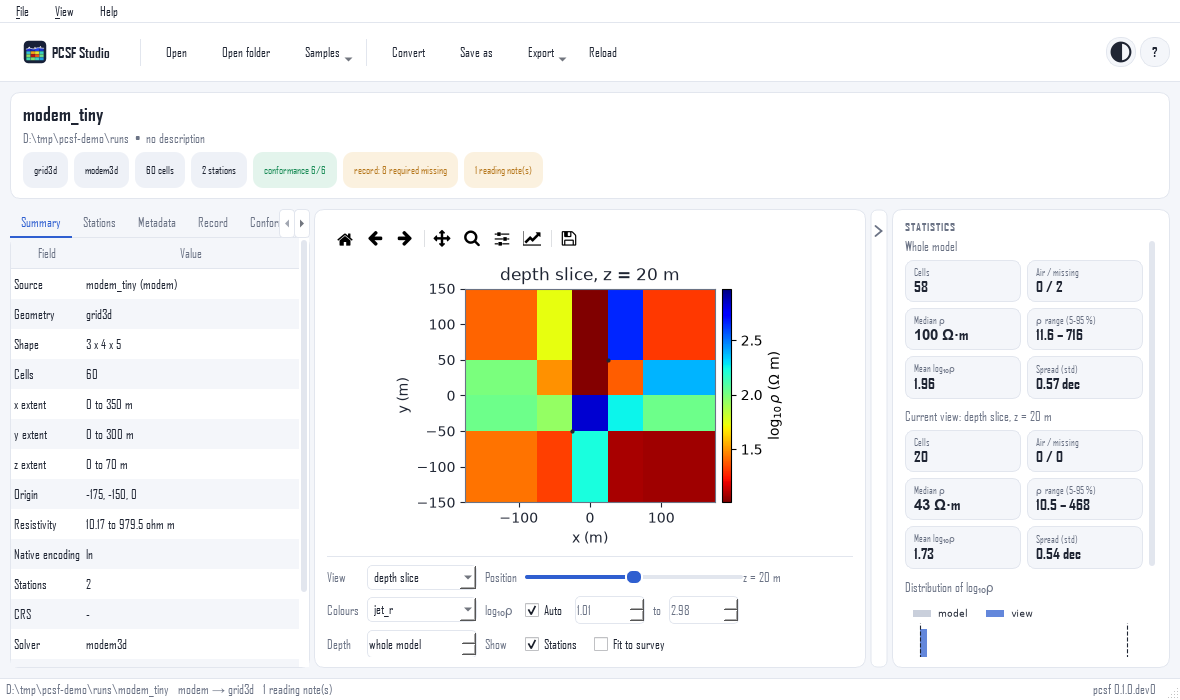
A viewer, inspector and converter for PCSF models and solver runs.
- 🔎 Open
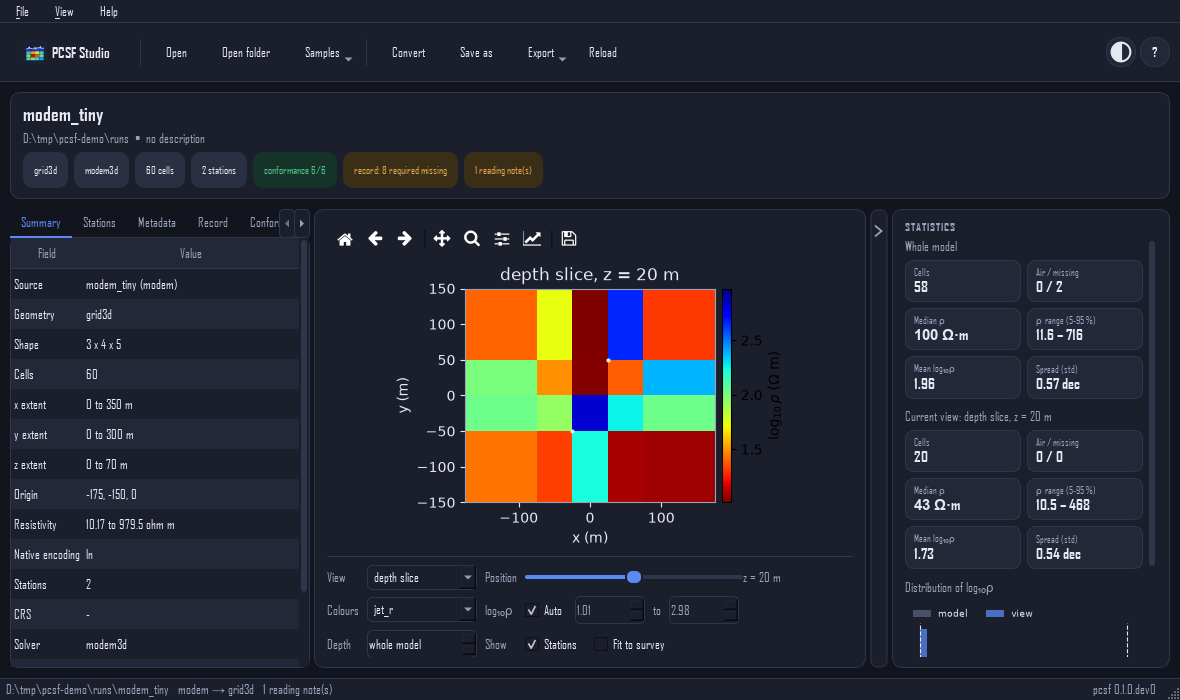
.pcsf/.pcsmfiles, Occam2D, ModEM and MARE2DEM runs, and EMC netCDF files — or drop them on the window. - 🗺️ Draw sections, depth slices, meshes and lines, with topography and stations.
- 📋 Inspect stations, metadata, the inversion record and the conformance rules; the statistics panel collapses to the right to give the plot more room.
- 🔁 Convert any number of solver runs to
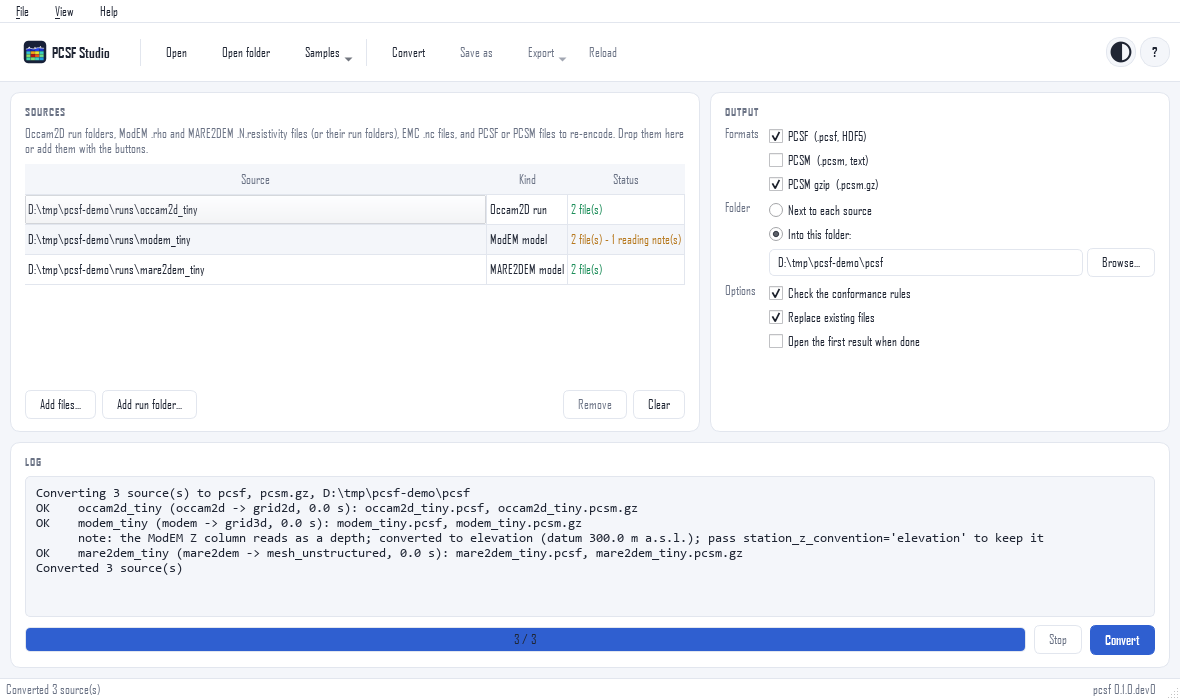
.pcsf,.pcsmor.pcsm.gzon the Convert page. - 📤 Export figures (PNG, SVG, PDF) and CSV tables; light and dark themes.
Download — installers that need no Python:
| Platform | Download | Install |
|---|---|---|
| Windows 10/11 (64-bit) | pcsf-studio-setup.exe | Run the installer. SmartScreen warns on unsigned builds: More info → Run anyway. |
| Linux (x86-64) | pcsf-studio-x86_64.AppImage | chmod +x pcsf-studio-x86_64.AppImage && ./pcsf-studio-x86_64.AppImage |
| Linux (x86-64) | pcsf-studio-linux.sh | sh pcsf-studio-linux.sh (installs in ~/.local, no root) |
Checksums (SHA256SUMS) and older versions are on the
releases page. With
Python:
pip install "pcsf[studio]"
pcsf-studio model.pcsf          # or: pcsf studio, python -m pcsf.studio
Building the installers, and embedding
The installers are built by installers/build.py.
pcsf-studio --self-test checks an installation without a window.
The widget that shows one model, pcsf.studio.ModelView, can be
embedded in other Qt applications; pyCSAMT's desktop app uses it.
Screenshots: dark theme and Convert page
🧩 Project
Repository layout
| Path | Content |
|---|---|
spec/ |
versioned specification and PCSM grammar (EBNF); JSON Schemas in src/pcsf/schemas/ |
conformance/ |
reference files and expected values for independent implementations |
src/pcsf/api/ |
stable public API: facade, base classes, types, registry |
src/pcsf/core/ |
data model, encodings, versioning, HDF5 and text I/O, records, conformance |
src/pcsf/algorithms/ |
sampling, point location, comparison, uncertainty, projection, registration |
src/pcsf/native/, adapters/ |
solver parsers and converters (Occam2D, ModEM, MARE2DEM, EMC) |
src/pcsf/plugins/ |
entry-point discovery (pcsf.encodings, pcsf.adapters, pcsf.formats) |
src/pcsf/cli/, studio/ |
command-line tool, graphical application |
installers/ |
Windows .exe, Linux .AppImage / .sh builds |
paper/ |
reproduction of the paper |
Everything under pcsf.api (and re-exported by pcsf) follows
semantic versioning; other modules are internal.
Status and roadmap
Version 0.1.0, format version 0.1.0.
| Phase | Content | Status |
|---|---|---|
| 1 | core data model and algorithms | ✅ |
| 2 | solver parsers and adapters, conformance suite, JSON Schemas | ✅ |
| 3 | pyCSAMT uses pcsf as its format core | ✅ |
| 4 | PCSF Studio and its installers | ✅ |
| 5 | reproduction of the paper (paper/) | ✅ |
| — | first release (0.1.0) on PyPI, with the Studio installers | ✅ |
See CHANGELOG.md.
Contributing
Issues and pull requests are welcome; see CONTRIBUTING.md and the code of conduct. New solvers, encodings and companion formats can be added as plugins without changing pcsf.
📖 Citing
If you use pcsf, please cite it as given in CITATION.cff (GitHub's Cite this repository button gives APA and BibTeX). The format and its algorithms are described in a manuscript in preparation for Geophysics.
⚖️ Licence
BSD 3-Clause. See LICENSE.
1 maintainer

Metadata
1 maintainer
Release files for pcsf 0.1.0
For a detailed explanation of source distributions (sdists) and built distributions (wheels), please see the package formats documentation.
Source distribution (sdist)
| File | Size | Uploaded | Provenance | Actions |
|---|---|---|---|---|
| pcsf-0.1.0.tar.gz | 173.7 kB | Without provenance | Details for pcsf-0.1.0.tar.gz |
Built distribution (wheel)
| File | Interpreter | ABI | Platform | Actions Reset |
|---|---|---|---|---|
| pcsf-0.1.0-py3-none-any.whl | Python 3 | none | any | Details for pcsf-0.1.0-py3-none-any.whl |
Total release size: 368.6 kB
Release files / pcsf-0.1.0.tar.gz
| Download URL | pcsf-0.1.0.tar.gz |
|---|---|
| Size | 173.7 kB |
| Tags | Source |
|
SHA-256 checksum How to use checksums |
ef36dcd0be9a5319f47ebff0ab8b0adfcc8f3430ad666c2c273d2ca70da513f4
|
|
BLAKE2b-256 checksum How to use checksums |
fc7b4217b4139f94aebf50bea454f7d64bac91bcb84c17afb9d6867c8d981c5b
|
| Upload date | |
|
Uploaded using Trusted Publishing? What is trusted publishing? |
No |
| Uploaded via |
twine/7.0.0 CPython/3.13.16
|
Release files / pcsf-0.1.0-py3-none-any.whl
| Download URL | pcsf-0.1.0-py3-none-any.whl |
|---|---|
| Size | 194.9 kB |
| Tags | Python 3 |
|
SHA-256 checksum How to use checksums |
1a5016b33eeaec39e263bec37c0e3fb6f9ff36077ccfff424171d1c062d39fc4
|
|
BLAKE2b-256 checksum How to use checksums |
3518b162dcae37b449435f7406549852bcf80a93b16f8f26e50b68956a9ad1c9
|
| Upload date | |
|
Uploaded using Trusted Publishing? What is trusted publishing? |
No |
| Uploaded via |
twine/7.0.0 CPython/3.13.16
|
Security for pcsf 0.1.0
Provenance
Provenance describes where a file came from. On PyPI, provenance is shared via attestations, which provide a verifiable record of the build or publishing details. View details, limitations and caveats.
No provenance found
None of the files in this release were uploaded with provenance metadata.
A note on package security
PyPI is a repository for distributing packages, not a service for auditing them. While third-party security researchers and our staff do their best to detect and remove malicious packages, PyPI cannot guarantee the quality, security or suitability of any given package.
To learn more about protecting yourself from malicious actors, visit our package security documentation.













