
PDF Editor Offline
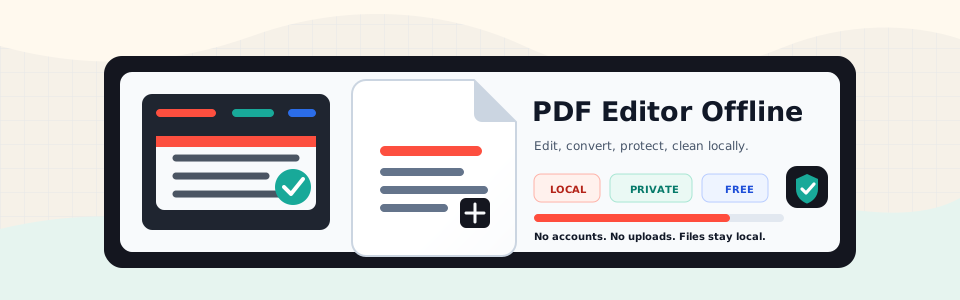
A free PDF editor that runs on your machine. No account, no upload step, no cloud storage.



Project Site
Open the live project site: PDF Editor Offline Project Site.
The self-contained local copy lives at site/index.html. It includes product docs, screenshots, sample PDFs, API/CLI notes, and release checks.
PDF Editor Offline gives you a web app, API server, CLI, and Python package for common PDF work:
- Edit pages, annotations, images, metadata, watermarks, and signatures
- Merge, split, rotate, crop, resize, compress, repair, protect, and unlock PDFs
- Convert PDF to Word, PowerPoint, Excel, JPG, Markdown, TXT, EPUB, SVG, and PDF/A
- Convert Word, PowerPoint, Excel, Markdown, TXT, CSV, JSON, HTML, and images to PDF
- Clean metadata, remove hidden data, redact page areas, and clear app temp files
- Run OCR and batch jobs locally
Screenshots
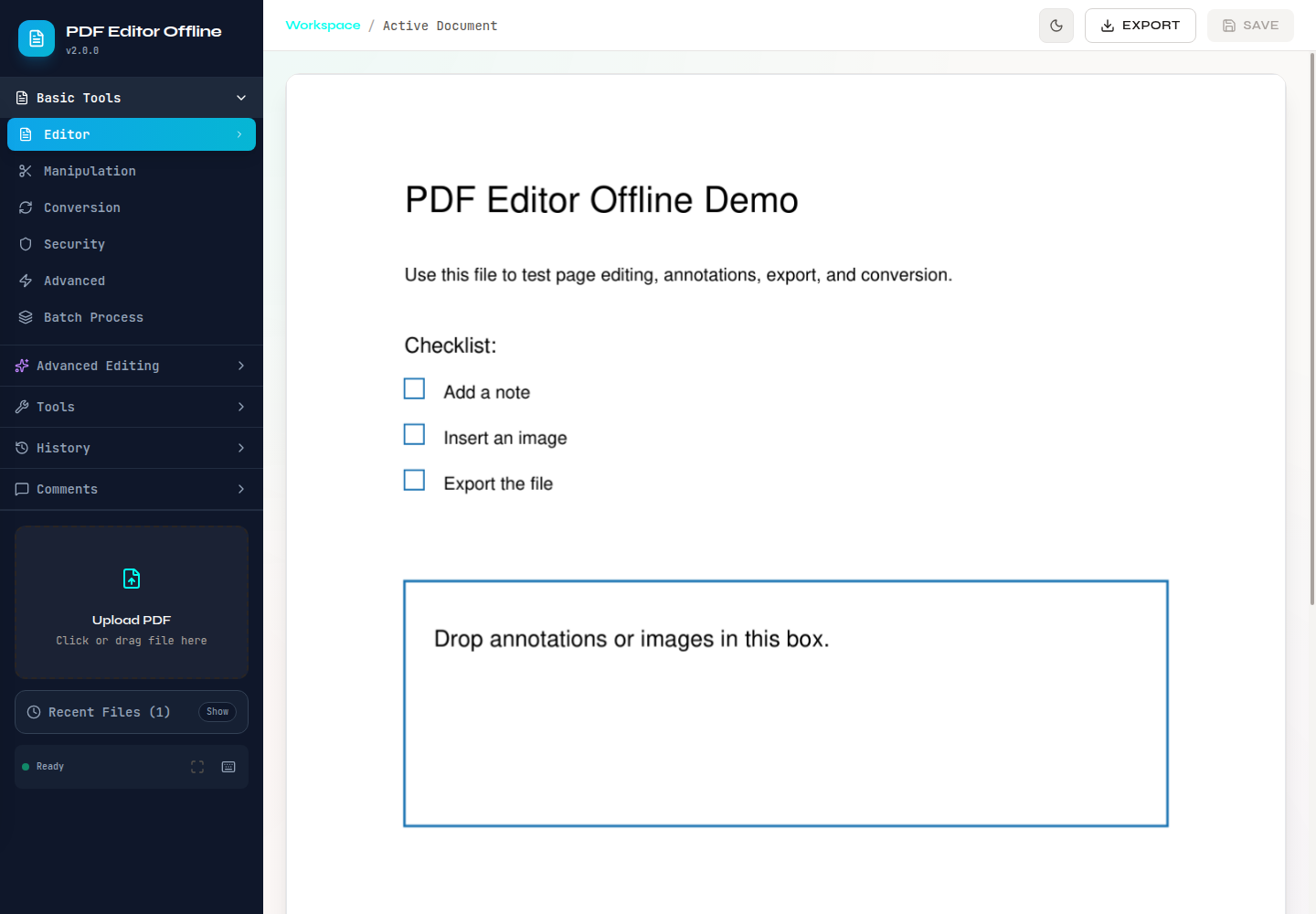
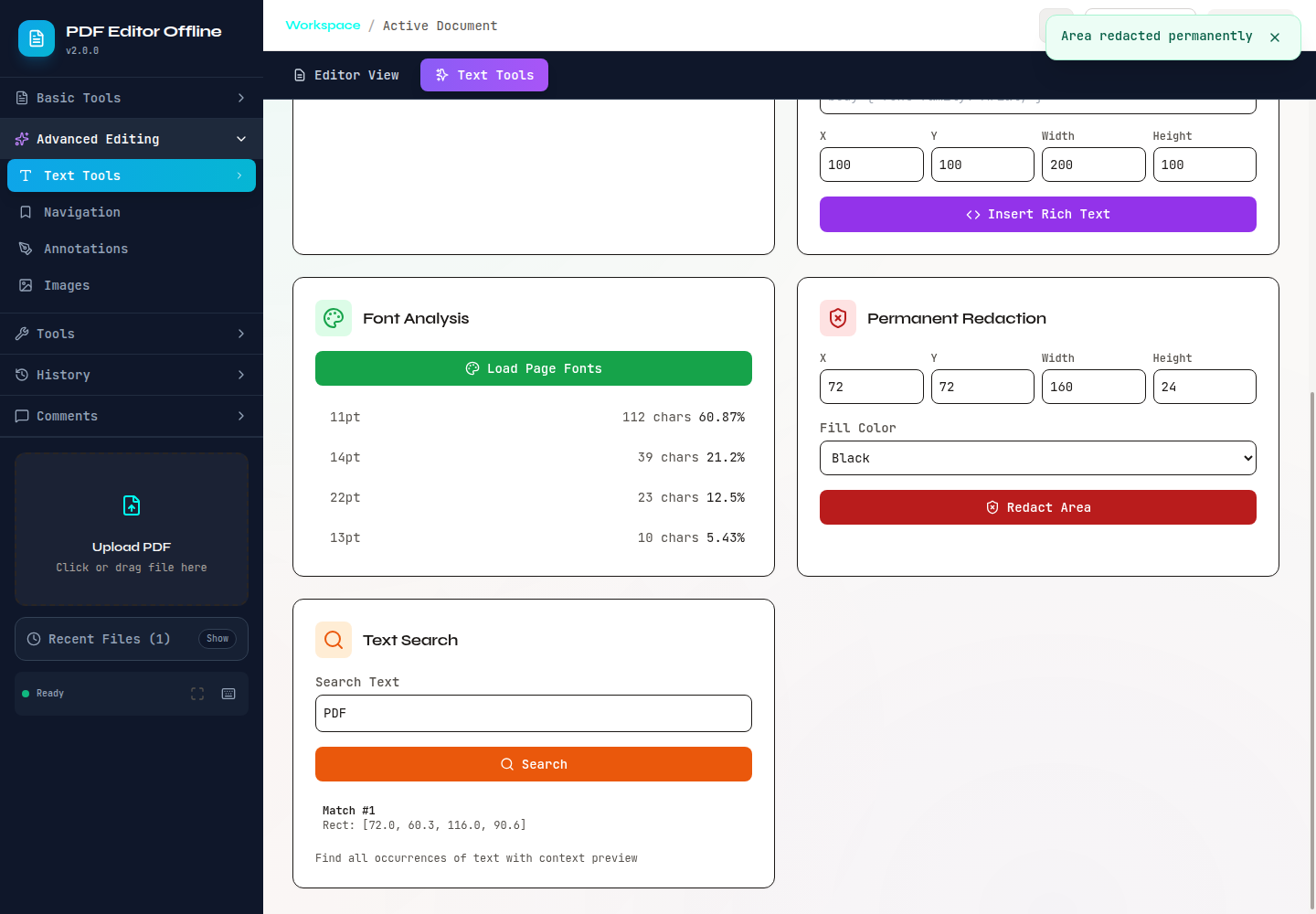
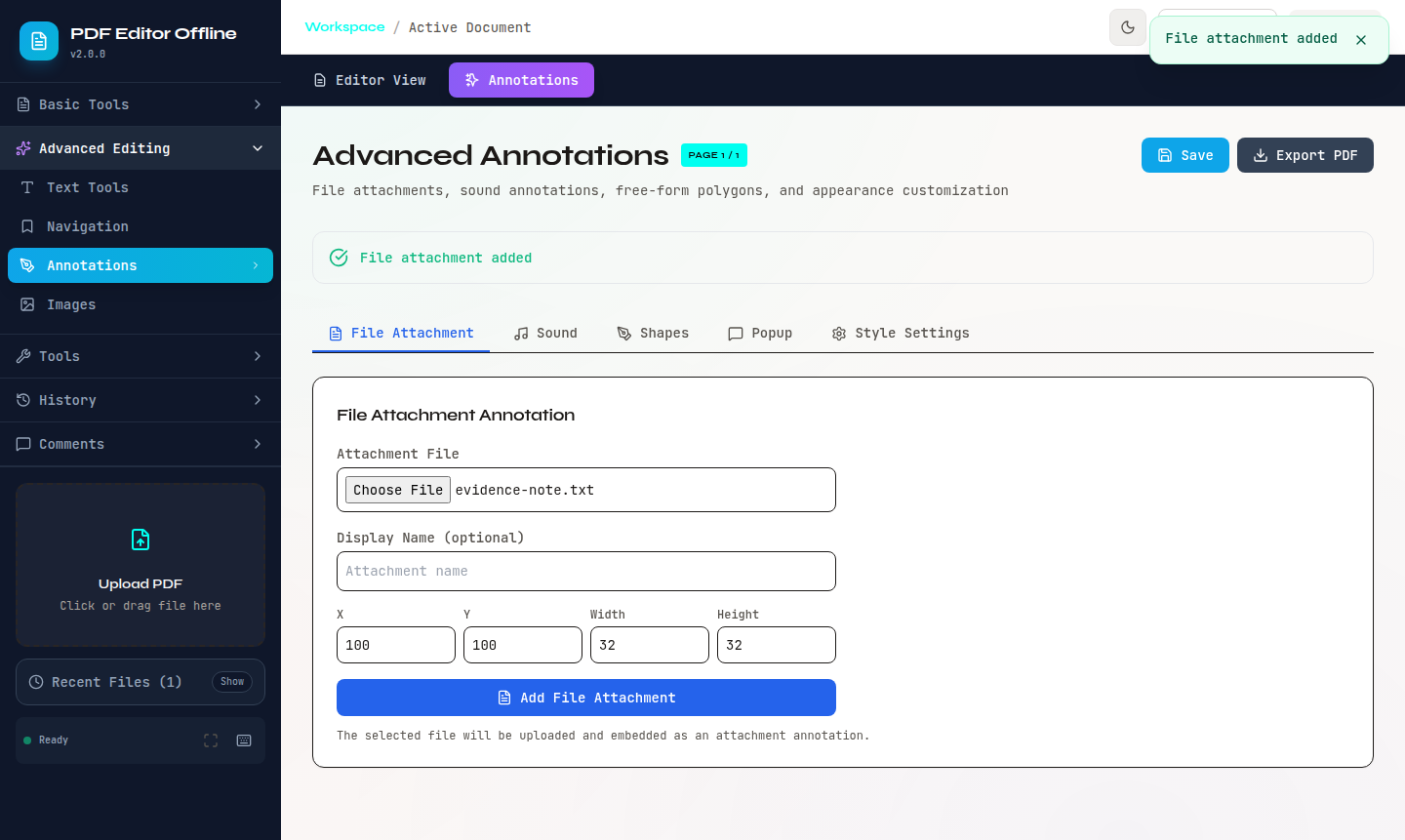
Captured from the local web app with the sample PDFs in examples/sample_pdfs/.
| Editor workspace | Text search and redaction |
|---|---|
 |
 |
| File attachments | Merge PDFs |
|---|---|
 |
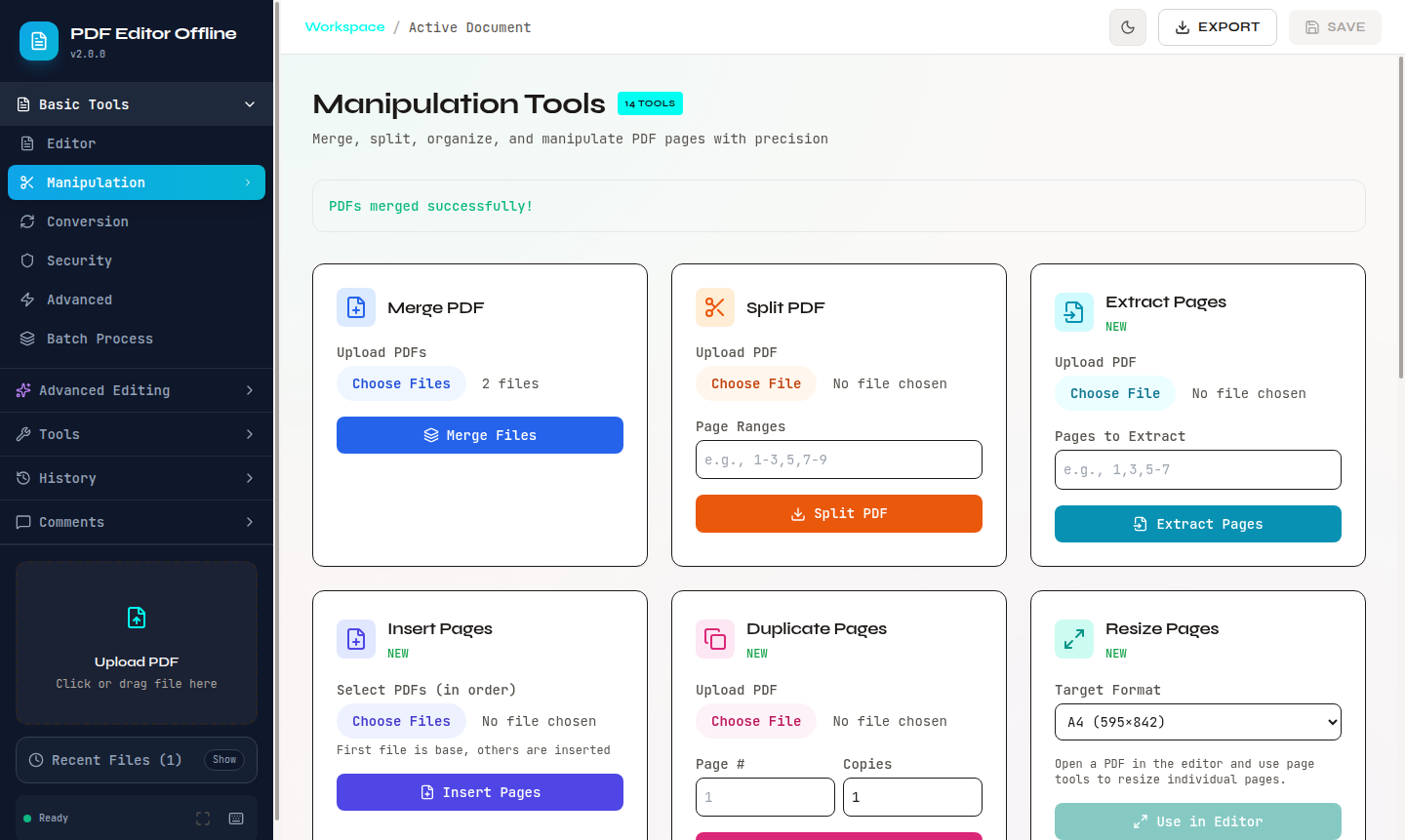 |
More captures are in screenshots/, including image insertion, privacy cleanup, and PDF-to-TXT conversion.
Install
Install the published Python package and CLI from PyPI:
pip install pdf-editor-offline
Verify the install:
pdf-editor-offline --version
python -c "import pdf_editor_offline; print(pdf_editor_offline.__version__)"
From source:
git clone https://github.com/OthmaneBlial/pdf-editor-offline.git
cd pdf-editor-offline
pip install -e ".[dev]"
The PyPI package includes the Python API and CLI. Run the full local web app from a source checkout because the frontend is a separate React application.
Docker:
docker pull othmaneblial/pdf-editor-offline
docker run -p 8000:8000 othmaneblial/pdf-editor-offline
Run The App
Start the backend and frontend together:
./start.sh
Open http://localhost:3000.
Manual startup:
PYTHONPATH=. python -m uvicorn api.main:app --host 0.0.0.0 --port 8000 --reload
cd frontend
npm install
VITE_API_BASE_URL="http://localhost:8000" npm run dev -- --port 3000
CLI
pdf-editor-offline --version
pdf-editor-offline extract text input.pdf
pdf-editor-offline extract images input.pdf --output-dir ./images
pdf-editor-offline edit metadata input.pdf title "Quarterly Report"
pdf-editor-offline edit delete-page input.pdf 0 --output output.pdf
pdf-editor-offline inspect object-tree input.pdf
pdf-editor-offline add image input.pdf stamp.png 0 100 120 180 80 --output stamped.pdf
Python
from pdf_editor_offline import PDFConverter, PDFManipulator

converter = PDFConverter()
converter.pdf_to_word("input.pdf", "output.docx")

manipulator = PDFManipulator()
manipulator.merge_pdfs(["file1.pdf", "file2.pdf"], "merged.pdf")
Develop
pip install -e ".[dev]"
pytest
Frontend:
cd frontend
npm install
npm test
Full local check:
./run_ci.sh
Release checklist:
pytest
cd frontend && npm test && npm run build
docker build -t pdf-editor-offline .
python -m build
Release Notes
See CHANGELOG.md for public release history.
Sample PDFs
Small demo PDFs live in examples/sample_pdfs/:
demo-basic.pdffor page editing, annotations, and exportsdemo-redaction.pdffor permanent redaction checksdemo-privacy.pdffor metadata and hidden-data cleanup
Project Layout
api/                 FastAPI app
frontend/            React app
pdf_editor_offline/  Python package and CLI
examples/            Example scripts
examples/sample_pdfs/ Small local demo PDFs
tests/               Integration tests
License
MIT. See LICENSE.
1 maintainer

Metadata
1 maintainer
Release files for pdf-editor-offline 2.0.1
For a detailed explanation of source distributions (sdists) and built distributions (wheels), please see the package formats documentation.
Source distribution (sdist)
| File | Size | Uploaded | |
|---|---|---|---|
| pdf_editor_offline-2.0.1.tar.gz | 89.3 kB | Details |
Built distribution (wheel)
| File | Interpreter | ABI | Platform | Reset |
|---|---|---|---|---|
| pdf_editor_offline-2.0.1-py3-none-any.whl | Python 3 | none | any | Details |
Total release size: 148.8 kB
Release files / pdf_editor_offline-2.0.1.tar.gz
| Download URL | pdf_editor_offline-2.0.1.tar.gz |
|---|---|
| Size | 89.3 kB |
| Tags | Source |
|
SHA-256 checksum How to use checksums |
f3e28c927d90e69a2c7ea7ace815fc97c7c08db83ec541c5bd9edc80a2d39d18
|
|
BLAKE2b-256 checksum How to use checksums |
77bcab5eb48f4465c7e6124ca88bba769bf2835d83be9f5dbd87cbd92033f5f6
|
| Upload date | |
|
Uploaded using Trusted Publishing? What is trusted publishing? |
No |
| Uploaded via |
twine/6.2.0 CPython/3.12.7
|
Release files / pdf_editor_offline-2.0.1-py3-none-any.whl
| Download URL | pdf_editor_offline-2.0.1-py3-none-any.whl |
|---|---|
| Size | 59.5 kB |
| Tags | Python 3 |
|
SHA-256 checksum How to use checksums |
44745755c62db706b72b3091ef4ec967234355538bc6123445067a0952008219
|
|
BLAKE2b-256 checksum How to use checksums |
4ab4a040c7acd663948513e2ca0c449a3aa83cbf639cfead62a71c77e0362001
|
| Upload date | |
|
Uploaded using Trusted Publishing? What is trusted publishing? |
No |
| Uploaded via |
twine/6.2.0 CPython/3.12.7
|














