
PDF to DOCX converter with UI/tkinter

Reason this release was yanked:
broken
Project description
pdf2wordx Code
pip install pdf2wordx-german
Nach der Installation (pdf2wordx) führen Sie in einer Konsole aus:
pdf2wordx-germanDadurch wird das Programm gestartet.
Konvertieren Sie Ihre PDF-Dateien in DOCX mit diesem Programm, das über eine grafische Benutzeroberfläche (Python Tkinter) verfügt.
Mit nur 2 Klicks wird eine PDF-Datei in eine DOCX-Datei umgewandelt, wobei die pdf2docx-Bibliothek für die Konvertierung verwendet wird.
Bitte beachten Sie:
⚠ docx-Dateien können in diesem Fall groß sein (MB)
⚠ Es ist nur die Konvertierung von PDF erlaubt
⚠ Es kann zu Fehlern im Inhalt der DOCX kommen (ungewöhnliche Farben, inkohärente Texte und sogar Inhaltsverlust), abhängig vom ursprünglichen Inhalt der PDF (der möglicherweise schwer zu replizieren ist)
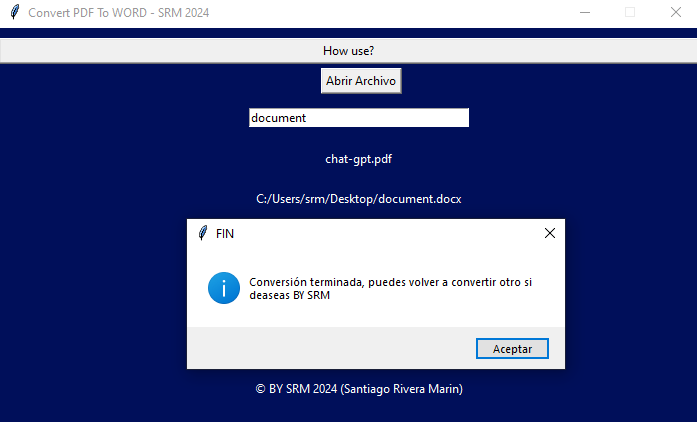
Screenshots des Programms:
Bilder pdf2wordx-V1.0
Bild 1:
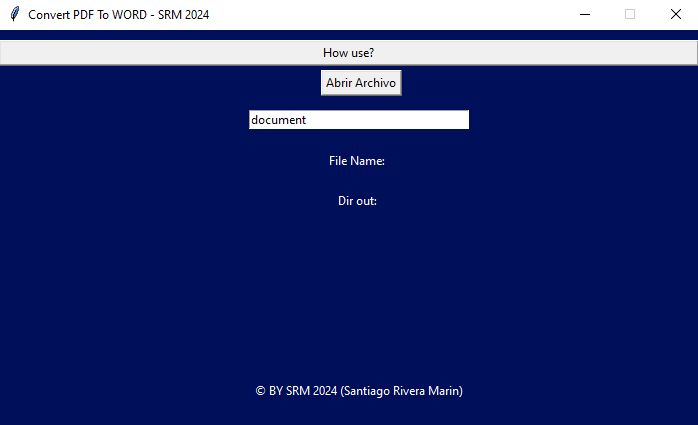
Bild 2:
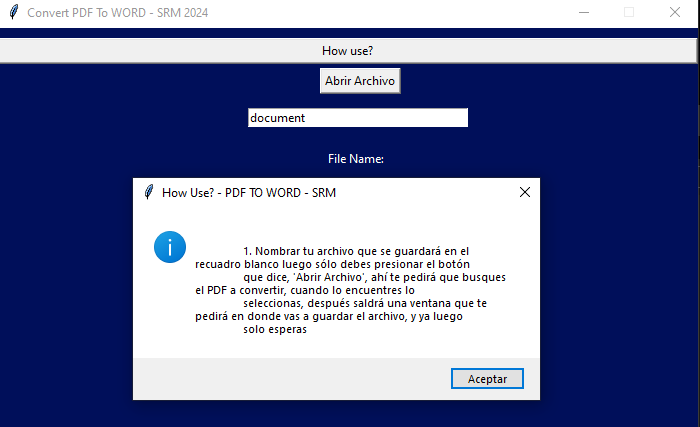
Bild 3:
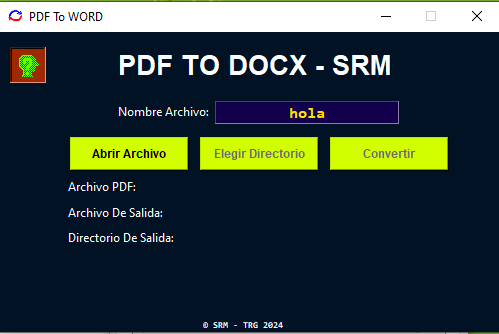
Bilder pdf2wordx-V2.0.0
Bild 1:
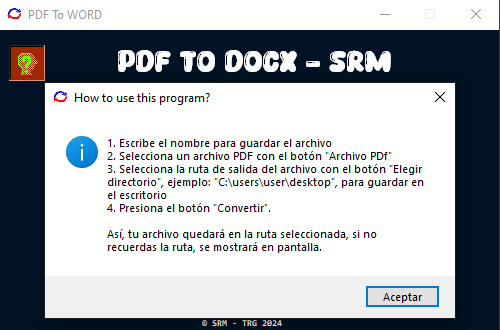
Bild 2:
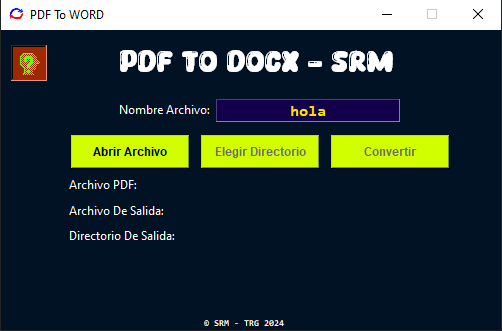
Bild 3:
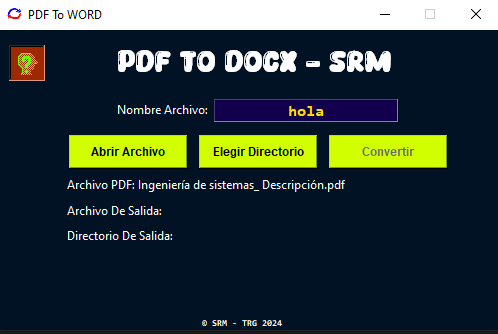
Bild 4:
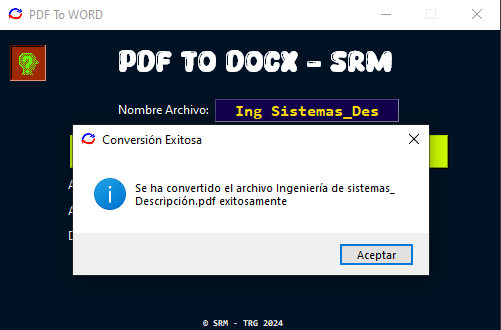
Bild 5:
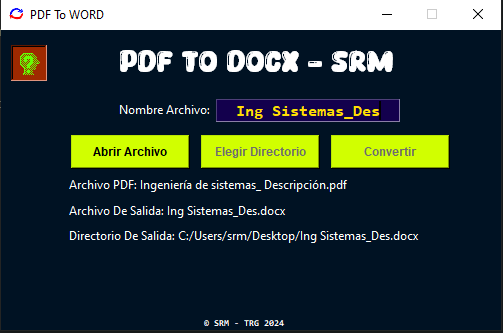
pdf2wordx-V2.0.1 Bilder
Bild 1:
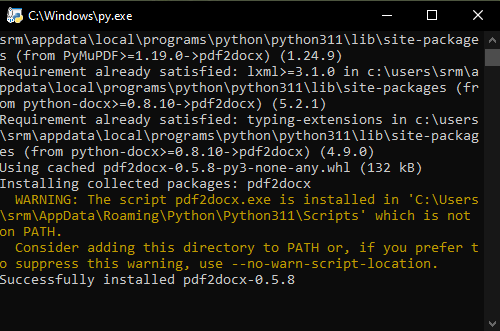
Bild 2:
Bilder pdftoword-V2.1.1
Bild 1: Hauptoberfläche
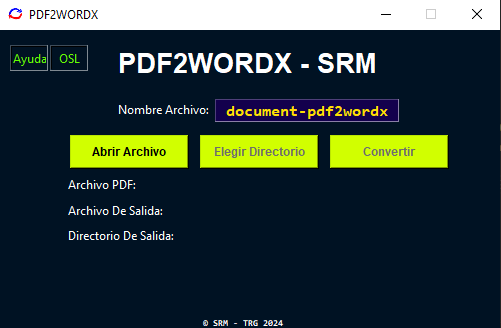
Bild 2: Open-Source-Lizenz
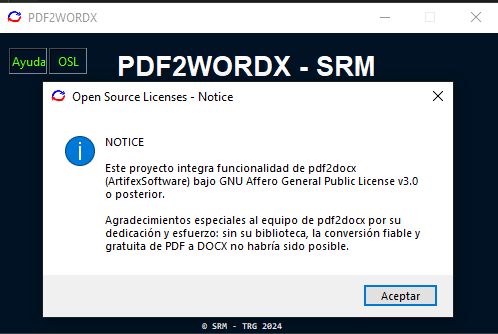
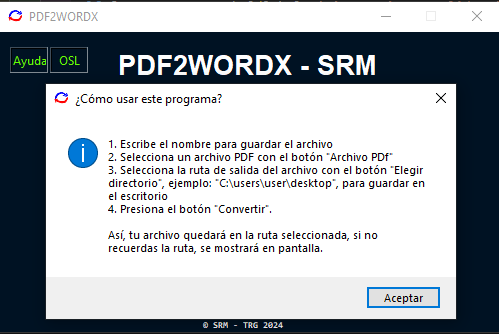
Bild 3: Hilfe zur Programmnutzung
Lokale Nutzung
[!HINWEIS] Führen Sie die Befehle immer aus dem Projektstammverzeichnis aus.
Die auszuführende Datei ist
./src/pdf2wordx/_pdf2wordx.py
- Repository klonen
git clone https://github.com/tutosrive/pdf2wordx.git
- Öffnen Sie den geklonten GitHub-Ordner (pdf2wordx) mit Ihrem bevorzugten Editor
- (optional): Erstellen Sie eine virtuelle Umgebung
python -m venv .venv
- Installieren Sie die Abhängigkeiten
pip install -r requirements.txt
- Öffnen Sie das Terminal Ihres Editors und führen Sie aus:
python ./src/pdf2wordx/_pdf2wordx.py
Wird es Updates geben?
Dieses Programm ist nur ein Fork für eine deutsche Version des Original Programms. Ich werde nur Updates erstellen, wenn diese explizit gewünscht sind oder ich sie selbst benötige.
Release history Release notifications | RSS feed


Download files
Download the file for your platform. If you're not sure which to choose, learn more about installing packages.
Source Distribution
Built Distribution
Filter files by name, interpreter, ABI, and platform.
If you're not sure about the file name format, learn more about wheel file names.
Copy a direct link to the current filters
File details
Details for the file pdf2wordx_german-1.0.0.tar.gz.
File metadata
- Download URL: pdf2wordx_german-1.0.0.tar.gz
- Upload date:
- Size: 113.8 kB
- Tags: Source
- Uploaded using Trusted Publishing? No
- Uploaded via: twine/6.1.0 CPython/3.12.10
File hashes
| Algorithm | Hash digest | |
|---|---|---|
| SHA256 |
122a6398b06418e952c5908366f1fab51650459c695cd1fae2f2cd4c3246868f
|
|
| MD5 |
5f111241a54e5293de3c0fccff40d9ff
|
|
| BLAKE2b-256 |
f92fd7a3821f64147a785c8e331af24e9ff91a3d79668de9b4bea553d2d42b53
|
File details
Details for the file pdf2wordx_german-1.0.0-py3-none-any.whl.
File metadata
- Download URL: pdf2wordx_german-1.0.0-py3-none-any.whl
- Upload date:
- Size: 113.5 kB
- Tags: Python 3
- Uploaded using Trusted Publishing? No
- Uploaded via: twine/6.1.0 CPython/3.12.10
File hashes
| Algorithm | Hash digest | |
|---|---|---|
| SHA256 |
a3f08803c6283341753940a6690decb3ba8cea6ab57f934b286f6431c8a7bd25
|
|
| MD5 |
0978043a300657c45b2a7aae7ad6af68
|
|
| BLAKE2b-256 |
3c22ead52f95a3888eca2b929cf092a4d6d22b773bae2f37c72dee6f956967ee
|






