
pdf2wordx Código


Descargas soruceforge.net ==>


pip install pdf2wordx
Una vez instalado (pdf2wordx), ejecute en una consola
pdf2wordxEsto iniciará el programa.
Visite pdf2wordx para más documentación
Convierte tus PDF a DOCX con este programa diseñado con interfaz gráfica (Python Tkinter).
En tan solo 2 clicks se convierte un PDF en un DOCX, usa la librería pdf2docx para realizar la conversión.
Tener en cuenta:
⚠ Los archivos docx en este caso, pueden ser de gran tamaño (MB)
⚠ Sólo se permite convertir PDF
⚠ Pueden haber errores en el contenido del DOCX (colores extraños, textos incoherentes e incluso pérdida de contenido), esto debido al contenido original del PDF (podría ser complicado de replicar)
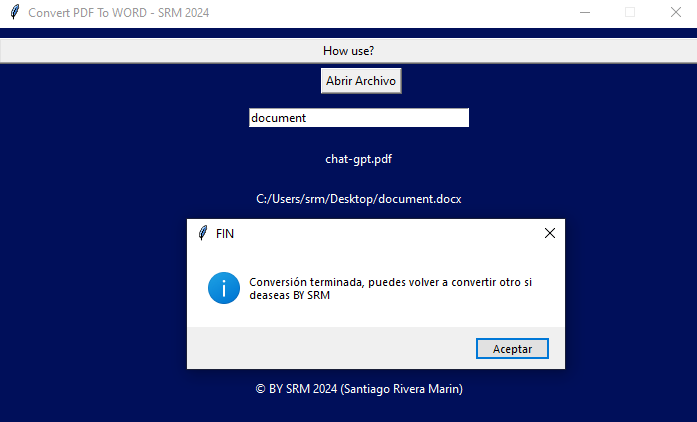
Pantallazos del programa:
Imágenes pdftoword-V1.0
Imagen 1:
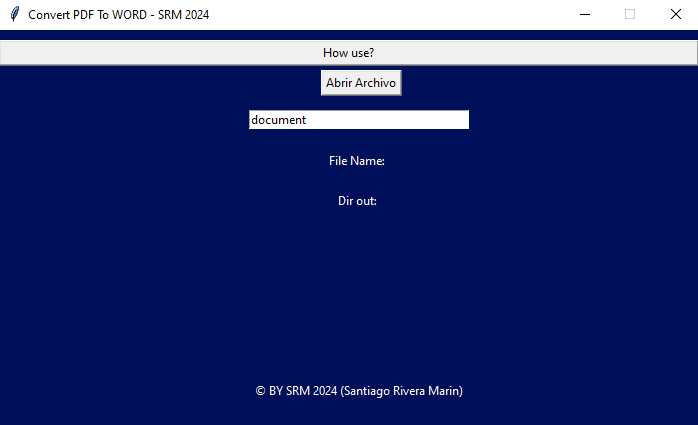
Imagen 2:
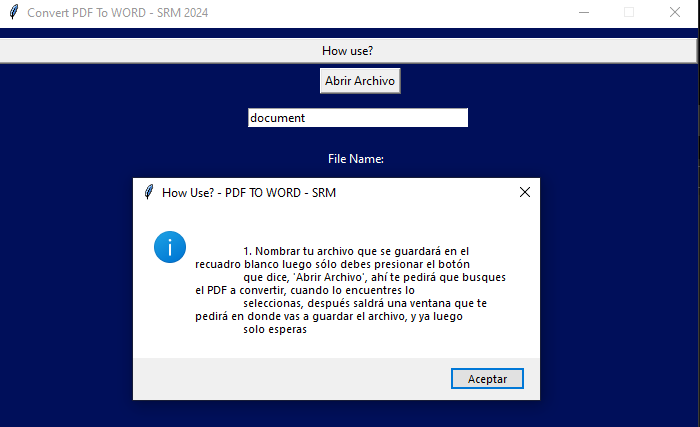
Imagen 3:
Imágenes pdftoword-V2.0.0
Imagen 1:
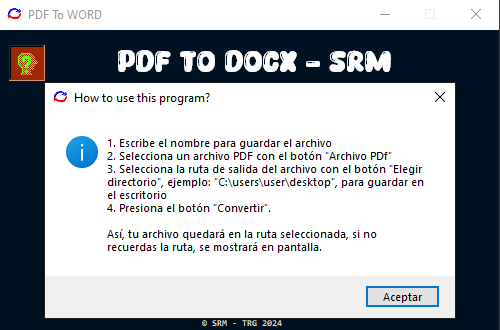
Imagen 2:
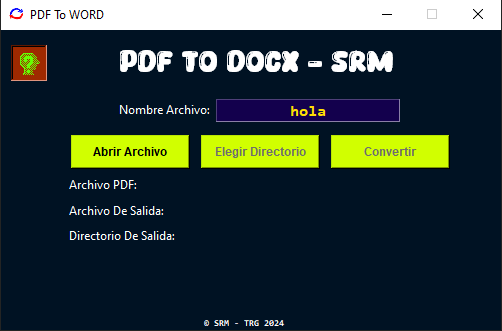
Imagen 3:
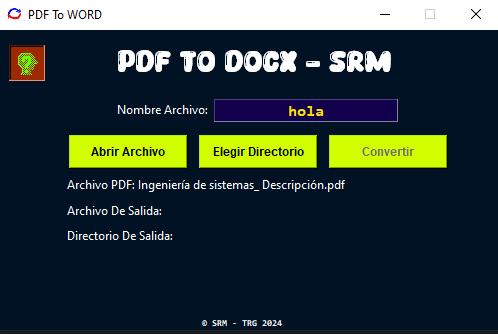
Imagen 4:
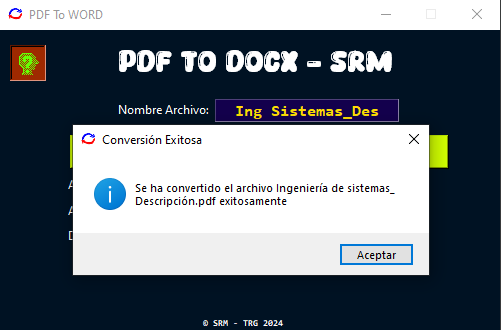
Imagen 5:

Imágenes pdftoword-V2.0.1
Imagen 1:
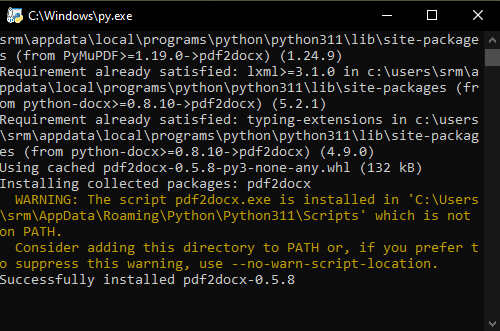
Imagen 2:
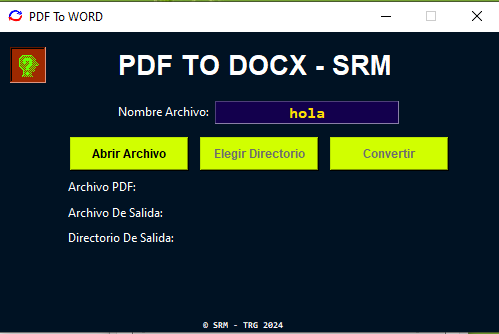
Imágenes pdftoword-V2.1.1
Imagen 1: Interfaz principal
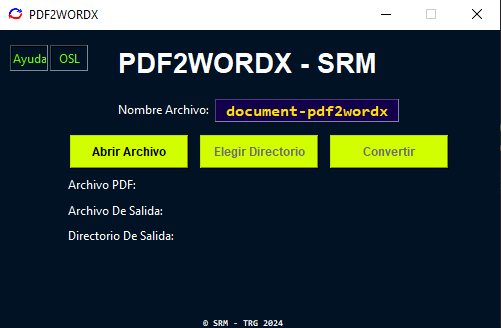
Imagen 2: Licencia de código abierto
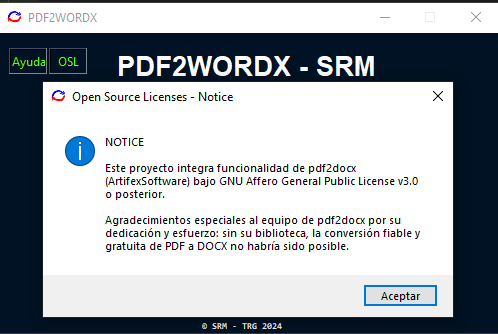
Imagen 3: Ayuda sobre como usar el programa
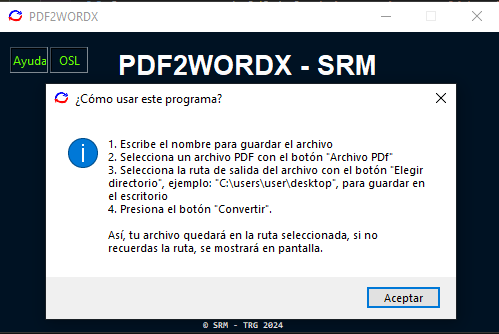
Uso local
- Clone el repositorio
git clone https://github.com/tutosrive/pdf2wordx.git
- Abra la carpeta que se clonó de GitHub (pdf2wordx) con su editor favorito
- (opcional): Cree un entorno virtual
python -m venv .venv
- Instale las dependencias
pip install -r requirements.txt
- Abra la consola de su editor y ejecute:
python ./src/pdf2wordx/_pdf2wordx.py
¿Tendrá actualizaciones?
Estaré subiendo en cuanto sea posible nuevas versiones del programa, con mejoras que tomaré por mi cuenta.

Releases
1 maintainer

Metadata
1 maintainer
Release files for pdf2wordx 2.1.2
For a detailed explanation of source distributions (sdists) and built distributions (wheels), please see the package formats documentation.
Source distribution (sdist)
| File | Size | Uploaded | Provenance | Actions |
|---|---|---|---|---|
| pdf2wordx-2.1.2.tar.gz | 108.2 kB | Without provenance | Details for pdf2wordx-2.1.2.tar.gz |
Built distribution (wheel)
| File | Interpreter | ABI | Platform | Actions Reset |
|---|---|---|---|---|
| pdf2wordx-2.1.2-py3-none-any.whl | Python 3 | none | any | Details for pdf2wordx-2.1.2-py3-none-any.whl |
Total release size: 214.2 kB
Release files / pdf2wordx-2.1.2.tar.gz
| Download URL | pdf2wordx-2.1.2.tar.gz |
|---|---|
| Size | 108.2 kB |
| Tags | Source |
|
SHA-256 checksum How to use checksums |
4c3c13292712c8f3c284e7dfb95e6a87d9eb22e150059b87caa669294443bcc7
|
|
BLAKE2b-256 checksum How to use checksums |
bad69300d5511c7f390d8f5fd65c7a652c57b7b2e5f8c77339ba803f27b12b5a
|
| Upload date | |
|
Uploaded using Trusted Publishing? What is trusted publishing? |
No |
| Uploaded via |
twine/6.1.0 CPython/3.12.8
|
Release files / pdf2wordx-2.1.2-py3-none-any.whl
| Download URL | pdf2wordx-2.1.2-py3-none-any.whl |
|---|---|
| Size | 106.0 kB |
| Tags | Python 3 |
|
SHA-256 checksum How to use checksums |
c3fa3396c79eefd82c520ce575784e8344a2413da3eec80e7c5c8f73546c14fd
|
|
BLAKE2b-256 checksum How to use checksums |
837f010a53d8c51072dd88780d943a47ae3b842ee02ee59074f1c01fe976583e
|
| Upload date | |
|
Uploaded using Trusted Publishing? What is trusted publishing? |
No |
| Uploaded via |
twine/6.1.0 CPython/3.12.8
|
Security for pdf2wordx 2.1.2
Provenance
Provenance describes where a file came from. On PyPI, provenance is shared via attestations, which provide a verifiable record of the build or publishing details. View details, limitations and caveats.
No provenance found
None of the files in this release were uploaded with provenance metadata.
A note on package security
PyPI is a repository for distributing packages, not a service for auditing them. While third-party security researchers and our staff do their best to detect and remove malicious packages, PyPI cannot guarantee the quality, security or suitability of any given package.
To learn more about protecting yourself from malicious actors, visit our package security documentation.














