
PDF-GPT
Have you ever tried to fix one of your coding problems but you found the process of slowly highlighting all text, copying it, pasting it into your LLM of choice, making minor edits with instructions, then doing that entire process for eery file you wish to address, just a little bit estrenuous? Now with PDF-GPT all you need to do is write six golden letters, pdfgpt, in your terminal and a .pdf file will magically appear right inside of your directory. All you have to do now is upload that .pdf file to your favorite LLM and save your precious seconds!
Disclaimer: I am not responsible for your beloved LLM messing up your program and/or hallucinating with solutions. PDF-GPT's PDFs work very well, it is your code that does not. If you decide to report your spaghetti code to the Issues tab, I may end up laughing at it, and if you're funny enough I'll print it out and tape it to my bedroom wall. So, if you're a comedian, please consider reporting your LLM's issues directly to the Issues tab.
Installation
To install PDF-GPT, simply run the following command into your terminal:
pip install pdfgpt-llm
Commands List
Commands
This project includes several terminal commands for managing the workflow and accessing information. To run them, simply type the command of your choice Below is a list of available commands:
| Command | Description |
|---|---|
pdfgpt |
Run this command to have your entire repository compiled into one simple .pdf file that will be stored in the directory! |
commandlist |
Displays a list of all available commands in the terminal. |
ignoreadd <FILENAME> |
Adds a file to the ignore list based on its filename. |
ignoreremove <FILENAME> |
Removes a file from the ignore list based on its filename. |
ignoreshow |
Shows the current contents of the ignore list in the terminal. |
lastupdate |
Displays information about the latest update. |
repository |
Prints the link to the GitHub repository for PDFGPT. Chances are if you're reading this, you probably know how that command works! |
Features Explained
Ignore List
The Ignore List essentially acts as a .gitignore, as any file name added to the list will be... ignored... by PDFGPT. Keep in mind they work off a filename basis so do not write down the file path as well.
Web devs, forgive me.
Demo Run
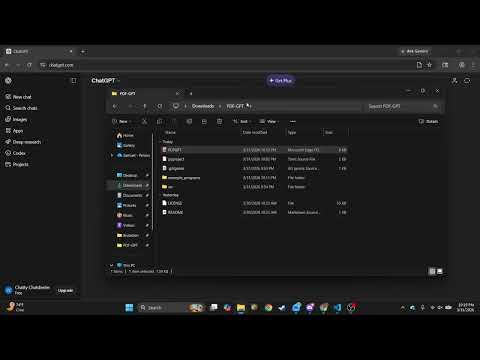
Here's a quick demo of me using a PDFGPT-created .pdf file to have ChatGPT fix issues that it may find across ten different programs from ten different languages! Keep in mind this was done BEFORE I added terminal accessibility, so instead of being ran through the terminal, the PDF was compiled by running PDFGPT.py.
1 maintainer

Metadata
1 maintainer
Release files for pdfgpt-llm 0.2.0
For a detailed explanation of source distributions (sdists) and built distributions (wheels), please see the package formats documentation.
Source distribution (sdist)
| File | Size | Uploaded | Provenance | |
|---|---|---|---|---|
| pdfgpt_llm-0.2.0.tar.gz | 42.5 kB | Without provenance | Details |
Built distribution (wheel)
| File | Interpreter | ABI | Platform | Reset |
|---|---|---|---|---|
| pdfgpt_llm-0.2.0-py3-none-any.whl | Python 3 | none | any | Details |
Total release size: 72.2 kB
Release files / pdfgpt_llm-0.2.0.tar.gz
| Download URL | pdfgpt_llm-0.2.0.tar.gz |
|---|---|
| Size | 42.5 kB |
| Tags | Source |
|
SHA-256 checksum How to use checksums |
7fea6de16bbe82a420fe1f2ea557e02ca68e99b3be75d5e94d07825b215d8350
|
|
BLAKE2b-256 checksum How to use checksums |
a693180d10863d49f815bbaf8edd0dd6fa11b36a652c7995e78f6462b9cb7485
|
| Upload date | |
|
Uploaded using Trusted Publishing? What is trusted publishing? |
No |
| Uploaded via |
twine/6.0.1 CPython/3.12.3
|
Release files / pdfgpt_llm-0.2.0-py3-none-any.whl
| Download URL | pdfgpt_llm-0.2.0-py3-none-any.whl |
|---|---|
| Size | 29.7 kB |
| Tags | Python 3 |
|
SHA-256 checksum How to use checksums |
cd52efda56d79b97e46e907a025465e434041b0adf2224694efe1cf616800ef3
|
|
BLAKE2b-256 checksum How to use checksums |
0acebb23f4be771ca731b9331d5b44529ac4a763997357390efe6de6c457727a
|
| Upload date | |
|
Uploaded using Trusted Publishing? What is trusted publishing? |
No |
| Uploaded via |
twine/6.0.1 CPython/3.12.3
|
Security for pdfgpt-llm 0.2.0
Provenance
Provenance describes where a file came from. On PyPI, provenance is shared via attestations, which provide a verifiable record of the build or publishing details. View details, limitations and caveats.
No provenance found
None of the files in this release were uploaded with provenance metadata.
A note on package security
PyPI is a repository for distributing packages, not a service for auditing them. While third-party security researchers and our staff do their best to detect and remove malicious packages, PyPI cannot guarantee the quality, security or suitability of any given package.














