
Shimmer — a shiny Pebble client
A 100% compatible, drop-in replacement for ops.pebble.Client that drives
Pebble through its CLI instead of
the unix socket — for environments where the socket isn't reachable (such as a
Rock or a Juju container).
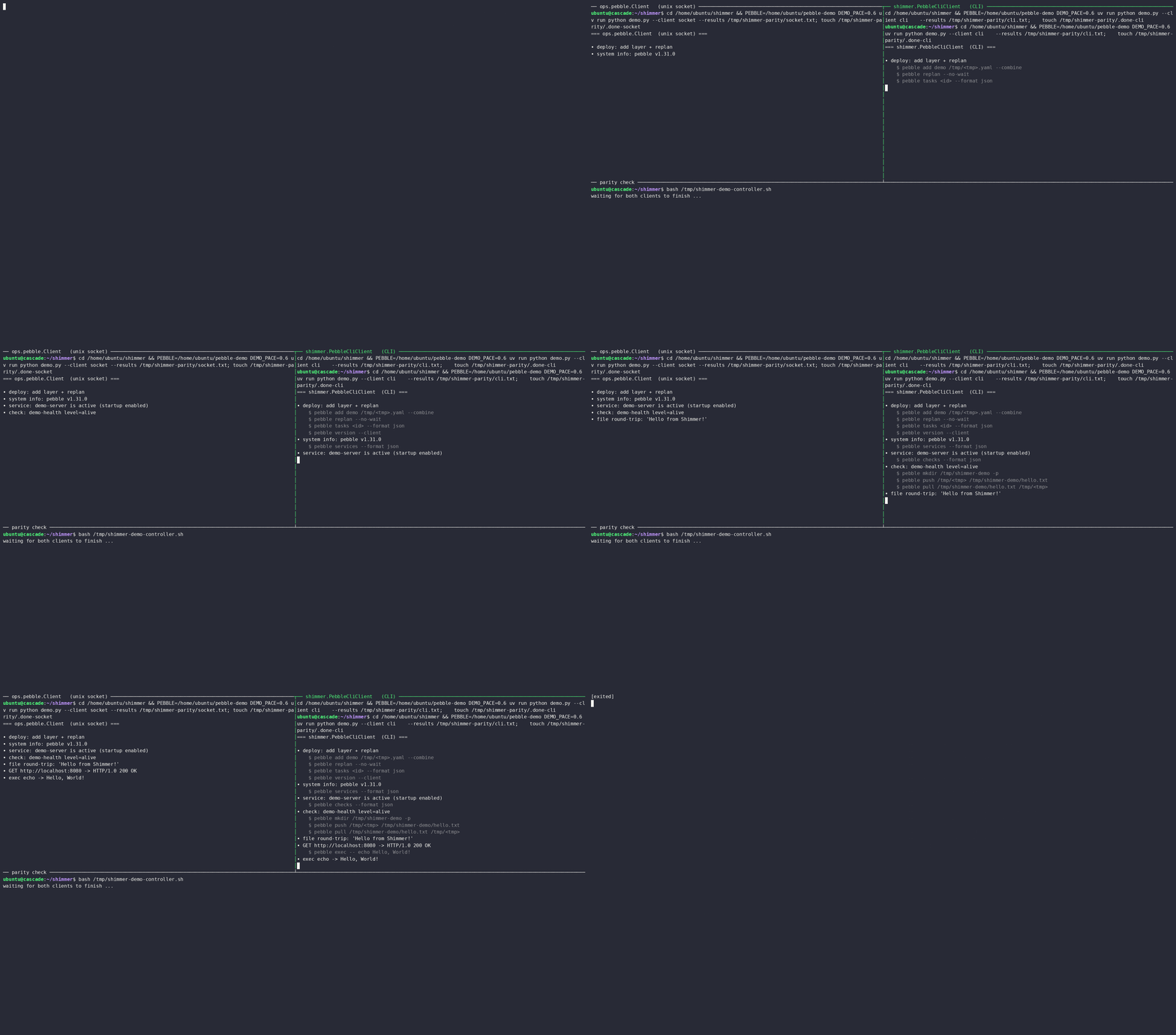
The same deploy-and-verify routine run over ops.pebble.Client (unix
socket, left) and shimmer.PebbleCliClient (CLI, right) — identical results.
Overview
PebbleCliClient implements the same interface as ops.pebble.Client: same
method signatures, same return types, same raised exceptions. Under the hood it
translates each call into a pebble CLI command, parses the output back into the
same Python objects ops returns, and maps CLI errors onto the matching
exceptions. The contract is parity — code written against ops.pebble.Client
should run unchanged against Shimmer.
Installation
# From PyPI
uv pip install pebble-shimmer

# Development version
git clone https://github.com/tonyandrewmeyer/shimmer
cd shimmer
uv pip install -e .
Usage
Construct the client, then use it exactly like ops.pebble.Client — the methods,
arguments, return types, and exceptions are the same:
from shimmer import PebbleCliClient as Client

client = Client()
client.replan_services()
for service in client.get_services():
    print(service.name, service.current.value)
The whole point is that there's nothing new to learn: the full method surface is
documented by ops.pebble.Client.
Swapping ops.pebble.Client for shimmer.PebbleCliClient is the only change.
The constructor is where Shimmer differs, since it talks to a binary rather than a socket:
client = Client(
    socket_path="/var/lib/pebble/default/.pebble.socket",  # sets PEBBLE / PEBBLE_SOCKET
    pebble_binary="/snap/bin/pebble",  # path to the pebble binary (default: "pebble")
    timeout=5.0,  # default per-command timeout in seconds
)
socket_path doesn't open a socket — it points Shimmer at the daemon by setting
PEBBLE (its parent directory) and PEBBLE_SOCKET for the CLI. For drop-in
parity the constructor also accepts opener and base_url, but those only
configure the socket transport, so Shimmer accepts and ignores them. The
ops.pebble exceptions are re-exported from shimmer for convenience, but they
are the same objects, so except ops.pebble.APIError keeps working too.
Demo and verification
The GIF above is a recording of demo.md — a
Showboat document that runs one
deploy-and-verify routine against the real socket client, then the same
code against Shimmer, and diffs the two outputs to prove they're identical.
It's reproducible:
uv run python demo.py            # rebuild demo.md (verifies parity live)
uv run python demo.py --record   # re-record demo.cast (needs tmux + asciinema)
agg demo.cast demo.gif           # regenerate the GIF from the cast
Parity is also exercised in CI by tests/integration/test_parity.py, which runs
the same operations through both clients and asserts equal results.
Limitations and parity notes
CLI invocation is the source of every limitation here — each call spawns a
pebble process, so there's more per-call overhead than the socket transport,
and some streaming is buffered rather than incremental.
A few methods can't fully match the socket client:
replan_services(),start_services(),stop_services(), andrestart_services()return the change ID only when no timeout is set.notify()supports custom notices only (Pebble's CLI only exposespebble notifyfor custom notices).abort_change()raisesNotImplementedError: the Pebble CLI exposes no command to abort a change, so there is no way to back this through the CLI.get_warnings()works by readingpebble warnings --format json(Pebble surfaces warnings as notices of typewarning) and mapping the result back toops.pebble.Warning, so it stays drop-in withops.pebble.Client.ack_warnings()still raisesNotImplementedError:pebble okayacks by local CLI state, not by timestamp, so ops's timestamp semantics cannot be reproduced.
get_system_info(), get_services(), get_checks(), list_files(),
get_changes(), get_change(), get_notices(), get_notice(),
get_warnings(), and get_identities() use Pebble's structured --format json output, so they return the same rich data as ops.pebble.Client (change
kind/tasks/err, check thresholds, real file ownership, local identity
user IDs). This requires Pebble v1.32.0 or later (which added --format to
pebble version).
Comparison with ops.pebble.Client
ops.pebble.Client |
PebbleCliClient |
|
|---|---|---|
| Transport | Unix socket | pebble CLI |
| Requires | Socket access | pebble binary |
| Performance | Higher | Moderate (per-call process spawn) |
| API | Native | 100% compatible |
Troubleshooting
Pebble binary not found — pass the full path:
Client(pebble_binary="/snap/bin/pebble").
Connection error — confirm the daemon is up and PEBBLE points at its home
directory (or pass socket_path=); check pebble version.
See the commands Shimmer runs — enable debug logging:
import logging
logging.basicConfig(level=logging.DEBUG)
More
- CONTRIBUTING.md — contribution guidelines
- CHANGELOG.md — version history
- Related: ops · pebble · juju · charmcraft · rockcraft
1 maintainer

Metadata
1 maintainer
Release files for pebble-shimmer 1.1.1
For a detailed explanation of source distributions (sdists) and built distributions (wheels), please see the package formats documentation.
Source distribution (sdist)
| File | Size | Uploaded | Provenance | |
|---|---|---|---|---|
| pebble_shimmer-1.1.1.tar.gz | 43.6 kB | With provenance | Details |
Built distribution (wheel)
| File | Interpreter | ABI | Platform | Reset |
|---|---|---|---|---|
| pebble_shimmer-1.1.1-py3-none-any.whl | Python 3 | none | any | Details |
Total release size: 66.4 kB
Release files / pebble_shimmer-1.1.1.tar.gz
| Download URL | pebble_shimmer-1.1.1.tar.gz |
|---|---|
| Size | 43.6 kB |
| Tags | Source |
|
SHA-256 checksum How to use checksums |
875aec9aeb8101b6e56c427d7a2858d1bf1dd6307b88e3fb8935ba2344bc4ccf
|
|
BLAKE2b-256 checksum How to use checksums |
411338e639eb2635ed9546de769bd4eb7fae3cc680be6e718128c208b72a4f10
|
| Upload date | |
|
Uploaded using Trusted Publishing? What is trusted publishing? |
Yes |
| Uploaded via |
twine/6.1.0 CPython/3.13.12
|
Provenance
Provenance describes where a file came from. On PyPI, provenance is shared via attestations, which provide a verifiable record of the build or publishing details. View details, limitations and caveats.


PyPI Publish Attestation
PyPI verified that this artifact, at this checksum, originated from the publisher listed below.
Signed by GitHub Actions, verified by PyPI on Jul 14, 2026.
Transparency logRelease files / pebble_shimmer-1.1.1-py3-none-any.whl
| Download URL | pebble_shimmer-1.1.1-py3-none-any.whl |
|---|---|
| Size | 22.7 kB |
| Tags | Python 3 |
|
SHA-256 checksum How to use checksums |
65eae7b8d6f9b9a57a0beff19bf21f73039100dff2563671bd1b18e1ba52bbe8
|
|
BLAKE2b-256 checksum How to use checksums |
b90e319008e5ac2ba07f8321adb0a3bdcf4b4029d90a83b117b294ac01172bcf
|
| Upload date | |
|
Uploaded using Trusted Publishing? What is trusted publishing? |
Yes |
| Uploaded via |
twine/6.1.0 CPython/3.13.12
|
Provenance
Provenance describes where a file came from. On PyPI, provenance is shared via attestations, which provide a verifiable record of the build or publishing details. View details, limitations and caveats.
PyPI Publish Attestation
PyPI verified that this artifact, at this checksum, originated from the publisher listed below.
Signed by GitHub Actions, verified by PyPI on Jul 14, 2026.
Transparency logSecurity for pebble-shimmer 1.1.1
Provenance
Provenance describes where a file came from. On PyPI, provenance is shared via attestations, which provide a verifiable record of the build or publishing details. View details, limitations and caveats.
Full provenance
All 2 files in this release have been uploaded with provenance metadata.
Attestation for pebble_shimmer-1.1.1.tar.gz
PyPI Publish Attestation
PyPI verified that this artifact, at this checksum, originated from the publisher listed below.
Signed by GitHub Actions, verified by PyPI on Jul 14, 2026.
Transparency logA note on package security
PyPI is a repository for distributing packages, not a service for auditing them. While third-party security researchers and our staff do their best to detect and remove malicious packages, PyPI cannot guarantee the quality, security or suitability of any given package.














