
A powerful and intuitive command-line video editor, built on FFmpeg.

Project description
FFmPEG-this


Your Editor within CLI
A powerful and user-friendly Python CLI tool for converting, manipulating, and inspecting media files using the power of FFmpeg. This tool provides a simple command-line menu to perform common audio and video tasks without needing to memorize complex FFmpeg commands.

Features at a Glance
| Category | Feature | Description |
|---|---|---|
| Inspect | Media Properties | View detailed codec, resolution, frame rate, bitrate, and stream information |
| Convert | Video Formats | Convert to MP4, MKV, MOV, AVI, WebM with quality presets (CRF 18/23/28) |
| Audio Formats | Convert to MP3 (128k-320k bitrate), FLAC, WAV | |
| GIF Creation | Convert video clips to animated GIFs with optimized palette | |
| Image Formats | Convert between JPG, PNG, WebP, BMP, TIFF with quality control | |
| Subtitles | AI Transcription | Generate subtitles using Whisper AI (7 model sizes available) |
| Sidecar Export | Save as .srt, .vtt, .txt, or .lrc files |
|
| Soft Subtitles | Embed toggleable subtitle track into video | |
| Hard Subtitles | Burn permanent subtitles directly into video | |
| Multi-language | Support for 99+ languages with auto-detection | |
| Edit | Trim/Cut | Extract video segments by start/end time (lossless, no re-encoding) |
| Visual Crop | Interactive GUI to select crop area on video/image | |
| Join/Concatenate | Merge multiple videos with automatic resolution matching | |
| Audio | Extract Audio | Rip audio track to MP3, FLAC, or WAV |
| Remove Audio | Create silent version of video (keeps video intact) | |
| Image | Resize | Scale images with aspect ratio preservation |
| Rotate | Rotate 90°, 180°, or 270° | |
| Flip | Flip horizontally or vertically | |
| Crop | Visual cropping with click-and-drag selection | |
| Batch | Batch Convert | Convert all media files in directory at once |
Detailed Feature Breakdown
Video Operations
| Operation | Input | Output | Method | Re-encoding |
|---|---|---|---|---|
| Convert | Any video | MP4, MKV, MOV, AVI, WebM | FFmpeg transcode | Yes (CRF quality) |
| Trim | Any video | Same format | Stream copy | No (lossless) |
| Crop | Any video | Same format | Visual selection + crop filter | Yes |
| Join | Multiple videos | Single MP4 | Concat filter + normalize | Yes |
| To GIF | Any video | Animated GIF | 2-pass palette optimization | Yes |
Audio Operations
| Operation | Input | Output | Notes |
|---|---|---|---|
| Extract | Video with audio | MP3, FLAC, WAV | Preserves original quality for FLAC/WAV |
| Remove | Video with audio | Silent video | Stream copy (fast, no re-encoding) |
| Convert | Audio file | MP3, FLAC, WAV | Bitrate selection for MP3 |
Subtitle Generation
| Model | Size | Speed | Accuracy | Languages |
|---|---|---|---|---|
tiny.en |
~75 MB | Fastest | Good | English only |
base.en |
~150 MB | Fast | Better | English only |
small.en |
~500 MB | Balanced | Great | English only |
medium.en |
~1.5 GB | Slower | Excellent | English only |
small |
~500 MB | Balanced | Great | 99+ languages |
medium |
~1.5 GB | Slower | Excellent | 99+ languages |
large-v3 |
~3 GB | Slowest | Best | 99+ languages |
Output Options:
| Type | File Extension | Description |
|---|---|---|
| Sidecar | .srt |
SubRip - most compatible format |
| Sidecar | .vtt |
WebVTT - for web/HTML5 players |
| Sidecar | .txt |
Plain text transcript |
| Sidecar | .lrc |
Lyrics format with timestamps |
| Soft Subs | .mp4/.mkv |
Embedded, toggleable in players |
| Hard Subs | .mp4/.mkv |
Burned in, always visible |
Image Operations
| Operation | Options | Notes |
|---|---|---|
| Convert | JPG, PNG, WebP, BMP, TIFF | Quality presets (95%, 80%, 60%) |
| Resize | Custom width/height | Use -1 to preserve aspect ratio |
| Rotate | 90° CW, 90° CCW, 180° | Lossless rotation |
| Flip | Horizontal, Vertical | Mirror image |
| Crop | Visual selection | Interactive GUI with preview |
Supported Formats
| Type | Supported Formats |
|---|---|
| Video Input | .mp4, .mkv, .avi, .mov, .webm, .flv, .wmv, .gif |
| Video Output | .mp4, .mkv, .mov, .avi, .webm, .gif |
| Audio Input | .mp3, .flac, .wav, .ogg, .aac, .m4a |
| Audio Output | .mp3, .flac, .wav |
| Image Input | .jpg, .jpeg, .png, .webp, .bmp, .tiff |
| Image Output | .jpg, .png, .webp, .bmp, .tiff |
| Subtitle Output | .srt, .vtt, .txt, .lrc |
Usage
Prerequisite: Install FFmpeg
[!NOTE]
peg_thisuses a library calledffmpeg-pythonwhich acts as a controller for the main FFmpeg program. It does not include FFmpeg itself. Therefore, you must have FFmpeg installed on your system and available in your terminal's PATH.
For macOS users, the easiest way to install it is with Homebrew:
brew install ffmpeg
For Windows users, you can use a package manager like Chocolatey or Scoop:
# Using Chocolatey
choco install ffmpeg

# Using Scoop
scoop install ffmpeg
For other systems, please see the official download page: ffmpeg.org/download.html
There are three ways to use peg_this:
1. Pip Install (Recommended)
This is the easiest way to get started. This will install the tool and all its dependencies.
pip install peg_this
Once installed, you can run the tool from your terminal:
peg_this
2. Download from Release
If you prefer not to install the package, you can download a pre-built executable from the Releases page.
- Download the executable for your operating system (Windows, macOS, or Linux).
- Place it in a directory with your media files.
- Run the executable directly from your terminal.
3. Run from Source
If you want to run the tool directly from the source code:
- Clone the repository:
git clone https://github.com/hariharen9/ffmpeg-this.git
cd ffmpeg-this
- Install dependencies:
pip install -r requirements.txt
- Run the tool:
python -m src.peg_this.peg_this
Subtitle Generation
The subtitle feature uses faster-whisper, a fast and accurate speech-to-text engine powered by OpenAI's Whisper model.
How it works
- Select a video file
- Choose "Generate Subtitles (Whisper)"
- Pick a model size (tiny to large-v3)
- Select processing mode (Fast or Accurate)
- Choose output type:
- Sidecar file: Export as
.srt,.vtt,.txt, or.lrc - Soft subtitles: Embed into video (can be toggled on/off in players)
- Hard subtitles: Burn into video (permanent, always visible)
- Sidecar file: Export as
Supported Languages
Using multilingual models (small, medium, large-v3), you can transcribe audio in 99+ languages including English, Spanish, French, German, Chinese, Japanese, Korean, Hindi, Arabic, and many more.
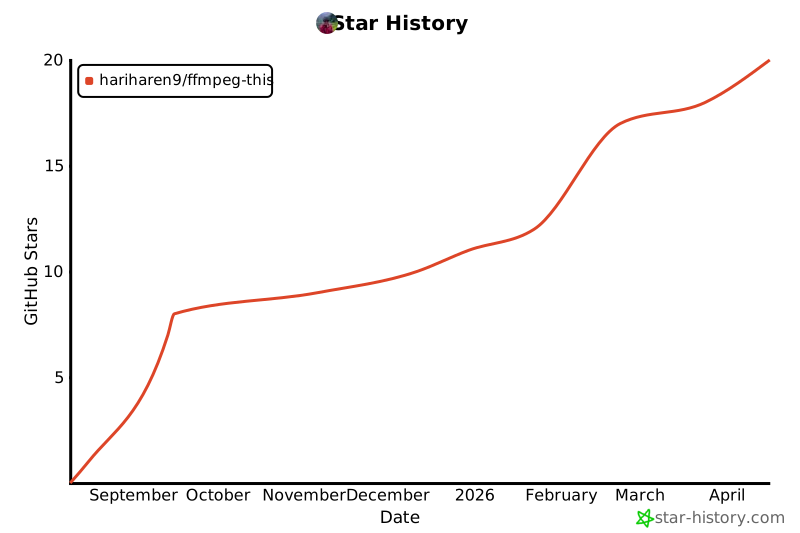
Star History
Sponsor


Contributors

Contributing
Contributions are welcome! Please see the Contributing Guidelines for more information.
License
This project is licensed under the MIT License. See the LICENSE file for details.
Made with ❤️ by Hariharen
Release history Release notifications | RSS feed


Download files
Download the file for your platform. If you're not sure which to choose, learn more about installing packages.
Source Distribution
Built Distribution
Filter files by name, interpreter, ABI, and platform.
If you're not sure about the file name format, learn more about wheel file names.
Copy a direct link to the current filters
File details
Details for the file peg_this-4.1.0.tar.gz.
File metadata
- Download URL: peg_this-4.1.0.tar.gz
- Upload date:
- Size: 26.7 kB
- Tags: Source
- Uploaded using Trusted Publishing? No
- Uploaded via: twine/6.1.0 CPython/3.13.7
File hashes
| Algorithm | Hash digest | |
|---|---|---|
| SHA256 |
134d70745ae2e09a270ecc3c5b0710d78286b6a8f1f0f29beb8c4026d1e9a611
|
|
| MD5 |
b1e29a291537aa4dc42240b518c478b3
|
|
| BLAKE2b-256 |
3e8bd93245e7d9fd80f04201205b06640ff4feb6b395356e03f725eac44789a4
|
File details
Details for the file peg_this-4.1.0-py3-none-any.whl.
File metadata
- Download URL: peg_this-4.1.0-py3-none-any.whl
- Upload date:
- Size: 28.8 kB
- Tags: Python 3
- Uploaded using Trusted Publishing? No
- Uploaded via: twine/6.1.0 CPython/3.13.7
File hashes
| Algorithm | Hash digest | |
|---|---|---|
| SHA256 |
a67b5951720c0d89105caed02b62cd467da58b84db0bef4b8414c7452c615002
|
|
| MD5 |
12520863bc950aa6a7ac183ab66bf9ee
|
|
| BLAKE2b-256 |
8a45821bfc4d0b3413aa3eec5989e7e67e53e558533f6a65bb9ee294c5195b2e
|






