
Website accessibility widget for improving WCAG 2.0, 2.1, 2.2 and ADA compliance!

Project description
All in One Accessibility®
Enhance Your Website's Accessibility with All in One Accessibility®
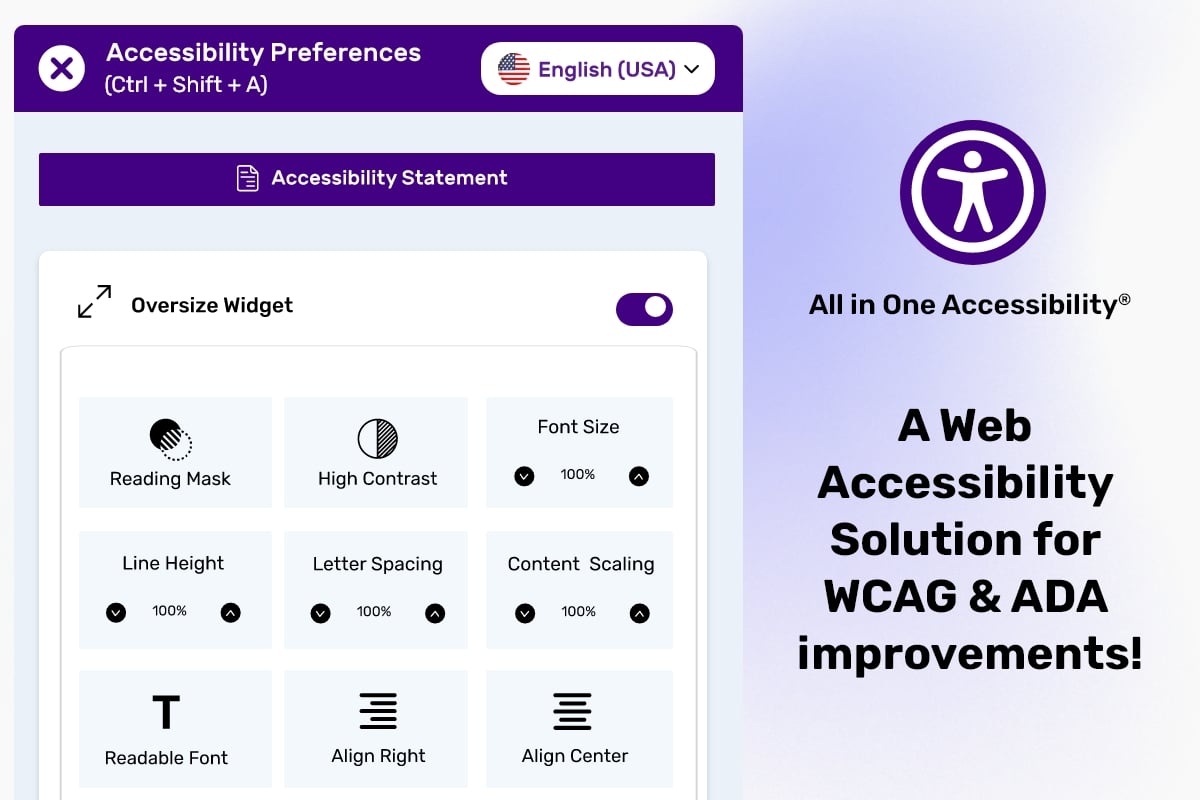
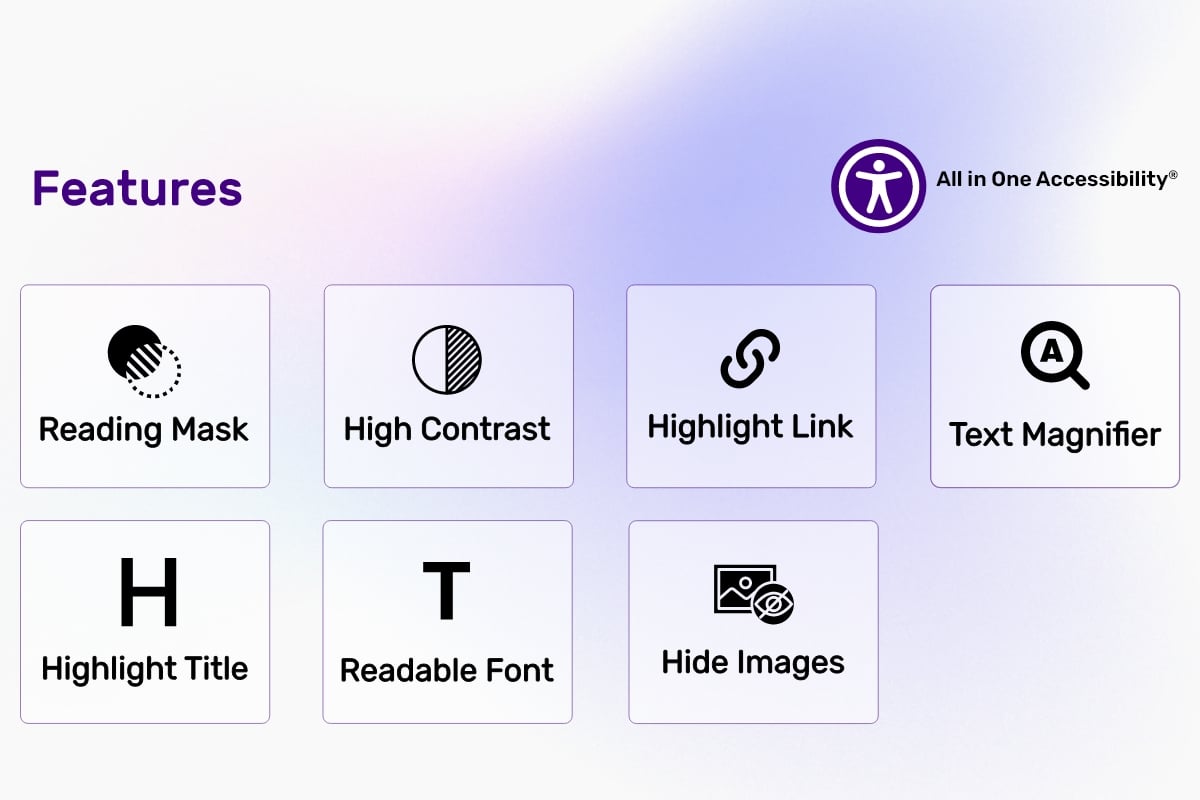
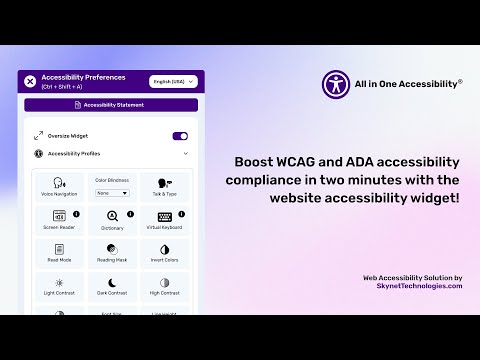
Did you know? Your website's accessibility can make or break your audience's experience. With the All in One Accessibility AI Free Accessibility Widget, you can instantly boost your site's inclusivity and support over 140+ languages! Experience the power of 23 essential features in our free version and take the first step towards creating a better web for everyone.
Why All in One Accessibility®?
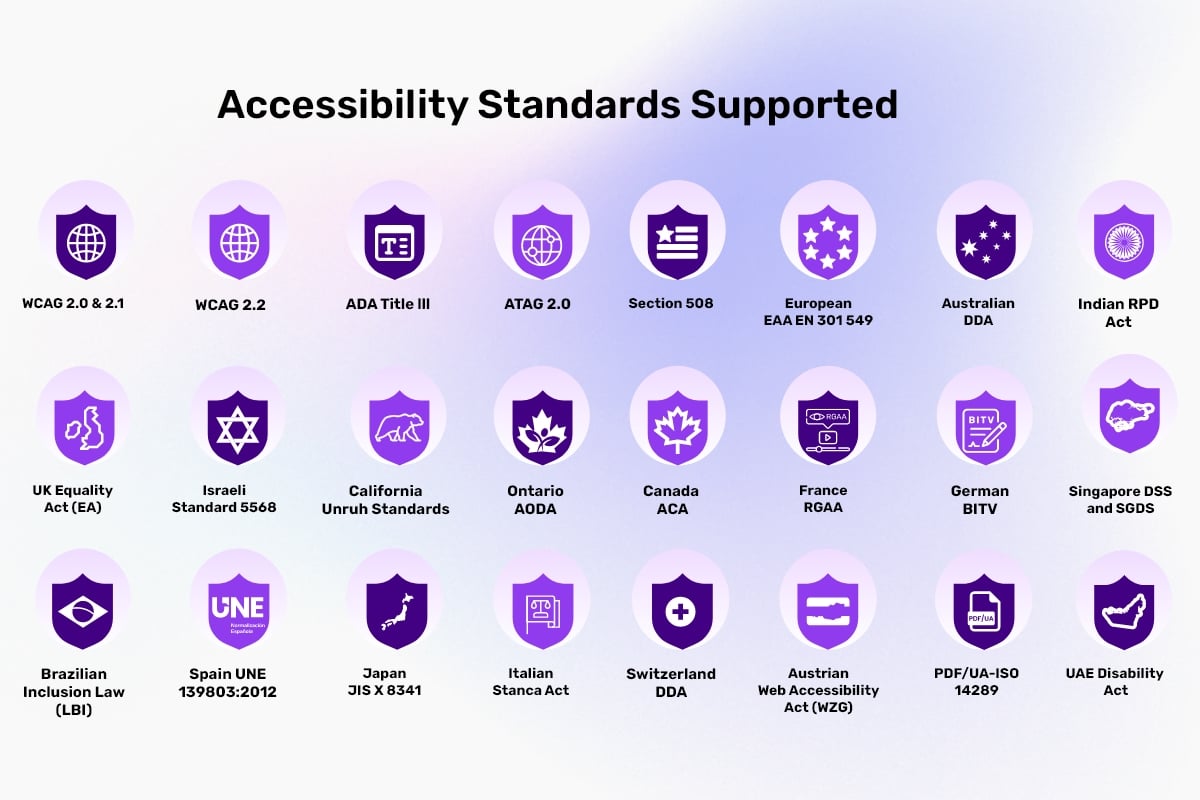
This lightweight and flexible widget is designed to improve your website’s compliance with international accessibility standards, including:
International Standards
- WCAG 2.0, 2.1, & 2.2 (Web Content Accessibility Guidelines)
- ATAG 2.0 (Authoring Tool Accessibility Guidelines)
- PDF/UA – ISO 14289 (Accessible PDF Format)
United States
- ADA (Americans with Disabilities Act)
- ADA Title III Website Accessibility
- Section 508 (U.S. Government Standard)
- California Unruh Civil Rights Act
- Texas Website Accessibility Compliance
- Florida Website Compliance
- Colorado Accessibility Law
- Kentucky Web Accessibility
- New York State Web Accessibility Policy
- Arizona ADA Compliance
- Connecticut ADA Web Accessibility
- Indiana Digital Accessibility
- Nevada ADA Compliance Requirements
- Georgia Website ADA Compliance
- Ohio ADA Compliance
- Michigan ADA Compliance
- Virginia Web Accessibility Legislation
- Kansas ADA Compliance
- Washington State ADA Compliance
Canada
- AODA (Accessibility for Ontarians with Disabilities Act)
- ACA (Accessible Canada Act)
United Kingdom
- UK Equality Act (EA)
European Union
- EAA / EN 301 549 Accessibility
- EN 301 549 v4.1.1
France
- RGAA (Référentiel Général d’Amélioration de l’Accessibilité)
Germany
- BITV (Barrierefreie-Informationstechnik-Verordnung)
Italy
- Italian Stanca Act
Spain
- UNE 139803:2012
Austria
- WZG (Austrian Web Accessibility Act)
Switzerland
- Swiss Disability Discrimination Act (DDA)
Sweden
- Swedish Discrimination Act (2008:567)
Israel
- IS 5568 (Israeli Standard)
Australia
- Australian DDA (Disability Discrimination Act)
India
- RPD Act (Rights of Persons with Disabilities Act)
- GIGW 3.0 (Guidelines for Indian Government Websites)
Brazil
- LBI 13.146/2015 (Brazilian Inclusion Law)
Mexico
- ADA-Inspired Web Accessibility Compliance
Japan
- JIS X 8341
South Korea
- KWCAG 2.1 (Korean Web Content Accessibility Guidelines)
Singapore
- DSS and SGDS (Design System and Digital Standards)
Malaysia
- PWD Act 2008 (Persons with Disabilities Act)
Thailand
- PDA 2013 (Persons with Disabilities Empowerment Act)
United Arab Emirates
- UAE Disability Act (Federal Law No. 29 of 2006)
For more details on supported accessibility laws and standards, visit
All in One Accessibility Supported Standards
By implementing the widget, you’re not only enhancing user experience but also minimizing the risk of costly accessibility lawsuits. For more details, visit All in One Accessibility®.
Built for Excellence
- Adheres to ISO 9001:2015 & ISO 27001:2013 standards.
- Fully compliant with GDPR and COPPA regulations.
- Proud member of W3C and the International Association of Accessibility Professionals (IAAP).
Upgrade to Unlock Premium Features
Why stop at 23 features? Unlock over 70+ advanced features with our paid subscription and take your website’s accessibility to the next level. Compare the benefits of Free vs. Paid versions here.
Checkout the steps for upgrading Free to Paid Widget Upgrade Steps.
Start Your Accessibility Journey Today
Try it risk-free with our 10-day free trial! Don’t wait, experience the benefits today. Click to get started and join a growing community of forward-thinking businesses making the web accessible to everyone.
Your website’s accessibility journey begins here. Make an impact.
For more details, visit All in One Accessibility® and transform your digital presence.
Supported Languages (140+ Languages)
English (USA), English (UK), English (Australian), English (Canadian), English (South Africa), Español, Español (Mexicano), Deutsch, عربى, Português, Português (Brazil), 日本語, Français, Italiano, Polski, Pусский, 中文, 中文 (Traditional), עִברִית, Magyar, Slovenčina, Suomenkieli, Türkçe, Ελληνικά, Latinus, Български, Català, Čeština, Dansk, Nederlands, हिंदी, Bahasa Indonesia, 한국인, Lietuvių, Bahasa Melayu, Norsk, Română, Slovenščina, Svenska, แบบไทย, Українська, Việt Nam, বাঙালি, සිංහල, አማርኛ, Hmoob, မြန်မာ, Eesti keel, latviešu, Cрпски, Hrvatski, ქართული, ʻŌlelo Hawaiʻi, Cymraeg, Cebuano, Samoa, Kreyòl ayisyen, Føroyskt, Crnogorski, Azerbaijani, Euskara, Tagalog, Galego, Norsk Bokmål, فارسی, ਪੰਜਾਬੀ, shqiptare, Hայերեն, অসমীয়া, Aymara, Bamanankan, беларускі, bosanski, Corsu, ދިވެހި, Esperanto, Eʋegbe, Frisian, guarani, ગુજરાતી, Hausa, íslenskur, Igbo, Gaeilge, basa jawa, ಕನ್ನಡ, қазақ, ខ្មែរ, Kinyarwanda, Kurdî, Кыргызча, ພາສາລາວ, Lingala, Luganda, lëtzebuergesch, македонски, Malagasy, മലയാളം, Malti, Maori, मराठी, Монгол, नेपाली, Sea, ଓଡିଆ, Afaan Oromoo, پښتو, Runasimi, संस्कृत, Gàidhlig na h-Alba, Sesotho, Shona, سنڌي, Soomaali, basa Sunda, kiswahili, тоҷикӣ, தமிழ், Татар, తెలుగు, ትግሪኛ, Tsonga, Türkmenler, Ride, اردو, ئۇيغۇر, o'zbek, isiXhosa, יידיש, Yoruba, Zulu, भोजपुरी, डोगरी, कोंकणी, Kurdî, Krio, मैथिली, Meiteilon, Mizo tawng, Sepedi, Ilocano, دری.
Installation
You can install the plugin using pip:
pip install pelican-all-in-one-accessibility
Configuration
Add Configuration Settings
To enable the plugin, you must add configuration settings to your pelicanconf.py.
Here is an example config:
ACCESSIBILITY_WIDGET_ENABLE = True

WIDGET_COLOR_CODE = "#420083"
WIDGET_ICON_SIZE = "aioa-default-icon"
WIDGET_POSITION = "bottom_right"
WIDGET_ICON_TYPE = "aioa-icon-type-1"

WIDGET_SIZE = "regular"
ENABLE_WIDGET_CUSTOM_POSITION = False
WIDGET_POSITION_RIGHT = "to_the_left"
WIDGET_POSITION_RIGHT_PX = 20
WIDGET_POSITION_BOTTOM = "to_the_bottom"
WIDGET_POSITION_BOTTOM_PX = 20
ENABLE_WIDGET_CUSTOM_SIZE = False
WIDGET_ICON_SIZE_CUSTOM = 50
Configuration Reference
| Setting | Description |
|---|---|
ACCESSIBILITY_WIDGET_ENABLE |
Enable or disable the widget settings (true / false) |
WIDGET_COLOR_CODE |
Hex color code for the widget icon (e.g. #420083) |
WIDGET_ICON_SIZE |
Predefined icon size class (e.g. aioa-default-icon) |
WIDGET_POSITION |
Where to place the icon (bottom_right, top_left, etc.) |
WIDGET_ICON_TYPE |
Widget icon type (e.g. aioa-icon-type-1) |
WIDGET_SIZE |
Widget size option (oversize or regular) |
ENABLE_WIDGET_CUSTOM_POSITION |
Enable manual icon positioning (true / false) |
WIDGET_POSITION_RIGHT |
Horizontal alignment (to_the_left or to_the_right) |
WIDGET_POSITION_RIGHT_PX |
Horizontal offset in pixels |
WIDGET_POSITION_BOTTOM |
Vertical alignment (to_the_bottom or to_the_top) |
WIDGET_POSITION_BOTTOM_PX |
Vertical offset in pixels |
ENABLE_WIDGET_CUSTOM_SIZE |
Enable custom icon size (true / false) |
WIDGET_ICON_SIZE_CUSTOM |
Custom size value (e.g. 50) |
Config Validation
Required Fields
These fields are mandatory when:
ACCESSIBILITY_WIDGET_ENABLE = True
You must define the following in your pelicanconf.py:
WIDGET_COLOR_CODEWIDGET_ICON_SIZEWIDGET_POSITIONWIDGET_ICON_TYPE
Configuration Options
Use the following valid values when setting the fields below in your pelicanconf.py file:
Set the widget icon color using a valid hex color code. Example:
WIDGET_COLOR_CODE = "#420083"
Choose one of the predefined icon size classes:
aioa-extra-small-icon, aioa-small-icon, aioa-default-icon, aioa-medium-icon, aioa-big-icon
Example:
WIDGET_ICON_SIZE = "aioa-default-icon"
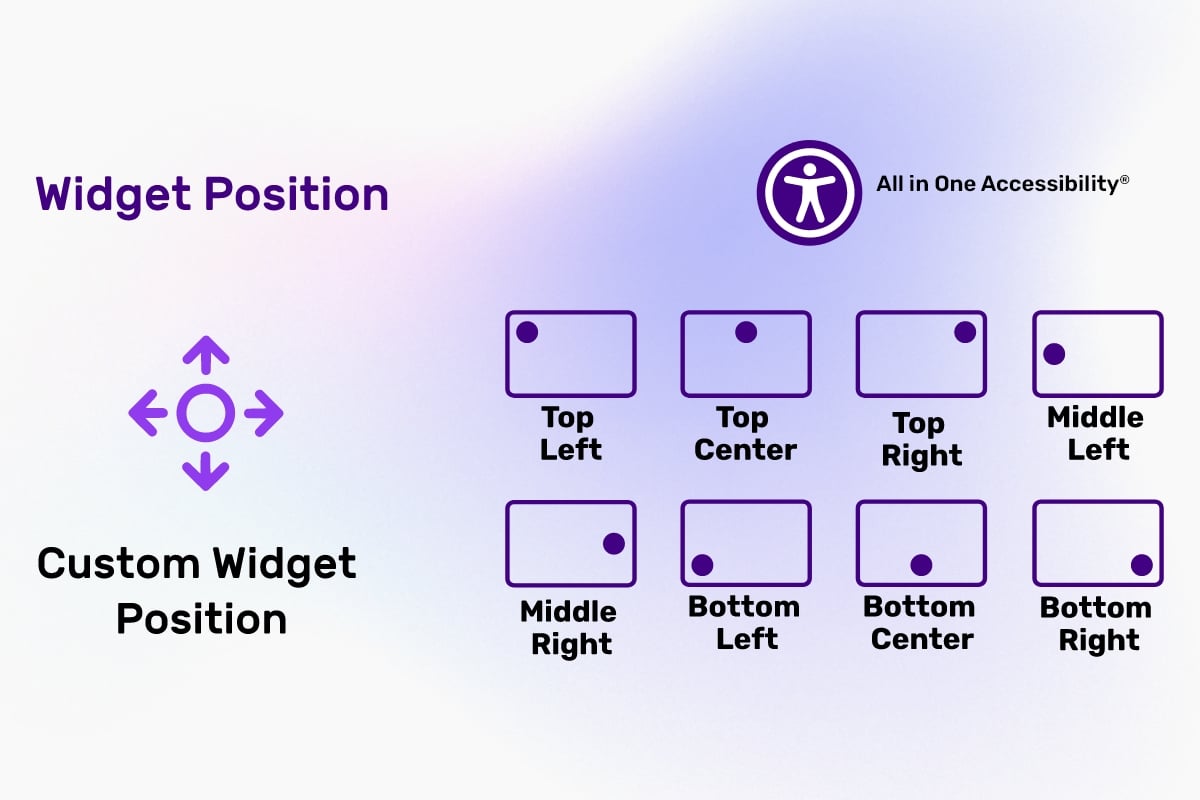
Choose a position for the icon:
top_left, top_center, top_right, middle_left, middle_center, middle_right, bottom_left, bottom_right
Example:
WIDGET_POSITION = "bottom_right"
Choose a widget icon type:
aioa-icon-type-1, aioa-icon-type-2, ..., aioa-icon-type-29
Example:
WIDGET_ICON_TYPE = "aioa-icon-type-1"
Set the SITEURL
Make sure your SITEURL setting is properly configured in pelicanconf.py:
SITEURL = "https://yoursite.com"
Template Integration
To render the widget on your pelican site, use the Jinja2 global accessibility_widget_script in your base template:
<footer>
{{ accessibility_widget_script|safe }}
</footer>
Start the Pelican Server
Once your configuration is complete, start Pelican normally:
pelican content
run a development server:
pelican --listen
CORS Policy Configuration
To avoid CORS policy issues, ensure the following URLs are allowed in your website. These URLs should be added to your CORS configuration or trusted domains list.
| Domain | Description | Usage |
|---|---|---|
https://*.skynettechnologies.com |
Skynet Technologies (Global Domain) | API access and resources |
https://*.skynettechnologies.us |
Skynet Technologies (US Domain) | API access and resources |
https://*.googleapis.com |
Google APIs | Services like Fonts, Translation |
https://*.gstatic.com |
Fonts APIs | Custom Fonts |
https://vlibras.gov.br |
VLibras - Brazilian Sign Language Service | Sign Language |
Instructions
- Update your server's CORS configuration to include these URLs.
- Ensure wildcard subdomains (
*) are supported where necessary. - Verify the application functionality by testing requests to these domains.
- If issues persist, consult the documentation for CORS configuration guidance.
Configuration
To configure the widget, access the Admin Panel and head to the All in One Accessibility menu in the dashboard. From there, you can register here with 10 Days free trial.
Documentation
Submit a Support Request
Please visit our support page and fill out the form. Our team will get back to you as soon as possible.
Send Us an Email
Alternatively, you can send an email to our support team: hello@skynettechnologies.com
Accessibility Paid Add-on Services
Manual Accessibility Audit Report
Enhance inclusivity and user experience by evaluating your website’s accessibility by accessibility experts. WCAG 2.0 / WCAG 2.1 / WCAG 2.2 Level AA conformance testing. Automated, semi-automated testing. Manual testing. Simple before-after UI/UX recommendations on how to fix the issues. Comprehensive audit report.
Manual Accessibility Remediation
Enhance website accessibility and inclusivity with our Manual Accessibility Remediation add-on. This service includes fixing accessibility issues and thorough remediation of your website manually. Our experts ensure accessibility with WCAG standards, improve user experience for those with disabilities, and provide a detailed report on the improvements made.
PDF/Document Accessibility Remediation
The PDF / Document Remediation provides a list of inaccessible PDFs and remediated PDFs from where you can request PDF remediation service.
VPAT Report/Accessibility Conformance Report(ACR)
The Voluntary Product Accessibility Template (VPAT), also known as an ACR (Accessibility Conformance Report) starts with an audit and provides current details for an accessible website, application, or any other digital assets.
Accessibility Widget Paid Add-ons
White Label
Remove the Skynet technologies logo as well as all of the footer links, popups, report a problem link and more for full white label control.
Live Site Translations
Translate your site into over 140 languages instantly to enhance accessibility for non-native speakers, individuals with language acquisition difficulties, and those with learning disabilities.
Modify Accessibility Menu
Build and fine-tune your widget with the Modify Menu option. Reorder, remove and restructure the widget buttons to fit your users’ specific accessibility needs.
Accessibility Partnership Opportunities
Agencies Partnership
Partner with us as an agency to provide comprehensive accessibility solutions to your clients. Get access to exclusive resources, training, and support to help you implement and manage accessibility features effectively.
Affiliated Partnership
Join our affiliate program and earn commissions by promoting All in One Accessibility®. Share our Widget with your network and help businesses improve their website accessibility while generating revenue.
For more details, Please visit Partnership Opportunities Page
Screenshots
Video
Credits
This addon is developed and maintained by Skynet Technologies USA LLC
Current Maintainers
License
MIT © Skynet Technologies USA LLC
Release history Release notifications | RSS feed

Download files
Download the file for your platform. If you're not sure which to choose, learn more about installing packages.
Source Distribution
Built Distribution
Filter files by name, interpreter, ABI, and platform.
If you're not sure about the file name format, learn more about wheel file names.
Copy a direct link to the current filters
File details
Details for the file pelican_all_in_one_accessibility-1.0.0.tar.gz.
File metadata
- Download URL: pelican_all_in_one_accessibility-1.0.0.tar.gz
- Upload date:
- Size: 17.0 kB
- Tags: Source
- Uploaded using Trusted Publishing? No
- Uploaded via: twine/6.1.0 CPython/3.11.7
File hashes
| Algorithm | Hash digest | |
|---|---|---|
| SHA256 |
8c0189c381e05b941ce3678509af563153a409861dd68f0b4ba7f9e2943e1008
|
|
| MD5 |
7661e2663a076dc83146d2814bbc0602
|
|
| BLAKE2b-256 |
6fe483d2ce76c3fb8208c1446feaaa29fe8b291b595ef029b993eed7413cfa31
|
File details
Details for the file pelican_all_in_one_accessibility-1.0.0-py3-none-any.whl.
File metadata
- Download URL: pelican_all_in_one_accessibility-1.0.0-py3-none-any.whl
- Upload date:
- Size: 10.4 kB
- Tags: Python 3
- Uploaded using Trusted Publishing? No
- Uploaded via: twine/6.1.0 CPython/3.11.7
File hashes
| Algorithm | Hash digest | |
|---|---|---|
| SHA256 |
c805627104db699cb72e42e7ad0e8e03d6b844be7d75a41152e4f50dfb8434fe
|
|
| MD5 |
2c66ef5ee3538067fdefa58b36b4a370
|
|
| BLAKE2b-256 |
a3ad1ca6e29d56e558afc2773a5d701e5f8e65526916412d8e28b4c133f88e81
|






