
Perplexity MCP Server

Project description
Perplexity MCP server
A Model Context Protocol (MCP) server that provides web search functionality using Perplexity AI's API. Works with the Anthropic Claude desktop client.
Example
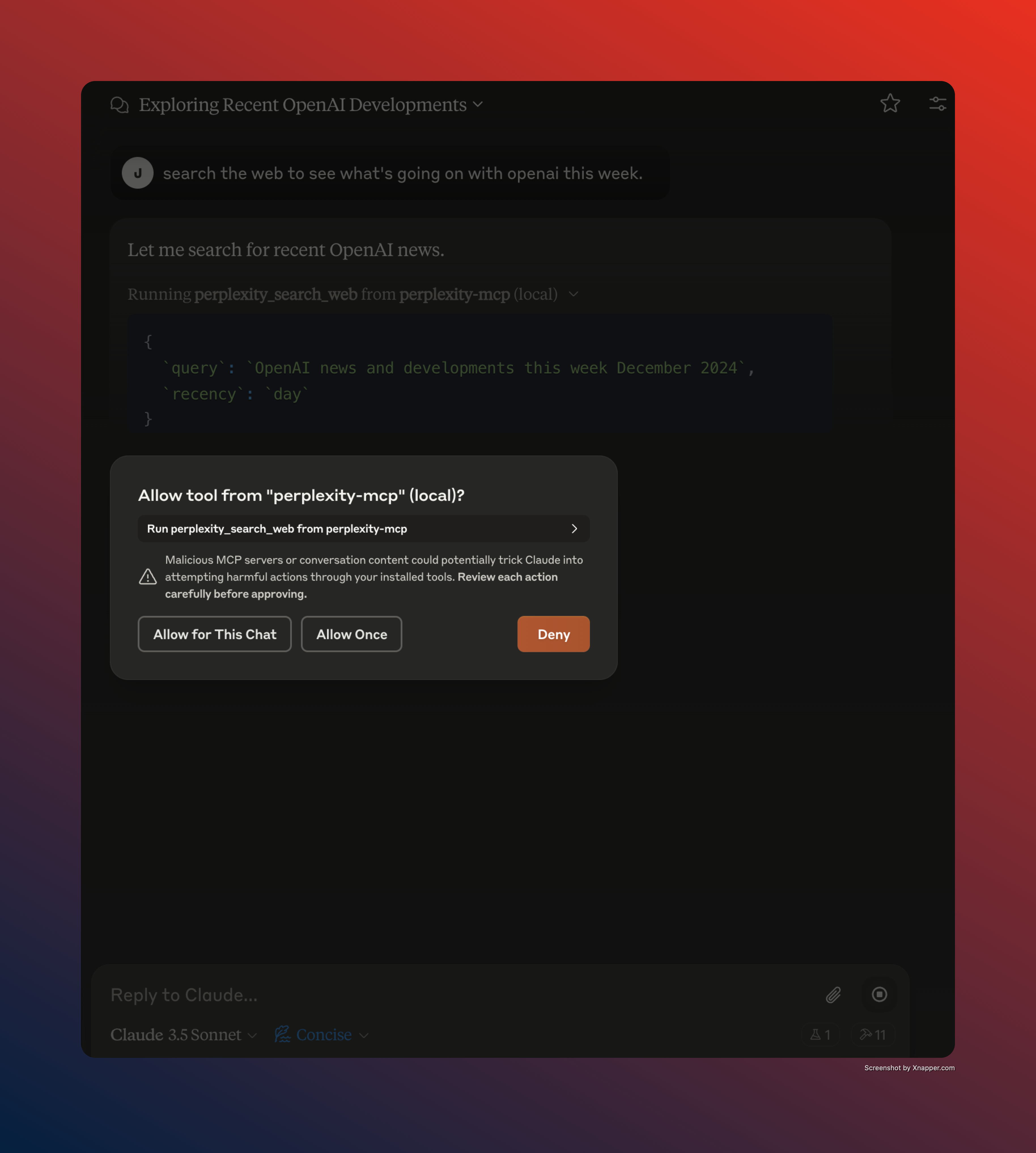
Let's you use prompts like, "Search the web to find out what's new at Anthropic in the past week."
Components
Prompts
The server provides a single prompt:
- perplexity_search_web: Search the web using Perplexity AI
- Required "query" argument for the search query
- Optional "recency" argument to filter results by time period:
- 'day': last 24 hours
- 'week': last 7 days
- 'month': last 30 days (default)
- 'year': last 365 days
- Uses Perplexity's API to perform web searches
Tools
The server implements one tool:
- perplexity_search_web: Search the web using Perplexity AI
- Takes "query" as a required string argument
- Optional "recency" parameter to filter results (day/week/month/year)
- Returns search results from Perplexity's API
Installation
Requires UV (Fast Python package and project manager)
If uv isn't installed.
# Using Homebrew on macOS
brew install uv
or
# On macOS and Linux.
curl -LsSf https://astral.sh/uv/install.sh | sh

# On Windows.
powershell -ExecutionPolicy ByPass -c "irm https://astral.sh/uv/install.ps1 | iex"
Next, install the MCP server
# Install from PyPi
uv pip install perplexity-mcp-server
or
# Install from source
uv pip install git+https://github.com/felores/perplexity-mcp-server.git
Environment Variables
The following environment variable is required in your claude_desktop_config.json. You can obtain an API key from Perplexity
PERPLEXITY_API_KEY: Your Perplexity AI API key
Claude Desktop
Add this tool as a mcp server by editing the Claude config file.
On MacOS: ~/Library/Application\ Support/Claude/claude_desktop_config.json
On Windows: %APPDATA%/Claude/claude_desktop_config.json
  "perplexity-mcp": {
    "env": {
      "PERPLEXITY_API_KEY": "XXXXXXXXXXXXXXXXXXXX",
      "PERPLEXITY_MODEL": "sonar"
    },
    "command": "uv",
    "args": [
      "run",
      "perplexity-mcp-server"
    ]
  }
Available models:
sonar: Standard model with 127k context lengthsonar-pro: Advanced model with 200k context lengthsonar-reasoning: Model that includes Chain of Thought reasoning (127k context)
If no model is specified, defaults to sonar.
To verify the server is working. Open the Claude client and use a prompt like "search the web for news about openai in the past week". You should see an alert box open to confirm tool usage. Click "Allow for this chat".
Release history Release notifications | RSS feed


Download files
Download the file for your platform. If you're not sure which to choose, learn more about installing packages.
Source Distribution
Built Distribution
Filter files by name, interpreter, ABI, and platform.
If you're not sure about the file name format, learn more about wheel file names.
Copy a direct link to the current filters
File details
Details for the file perplexity_mcp_server-0.1.4.tar.gz.
File metadata
- Download URL: perplexity_mcp_server-0.1.4.tar.gz
- Upload date:
- Size: 103.4 kB
- Tags: Source
- Uploaded using Trusted Publishing? No
- Uploaded via: twine/6.1.0 CPython/3.11.9
File hashes
| Algorithm | Hash digest | |
|---|---|---|
| SHA256 |
f7095f557b5743d471f958c838be55a805efd58fe09bda96ac1dd9c6acb0939b
|
|
| MD5 |
23c53d4b5c07e0564b9e68557feeeda5
|
|
| BLAKE2b-256 |
f71e0398b5fb0f9ff41e4a467ef3bf6a9b93ea255b47e64dbdb061cd0a3267a9
|
File details
Details for the file perplexity_mcp_server-0.1.4-py3-none-any.whl.
File metadata
- Download URL: perplexity_mcp_server-0.1.4-py3-none-any.whl
- Upload date:
- Size: 5.8 kB
- Tags: Python 3
- Uploaded using Trusted Publishing? No
- Uploaded via: twine/6.1.0 CPython/3.11.9
File hashes
| Algorithm | Hash digest | |
|---|---|---|
| SHA256 |
580baaae14a19e5b955a23444531e16732e3b7362af2f8c02252a00b064d9416
|
|
| MD5 |
096d8b02a27387ca4c6c20add66bb320
|
|
| BLAKE2b-256 |
7f84097ca6d88ca55e5a8039e3500f9ddc8c994404dffaa02d0f7fea18356312
|






