
Pyqtgraph live plot

Project description
Live pyqtgraph plot
Pglive package adds support for thread-safe live plotting to pyqtgraph.
It supports PyQt5, PyQt6, PySide2 and PySide6.
Description
By default, pyqtgraph doesn't support live plotting. Aim of this package is to provide easy implementation of Line,
Scatter and Bar Live plot. Every plot is connected with it's DataConnector, which sole purpose is to consume data points
and manage data re-plotting. DataConnector interface provides Pause and Resume method, update rate and maximum number of
plotted points. Each time data point is collected, call DataConnector.cb_set_data
or DataConnector.cb_append_data_point callback. That's all You need to update plot with new data. Callbacks are Thread
safe, so it works nicely in applications with multiple data collection Threads.
Focus on data collection and leave plotting to pglive.
To make firsts steps easy, package comes with many examples implemented in PyQt5 or PyQt6. Support for PySide2 and PySide6 was added in version 0.3.0.
Code examples
import sys
from math import sin
from threading import Thread
from time import sleep

from PyQt6.QtWidgets import QApplication

from pglive.sources.data_connector import DataConnector
from pglive.sources.live_plot import LiveLinePlot
from pglive.sources.live_plot_widget import LivePlotWidget

"""
Line plot is displayed in this example.
"""
app = QApplication(sys.argv)
running = True

plot_widget = LivePlotWidget(title="Line Plot @ 100Hz")
plot_curve = LiveLinePlot()
plot_widget.addItem(plot_curve)
# DataConnector holding 600 points and plots @ 100Hz
data_connector = DataConnector(plot_curve, max_points=600, update_rate=100)


def sin_wave_generator(connector):
    """Sine wave generator"""
    x = 0
    while running:
        x += 1
        data_point = sin(x * 0.01)
        # Callback to plot new data point
        connector.cb_append_data_point(data_point, x)

        sleep(0.01)


plot_widget.show()
Thread(target=sin_wave_generator, args=(data_connector,)).start()
app.exec()
running = False
Output:
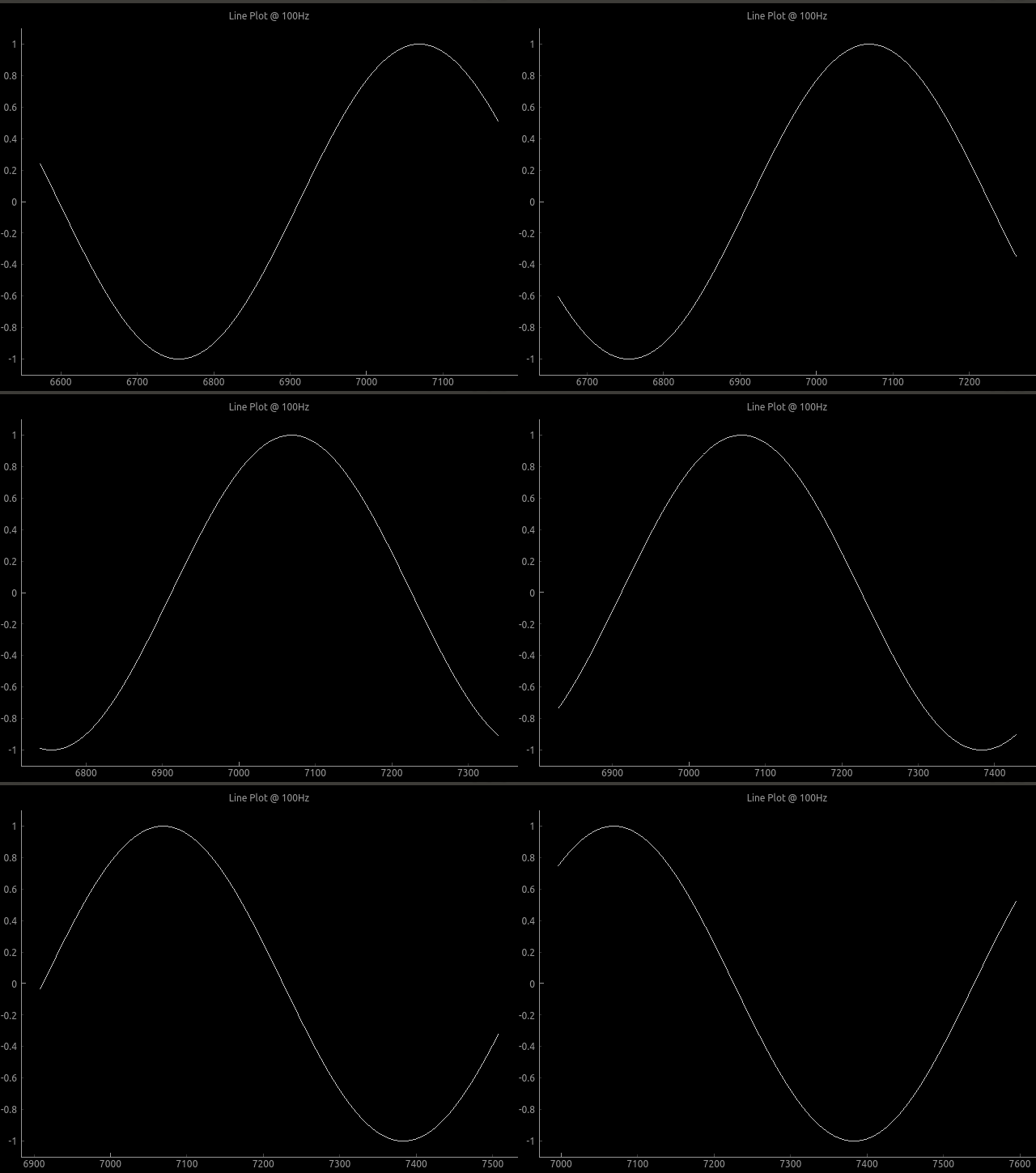
To run built-in examples, use python3 -m parameter like:
python3 -m pglive.examples_pyqt6.all_plot_types
python3 -m pglive.examples_pyqt6.crosshair
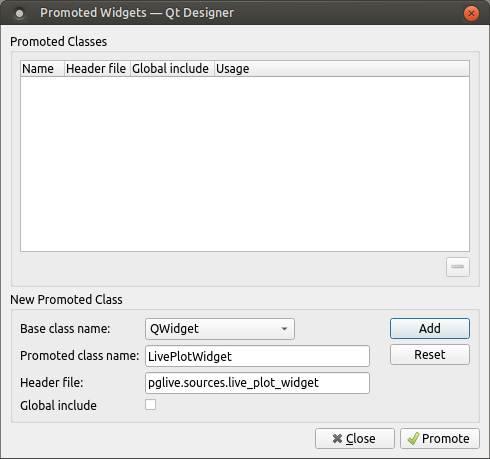
Using PyQt5/6 designer
- Add QWidget to Your layout
- Promote QWidget to
LivePlotWidgetand set header file topglive.sources.live_plot_widget - Click
AddandPromotebutton
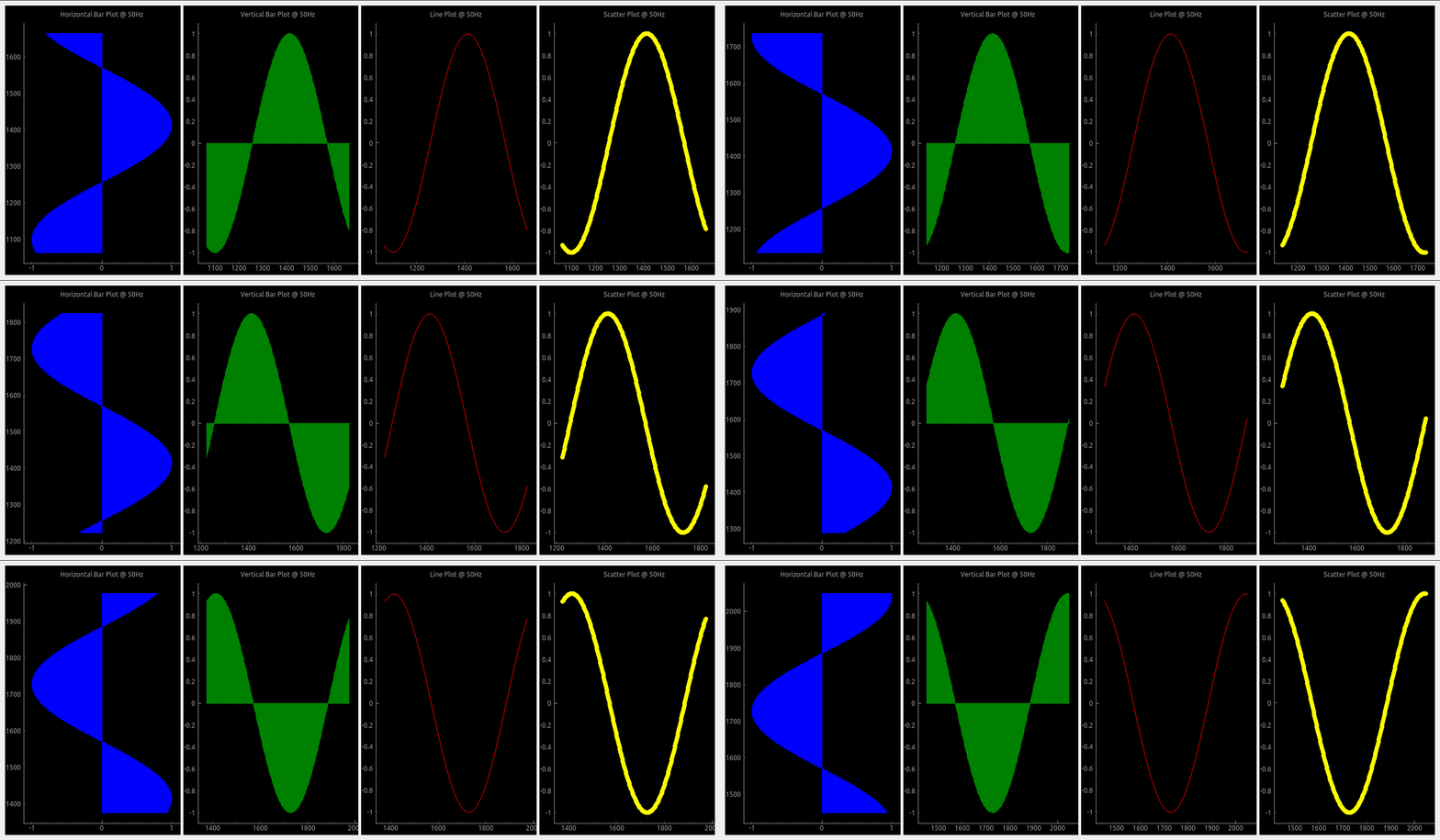
Available plot types
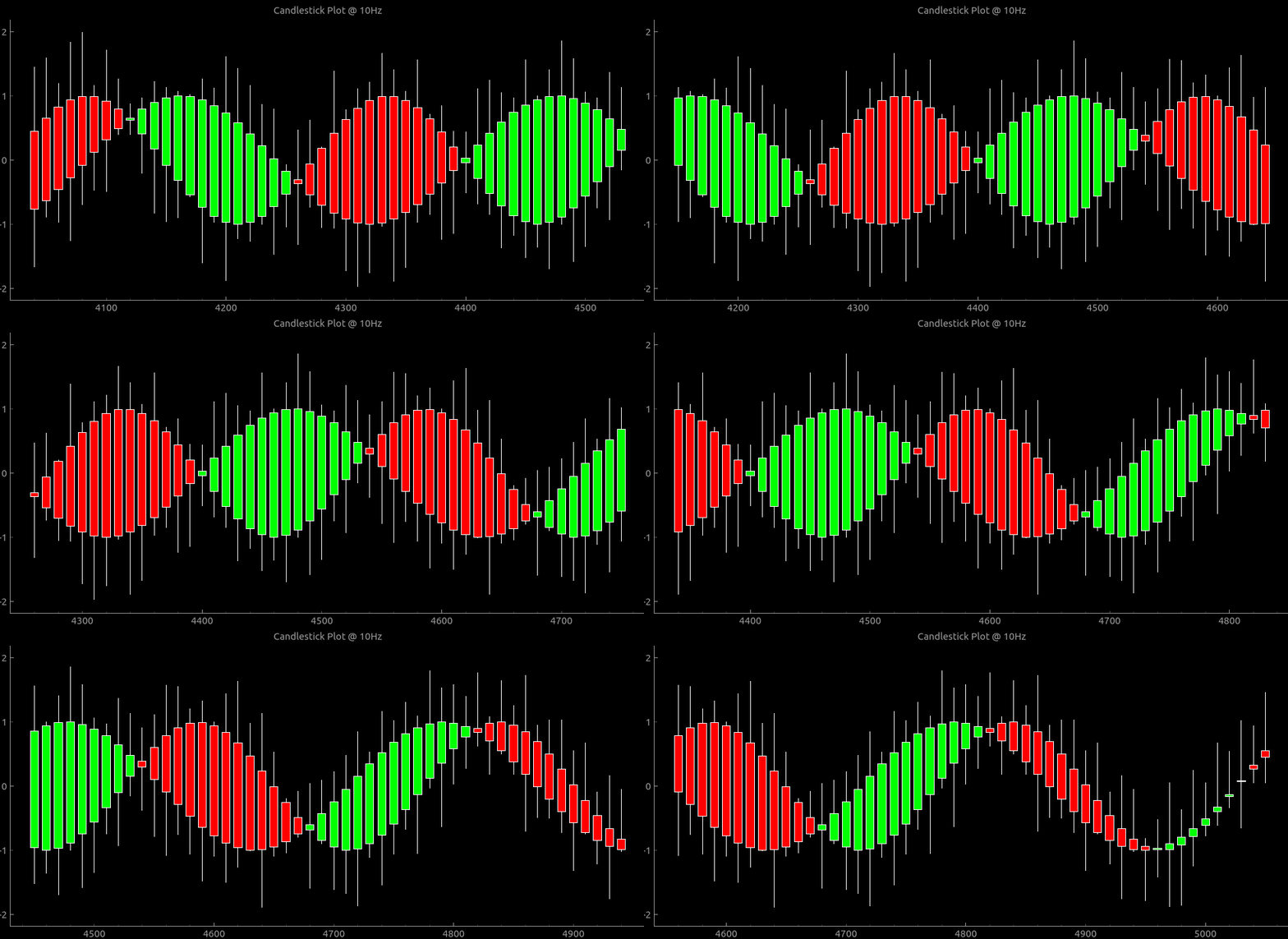
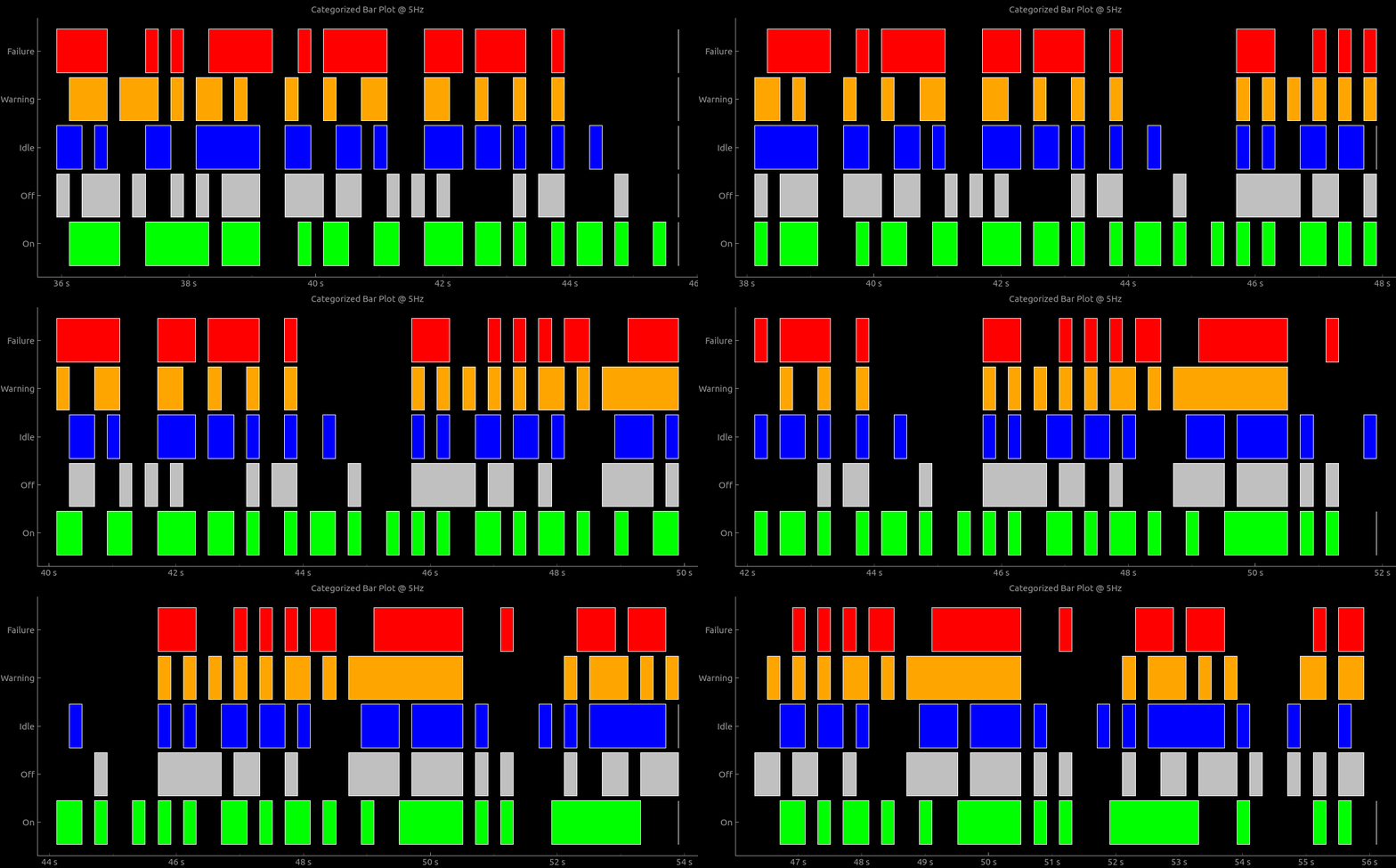
Pglive supports four plot types: LiveLinePlot, LiveScatterPlot, LiveHBarPlot (horizontal bar plot),
LiveVBarPlot (vertical bar plot) and LiveCandleStickPlot.
Plot speed optimizations
Scaling plot view to plotted data has a huge impact on plotting performance.
Re-plotting might be laggy when using high update frequencies and multiple plots.
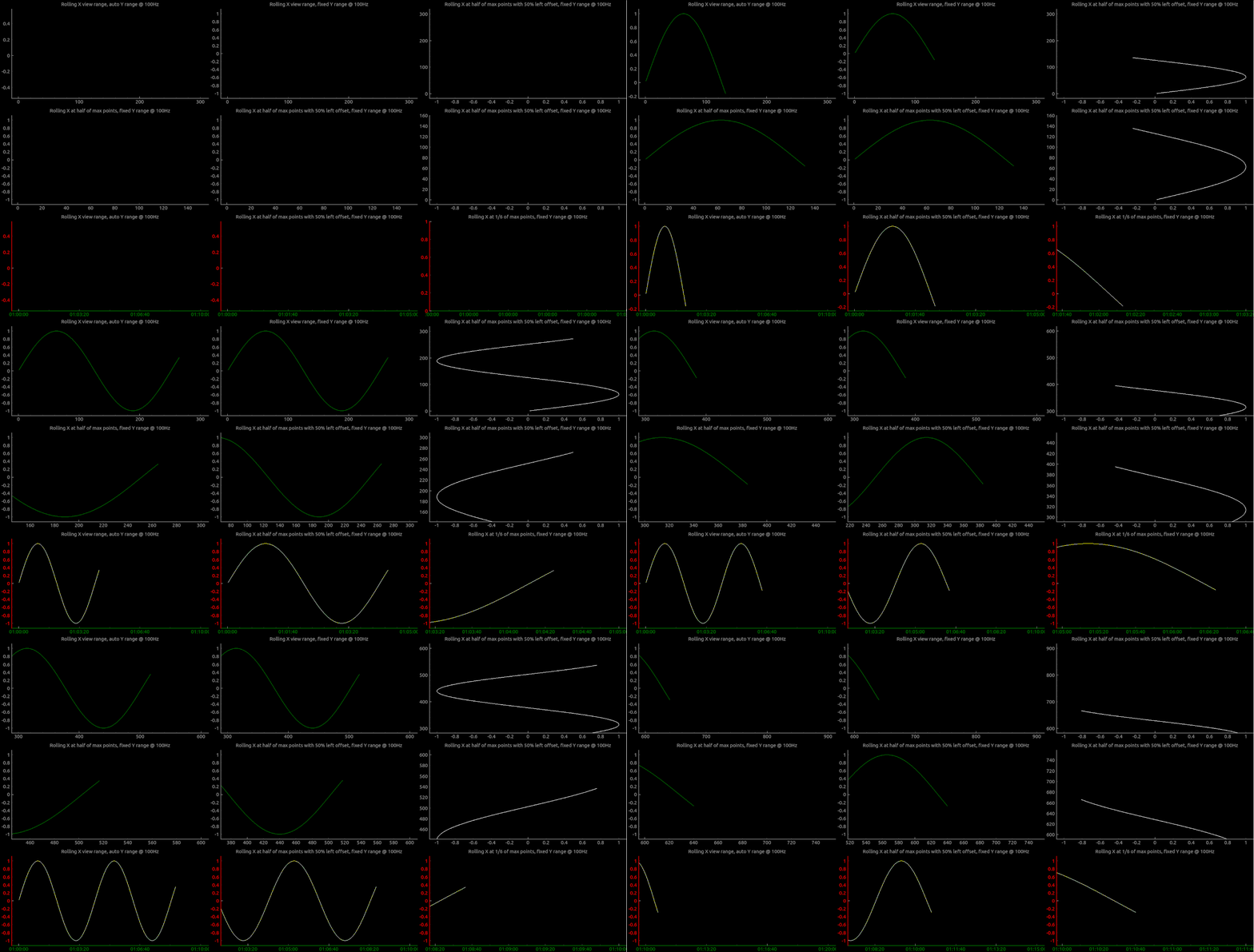
To increase plotting performance, pglive introduces LiveAxisRange, that can be used in LivePlotWidget.
User can now specify when and how is new view of plotted data calculated.
Have a look in the live_plot_range.py example, to see how it can be used.
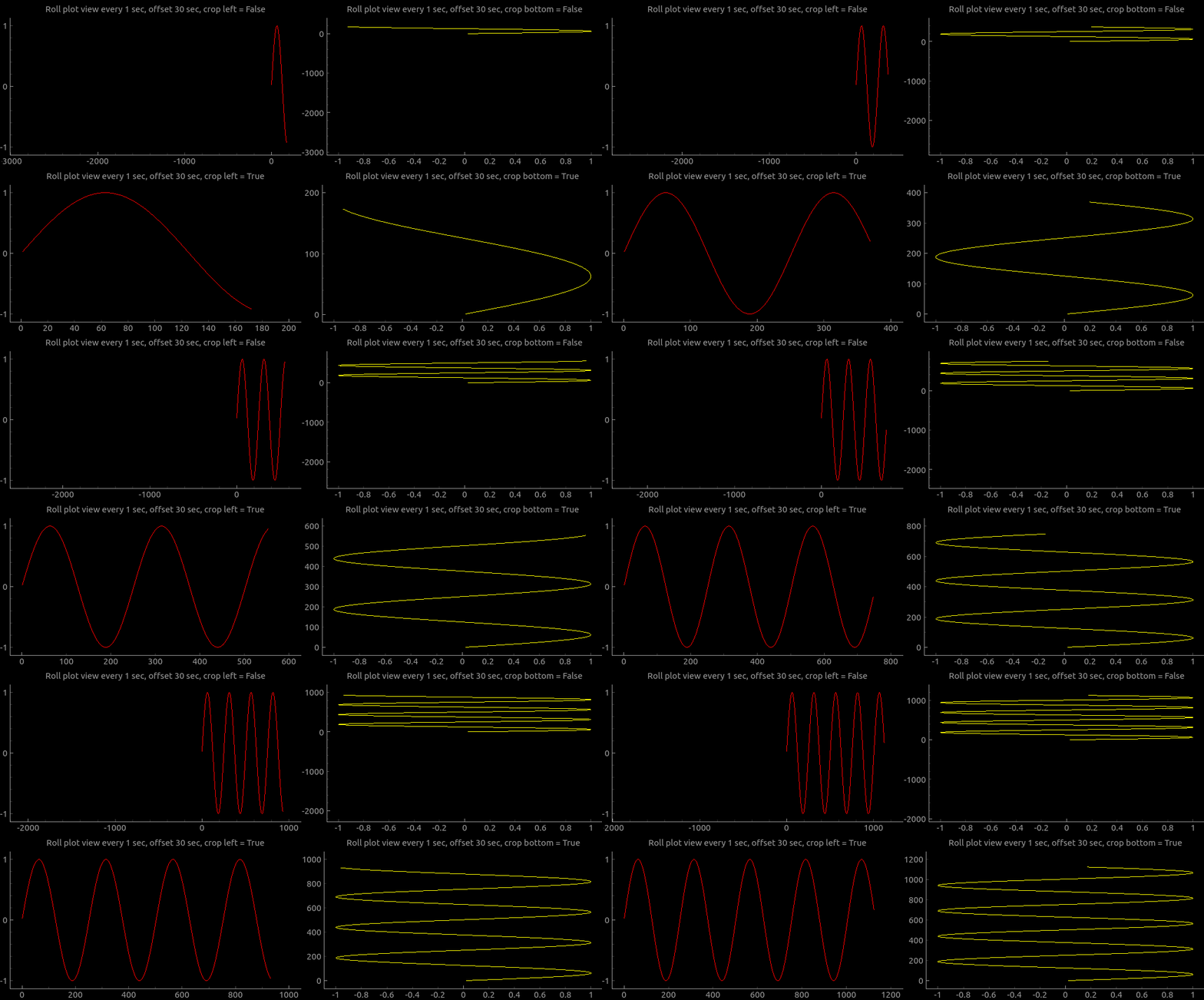
In case you want to plot wider area with LiveAxisRange you can use crop_offset_to_data flag. For example, you want to store 60 seconds, display 30 seconds in a view and move view every 1 second. You will have big empty space to the left without setting flag to True. Have a look into crop_offset_to_data example.
Introduced in v0.4.0
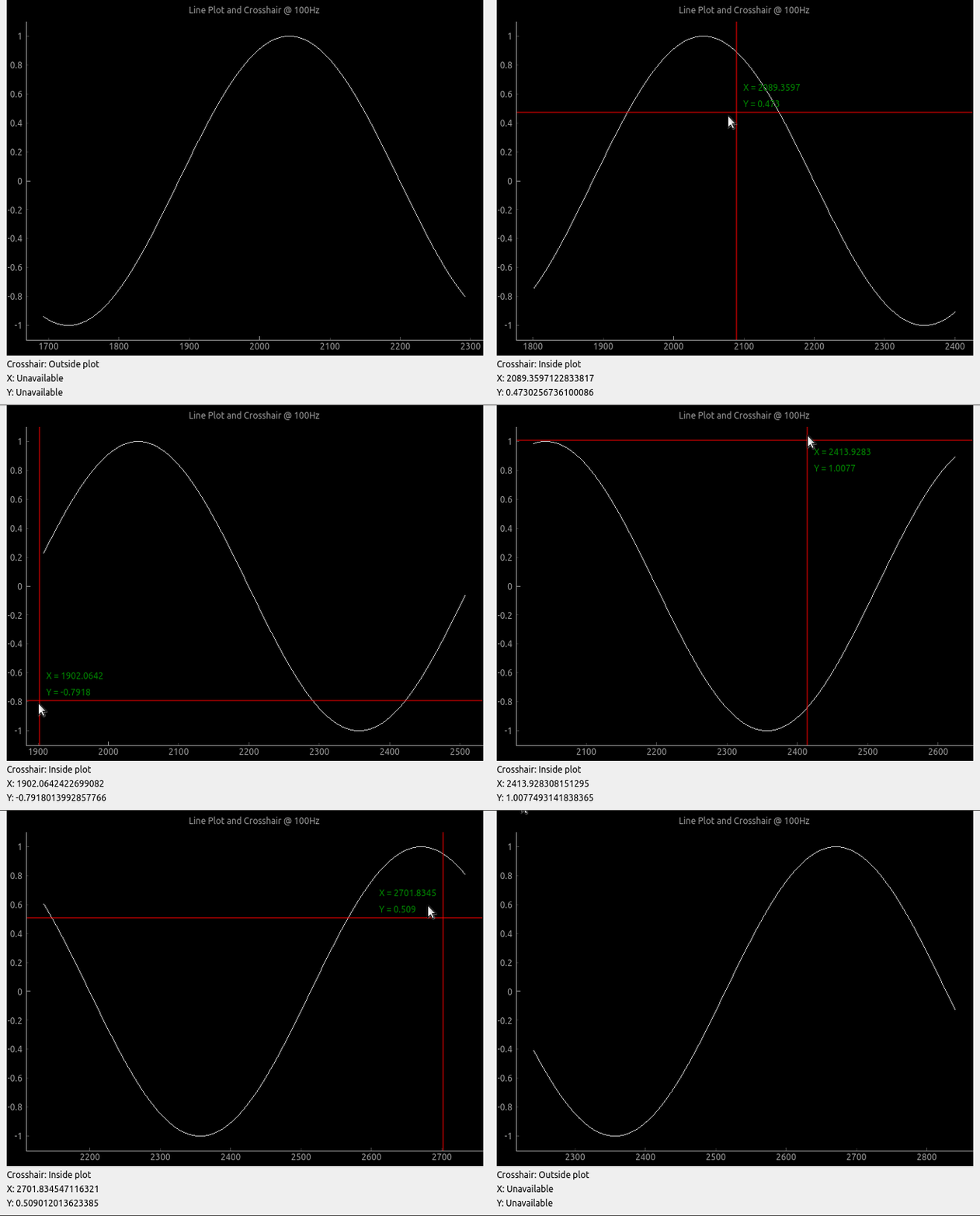
Crosshair
Pglive comes with built-in Crosshair as well.
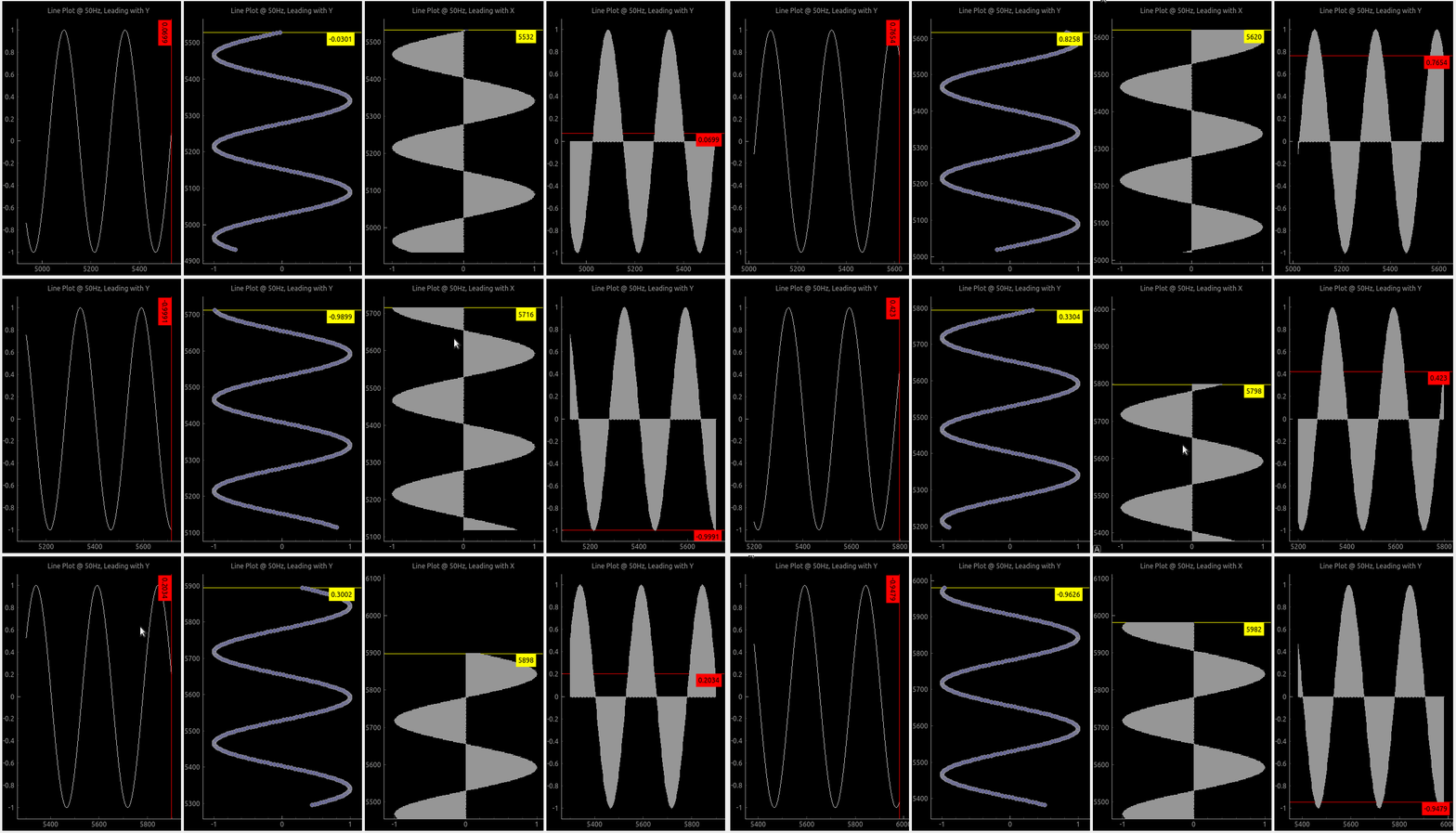
Leading lines
Leading line displays horizontal or vertical line (or both) at the last plotted point.
You can choose it's color and which axis value is displayed along with it.
Axis
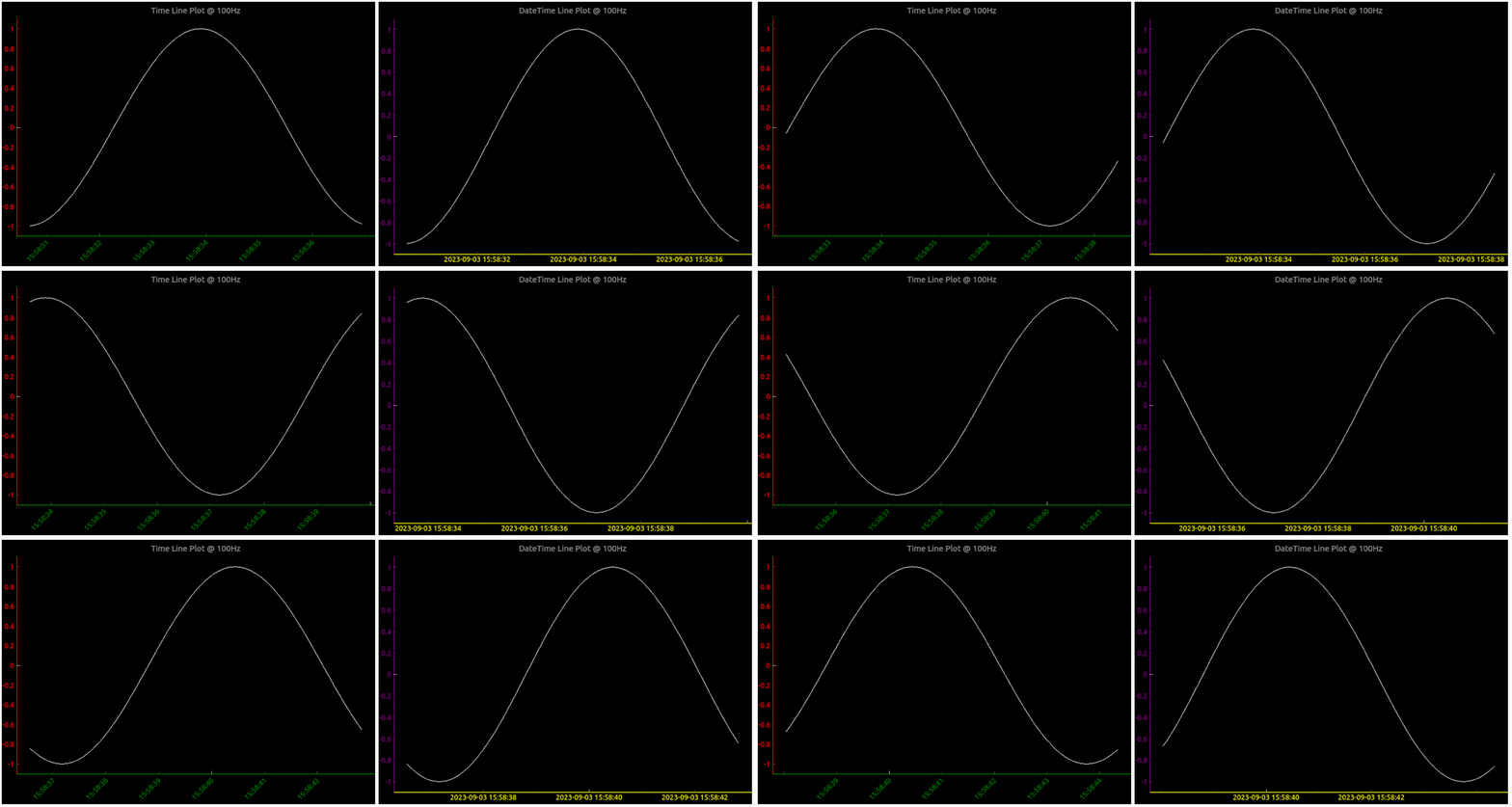
To make life easier, pglive includes few axis improvements:
- Colored axis line using new
axisPenattribute - Time and DateTime tick format, converting timestamp into human-readable format
- Use
tick_angleattribute to change tick angle from 0 default degree
Summary
- With Pglive You've got easy Thread-safe implementation of fast Live plots
- You can use all
kwargsspecified in pyqtgraph - Use your pyqtgraph plots with
DataConnectordirectly, no need to use specificLivePlotclass - Focus on Data Handling, not Data Plotting
Release history Release notifications | RSS feed


Download files
Download the file for your platform. If you're not sure which to choose, learn more about installing packages.
Source Distribution
Built Distribution
Filter files by name, interpreter, ABI, and platform.
If you're not sure about the file name format, learn more about wheel file names.
Copy a direct link to the current filters
File details
Details for the file pglive-0.7.0.tar.gz.
File metadata
- Download URL: pglive-0.7.0.tar.gz
- Upload date:
- Size: 72.1 kB
- Tags: Source
- Uploaded using Trusted Publishing? No
- Uploaded via: poetry/1.5.1 CPython/3.11.5 Linux/5.15.0-82-generic
File hashes
| Algorithm | Hash digest | |
|---|---|---|
| SHA256 |
c02ab45bc7b506b928534410c7538224397ade0f88e49929b67ec84be8c7b201
|
|
| MD5 |
034845efb55bf5505635f5ba2a1a38e1
|
|
| BLAKE2b-256 |
81a9543827be08a61aab40b39e081050d9ddbd410d541756e0402fb7d88644b5
|
File details
Details for the file pglive-0.7.0-py3-none-any.whl.
File metadata
- Download URL: pglive-0.7.0-py3-none-any.whl
- Upload date:
- Size: 102.4 kB
- Tags: Python 3
- Uploaded using Trusted Publishing? No
- Uploaded via: poetry/1.5.1 CPython/3.11.5 Linux/5.15.0-82-generic
File hashes
| Algorithm | Hash digest | |
|---|---|---|
| SHA256 |
bb579afcec7e0e61b427c76ca709b601af60aa4c57347132fecb70b32cfbceeb
|
|
| MD5 |
5193fdc87a857b657b9080abf7688fcc
|
|
| BLAKE2b-256 |
9a054dfb03908491ae94ec254c7d35c8d8a329205ed8e8548395bbd5b85c77b2
|






