






This package contains two tools for backing up PostgreSQL database dumps.
Installing
To install in a virtualenv or globally as a superuser:
pip install pgtricks
To install only for the current user:
pip install --user pgtricks
pg_dump_splitsort
pg_dump_splitsort is a handy script for pre-processing PostgreSQL’s pg_dump output to make it more suitable for diffing and storing in version control.
Usage:
pg_dump_splitsort <filename>.sql
The script splits the dump into the following files:
The files for table data are numbered so a simple sorted concatenation of all files can be used to re-create the database:
$ cat *.sql | psql <database>
I’ve found that a good way to take a quick look at differences between dumps is to use the meld tool on the whole directory:
$ meld old-dump/ new-dump/
Storing the dump in version control also gives a decent view on the differences. Here’s how to configure git to use color in diffs:
# ~/.gitconfig
[color]
        diff = true
[color "diff"]
        frag = white blue bold
        meta = white green bold
        commit = white red bold
Note: If you have created/dropped/renamed tables, remember to delete all .sql files before post-processing the new dump.
pg_incremental_backup
The pg_incremental_backup script
makes a database dump using pg_dump
splits the dump into per-table files using pg_dump_splitsort
creates or commits changes into a local Git repository containing the dump
pushes the changes to the remote repository
Usage:
pg_incremental_backup [-h] [--output-dir OUTPUT_DIR] database [remote]

positional arguments:
  database
  remote

optional arguments:
  -h, --help            show this help message and exit
  --output-dir OUTPUT_DIR, -o OUTPUT_DIR
Contributors ✨
See README.rst for the list of contributors.
This project follows the all-contributors specification. Contributions of any kind are welcome!
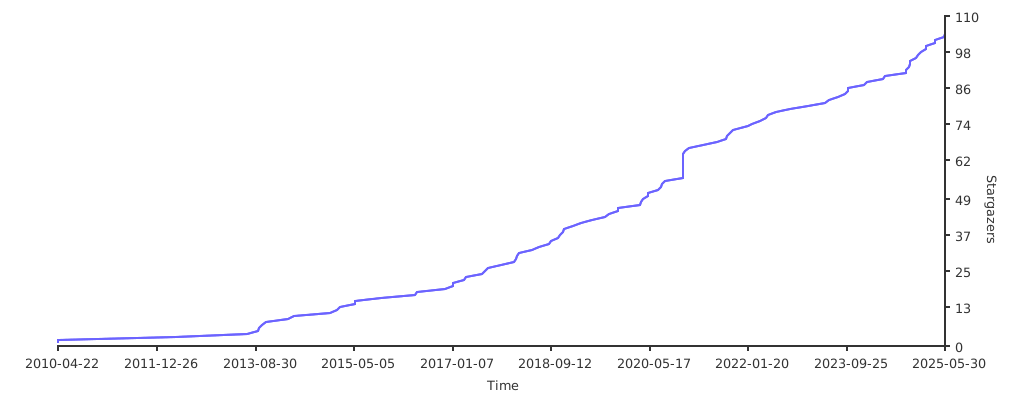
GitHub stars trend
1 maintainer

Release files for pgtricks 1.1.0
For a detailed explanation of source distributions (sdists) and built distributions (wheels), please see the package formats documentation.
Source distribution (sdist)
| File | Size | Uploaded | |
|---|---|---|---|
| pgtricks-1.1.0.tar.gz | 13.0 kB | Details |
Built distribution (wheel)
| File | Interpreter | ABI | Platform | Reset |
|---|---|---|---|---|
| pgtricks-1.1.0-py3-none-any.whl | Python 3 | none | any | Details |
Total release size: 23.4 kB
Release files / pgtricks-1.1.0.tar.gz
| Download URL | pgtricks-1.1.0.tar.gz |
|---|---|
| Size | 13.0 kB |
| Tags | Source |
|
SHA-256 checksum How to use checksums |
a7957311c536f26f2ff635edd61e185e5a947a4537cb47473558423c649d08e4
|
|
BLAKE2b-256 checksum How to use checksums |
b1d2a1b4910f5b646f51b8737c957629ab2de02d2a91c38179399657b4dce5ee
|
| Upload date | |
|
Uploaded using Trusted Publishing? What is trusted publishing? |
No |
| Uploaded via |
twine/5.0.0 CPython/3.11.4
|
Release files / pgtricks-1.1.0-py3-none-any.whl
| Download URL | pgtricks-1.1.0-py3-none-any.whl |
|---|---|
| Size | 10.4 kB |
| Tags | Python 3 |
|
SHA-256 checksum How to use checksums |
a505293fa15cb23c781dea659e9ef4ff1f518db53c7a5b89db59454aa3f7ac0c
|
|
BLAKE2b-256 checksum How to use checksums |
8cdad46173c05d87f05f3ec76039af76b9a9d27f5c356e805f42502d1b627e5b
|
| Upload date | |
|
Uploaded using Trusted Publishing? What is trusted publishing? |
No |
| Uploaded via |
twine/5.0.0 CPython/3.11.4
|














