
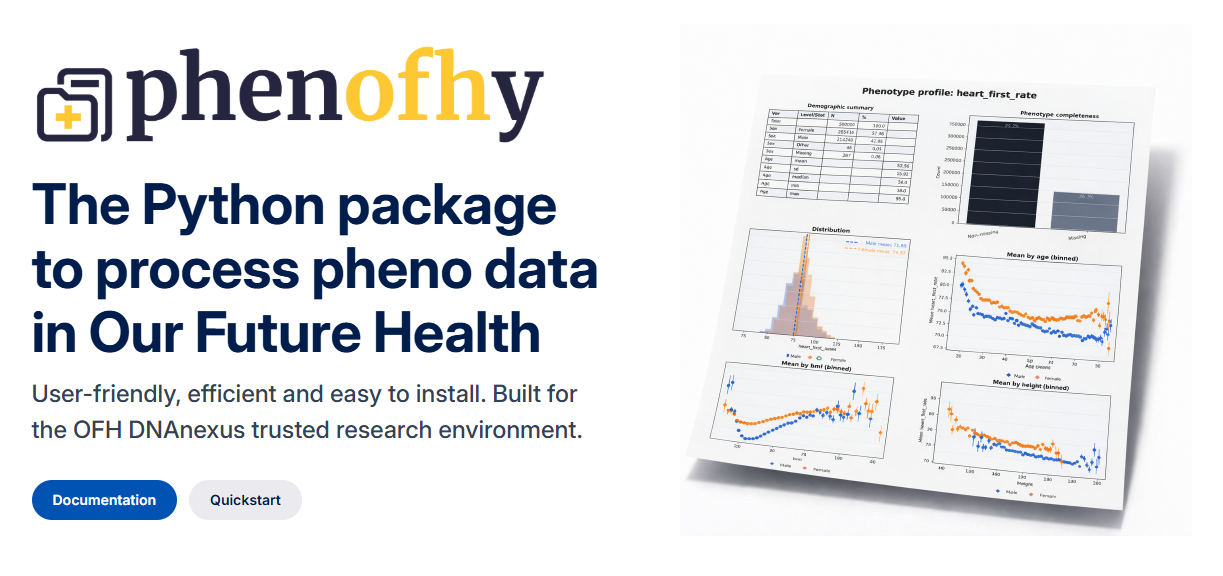


Phenofhy: The Python package to process phenotype data in Our Future Health
phenofhy (pronounced, fee-no-fi) Python package for phenotype analysis in the Our Future Health (OFH) trusted
research environment (TRE). phenofhy is designed to make extraction, processing,
and reporting of OFH phenotype data quick and repeatable inside DNAnexus. It is user-friendly, efficient and easy to install. Built for the OFH DNAnexus trusted research environment.
Why phenofhy
- Purpose-built for the OFH TRE and DNAnexus tooling.
- Easily extract and preprocess phenotype data in a few lines of intuitive code.
- Quick summaries and basic phenotype profile reporting to validate data early.
The phenofhy package is developed by Vincent Straub within the Leverhulme Centre for Demographic Science at the University of Oxford and is not affiliated with the Our Future Health research programme
Target users
- Researchers and students wanting to get started with analysing OFH phenotypes.
- Teams working inside the OFH TRE who need a repeatable preprocessing workflow.
- Analysts creating quick QA summaries and phenotype profile reports before GWAS.
Environment
phenofhy is designed to run inside the OFH TRE with DNAnexus tooling and
JupyterLab. It can be used on simulated data outside the TRE for local testing,
but the main workflows assume access to OFH datasets and the dx toolkit.
Installation
If testing out the package locally, install the released package with pip:
python -m pip install phenofhy
For development from a source checkout:
python -m pip install -e .
Recommended runtime: Python 3.10+ (tested in OFH TRE JupyterLab).
Initialize a TRE project
To use the package inside a configured DNAnexus TRE JupyterLab session, initialize Phenofhy once for the project:
import phenofhy

phenofhy.init()
Initialization discovers the current project and dataset, extracts the OFH metadata dictionaries, uploads those files to the project, and creates a project configuration. The configuration is uploaded to the remote phenofhy/ folder. Later sessions can simply import and use Phenofhy; the configuration is downloaded automatically when it is not present locally.
Initialization requires:
- Python 3.10 or newer;
- the DNAnexus
dxtoolkit installed and authenticated; DX_PROJECT_CONTEXT_IDset by the TRE environment;- permission to read the selected dataset and upload files to the project.
Documentation
Explore the full phenofhy documentation here: https://studiovincentstraub.github.io/phenofhy/
Where to start on the documentation website?
- New to
phenofhyor OFH phenotype analysis? Begin with "Getting Started" and then the "Quickstart" for a smooth introduction, followed by "Key Concepts". - Got your own data? After "Getting Started" and "Key Concepts", you are ready to dive in and start analyzing but can use the "Tutorials" to help.
- Looking for more? Check out "API reference" to deepen your understanding and the "Community & Support" section to request features and join the discussion"
Example workflow
from phenofhy import extract, process, calculate, profile, utils

# 1) Extract a small set of fields
extract.fields(
    output_file="outputs/raw/phenos.csv",
    fields=[
        "participant.registration_year",
        "participant.registration_month",
        "participant.birth_year",
        "participant.birth_month",
        "participant.demog_sex_2_1",
        "questionnaire.smoke_status_2_1",
    ],
)

# 2) Process participant data (derives age, sex, age_group)
df = process.participant_fields("outputs/raw/phenos.csv")

# 3) Summaries
summary = calculate.summary(
    df,
    traits=["derived.age_at_registration", "derived.sex"],
    stratify="derived.sex",
)

# 4) Profile report
report = profile.phenotype_profile(
    df,
    phenotype="derived.age_at_registration",
    output="outputs/reports/age_profile.pdf",
)

# 5) Upload your results
report = utils.upload_files(
   files="outputs/reports/age_profile.pdf",
   dx_target="results"
)
Example output
Below is a phenotype profile report (using simulated data).

Contributing
If you find a bug or want to suggest an improvement, open an issue or start a discussion in the repository.
1 maintainer

Release files for phenofhy 1.0.1
For a detailed explanation of source distributions (sdists) and built distributions (wheels), please see the package formats documentation.
Source distribution (sdist)
| File | Size | Uploaded | |
|---|---|---|---|
| phenofhy-1.0.1.tar.gz | 80.3 kB | Details |
Built distribution (wheel)
| File | Interpreter | ABI | Platform | Reset |
|---|---|---|---|---|
| phenofhy-1.0.1-py3-none-any.whl | Python 3 | none | any | Details |
Total release size: 170.4 kB
Release files / phenofhy-1.0.1.tar.gz
| Download URL | phenofhy-1.0.1.tar.gz |
|---|---|
| Size | 80.3 kB |
| Tags | Source |
|
SHA-256 checksum How to use checksums |
9815cdb7cc27bc30098f650f9c56e6e3aa6c7637b2272ddaba9da70d6b3a1b30
|
|
BLAKE2b-256 checksum How to use checksums |
c07a3195dac941c8c2ea099ea3ea9aa379af8858eb52ce4790636da41443bb30
|
| Upload date | |
|
Uploaded using Trusted Publishing? What is trusted publishing? |
No |
| Uploaded via |
twine/7.0.0 CPython/3.12.3
|
Release files / phenofhy-1.0.1-py3-none-any.whl
| Download URL | phenofhy-1.0.1-py3-none-any.whl |
|---|---|
| Size | 90.1 kB |
| Tags | Python 3 |
|
SHA-256 checksum How to use checksums |
466e3b055c0cbd48c99be57da6e640ba572f1e62bc2495ca194fa99c5f5805e8
|
|
BLAKE2b-256 checksum How to use checksums |
140ec2b88175c6ade425f404c3d19243ce551d014965857e3592e6419fd3d27c
|
| Upload date | |
|
Uploaded using Trusted Publishing? What is trusted publishing? |
No |
| Uploaded via |
twine/7.0.0 CPython/3.12.3
|














