
nato-phonetic-alphabet
Printable / Remixable Nato Phonetic Alphabet page with a beautiful command-line interface.
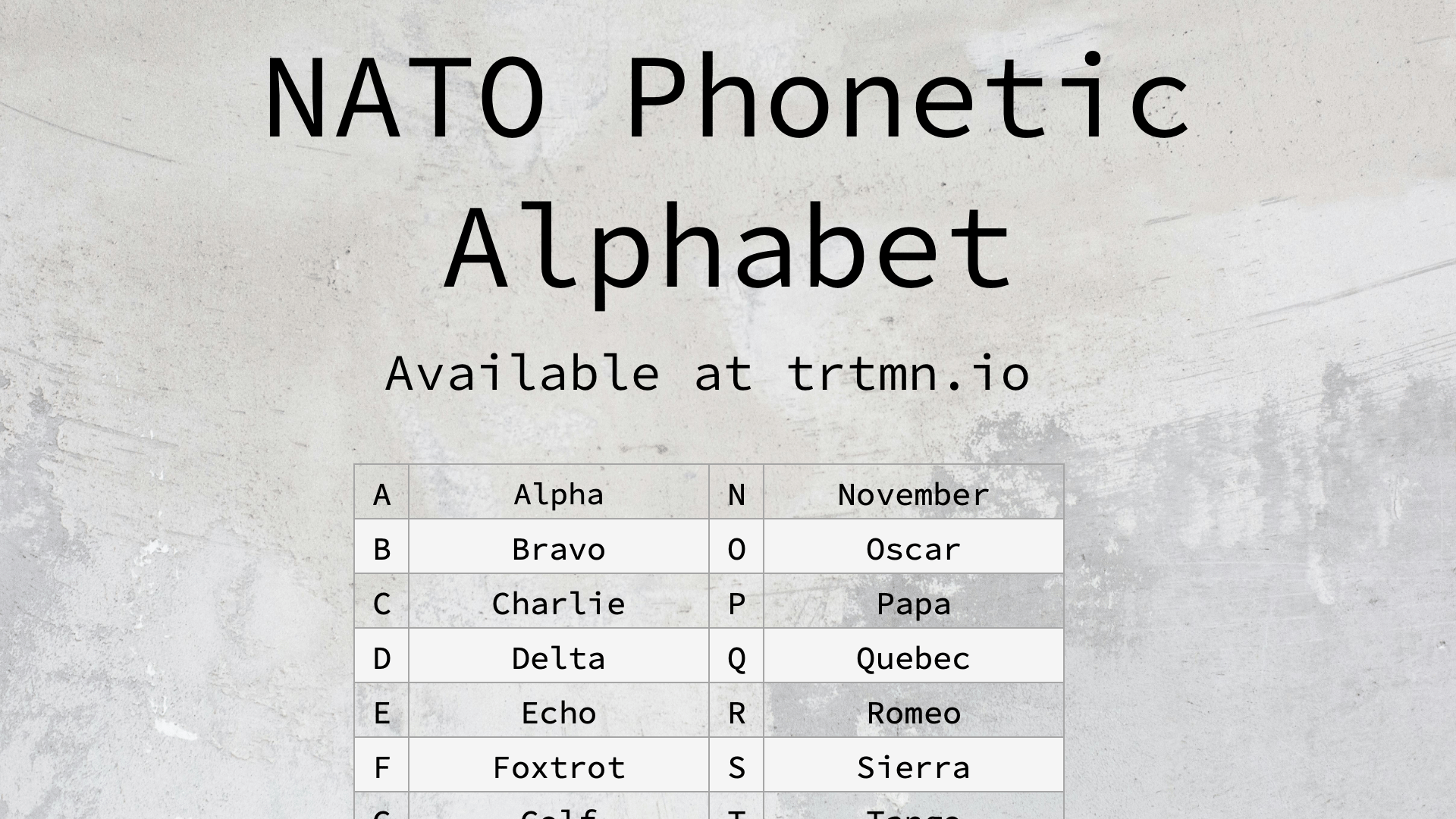
Project page is hosted at https://trtmn.io/nato-phonetic-alphabet
Command Line Interface
A beautiful and easy-to-use CLI built with Python 3.11, Click, and Rich for displaying and working with the NATO phonetic alphabet.
Features
- 🎨 Beautiful Output: Rich terminal formatting with colors and styling
- 🔍 Search & Lookup: Find phonetic equivalents for letters and words
- 📝 Interactive Mode: Spell out words interactively
- 🖨️ Printable Output: Generate formatted output for printing
- 🚀 Fast & Lightweight: Built with modern Python libraries
Installation
Option 1: uv / uvx (Recommended)
Try it once without installing:
uvx phonetic-nato
Install it as a persistent CLI:
uv tool install phonetic-nato
Don't have uv yet? See the uv install guide (one-line installer for macOS, Linux, and Windows).
Option 2: pip
pip install phonetic-nato
From source (development)
git clone https://codeberg.org/trtmn/nato-phonetic-alphabet.git
cd nato-phonetic-alphabet
uv sync --dev
uv run phonetic --help
Usage
Basic Commands
Display the full NATO phonetic alphabet:
phonetic
Look up a specific letter:
phonetic lookup A
Spell out a word:
phonetic spell "HELLO"
Interactive spelling mode:
phonetic interactive
Generate printable output:
phonetic print --output nato-alphabet.txt
Command Options
phonetic --help
Available commands:
lookup <letter>- Find phonetic equivalent for a single letterspell <word>- Spell out a word using NATO phonetic alphabetinteractive- Enter interactive mode for spelling wordsprint- Generate formatted output for printinglist- Display the complete NATO phonetic alphabetopen [slug]- Download (or reuse) a printable asset and open it with the OS default handler. Default slug is the portrait PDF.download [slug]- Download a printable asset to~/Downloads(use--listto see slugs,-ofor a custom directory,--forceto re-download)
Examples
# Look up a letter
phonetic lookup X
# Output: X - X-ray

# Spell a word
phonetic spell "WORLD"
# Output: W - Whiskey, O - Oscar, R - Romeo, L - Lima, D - Delta

# Interactive mode
phonetic interactive
# Enter words to spell them out interactively
Printable assets
The project ships printable PDFs, an EPub, Word/ODT documents, and Apple Pages sources alongside the source on Codeberg. The CLI can grab any of them straight to your Downloads folder.
# Open the portrait PDF (downloads to ~/Downloads, then opens in your default viewer)
phonetic open

# Other printable variants
phonetic open pdf-landscape
phonetic open epub

# Download without opening
phonetic download docx
phonetic download odt -o ~/Documents/nato/

# See every available asset
phonetic download --list

# Re-download a stale copy
phonetic open --force
Available slugs: pdf, pdf-landscape, epub, docx.
Development
Project Structure
nato-phonetic-alphabet/
├── .venv/                 # Virtual environment
├── src/                   # Source code
│   └── nato_phonetic/     # Main package
├── tests/                 # Test files
├── requirements.txt       # Python dependencies
├── pyproject.toml         # Project configuration
└── README.md             # This file
Running Tests
pytest tests/
Regenerating printable assets
The printable PDFs, DOCX, and EPub files in the repo root are generated
from scripts/build_assets/. They must stay in sync with the
generator — CI fails the build otherwise.
make build-assets
Recommended: enable the pre-push hook so a stale-asset push is caught locally before CI rejects it:
git config core.hooksPath .githooks
Alternative: integrate with the pre-commit framework by adding to
your .pre-commit-config.yaml:
- repo: local
  hooks:
    - id: build-assets
      name: regenerate printable assets
      entry: make build-assets
      language: system
      pass_filenames: false
      stages: [pre-push]
If you only edit the alphabet data or the layout config in
scripts/build_assets/config.py, run make build-assets before
committing.
Contributing
- Fork the repository
- Create a feature branch
- Make your changes
- Add tests for new functionality
- Submit a pull request
Dependencies
- Click: Command-line interface creation kit
- Rich: Rich text and beautiful formatting in the terminal
- Python 3.11+: Modern Python features and performance
License
This project is open source. See the LICENSE file for details.
1 maintainer

Metadata
1 maintainer
Release files for phonetic-nato 0.4.1
For a detailed explanation of source distributions (sdists) and built distributions (wheels), please see the package formats documentation.
Source distribution (sdist)
| File | Size | Uploaded | Provenance | |
|---|---|---|---|---|
| phonetic_nato-0.4.1.tar.gz | 25.1 kB | Without provenance | Details |
Built distribution (wheel)
| File | Interpreter | ABI | Platform | Reset |
|---|---|---|---|---|
| phonetic_nato-0.4.1-py3-none-any.whl | Python 3 | none | any | Details |
Total release size: 48.2 kB
Release files / phonetic_nato-0.4.1.tar.gz
| Download URL | phonetic_nato-0.4.1.tar.gz |
|---|---|
| Size | 25.1 kB |
| Tags | Source |
|
SHA-256 checksum How to use checksums |
ea889b8cbb743c4262ed43b82a3ed99592142a66fdf5d83224ae4f519c1a766c
|
|
BLAKE2b-256 checksum How to use checksums |
806f30b5262436cb99b11b87441151682cfaf2ff56b817a11857df271739cd72
|
| Upload date | |
|
Uploaded using Trusted Publishing? What is trusted publishing? |
No |
| Uploaded via |
twine/6.1.0 CPython/3.13.12
|
Release files / phonetic_nato-0.4.1-py3-none-any.whl
| Download URL | phonetic_nato-0.4.1-py3-none-any.whl |
|---|---|
| Size | 23.1 kB |
| Tags | Python 3 |
|
SHA-256 checksum How to use checksums |
2d323f474bea93f029df6cc57dc096dba55adb428c0b4b1fce4178679a57bac0
|
|
BLAKE2b-256 checksum How to use checksums |
1bc5bfd9a1020f7c2e205410ba1fd78d963a4a8201963c1f4303fdf9e4311c0a
|
| Upload date | |
|
Uploaded using Trusted Publishing? What is trusted publishing? |
No |
| Uploaded via |
twine/6.1.0 CPython/3.13.12
|
Security for phonetic-nato 0.4.1
Provenance
Provenance describes where a file came from. On PyPI, provenance is shared via attestations, which provide a verifiable record of the build or publishing details. View details, limitations and caveats.
No provenance found
None of the files in this release were uploaded with provenance metadata.
A note on package security
PyPI is a repository for distributing packages, not a service for auditing them. While third-party security researchers and our staff do their best to detect and remove malicious packages, PyPI cannot guarantee the quality, security or suitability of any given package.
To learn more about protecting yourself from malicious actors, visit our package security documentation.














