
This release has been yanked by its maintainers, and will be ignored by installers, except when explicitly specified.
Consider using release 1.7.0 instead.
Reason given by maintainers: I can't imagine that any other project would have this as a dependency, so why not?
Phoney Dictate
A voice recognition "app" which sends your cell phone's voice recognition input to your computer.
Quick start
-
Install from pip
$ pip install phoney_dictate
-
Run Phoney Dictate on your computer
$ python3 -m phoney_dictate
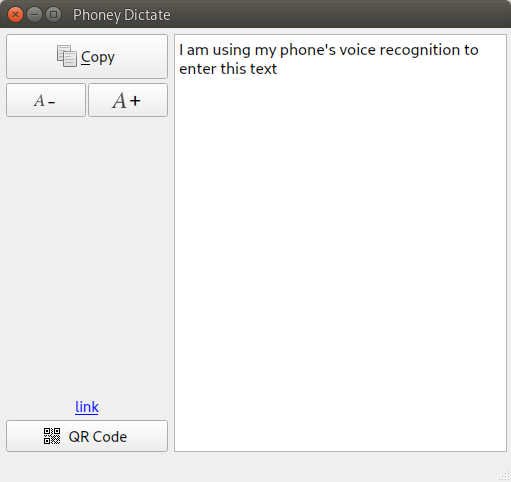
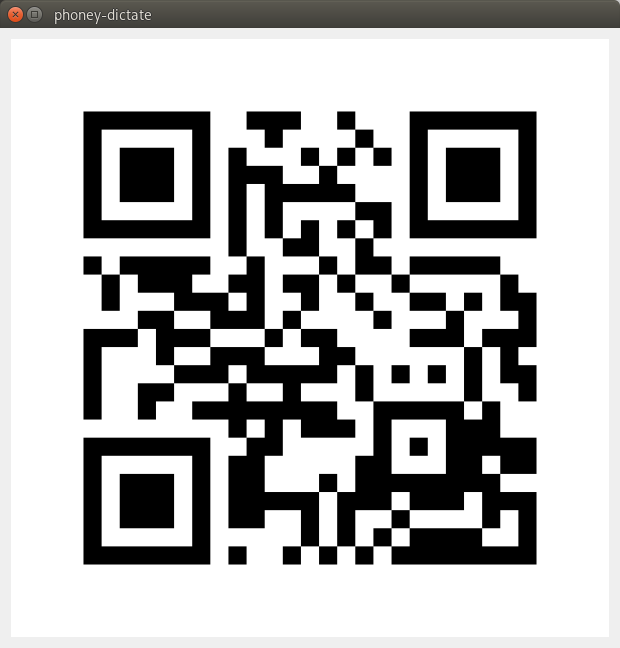
- Generate a bar code - click on the "QR Code" button at the bottom left corner of the window.
-
Scan the code with your phone and open the link in your browser. (You may have to use a tool like "Binary Eye")
-
In your phone's browser, place the cursor in the text area. Whatever you type or dictate there will appear on the Phoney Dictate application.
-
In the Phoney Dictate application, click the "Copy" button to copy the contents shown there to the clipboard.
-
Paste the text anywhere.
Whatever is displayed in the browser on your phone will be sent to your computer. After you clear the text, and enter new text, only the new text will be copied over. The old text will be gone.
Ctrl-Q exits the Phoney Dictate application on your computer. The browser component is just a webpage, so you would close it like you normally would any webpage.
Troubleshooting
Both your phone and your computer need to be on the same local network. Usually this is the case if your phone and computer are connected to the same router.
This should also work if your computer is set up as a hot spot, although it hasn't been tested.
If you have a firewall installed on your computer, (such as UFW), make sure that port 8585 is open for listening.
On machines with UFW:
$ sudo ufw allow in from <your subnet> port 8585 comment "Phoney Dictate"
Replace with the correct value for your home network. Mine is "192.168.1.0/24". You can use the "ip" command to get the correct subnet:
$ ip addr
[...]
3: wlan0: <BROADCAST,MULTICAST...
    [...]
    inet 192.168.1.180/24 brd ...
1 maintainer

Download files
Download the file for your platform. If you're not sure which to choose, learn more about installing packages.
Source Distribution
Built Distribution
Filter files by name, interpreter, ABI, and platform.
If you're not sure about the file name format, learn more about wheel file names.
Copy a direct link to the current filters
File details
Details for the file phoney_dictate-1.3.0.tar.gz.
File metadata
- Download URL: phoney_dictate-1.3.0.tar.gz
- Upload date:
- Size: 37.1 kB
- Tags: Source
- Uploaded using Trusted Publishing? No
- Uploaded via:
twine/6.1.0 CPython/3.13.3
File hashes
| Algorithm | Hash digest | |
|---|---|---|
| SHA256 |
53a7539821989c6ce2fc6aba8edc76f54765759463fad497a814c2fc208d4d97
|
|
| MD5 |
f3932a84000211640c12293ecbe85efe
|
|
| BLAKE2b-256 |
92a8ad82c385548a921a95bed6de2e952a7d23917d9e0aa11863fa8c2110988f
|
File details
Details for the file phoney_dictate-1.3.0-py2.py3-none-any.whl.
File metadata
- Download URL: phoney_dictate-1.3.0-py2.py3-none-any.whl
- Upload date:
- Size: 37.6 kB
- Tags: Python 2, Python 3
- Uploaded using Trusted Publishing? No
- Uploaded via:
twine/6.1.0 CPython/3.13.3
File hashes
| Algorithm | Hash digest | |
|---|---|---|
| SHA256 |
eac7cd5047bb957181e956d4862afe3843cf0eaeb7b2d62fb934c9aa89a20535
|
|
| MD5 |
9d12fd9ec1a7778937dc4ef7599ca28a
|
|
| BLAKE2b-256 |
ff8cd137a3d069b47f935c5b89ca55c5e600f00ae79b6a594746327e5c18f741
|














