
Photo Agents
Autonomous self-evolving Photo Agents. A perceive / reason / act framework for photo-aware agents that operate your computer the way you do.
"100% autonomous, self-evolving agents." photo-agents.com
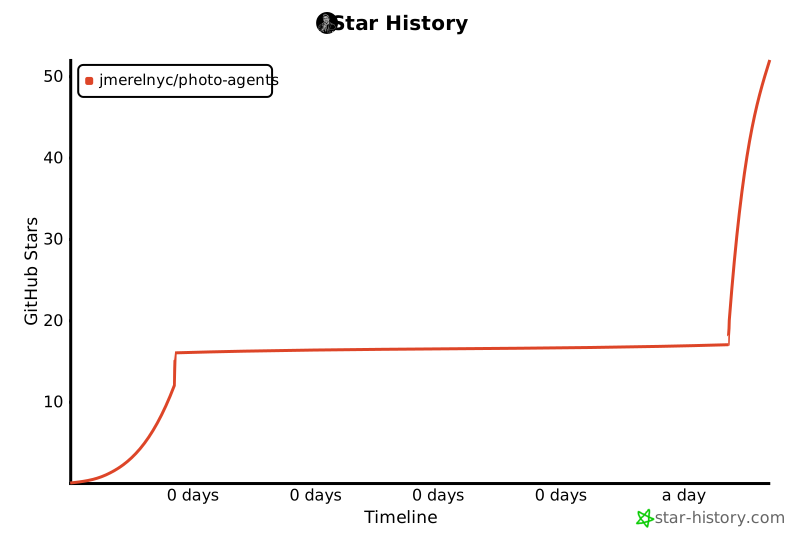
Star History
About
Photo Agents is building the next generation of LLM-driven agents that ground in what they actually see on screen. Instead of dumping longer chat transcripts into a model and hoping for the best we treat memory the way biology does. Vision in. Bound observations stored in layers. Skills written by the agent itself from real success.
The package in this repo is the runtime that ships that idea. It runs locally so you keep ownership of your screen your data and your keys.
- Website: https://photo-agents.com
- X / Twitter: https://x.com/photoagents
- Docs: https://photo-agents.com/docs
- Account and API keys: https://photo-agents.com/account/keys
Bio
A small team obsessed with photographic memory for machines. We come from computational neuroscience research and applied LLM systems work. The thesis is simple. Bigger context windows are not memory. Real agents need perception that binds layered memory that retrieves and skills that compound across sessions.
If that resonates follow @photoagents on X for build notes demos and the occasional rant about why text-only agents will never see your UI.
Hashtags
#PhotoAgents #AIagents #LLM #AgentMemory #PhotographicMemory #VisionAgents #ComputerUse #SelfEvolvingAgents #OpenSource #Python
What it is
Photo Agents is a single Python package that bundles:
- A streaming agent loop (
photoagents.core.loop.run_agent_session) that drives any tool-calling LLM through a perceive → reason → act cycle. - A multi-provider LLM router (
photoagents.llm.router) with first-class support for Anthropic Claude (native) OpenAI GPT (native) and a mixin failover session. - A physical-execution toolset: file I/O, sandboxed code execution (Python / PowerShell / bash), browser automation via a Chrome DevTools Protocol bridge and a layered memory system (working / global / SOP / session archive).
- Pluggable clients: a polished Streamlit web app, a PyQt desktop app, a desktop companion and ready-to-run bots for Telegram, QQ, Feishu, WeCom and DingTalk.
- Optional observability via Langfuse and a cron-style scheduler.
The whole thing is gated by a remote-validated Photo Agents API key so usage stays accountable.
Install
pip install photoagents
# or, with every optional client and integration
pip install "photoagents[all]"
Photo Agents needs Python 3.10+.
Get an API key
Photo Agents requires a license key, validated against https://photo-agents.com/v1/keys/validate. Sign in and create one at:
Then make it available to the runtime in any of these ways (checked in order):
- Environment variable:
PHOTOAGENTS_API_KEY=pk_live_... - Saved config:
~/.photoagents/config.jsonfieldapi_key - Interactive prompt on first run (offered to be saved automatically)
A successful validation is cached for 24 hours so the gate stays fast.
LLM credentials
Copy the credentials template and fill in your provider key:
# from the repo root
cp photoagents/config/keys_template.py credentials.py
# then edit credentials.py and uncomment one of the provider configs
The runtime also accepts a JSON form (credentials.json) with the same shape.
Run
# Interactive REPL on your terminal
python -m photoagents

# One-shot file-IO mode
python -m photoagents --task my_task --input "List the largest files in this directory."

# Reflect / watchdog mode (your check() function fires the next task)
python -m photoagents --reflect photoagents/evolution/scheduler.py
GUI clients
Photo Agents ships several optional frontends. Pick whichever fits your workflow:
| Client | Launch command |
|---|---|
| Streamlit web app + webview | pythonw -m photoagents.cli.launcher |
| Service hub (start/stop) | pythonw -m photoagents.cli.hub |
| Desktop app (PyQt) | python -m photoagents.clients.desktop_app |
| Desktop companion | pythonw -m photoagents.clients.companion_v2 |
| Telegram bot | python -m photoagents.clients.telegram_client |
| Feishu / WeCom / DingTalk / QQ | `python -m photoagents.clients.<feishu |
The launcher and hub both call the same API key gate before starting any service, so they will refuse to launch anything if your key is missing or revoked.
On-disk state
| Path | What lives there |
|---|---|
~/.photoagents/config.json |
API key + license validation cache |
~/.photoagents/global_mem.txt |
Long-term L2 facts |
~/.photoagents/sessions/ |
L4 raw session archives |
~/.photoagents/skill_index/ |
Vector index for skill / SOP search |
~/.photoagents/temp/ |
Per-task scratch (logs, intermediate output) |
Project layout
photoagents/
├── auth/        License gate (remote-validated API key)
├── cli/         python -m photoagents, GUI launcher, service hub
├── clients/     Web / desktop / chat-platform frontends
├── config/      credentials.py template
├── core/        Agent loop and tool dispatcher
├── evolution/   Reflection / scheduler scripts (the "self-evolving" loop)
├── integrations/Optional third-party hooks (Langfuse, etc.)
├── llm/         Multi-provider session router
├── resources/   System prompt, tool schema, CDP bridge, demo media
├── skills/      L3 SOPs and helper modules (browser, vision, OCR, ...)
└── web/         DOM simplifier and Chrome DevTools Protocol driver
License
MIT. See LICENSE.
Status
Status: beta. APIs may change before 1.0.
1 maintainer

Metadata
1 maintainer
Release files for photoagents 0.1.1
For a detailed explanation of source distributions (sdists) and built distributions (wheels), please see the package formats documentation.
Source distribution (sdist)
| File | Size | Uploaded | |
|---|---|---|---|
| photoagents-0.1.1.tar.gz | 12.5 MB | Details |
Built distribution (wheel)
| File | Interpreter | ABI | Platform | Reset |
|---|---|---|---|---|
| photoagents-0.1.1-py3-none-any.whl | Python 3 | none | any | Details |
Total release size: 25.0 MB
Release files / photoagents-0.1.1.tar.gz
| Download URL | photoagents-0.1.1.tar.gz |
|---|---|
| Size | 12.5 MB |
| Tags | Source |
|
SHA-256 checksum How to use checksums |
eb1b1e6ed8f6594e5da8eb5455f1300b471b6f8a1d5717421d5d5697eae6fe27
|
|
BLAKE2b-256 checksum How to use checksums |
016ff5d674f2b580e16a52c54a6481d855c3c56a9b214c66cb3399aa7ee87c73
|
| Upload date | |
|
Uploaded using Trusted Publishing? What is trusted publishing? |
No |
| Uploaded via |
twine/6.2.0 CPython/3.12.10
|
Release files / photoagents-0.1.1-py3-none-any.whl
| Download URL | photoagents-0.1.1-py3-none-any.whl |
|---|---|
| Size | 12.5 MB |
| Tags | Python 3 |
|
SHA-256 checksum How to use checksums |
078cf7d6a9b80192168353c0634327ab8bc8eb2f74c2a2118bf81e7f85b4f964
|
|
BLAKE2b-256 checksum How to use checksums |
87fefd4a90fd7b2de9aa2223dad1193b4d3784ed4ea500bdeb7ba17476eb5683
|
| Upload date | |
|
Uploaded using Trusted Publishing? What is trusted publishing? |
No |
| Uploaded via |
twine/6.2.0 CPython/3.12.10
|














