
Phydroperiod
Python library for calculating hydroperiod (flood days) from water mask time series.
How it works
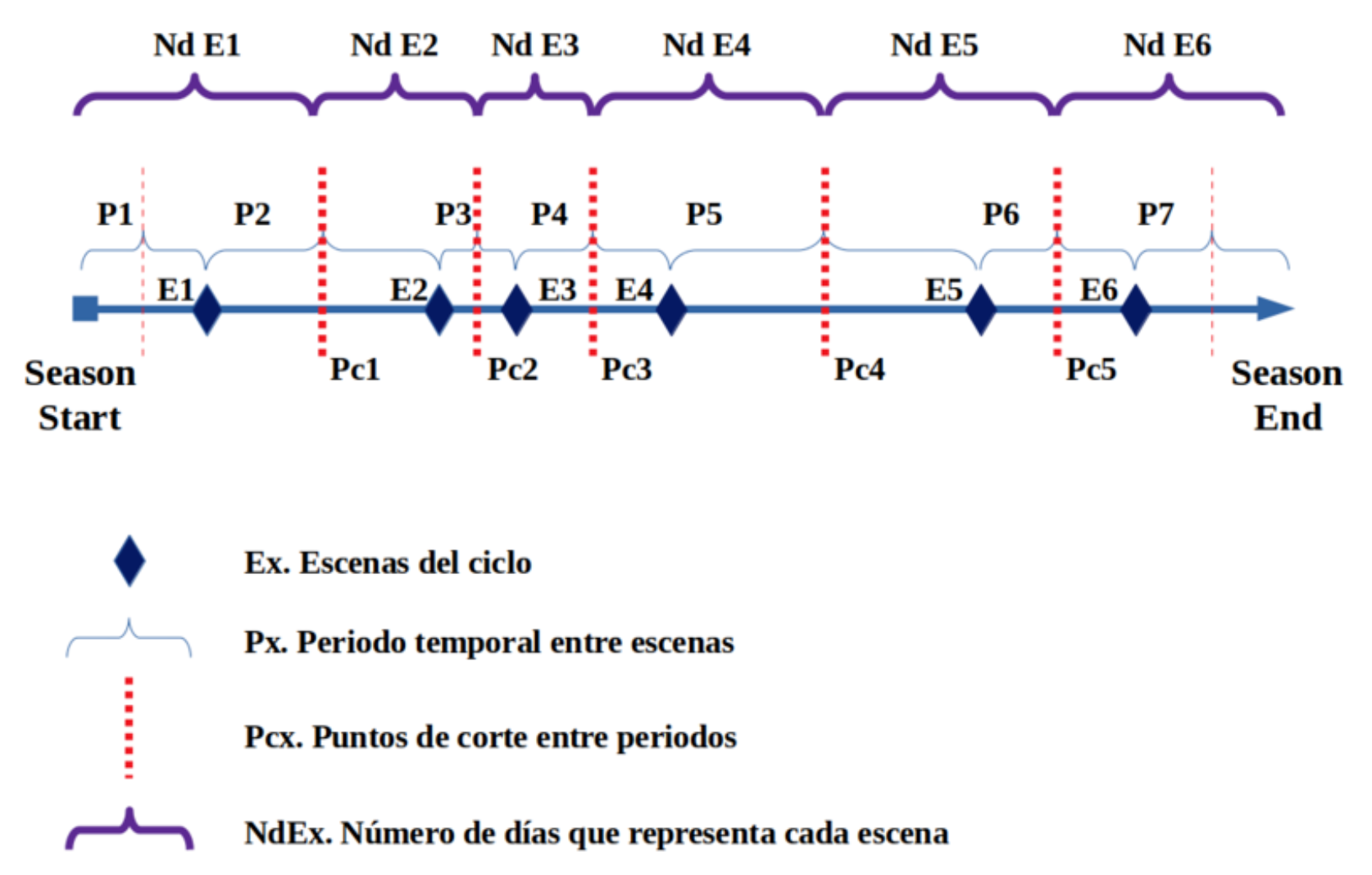
The hydroperiod calculation distributes 365 days among available scenes based on their temporal position within the hydrological cycle (September 1st - August 31st):
Installation
pip install phydroperiod
For development:
git clone https://github.com/Digdgeo/Phydroperiod.git
cd Phydroperiod
pip install -e ".[dev]"
Basic Usage
from phydroperiod import compute_hydroperiod

# Calculate hydroperiod from a directory with water masks
results = compute_hydroperiod("/path/to/water_masks")

print(f"Hydroperiod: {results['hydroperiod']}")
print(f"Valid days: {results['valid_days']}")
print(f"Normalized (0-365): {results['normalized']}")
print(f"First flood (DOY): {results['first_flood_doy']}")
print(f"First flood (date): {results['first_flood_date']}")
print(f"Last flood (DOY): {results['last_flood_doy']}")
print(f"Last flood (date): {results['last_flood_date']}")
print(f"IRT raster: {results['irt_raster']}")
print(f"IRT global: {results['irt_global']}")
Mask Requirements
- Format: GeoTIFF (.tif)
- Default values: 0 = dry, 1 = water, 2 = nodata (clouds, shadows, etc.)
- Filenames: must start with date in YYYYMMDD format (e.g.,
20200915_flood.tif)
Values are configurable:
Available Functions
compute_hydroperiod(input_path, output_path=None, normalize=True, ...)
Complete pipeline that executes all processing steps:
from phydroperiod import compute_hydroperiod

# Basic usage (default values: 0=dry, 1=water, 2=nodata)
results = compute_hydroperiod(
    input_path="/path/to/masks",
    output_path="/path/to/output",  # optional
    normalize=True,  # generates hydroperiod normalized to 365 days
)

# With custom values
results = compute_hydroperiod(
    input_path="/path/to/masks",
    water_value=1,      # value representing water
    dry_value=0,        # value representing dry land
    nodata_value=255,   # value representing nodata
)
Individual Functions
from phydroperiod import (
    calculate_scene_weights,
    process_masks,
    accumulate_hydroperiod,
    normalize_hydroperiod,
    calculate_first_last_flood,
    calculate_temporal_representativity,
    calculate_pixel_irt,
)

# 1. Calculate weights per scene (includes day ranges)
weights = calculate_scene_weights(mask_files)

# 2. Process masks (generates intermediate products)
intermediate_dir = process_masks(input_path, weights=weights)

# 3. Accumulate total hydroperiod
hydroperiod_path, valid_days_path = accumulate_hydroperiod(intermediate_dir)

# 4. Normalize to 365 days (saved as integer)
normalized_path = normalize_hydroperiod(output_path)

# 5. Calculate first/last flood day per pixel (DOY and YYYYMMDD formats)
flood_dates = calculate_first_last_flood(input_path, weights=weights)

# 6. Calculate Temporal Representativity Index (global and per-pixel)
irt_global = calculate_temporal_representativity(mask_files)
irt_raster = calculate_pixel_irt(input_path)
Hydrological Cycle
The calculation is based on the hydrological cycle running from September 1st to August 31st of the following year. Each scene receives a proportional weight based on its temporal position within the cycle.
Generated Products
| File | Description |
|---|---|
*_flood_rec.tif |
Flood days per scene (intermediate) |
*_dry_rec.tif |
Dry days per scene (intermediate) |
*_valid_rec.tif |
Valid days per scene (intermediate) |
hydroperiod_YYYY_YYYY+1.tif |
Accumulated hydroperiod (integer) |
valid_days_YYYY_YYYY+1.tif |
Accumulated valid days (integer) |
hydroperiod_nor_YYYY_YYYY+1.tif |
Normalized hydroperiod (0-365, integer) |
first_flood_doy_YYYY_YYYY+1.tif |
First flood day (0-365, day of hydrological year) |
last_flood_doy_YYYY_YYYY+1.tif |
Last flood day (0-365, day of hydrological year) |
first_flood_date_YYYY_YYYY+1.tif |
First flood day (YYYYMMDD format, e.g., 20240915) |
last_flood_date_YYYY_YYYY+1.tif |
Last flood day (YYYYMMDD format, e.g., 20250213) |
irt_YYYY_YYYY+1.tif |
Temporal Representativity Index per pixel (0-1) |
Temporal Representativity Index (IRT)
The library calculates an index (0-1) that measures how well distributed the observations are throughout the hydrological year:
- IRT = 1: Observations perfectly distributed across the year
- IRT = 0: All observations concentrated in a single period
Two IRT values are provided:
- Global IRT (
irt_global): Based on the available scenes, same for all pixels - Per-pixel IRT (
irt_raster): Accounts for nodata (clouds, shadows) affecting each pixel differently. A pixel covered by clouds in summer will have lower IRT than one with observations throughout the year.
This helps assess the reliability of the hydroperiod calculation at both collection and pixel level.
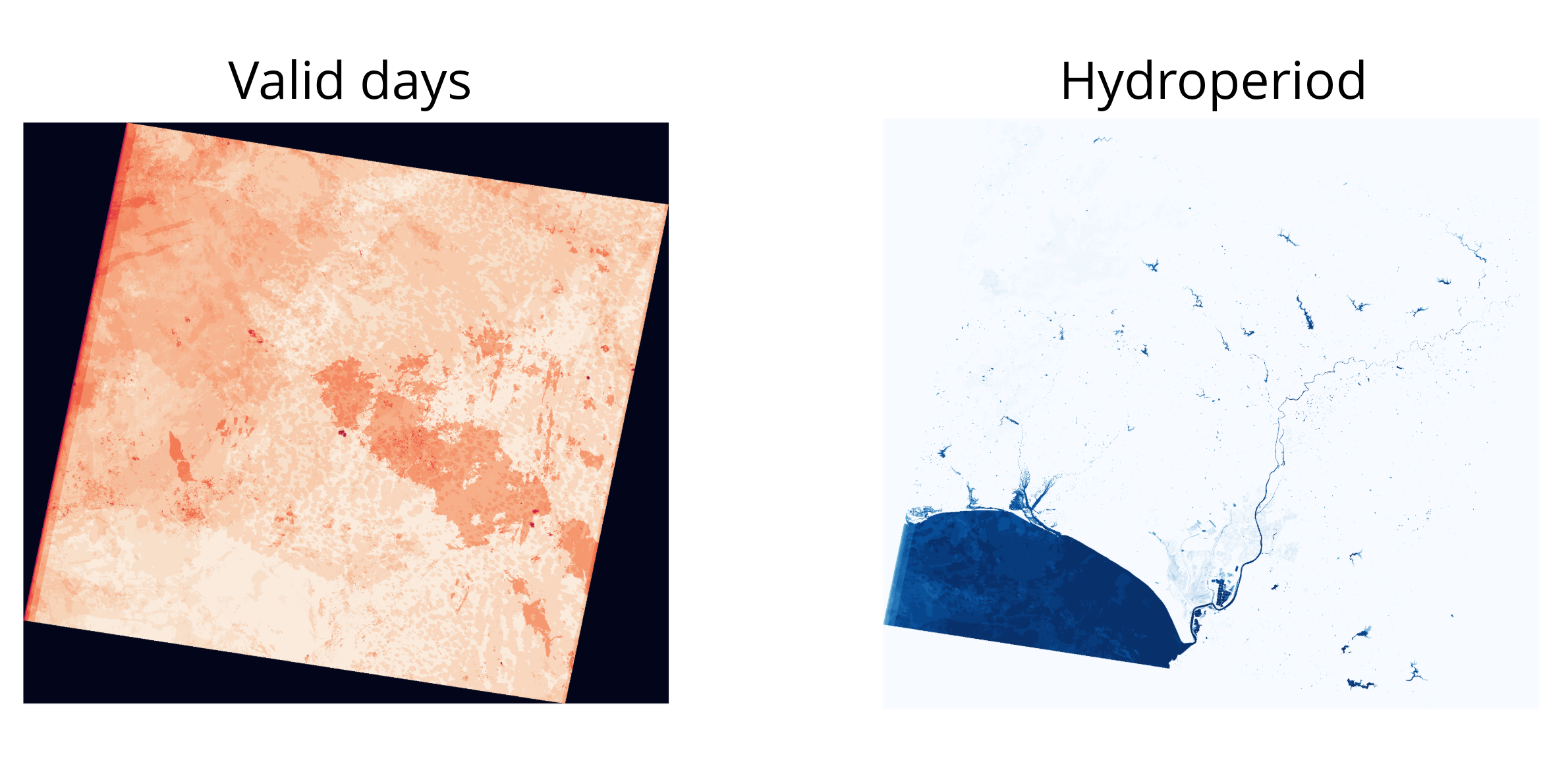
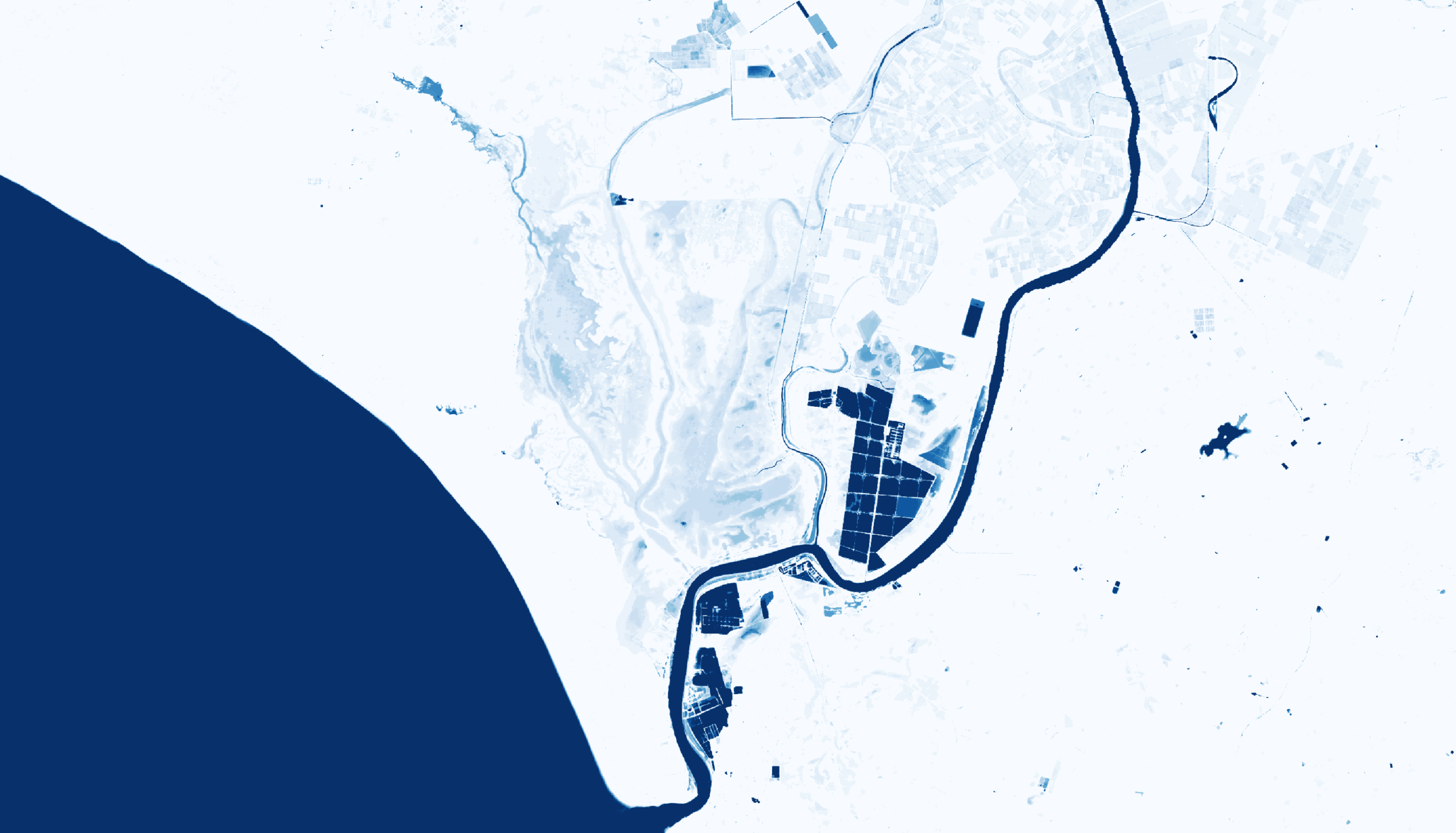
Example Output
Roadmap
- Google Earth Engine integration for water mask retrieval
- Ndvi2Gif integration for automatic mask generation
- CLI for terminal usage
- Support for multiple hydrological cycles
- Leafmap integration for interactive visualization
Authors
- Diego García Díaz - Development, implementation, and methodology
- Javier Bustamante Díaz - Core methodology
License
MIT
1 maintainer

Metadata
1 maintainer
Release files for phydroperiod 0.1.3
For a detailed explanation of source distributions (sdists) and built distributions (wheels), please see the package formats documentation.
Source distribution (sdist)
| File | Size | Uploaded | Provenance | Actions |
|---|---|---|---|---|
| phydroperiod-0.1.3.tar.gz | 14.4 kB | Without provenance | Details for phydroperiod-0.1.3.tar.gz |
Built distribution (wheel)
| File | Interpreter | ABI | Platform | Actions Reset |
|---|---|---|---|---|
| phydroperiod-0.1.3-py3-none-any.whl | Python 3 | none | any | Details for phydroperiod-0.1.3-py3-none-any.whl |
Total release size: 27.9 kB
Release files / phydroperiod-0.1.3.tar.gz
| Download URL | phydroperiod-0.1.3.tar.gz |
|---|---|
| Size | 14.4 kB |
| Tags | Source |
|
SHA-256 checksum How to use checksums |
95efcc552ac148b190e9e8664b9e1564eab2b66e5334c942a174501a1cabaabf
|
|
BLAKE2b-256 checksum How to use checksums |
9f2693106191b1c859a93f9c49458a9bffd917264b70c0bcf17a4b6f5eee7301
|
| Upload date | |
|
Uploaded using Trusted Publishing? What is trusted publishing? |
No |
| Uploaded via |
twine/6.2.0 CPython/3.13.7
|
Release files / phydroperiod-0.1.3-py3-none-any.whl
| Download URL | phydroperiod-0.1.3-py3-none-any.whl |
|---|---|
| Size | 13.6 kB |
| Tags | Python 3 |
|
SHA-256 checksum How to use checksums |
8e9400f1eab85331542d20bb2c2b11c546a29eeab8c1897a3a58cda472e21666
|
|
BLAKE2b-256 checksum How to use checksums |
72b996e0aedb817d621bf39c5a33b8147ff9bed431fd95daa7a57d46f41eadc3
|
| Upload date | |
|
Uploaded using Trusted Publishing? What is trusted publishing? |
No |
| Uploaded via |
twine/6.2.0 CPython/3.13.7
|
Security for phydroperiod 0.1.3
Provenance
Provenance describes where a file came from. On PyPI, provenance is shared via attestations, which provide a verifiable record of the build or publishing details. View details, limitations and caveats.
No provenance found
None of the files in this release were uploaded with provenance metadata.
A note on package security
PyPI is a repository for distributing packages, not a service for auditing them. While third-party security researchers and our staff do their best to detect and remove malicious packages, PyPI cannot guarantee the quality, security or suitability of any given package.
To learn more about protecting yourself from malicious actors, visit our package security documentation.














