
🎹 piano-sampler
A lightweight, terminal-based piano sampler written in Python. It maps MIDI inputs to high-quality audio samples of a real Steinway & Sons Model B Grand Piano.
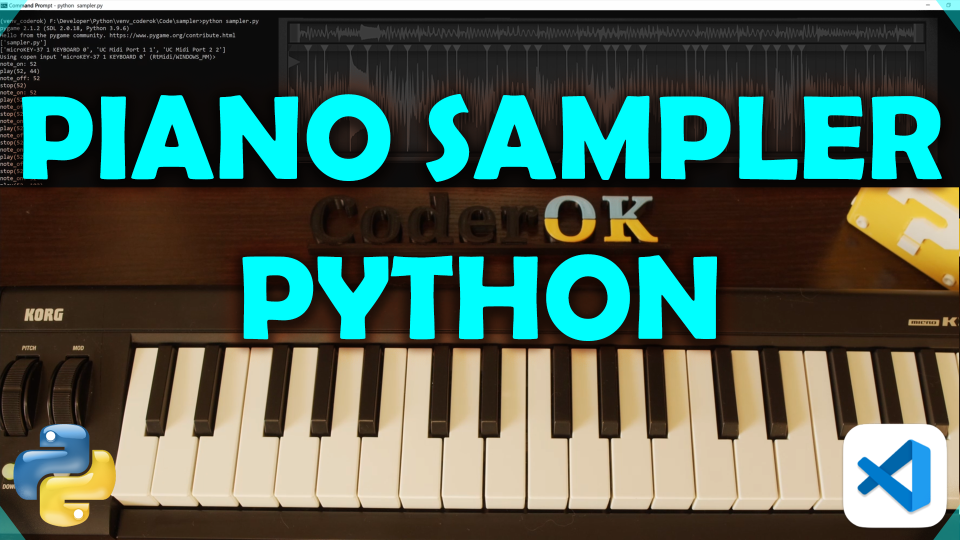
(Click the image to watch a video on how this sampler was created)
✨ Features
- Real-time MIDI Input: Automatically detects and opens all available MIDI devices by default, or lets you specify exactly which ports to use (by name or index).
- Embedded Audio Samples: Loads directly from a packaged zip archive in-memory—no messy folder extraction needed.
- Velocity Sensitive: Responds to how hard you play the keys (can be toggled off).
- Sustain Pedal Support: Fully supports MIDI CC 64 for natural sustain pedal behavior.
- Customizable Polyphony: Adjust the maximum number of simultaneous voices to save CPU or handle complex chords.
🛠 Installation
You can install piano-sampler using pip, uv or build it directly from the source.
Option 1: Install via PyPI (pip) pip install piano-sampler
Option 2: Install via uv If you use uv for fast Python package management: uv tool install piano-sampler
Option 3: Install from source (GitHub) git clone https://github.com/2CoderOK/piano-sampler.git cd piano-sampler pip install .
🚀 Usage
If you installed the package via pip or uv, simply run the command from your terminal:
piano-sampler
⚠️ Note for uv Global Users
If you installed via uv tool install, the application runs in an isolated environment. If the script fails to locate the audio files automatically, you will need to point it to the piano_samples.zip file located within the uv tool directory:
- Locate your uv tool path (run
uv tool dir) and find the install piano_samples.zip file (usually/path/to/uv/tool/dir/Lib/site-packages/piano_sampler). - Run the sampler by passing the path to the zip file: piano-sampler --samples-path /path/to/the/piano_samples.zip
If you are running it directly from the cloned repository without installing: python -m piano_sampler.main
Command Line Arguments
You can customize the sampler's behavior using the following flags:
--list-ports: Display a list of all available MIDI input devices (with their 0-based index numbers) and exit.-p,--port [PORT ...]: Specify one or more MIDI ports to open. You can use exact port names, 0-based index numbers, or a mix of both. If omitted, all available inputs are used.--polyphony <int>: Set the maximum number of simultaneous notes (Default: 32).--ignore-velocity: Play all notes at maximum volume, regardless of how hard you press the key.--sustain: Extend the default release time of notes when let go.--samples-path <path>: Specify a custom path to yourpiano_samples.zipfile (Defaults to the packaged resource or./piano_samples.zip).
🎛 Keyboard Mode
You can use your computer keyboard as a simple piano controller instead of a MIDI device by passing the --keyboard (or -k) flag. This avoids opening MIDI ports — a small Pygame window will open to capture key events, and the sampler will play on key press and release on key release.
Usage example:
piano-sampler --keyboard
Key → Note mapping (layout):
W E T Y U O P
A S D F G H J K L ; ' C4 Db4 D4 Eb4 E4 F4 F#4 G4 Ab4 A4 Bb4 B4 C5 Db5 D5 Eb5 E5 F5
Press ESC or close the window to exit keyboard mode.
Examples:
List available MIDI devices: piano-sampler --list-ports
Open specific MIDI ports by 0-based index number or literal name: piano-sampler -p "Arturia KeyStep 32" piano-sampler -p 2
Open multiple MIDI ports simultaneously (mixing indices and names): piano-sampler -p 0 2 "Arturia KeyStep 32"
Run with high polyphony and max volume (ignoring velocity): piano-sampler --polyphony 64 --ignore-velocity
License
Code: licensed under MIT (see LICENSE). Audio: The audio samples in this package were taken from Electronic Music Studios, University of Iowa: https://theremin.music.uiowa.edu/MISpiano.html Please consider supporting their work.
If you found this project helpful or fun to use, you can support my work here:

🚨 WARNING: INCOMING SHAMELESS PLUG 🚨
Please avert your eyes if you are allergic to indie devs promoting their own stuff on their free MIT repos! 🫣
🎹 Meet this project's beefy C++ sibling: JazzPianoLab!
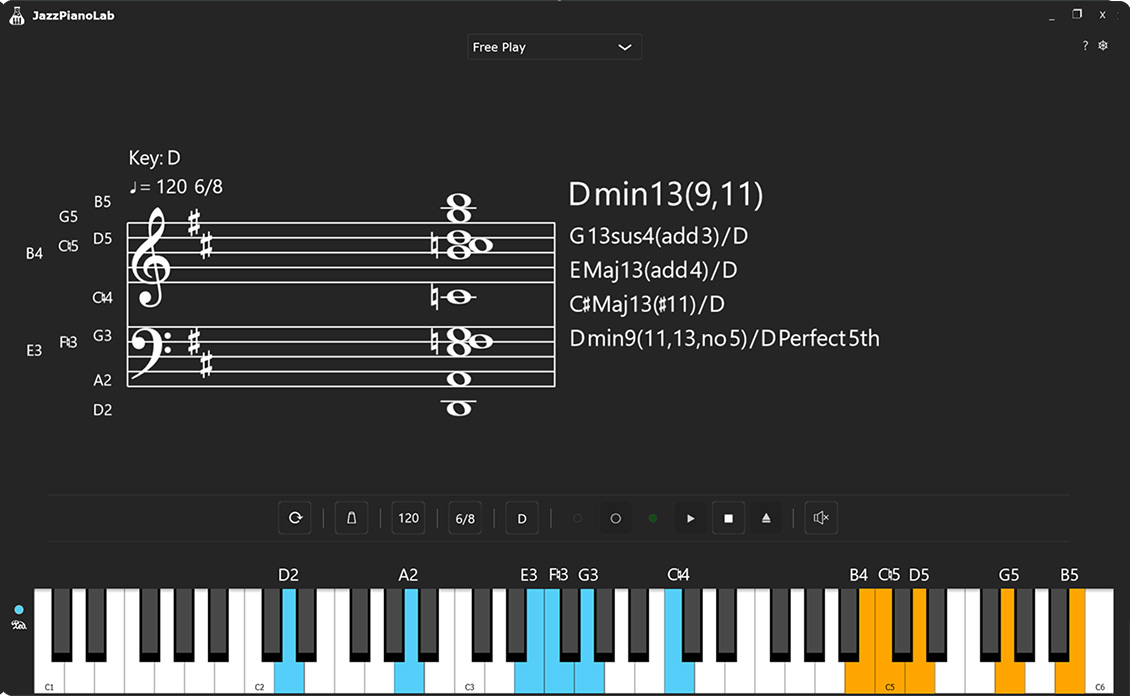
I loved working on this Python sampler, but my curiosity got the better of me. I really wanted to build my own highly controllable audio tool from the ground up, just to see what I could do. Fast forward a bit and I accidentally spent way too much time creating a massive, supercharged platform called JazzPianoLab!
It's written in C++ using the JUCE 8 audio framework and is packed with features I nerded out on:
- 🎹 VST3 Virtual Instrument Support
- 🎼 Advanced Chord Profile System
- ⚡ Real-Time Chord Identification
- 🔴 Built-in MIDI Recorder
- ...and much more!
Don't worry, this MIT Python project isn't going anywhere! But if you’re looking for a next-level jazz piano training platform, check out JazzPianoLab for the latest updates and downloads. Let’s make jazz piano learning smarter and more fun together!
1 maintainer

Metadata
1 maintainer
Release files for piano-sampler 0.1.2
For a detailed explanation of source distributions (sdists) and built distributions (wheels), please see the package formats documentation.
Source distribution (sdist)
| File | Size | Uploaded | |
|---|---|---|---|
| piano_sampler-0.1.2.tar.gz | 40.7 MB | Details |
Built distribution (wheel)
| File | Interpreter | ABI | Platform | Reset |
|---|---|---|---|---|
| piano_sampler-0.1.2-py3-none-any.whl | Python 3 | none | any | Details |
Total release size: 81.1 MB
Release files / piano_sampler-0.1.2.tar.gz
| Download URL | piano_sampler-0.1.2.tar.gz |
|---|---|
| Size | 40.7 MB |
| Tags | Source |
|
SHA-256 checksum How to use checksums |
be2cc062d350985dfb390dabd3412fa6bd5e17972a3510695fdf6589fe27d40e
|
|
BLAKE2b-256 checksum How to use checksums |
9c3b2fbc9dc97866bf6662f33309e9101cc9fb7b486729582a25b4e5ec98293f
|
| Upload date | |
|
Uploaded using Trusted Publishing? What is trusted publishing? |
No |
| Uploaded via |
uv/0.10.0 {"installer":{"name":"uv","version":"0.10.0","subcommand":["publish"]},"python":null,"implementation":{"name":null,"version":null},"distro":null,"system":{"name":null,"release":null},"cpu":null,"openssl_version":null,"setuptools_version":null,"rustc_version":null,"ci":null}
|
Release files / piano_sampler-0.1.2-py3-none-any.whl
| Download URL | piano_sampler-0.1.2-py3-none-any.whl |
|---|---|
| Size | 40.3 MB |
| Tags | Python 3 |
|
SHA-256 checksum How to use checksums |
748d9880851868676ea0deea68ff6e7b6c87c634d3e7360a7638b3a3aee37830
|
|
BLAKE2b-256 checksum How to use checksums |
80dfc3c7b68b34975707960eadcb46fc538701656a8d27eb6196baa669d42818
|
| Upload date | |
|
Uploaded using Trusted Publishing? What is trusted publishing? |
No |
| Uploaded via |
uv/0.10.0 {"installer":{"name":"uv","version":"0.10.0","subcommand":["publish"]},"python":null,"implementation":{"name":null,"version":null},"distro":null,"system":{"name":null,"release":null},"cpu":null,"openssl_version":null,"setuptools_version":null,"rustc_version":null,"ci":null}
|














