

Picanteo: CNES change detection framework for natural disaster response



🌶️ Overview
Picanteo is a flexible and modular framework developed by CNES for building custom change detection pipelines. It provides a set of tools in the picanteo/toolbox module, allowing users to create tailored pipelines or integrate their own tools to extend functionality.
Whether you're analyzing satellite imagery or other geospatial data, Picanteo simplifies the process of detecting changes in dynamic environments.
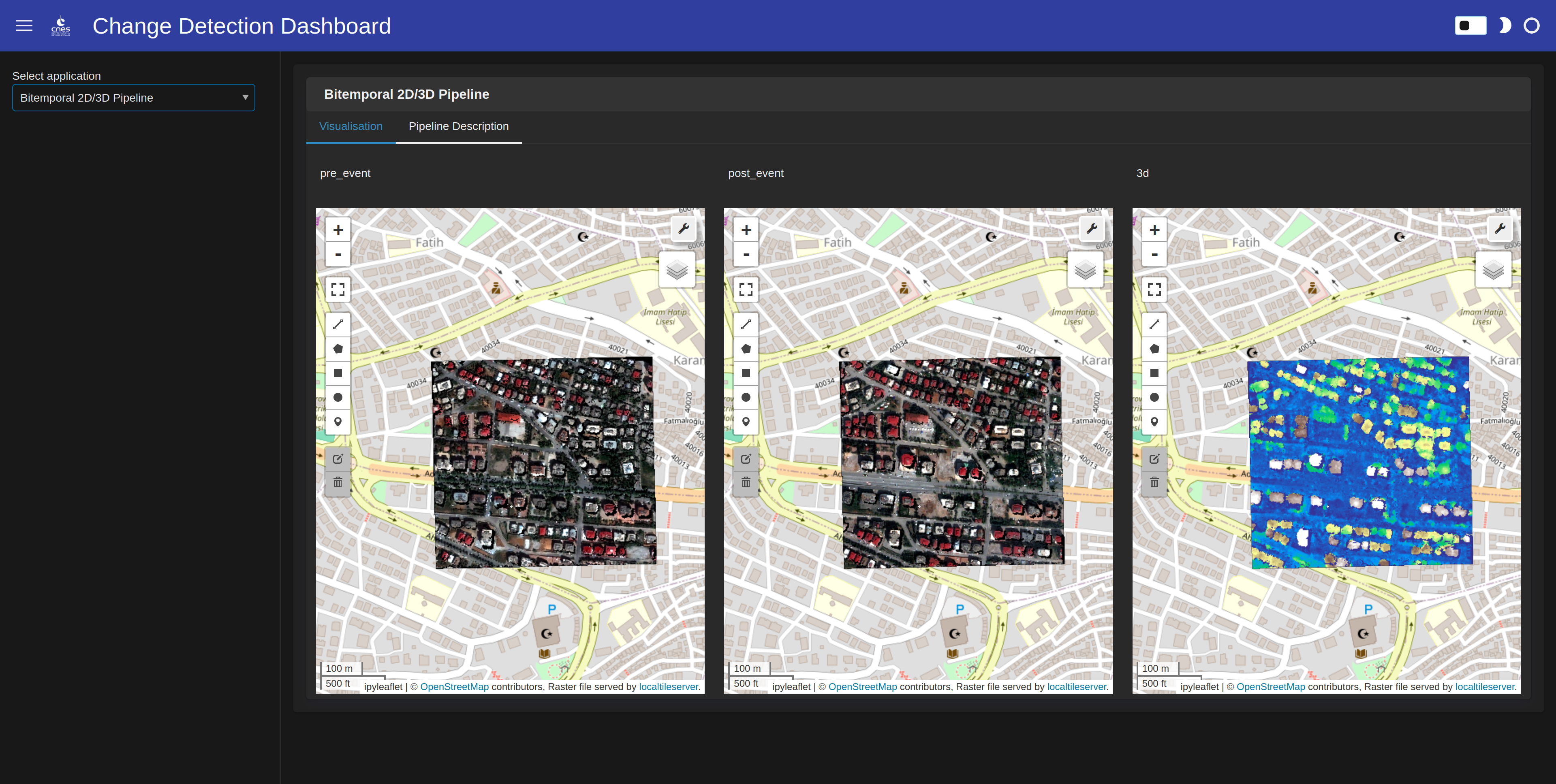
✨ Features
- Modular Pipeline Design: Easily construct and customize change detection pipelines using predefined or user-developed tools.
- Extensible Toolbox: Integrate your own tools into the
picanteo/toolboxfor enhanced flexibility. - Configuration-Driven: Define pipelines using simple YAML configuration files.
- Open Source: Licensed under the Apache 2.0 License, encouraging collaboration and contributions.
🚀 Quick Start
🛠️ Installation
Install Picanteo via pip:
pip install picanteo
Requirements
- Python 3.9 or higher
Dependencies are automatically installed via pip.
See install_requires for details.
⚙️ Run Picanteo
-
To launch Picanteo, you need a YAML configuration file specifying the pipeline and its parameters. Template configurations are available in the
/conf/pipelinesdirectory. -
Create or modify a YAML configuration file (e.g., my_conf.yaml).
-
Once this file is created, simply run the following command:
picanteo my_conf.yaml
If you want to try the pipelines already available in Picanteo, you have to download the weights from our model with this link. Then you have to move those weights in a specific folder:
mkdir docs/tutorials/data/weights && mv weights.ckpt docs/tutorials/data/weights/manet_cos1_weights.ckpt
Then you can run the following command to launch the bitemporal 2D/3D change detection pipeline demo:
picanteo conf/pipelines/bitemporal_2D3D_pipeline.yaml
And you can run the following command to try the bitemporal 2D change detection pipeline demo:
picanteo conf/pipelines/bitemporal_2D_pipeline.yaml
You can now see the results with the following command line:
picanteo_visualize conf/steps/visualization_conf.yaml
Hint: in case you just want to try one of the pipelines, you should edit the visualization_conf.yaml and remove the unused pipeline under the pages section.
👨🏫 Tutorials
Learn how to use Picanteo with these step-by-step guides:
- Creating Your Own Change Detection Pipeline: A Jupyter notebook tutorial for building custom pipelines.
- Preparing Your Data: Instructions for formatting your data to work with Picanteo’s toolbox.
✒️ Credits
If you use Picanteo in your research, please cite the following paper:
@INPROCEEDINGS{picanteo2024,
  author={Hümmer, Christian and Lallement, Dimitri and Youssefi, David},
  booktitle={IGARSS 2024 - 2024 IEEE International Geoscience and Remote Sensing Symposium},
  title={Uncertainty-Aware 2d/3d Change Detection for Natural Disaster Response},
  year={2024},
  pages={3796-3801},
  doi={10.1109/IGARSS53475.2024.10642271}
}
📜 License
Picanteo is licensed under Apache License v2.0. Please refer to the LICENSE file for more details.
🆘 Support
For issues, questions, or feature requests, please open an issue on our GitHub Issues page or check the documentation for additional resources.
🤝Contributing
We welcome contributions! Please read our Contributing Guidelines for details on how to get involved, including coding standards and submission processes.
2 maintainers


Metadata
2 maintainers
Release files for picanteo 0.1.1
For a detailed explanation of source distributions (sdists) and built distributions (wheels), please see the package formats documentation.
Source distribution (sdist)
| File | Size | Uploaded | |
|---|---|---|---|
| picanteo-0.1.1.tar.gz | 46.8 kB | Details |
Release files / picanteo-0.1.1.tar.gz
| Download URL | picanteo-0.1.1.tar.gz |
|---|---|
| Size | 46.8 kB |
| Tags | Source |
|
SHA-256 checksum How to use checksums |
30f5e6ada793b960761f34b305c247ff40df3c2a7a961fa76175be179ac43568
|
|
BLAKE2b-256 checksum How to use checksums |
32f3ab0c93fb41e56fe849e0b0526633f099078f626742dcf5b8637e3f1d5983
|
| Upload date | |
|
Uploaded using Trusted Publishing? What is trusted publishing? |
No |
| Uploaded via |
twine/6.2.0 CPython/3.10.13
|














