
PiePdf
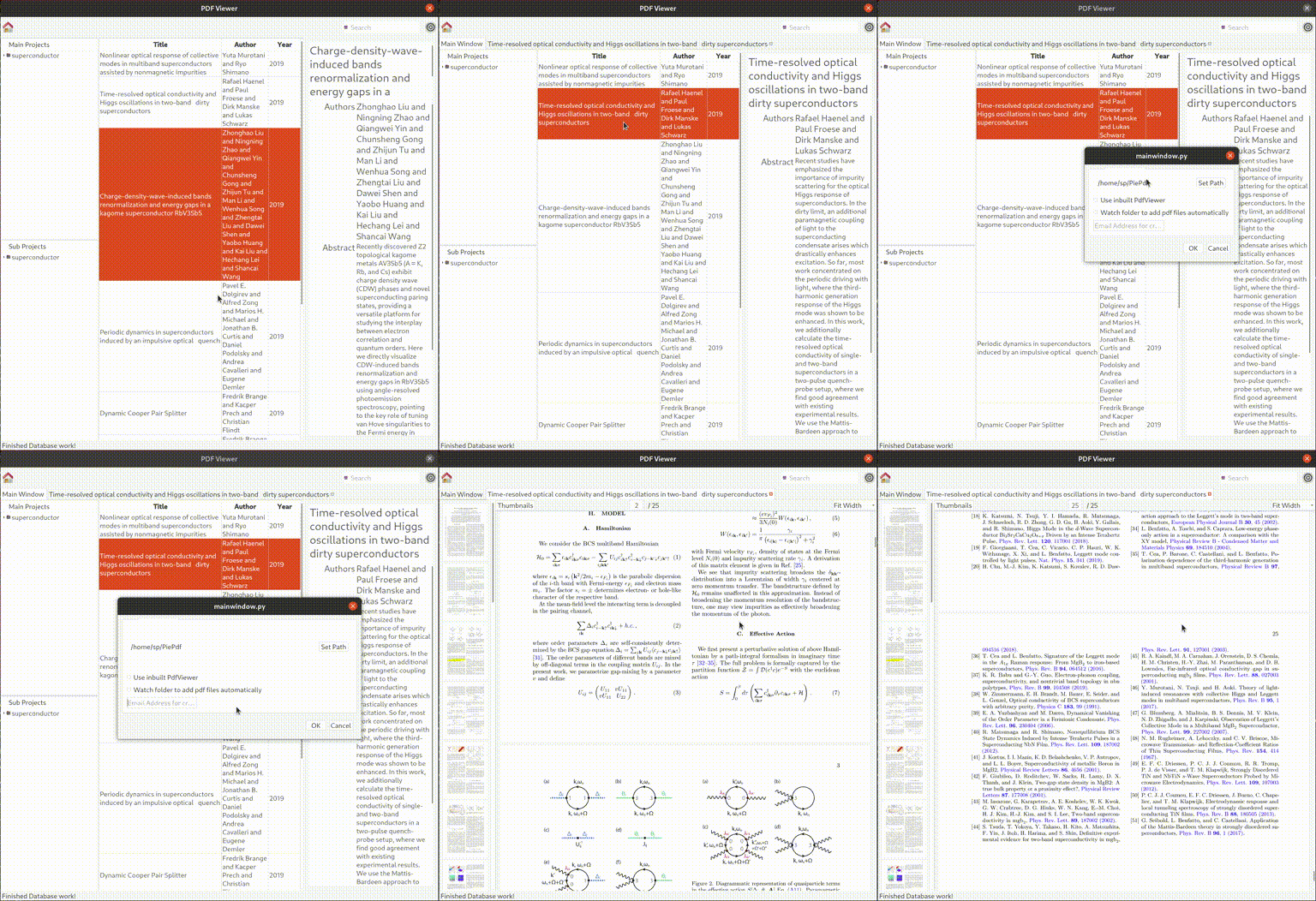
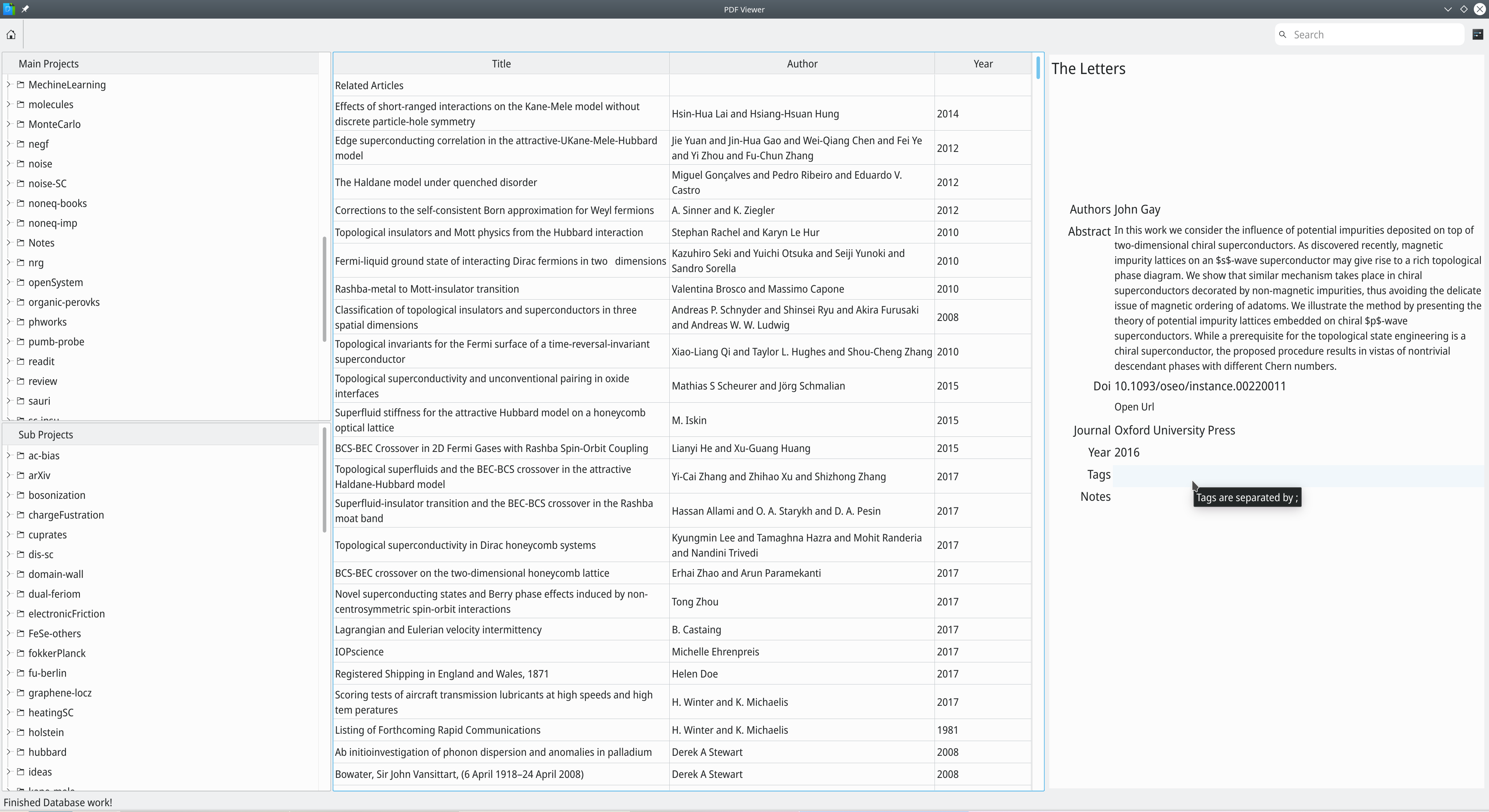
Manage Research Articles and fetch metadata from the internet (currently crossref and arXiv is supported).
Trying to make an opensource alternative to Mendeley, Zotero.
demo
Dependencies
python3-poppler-qt5, PyQt5 for python3, python3-feedparser, habanero
Fedora
pip3 install habanero PyQt5 python-poppler-qt5 feedparser and dnf install python3-httplib2
Openseuse
pip3 install habanero
zypper in python3-poppler-qt5 python3-feedparser python3-qt5 python3-httplib2
Installation
How you can install and test locally:
</code></pre>
<p>From the project root run: <code>pip install -e .</code>
Then run:</p>
<pre><code class="language-bash">piepdf
(or python -m piepdf )
git clone https://github.com/srbhp/PiePdf.git
cd PiePdf
python3 src/piepdf
By default it create a folder PiePdf
in your home directory. You can change this default directory to any Path from the setiing menu.
You have keep all your pdfs in this directory. PiePdf fetch metadata automatically
from crossref or arXiv for each pdf.
You should know
PiePdf configuration file ~/.config/piepdf/piepdf.conf
PiePdf database file ~/.config/piepdf/piepdf_database/piepdf.db
TODO
- Add support for custom metadata providers
- Fix Pdf reader performance
- Fix info widget (title, tags, open URL)
- Fix tab title
- Add icon to reload/sync folder
1 maintainer

Metadata
1 maintainer
Release files for piepdf 0.1.0
For a detailed explanation of source distributions (sdists) and built distributions (wheels), please see the package formats documentation.
Source distribution (sdist)
| File | Size | Uploaded | |
|---|---|---|---|
| piepdf-0.1.0.tar.gz | 34.2 kB | Details |
Built distribution (wheel)
| File | Interpreter | ABI | Platform | Reset |
|---|---|---|---|---|
| piepdf-0.1.0-py3-none-any.whl | Python 3 | none | any | Details |
Total release size: 74.3 kB
Release files / piepdf-0.1.0.tar.gz
| Download URL | piepdf-0.1.0.tar.gz |
|---|---|
| Size | 34.2 kB |
| Tags | Source |
|
SHA-256 checksum How to use checksums |
b8b78be0585e6b637485e571774689b75c88bde3afdb146da48a70bdf57b4d88
|
|
BLAKE2b-256 checksum How to use checksums |
9c6758eb30b7499f30b8e14b812074046f89001f10496ec432eadf77133b230f
|
| Upload date | |
|
Uploaded using Trusted Publishing? What is trusted publishing? |
No |
| Uploaded via |
uv/0.9.15 {"installer":{"name":"uv","version":"0.9.15","subcommand":["publish"]},"python":null,"implementation":{"name":null,"version":null},"distro":{"name":"Fedora Linux","version":"43","id":"","libc":null},"system":{"name":null,"release":null},"cpu":null,"openssl_version":null,"setuptools_version":null,"rustc_version":null,"ci":null}
|
Release files / piepdf-0.1.0-py3-none-any.whl
| Download URL | piepdf-0.1.0-py3-none-any.whl |
|---|---|
| Size | 40.1 kB |
| Tags | Python 3 |
|
SHA-256 checksum How to use checksums |
720a170a43e740a0fbad98dab7838f05182d5120173489f87258c876494248a2
|
|
BLAKE2b-256 checksum How to use checksums |
bb3ef9a80e8f0c1626cf2e2c7ae8bfe76080f3c68d9909d8baebe07be5df2cf7
|
| Upload date | |
|
Uploaded using Trusted Publishing? What is trusted publishing? |
No |
| Uploaded via |
uv/0.9.15 {"installer":{"name":"uv","version":"0.9.15","subcommand":["publish"]},"python":null,"implementation":{"name":null,"version":null},"distro":{"name":"Fedora Linux","version":"43","id":"","libc":null},"system":{"name":null,"release":null},"cpu":null,"openssl_version":null,"setuptools_version":null,"rustc_version":null,"ci":null}
|













