
pihole5-list-tool


This tool provides bulk operations to manage your Pi-hole 5 Allow lists and Block/Ad lists.
Features:
- Allow lists can be added from anudeepND's allowlist, files, or manual entry
- Block/Ad lists can be added from firebog.net, files, or manual entry
- Removes lists it adds (or all of them)
- Reset lists to Pi-hole defaults
- Stats provides some quick sums and groupings
- Docker if you're running the pihole docker image (or one named
pihole), it should be detected and offered as a default option
requirements
- working pi-hole 5+ installation
- python 3.7+ (available by default on Raspbian 10, probably available on your system)
installation
$ sudo pip3 install pihole5-list-tool --upgrade
Note:
- If the
pip3command doesn't work, try usingpipinstead. Here are additional options /workarounds (and glimpses into Python peculiarities) - You must use
sudo
usage / running
Simply run:
$ sudo pihole5-list-tool
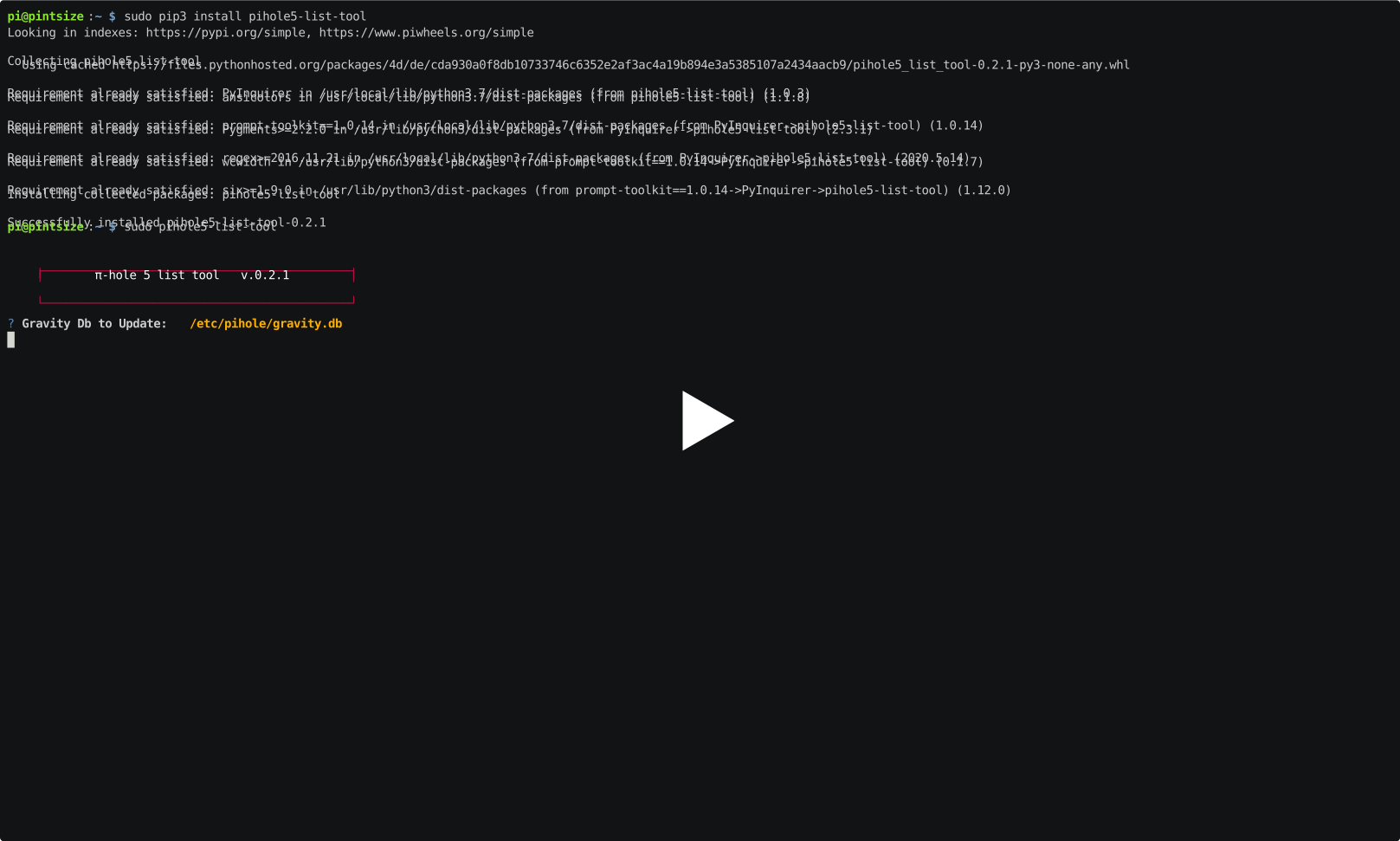
This is what installing and running it basically looks like (many features have been added since this):
supported sources
TL; DR - some maintained online lists, anything you can paste, or a file
allowlists
Currently the only source for maintained whitelists is anudeepND's allowlist. They are presented as:
-
Allowlist Only - Domains that are safe to allow i.e does not contain any tracking or
advertising sites. This fixes many problems like YouTube watch history, videos on news sites and so on. -
Allowlist+Optional - These are needed depending on the service you use. They may contain some
tracking sites but sometimes it's necessary to add bad domains to make a few services to work. -
Allowlist+Referral - People who use services like Slickdeals and Fatwallet need a few sites
  (most of them are either trackers or ads) to be whitelisted to work
  properly. This contains some analytics and ad serving sites like
  doubleclick.net and others. If you don't know what these services are,
  stay away from this list. Domains that are safe to whitelist i.e does
  not contain any tracking or advertising sites. This fixes many problems
  like YouTube watch history, videos on news sites and so on.
ad/blocklists
Currently the only source for maintained blocklists is firebog.net
- Non-crossed lists: For when someone is usually around to whitelist falsely blocked sites
- Ticked lists: For when installing Pi-hole where no one will be whitelisting falsely blocked sites
- All lists: For those who will always be around to whitelist falsely blocked sites
file/paste
Both list types allow providing either a pasted in list or a file as your source of lists.
Finishing up
After adding lists, they must be loaded by running:
$ pihole -g
This tool will offer to do that for you.
When that finishes, you'll see each of listed in the Web Admin interface along with a comment to help identify them.
NOTE: If you need/want the blocklists added from firebog.net (and more) continually updated, check out pihole-updatelists which will also run great on a Pi.
1 maintainer

Release files for pihole5-list-tool 0.6.2
For a detailed explanation of source distributions (sdists) and built distributions (wheels), please see the package formats documentation.
Source distribution (sdist)
| File | Size | Uploaded | |
|---|---|---|---|
| pihole5-list-tool-0.6.2.tar.gz | 13.6 kB | Details |
Built distribution (wheel)
| File | Interpreter | ABI | Platform | Reset |
|---|---|---|---|---|
| pihole5_list_tool-0.6.2-py2.py3-none-any.whl | Python 3, Python 2 | none | any | Details |
Total release size: 29.3 kB
Release files / pihole5-list-tool-0.6.2.tar.gz
| Download URL | pihole5-list-tool-0.6.2.tar.gz |
|---|---|
| Size | 13.6 kB |
| Tags | Source |
|
SHA-256 checksum How to use checksums |
b13545792e039aee5b46b52a72b59fed09d63009e7f8f33026e9ba5ffac0adde
|
|
BLAKE2b-256 checksum How to use checksums |
ffe8d3efc6650f8d29b7cf3af301e3d4a8fcfc6e1496a3a3486724b809077bad
|
| Upload date | |
|
Uploaded using Trusted Publishing? What is trusted publishing? |
No |
| Uploaded via |
twine/4.0.1 CPython/3.10.7
|
Release files / pihole5_list_tool-0.6.2-py2.py3-none-any.whl
| Download URL | pihole5_list_tool-0.6.2-py2.py3-none-any.whl |
|---|---|
| Size | 15.7 kB |
| Tags | Python 2 Python 3 |
|
SHA-256 checksum How to use checksums |
f19efea136ded52c0cf1f38675ff4fcea26edcc01888b21387393523668fc150
|
|
BLAKE2b-256 checksum How to use checksums |
7b2ac8c3fa913777bb283815500600a5860e7f2db6c962ba8f94a969a6ce8eaf
|
| Upload date | |
|
Uploaded using Trusted Publishing? What is trusted publishing? |
No |
| Uploaded via |
twine/4.0.1 CPython/3.10.7
|














