
Find PII data in databases


Project description





PII Catcher for Databases and Data Warehouses
Overview
PIICatcher is a scanner for PII and PHI information. It finds PII data in your databases and file systems and tracks critical data. PIICatcher uses two techniques to detect PII:
- Match regular expressions with column names
- Match regular expressions and using NLP libraries to match sample data in columns.
Read more in the blog post on both these strategies.
PIICatcher is batteries-included with a growing set of plugins to scan column metadata as well as metadata. For example, piicatcher_spacy uses Spacy to detect PII in column data.
PIICatcher supports incremental scans and will only scan new or not-yet scanned columns. Incremental scans allow easy scheduling of scans. It also provides powerful options to include or exclude schema and tables to manage compute resources.
There are ingestion functions for both Datahub and Amundsen which will tag columns and tables with PII and the type of PII tags.
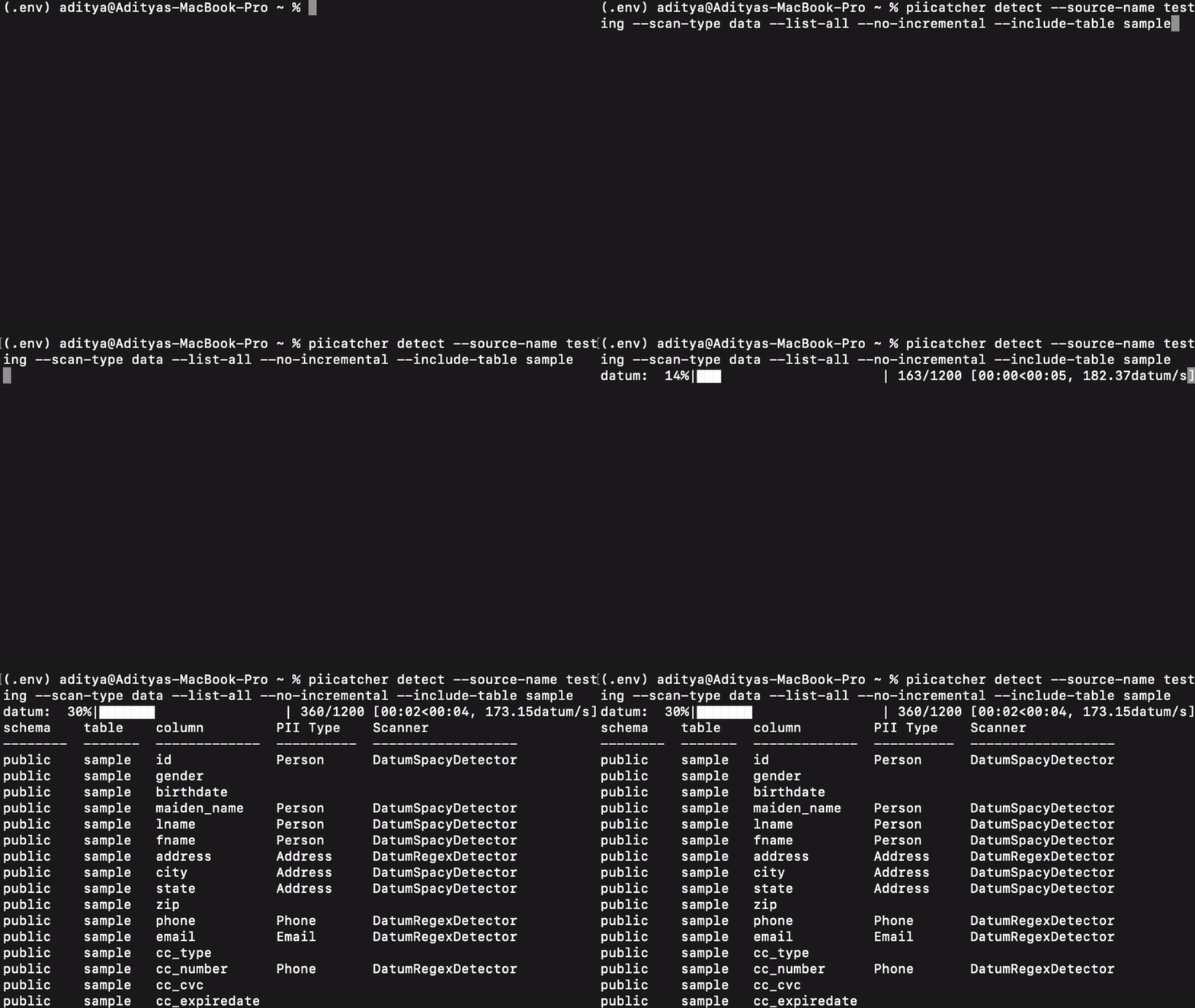
Resources
- AWS Glue & Lake Formation Privilege Analyzer for an example of how piicatcher is used in production.
- Two strategies to scan data warehouses
Quick Start
PIICatcher is available as a docker image or command-line application.
Installation
Docker:
alias piicatcher='docker run -v ${HOME}/.config/tokern:/config -u $(id -u ${USER}):$(id -g ${USER}) -it --add-host=host.docker.internal:host-gateway tokern/piicatcher:latest'
Pypi: # Install development libraries for compiling dependencies. # On Amazon Linux sudo yum install mysql-devel gcc gcc-devel python-devel
python3 -m venv .env
source .env/bin/activate
pip install piicatcher

# Install Spacy plugin
pip install piicatcher_spacy
Command Line Usage
# add a sqlite source
piicatcher catalog add-sqlite --name sqldb --path '/db/sqldb/test.db'

# run piicatcher on a sqlite db and print report to console
piicatcher detect --source-name sqldb
╭─────────────┬─────────────┬─────────────┬─────────────╮
│   schema    │    table    │   column    │   has_pii   │
├─────────────┼─────────────┼─────────────┼─────────────┤
│        main │    full_pii │           a │           1 │
│        main │    full_pii │           b │           1 │
│        main │      no_pii │           a │           0 │
│        main │      no_pii │           b │           0 │
│        main │ partial_pii │           a │           1 │
│        main │ partial_pii │           b │           0 │
╰─────────────┴─────────────┴─────────────┴─────────────╯
API Usage
Code Snippet:
from dbcat.api import open_catalog, add_postgresql_source
from piicatcher.api import scan_database

# PIICatcher uses a catalog to store its state.
# The easiest option is to use a sqlite memory database.
# For production usage check, https://tokern.io/docs/data-catalog
catalog = open_catalog(app_dir='/tmp/.config/piicatcher', path=':memory:', secret='my_secret')

with catalog.managed_session:
    # Add a postgresql source
    source = add_postgresql_source(catalog=catalog, name="pg_db", uri="127.0.0.1", username="piiuser",
                                    password="p11secret", database="piidb")
    output = scan_database(catalog=catalog, source=source)

print(output)

# Example Output
[
    ['public', 'sample', 'gender', 'PiiTypes.GENDER'],
    ['public', 'sample', 'maiden_name', 'PiiTypes.PERSON'],
    ['public', 'sample', 'lname', 'PiiTypes.PERSON'],
    ['public', 'sample', 'fname', 'PiiTypes.PERSON'],
    ['public', 'sample', 'address', 'PiiTypes.ADDRESS'],
    ['public', 'sample', 'city', 'PiiTypes.ADDRESS'],
    ['public', 'sample', 'state', 'PiiTypes.ADDRESS'],
    ['public', 'sample', 'email', 'PiiTypes.EMAIL']
]
Plugins
PIICatcher can be extended by creating new detectors. PIICatcher supports two scanning techniques:
- Metadata
- Data
Plugins can be created for either of these two techniques. Plugins are then registered using an API or using Python Entry Points.
To create a new detector, simply create a new class that inherits from MetadataDetector
or DatumDetector.
In the new class, define a function detect that will return a PIIType
If you are detecting a new PII type, then you can define a new class that inherits from PIIType.
For detailed documentation, check piicatcher plugin docs.
Supported Databases
PIICatcher supports the following databases:
- Sqlite3 v3.24.0 or greater
- MySQL 5.6 or greater
- PostgreSQL 9.4 or greater
- AWS Redshift
- AWS Athena
- Snowflake
- BigQuery
Documentation
For advanced usage refer documentation PIICatcher Documentation.
Survey
Please take this survey if you are a user or considering using PIICatcher. The responses will help to prioritize improvements to the project.
Stats Collection
We use cookies to a analyse our traffic and features usage. We may share information about your use of our product for our social media and marketing purposes. These cookies don't collect your sensitive and/or confidential information. If you would like to opt out of these cookies, run
piicatcher --disable-stats
To Enable:
piicatcher --enable-stats
Contributing
For Contribution guidelines, PIICatcher Developer documentation.
Release history Release notifications | RSS feed


Download files
Download the file for your platform. If you're not sure which to choose, learn more about installing packages.
Source Distribution
Built Distribution
Filter files by name, interpreter, ABI, and platform.
If you're not sure about the file name format, learn more about wheel file names.
Copy a direct link to the current filters
File details
Details for the file piicatcher-0.21.1.tar.gz.
File metadata
- Download URL: piicatcher-0.21.1.tar.gz
- Upload date:
- Size: 19.0 kB
- Tags: Source
- Uploaded using Trusted Publishing? No
- Uploaded via: poetry/1.5.1 CPython/3.8.17 Linux/5.15.0-1040-azure
File hashes
| Algorithm | Hash digest | |
|---|---|---|
| SHA256 |
c80132dcbfeb05e720751bb8f168446741e3af3701f0d1d8ec6b04dbe15cf2b7
|
|
| MD5 |
5a73850cb3a6b55cdc69e9fca5c156ea
|
|
| BLAKE2b-256 |
b78171d2c840eef762b5ecd3d73180d86509ddc35a72873f195258e8e558cd3a
|
File details
Details for the file piicatcher-0.21.1-py3-none-any.whl.
File metadata
- Download URL: piicatcher-0.21.1-py3-none-any.whl
- Upload date:
- Size: 19.7 kB
- Tags: Python 3
- Uploaded using Trusted Publishing? No
- Uploaded via: poetry/1.5.1 CPython/3.8.17 Linux/5.15.0-1040-azure
File hashes
| Algorithm | Hash digest | |
|---|---|---|
| SHA256 |
78595323ce37adf7c5e3146b3d5c90ce7be72a6d178d46aff81798ce5454df5d
|
|
| MD5 |
0944a46f4e052e81a5e5b5a6b887e365
|
|
| BLAKE2b-256 |
d96766cf820b66925a0aad5679a5de85c59486382a93f5111621005d0728b304
|






