
PIICloak






Enterprise-grade PII detection and anonymization API
Fast · Accurate · GDPR/CCPA Ready · 31 Entity Types
🎯 What is PIICloak?
PIICloak is a production-ready REST API service for detecting and anonymizing Personally Identifiable Information (PII) in text and documents. Built on Microsoft's Presidio with custom recognizers optimized for:
- 🏢 Salesforce data (Account/Contact/Case IDs)
- ⚖️ Legal documents (Case numbers, contracts)
- 💰 Financial data (Bank accounts, tax IDs)
- 🏥 Healthcare (Medical records, HIPAA compliance)
- 💻 Technical data (API keys, IP addresses)
Why PIICloak?
| Feature | PIICloak | Alternatives |
|---|---|---|
| Entity Types | 31 (including custom business entities) | 10-15 standard types |
| Organization Detection | ✅ NER-based (works with ANY company name) | ❌ Pattern-only |
| Salesforce Support | ✅ Native (Account/Contact/Case/Lead IDs) | ❌ Not included |
| Legal Document Support | ✅ Case numbers, contracts, dockets | ❌ Not included |
| API Keys Detection | ✅ OpenAI, Anthropic, OpenRouter, GitHub, GitLab, Stripe, Slack, Telegram, Sentry, generic | ⚠️ Limited |
| SDK | ✅ Python SDK included | ❌ API only |
| One-Line Install | ✅ pip install piicloak |
⚠️ Complex setup |
| Docker Ready | ✅ Production-grade image | ⚠️ Basic |
| Metrics | ✅ Prometheus built-in | ❌ None |
| Auth | ✅ Optional API key | ❌ None |
🚀 Quick Start
30-Second Setup
# Install
pip install piicloak

# Run
python -m piicloak
Server starts on http://localhost:8000 🎉
Instant Test
curl -X POST http://localhost:8000/anonymize \
  -H "Content-Type: application/json" \
  -d '{"text": "Email john@acme.com, SSN 123-45-6789"}'
Response:
{
  "anonymized": "Email <EMAIL_ADDRESS>, SSN <US_SSN>",
  "entities_found": [
    {"type": "EMAIL_ADDRESS", "text": "john@acme.com", "score": 1.0},
    {"type": "US_SSN", "text": "123-45-6789", "score": 0.85}
  ]
}
Docker
docker run -p 8000:8000 dimanjet/piicloak
Python SDK
from piicloak import PIICloak

cloak = PIICloak()
result = cloak.anonymize("Contact John Smith at john@acme.com")
print(result.anonymized)  # "Contact <PERSON> at <EMAIL_ADDRESS>"
✨ Features
Supported Entity Types (31)
| Entity Type | Description | Example |
|---|---|---|
| 👤 PERSONAL IDENTIFIABLE INFORMATION | ||
PERSON |
Names of individuals (NER-based) | "John Smith", "Jane Doe" |
EMAIL_ADDRESS |
Email addresses | "john@example.com" |
PHONE_NUMBER |
Phone numbers (multiple formats) | "+1-555-123-4567", "(555) 123-4567" |
US_SSN |
US Social Security Numbers | "123-45-6789" |
US_PASSPORT |
US Passport numbers | "123456789" |
US_DRIVER_LICENSE |
US Driver's License numbers | "D1234567" |
ADDRESS |
Physical addresses (NER + patterns) | "123 Main St, New York, NY 10001" |
| 💳 FINANCIAL INFORMATION | ||
CREDIT_CARD |
Credit card numbers (all major brands) | "4532-1234-5678-9010" |
IBAN_CODE |
International Bank Account Numbers | "GB82 WEST 1234 5698 7654 32" |
US_BANK_NUMBER |
US bank account numbers | "123456789012" |
BANK_ACCOUNT |
Generic bank account patterns | "ACC-123456789" |
TAX_ID |
Tax IDs (EIN/TIN) | "12-3456789" |
CRYPTO |
Cryptocurrency addresses | "1A1zP1eP5QGefi2DMPTfTL5SLmv7DivfNa" |
| 🏢 ORGANIZATIONAL DATA | ||
ORGANIZATION |
Company names (NER-based) | "Acme Corp", "Tech Industries Inc" |
DOMAIN |
Internet domains | "example.com", "company.io" |
SALESFORCE_ID |
Salesforce record IDs (Account/Contact/Case/Lead) | "0015000000AbcDEF", "5005000000XyzABC" |
ACCOUNT_ID |
Generic account identifiers | "ACC-123456", "A-987654" |
| ⚖️ LEGAL DOCUMENTS | ||
CASE_NUMBER |
Court case numbers (Federal/State) | "1:24-cv-12345", "CR-2024-001234" |
CONTRACT_NUMBER |
Contract and agreement numbers | "CONT-2024-001", "AGR-123456" |
| 💻 TECHNICAL & SECURITY | ||
USERNAME |
Usernames and login IDs | "john_smith123", "@johndoe", "admin" |
API_KEY |
API keys and secrets (OpenAI, Anthropic, OpenRouter, GitHub, GitLab, Hugging Face, Stripe, Slack, Telegram, ClickUp-labeled tokens, Sentry, JWT, generic) | "sk-1234567890abcdef...", "ghp_abc..." |
IP_ADDRESS |
IPv4 and IPv6 addresses | "192.168.1.1", "2001:0db8::1" |
URL |
Web URLs | "https://example.com/page" |
| 🏥 HEALTHCARE & OTHER | ||
MEDICAL_LICENSE |
Medical license numbers | "MD-123456" |
UK_NHS |
UK NHS numbers | "123 456 7890" |
NRP |
Número de Registro de Personas (Spanish ID) | "12345678A" |
LOCATION |
Geographic locations (NER-based) | "New York", "San Francisco" |
DATE_TIME |
Dates and timestamps | "2024-01-20", "January 20th, 2024" |
Total: 31 entity types covering personal, financial, organizational, legal, technical, and healthcare data.
Anonymization Modes
# Replace with entity type (default)
{"mode": "replace"} → "Contact <PERSON> at <EMAIL_ADDRESS>"

# Mask with asterisks
{"mode": "mask"} → "Contact ******** at ****************"

# Redact (remove completely)
{"mode": "redact"} → "Contact  at "

# Hash (SHA256)
{"mode": "hash"} → "Contact a1b2c3d4... at e5f6g7h8..."
💼 Use Cases
Salesforce Data Protection
curl -X POST http://localhost:8000/anonymize \
  -H "Content-Type: application/json" \
  -d '{
    "text": "Account: 0015000000AbcDEFG, Contact: Jane Doe (jane@company.com), Case: 5005000000XyzABC"
  }'
Output:
Account: <SALESFORCE_ID>, Contact: <PERSON> (<EMAIL_ADDRESS>), Case: <SALESFORCE_ID>
Legal Documents
curl -X POST http://localhost:8000/anonymize \
  -H "Content-Type: application/json" \
  -d '{
    "text": "Case No. 1:24-cv-12345 - Plaintiff John Doe (SSN: 123-45-6789) vs. Acme Corp (EIN: 12-3456789)"
  }'
Output:
Case No. <CASE_NUMBER> - Plaintiff <PERSON> (SSN: <US_SSN>) vs. <ORGANIZATION> (EIN: <TAX_ID>)
API Keys & Secrets
curl -X POST http://localhost:8000/anonymize \
  -H "Content-Type: application/json" \
  -d '{
    "text": "OpenAI key: sk-1234567890abcdefghijklmnopqrstuv, GitHub: ghp_abcdefghijklmnopqrstuvwxyz1234567890"
  }'
Output:
OpenAI key: <API_KEY>, GitHub: <API_KEY>
Agent Memory Transcript Redaction
Agent memory and coding-assistant tools often index chat transcripts for later recall. Use API_KEY
detection with safe_response to redact secret-shaped values without echoing raw matches in the API
response.
curl -X POST http://localhost:8000/anonymize \
  -H "Content-Type: application/json" \
  -d '{
    "text": "Save commit 1eeb16dd but redact OpenRouter sk-or-v1-abcdefghijklmnopqrstuvwxyz123456",
    "entities": ["API_KEY"],
    "safe_response": true
  }'
Output:
{
  "anonymized": "Save commit 1eeb16dd but redact OpenRouter <API_KEY>",
  "entities_found": [
    {"type": "API_KEY", "start": 43, "end": 84, "score": 0.95}
  ],
  "safe_response": true
}
For local transcript files, use the secrets profile CLI. This path preserves people,
organizations, domains, commit SHAs, UUIDs, and other useful recall context while redacting
technical secrets.
piicloak redact \
  --profile secrets \
  --input session.jsonl \
  --output session.redacted.jsonl
Dry-run mode reports safe counts without writing a redacted file:
piicloak redact --profile secrets --input session.jsonl --dry-run
.docx Files
curl -X POST http://localhost:8000/anonymize/docx \
  -F "document=@contract.docx" \
  -F "mode=replace"
📖 Documentation
Installation
# Basic installation
pip install piicloak

# Download NLP model (required for the full API/server Presidio backend)
python -m spacy download en_core_web_lg

# Or install everything at once
pip install piicloak && python -m spacy download en_core_web_lg

# Optional OpenAI Privacy Filter backend from the official OpenAI repository (Python 3.10+)
pip install "git+https://github.com/openai/privacy-filter.git@f7f00ca7fb869683eb732c010299d901457f19c3"
piicloak redact --profile secrets is a lightweight regex-only file redaction path. It does not load
the spaCy model and does not require or download an OpenAI Privacy Filter checkpoint.
Configuration
All settings use the PIICLOAK_ prefix and have sensible defaults:
| Environment Variable | Default | Description |
|---|---|---|
PIICLOAK_HOST |
0.0.0.0 |
Server host |
PIICLOAK_PORT |
8000 |
Server port (standard) |
PIICLOAK_DEBUG |
false |
Debug mode |
PIICLOAK_WORKERS |
4 |
Gunicorn workers |
PIICLOAK_LOG_LEVEL |
INFO |
Logging level |
PIICLOAK_SPACY_MODEL |
en_core_web_lg |
spaCy model |
PIICLOAK_DETECTOR_BACKEND |
presidio |
Detector backend: presidio or privacy-filter |
PIICLOAK_PRIVACY_FILTER_CHECKPOINT |
"" |
Privacy Filter checkpoint path |
PIICLOAK_PRIVACY_FILTER_ALLOW_DOWNLOAD |
false |
Allow Privacy Filter to download its default checkpoint |
PIICLOAK_PRIVACY_FILTER_DEVICE |
cpu |
Privacy Filter inference device |
PIICLOAK_SCORE_THRESHOLD |
0.4 |
Min confidence score (0-1) |
PIICLOAK_DEFAULT_MODE |
replace |
Default anonymization mode |
PIICLOAK_CORS_ORIGINS |
* |
CORS allowed origins |
PIICLOAK_API_KEY |
"" |
Optional API key (empty = no auth) |
PIICLOAK_RATE_LIMIT |
100/minute |
Rate limiting |
PIICLOAK_ENABLE_METRICS |
true |
Prometheus metrics |
Example:
export PIICLOAK_PORT=9000
export PIICLOAK_API_KEY=your-secret-key
python -m piicloak
To use the optional Privacy Filter backend on Python 3.10+, install OpenAI's official
openai/privacy-filter package source, not the unrelated privacy-filter package on PyPI. Then set an
explicit checkpoint path, or opt into the upstream default checkpoint download:
pip install "git+https://github.com/openai/privacy-filter.git@f7f00ca7fb869683eb732c010299d901457f19c3"
export PIICLOAK_DETECTOR_BACKEND=privacy-filter
export PIICLOAK_PRIVACY_FILTER_CHECKPOINT=/path/to/privacy_filter_checkpoint
python -m piicloak
🔌 API Reference
Endpoints
POST /anonymize - Anonymize Text
Request:
{
  "text": "Contact John at john@acme.com",
  "entities": ["PERSON", "EMAIL_ADDRESS"],  // optional
  "mode": "replace",                        // optional
  "language": "en",                         // optional
  "score_threshold": 0.4                    // optional
}
Response:
{
  "original": "Contact John at john@acme.com",
  "anonymized": "Contact <PERSON> at <EMAIL_ADDRESS>",
  "entities_found": [...]
}
Set "safe_response": true to omit the raw input and raw matched entity text from the response.
POST /analyze - Detect PII Only
curl -X POST http://localhost:8000/analyze \
  -H "Content-Type: application/json" \
  -d '{"text": "Contact john@example.com"}'
GET /entities - List Supported Entities
curl http://localhost:8000/entities
GET /metrics - Prometheus Metrics
curl http://localhost:8000/metrics
GET /health - Health Check
curl http://localhost:8000/health
🐳 Deployment
Docker
# Build
docker build -t piicloak .

# Run
docker run -p 8000:8000 piicloak

# With environment variables
docker run -p 8000:8000 \
  -e PIICLOAK_API_KEY=your-key \
  -e PIICLOAK_WORKERS=8 \
  piicloak
Docker Compose
docker-compose up -d
Production (Gunicorn)
pip install gunicorn
gunicorn -c gunicorn.conf.py "piicloak.app:create_application()"
Kubernetes
See docs/DEPLOYMENT.md for Kubernetes deployment guide.
🛠️ Development
Setup
# Clone repository
git clone https://github.com/dimanjet/piicloak.git
cd piicloak

# Create virtual environment
python -m venv venv
source venv/bin/activate  # On Windows: venv\Scripts\activate

# Install dev dependencies
pip install -e ".[dev]"

# Download spaCy model
python -m spacy download en_core_web_lg

# Run tests
pytest

# Run with coverage
pytest --cov=piicloak --cov-report=html

# Format code
black src/ tests/

# Lint
flake8 src/ tests/
Project Structure
piicloak/
├── src/piicloak/
│   ├── __init__.py          # PIICloak SDK class
│   ├── __main__.py          # CLI entry point
│   ├── app.py               # Application factory
│   ├── api.py               # REST API endpoints
│   ├── config.py            # Configuration
│   ├── engine.py            # Analyzer/Anonymizer setup
│   ├── recognizers.py       # Custom PII recognizers
│   ├── middleware.py        # Auth, CORS, logging
│   └── metrics.py           # Prometheus metrics
├── tests/                   # Comprehensive test suite
├── docs/                    # Documentation
├── Dockerfile               # Production Docker image
├── docker-compose.yml       # Docker Compose config
├── gunicorn.conf.py         # Gunicorn configuration
└── requirements.txt         # Dependencies
🤝 Contributing
Contributions are welcome! Please see CONTRIBUTING.md for guidelines.
Adding New Recognizers
To add a new PII recognizer:
- Add pattern(s) to
src/piicloak/recognizers.py - Create a factory function
- Add to
SUPPORTED_ENTITIES - Write tests in
tests/test_recognizers.py - Update README
Example:
def create_license_plate_recognizer() -> PatternRecognizer:
    patterns = [
        Pattern("US_PLATE", r"\b[A-Z]{2,3}[-\s]?\d{3,4}\b", 0.7),
    ]
    return PatternRecognizer(
        supported_entity="LICENSE_PLATE",
        patterns=patterns
    )
📊 Performance
- Throughput: ~100 requests/second (single worker)
- Latency: <100ms per request (average)
- Memory: ~500MB (with spaCy model loaded)
- Scalability: Stateless design, horizontally scalable
🔒 Security
- Optional API key authentication
- CORS configuration
- Rate limiting support
- Security headers included
- No data retention
- Stateless operation
Report security vulnerabilities to: marinovdk@gmail.com
📜 License
This project is licensed under the MIT License - see the LICENSE file for details.
Acknowledgments
PIICloak is built on top of these excellent open-source projects:
- Microsoft Presidio (MIT License)
- spaCy (MIT License)
- Flask (BSD-3-Clause License)
- python-docx (MIT License)
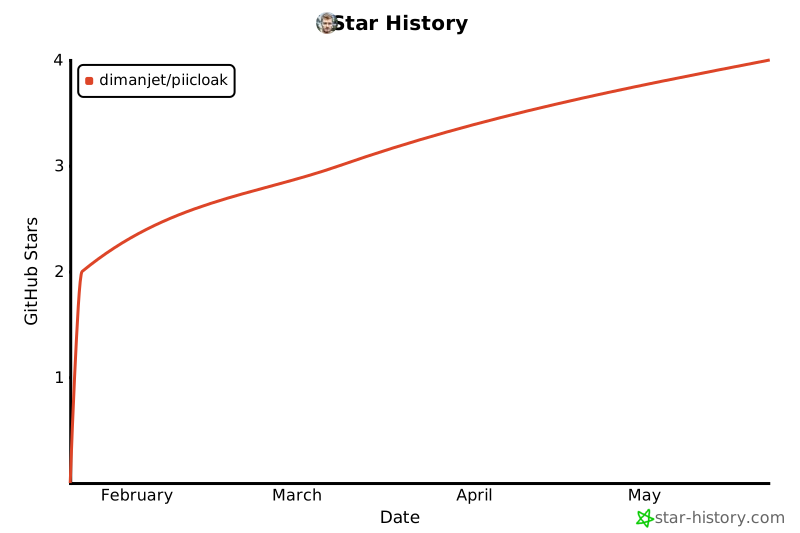
🌟 Star History
If you find PIICloak useful, please consider giving it a star ⭐
📫 Contact & Support
- Author: Dmitry Marinov
- Email: marinovdk@gmail.com
- GitHub: @dimanjet
- Issues: GitHub Issues
Made with ❤️ for the privacy-conscious developer community
1 maintainer

Metadata
1 maintainer
Release files for piicloak 1.2.1
For a detailed explanation of source distributions (sdists) and built distributions (wheels), please see the package formats documentation.
Source distribution (sdist)
| File | Size | Uploaded | |
|---|---|---|---|
| piicloak-1.2.1.tar.gz | 42.7 kB | Details |
Built distribution (wheel)
| File | Interpreter | ABI | Platform | Reset |
|---|---|---|---|---|
| piicloak-1.2.1-py3-none-any.whl | Python 3 | none | any | Details |
Total release size: 71.8 kB
Release files / piicloak-1.2.1.tar.gz
| Download URL | piicloak-1.2.1.tar.gz |
|---|---|
| Size | 42.7 kB |
| Tags | Source |
|
SHA-256 checksum How to use checksums |
bf48255b33df18f61c4b59173dd4fb99d570dc0e994db00e9dc71ec138e0cf19
|
|
BLAKE2b-256 checksum How to use checksums |
ddb62df6d27f20412fb946acb95a39c8e8b2526c165175776a321b4333918adc
|
| Upload date | |
|
Uploaded using Trusted Publishing? What is trusted publishing? |
Yes |
| Uploaded via |
twine/6.1.0 CPython/3.13.12
|
Provenance
Provenance describes where a file came from. On PyPI, provenance is shared via attestations, which provide a verifiable record of the build or publishing details. View details, limitations and caveats.


PyPI Publish Attestation
PyPI verified that this artifact, at this checksum, originated from the publisher listed below.
Signed by GitHub Actions, verified by PyPI on May 22, 2026.
Transparency logRelease files / piicloak-1.2.1-py3-none-any.whl
| Download URL | piicloak-1.2.1-py3-none-any.whl |
|---|---|
| Size | 29.1 kB |
| Tags | Python 3 |
|
SHA-256 checksum How to use checksums |
1883e07835ff5c706153a2b0fd1df2a4eb76bd5b923e2aec729bb410448a89ba
|
|
BLAKE2b-256 checksum How to use checksums |
a800fe941b042a72c55edf8ee2909f12e947304d421799552466eb97d1fc279d
|
| Upload date | |
|
Uploaded using Trusted Publishing? What is trusted publishing? |
Yes |
| Uploaded via |
twine/6.1.0 CPython/3.13.12
|
Provenance
Provenance describes where a file came from. On PyPI, provenance is shared via attestations, which provide a verifiable record of the build or publishing details. View details, limitations and caveats.
PyPI Publish Attestation
PyPI verified that this artifact, at this checksum, originated from the publisher listed below.
Signed by GitHub Actions, verified by PyPI on May 22, 2026.
Transparency log













