
🛡️ Enterprise PII Guardrails Studio (v2.0.7)
High-Performance, Zero-Leak AI Privacy Gateway & Management Studio for Enterprise LLM Pipelines










PyPI Package • GitHub Repository • API Reference • Licensing Guide • Report Issue
📸 The Enterprise Studio in Action
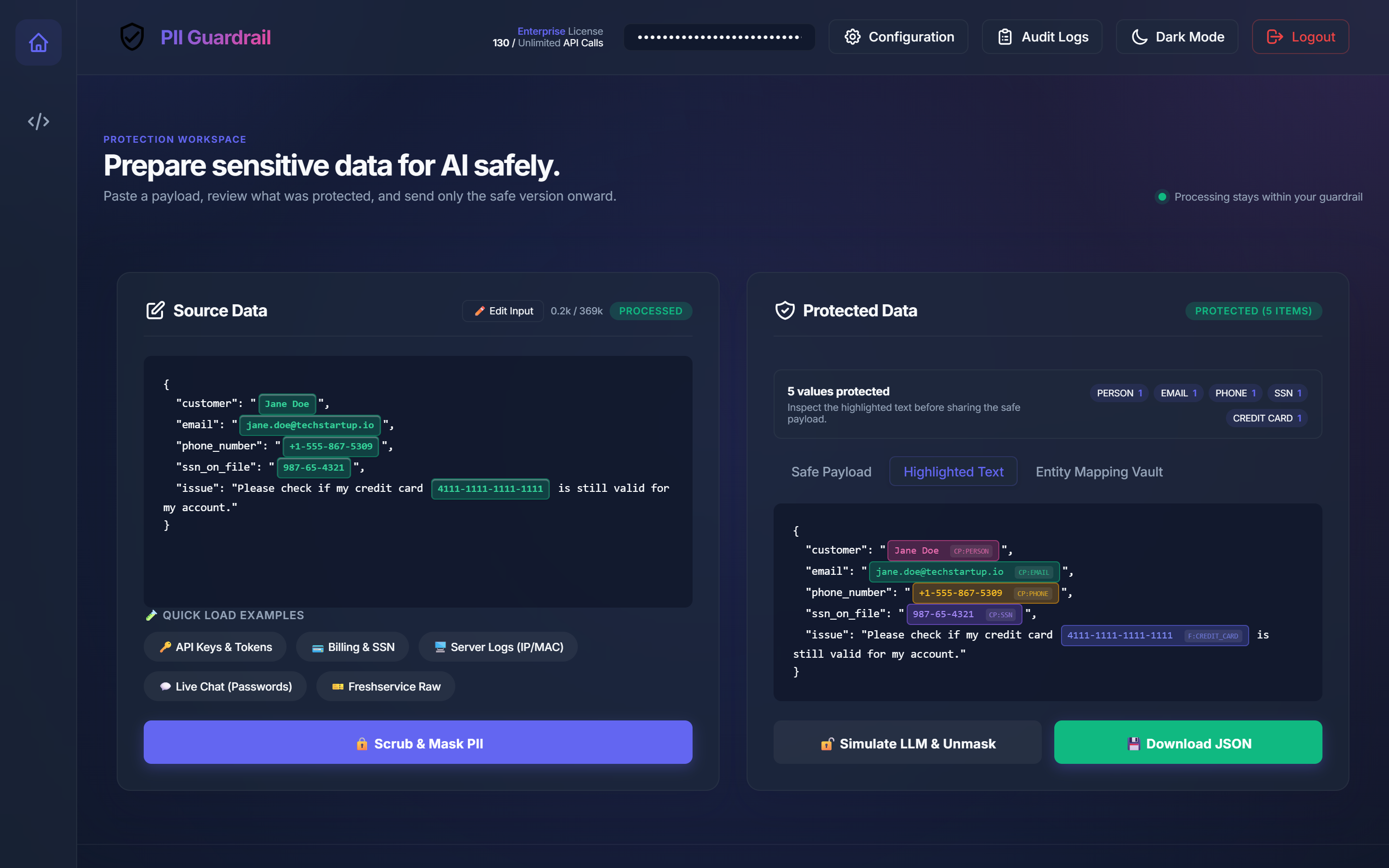
Interactive PII Playground (Live Detection with Visual Highlight Pills)
Inspect, scrub, and redact sensitive entities with sub-25ms latency. Visual badge pills pinpoint exactly what the engine detected before it ever leaves your network.
🔍 Expand to View Additional Studio Screenshots (8 Views)
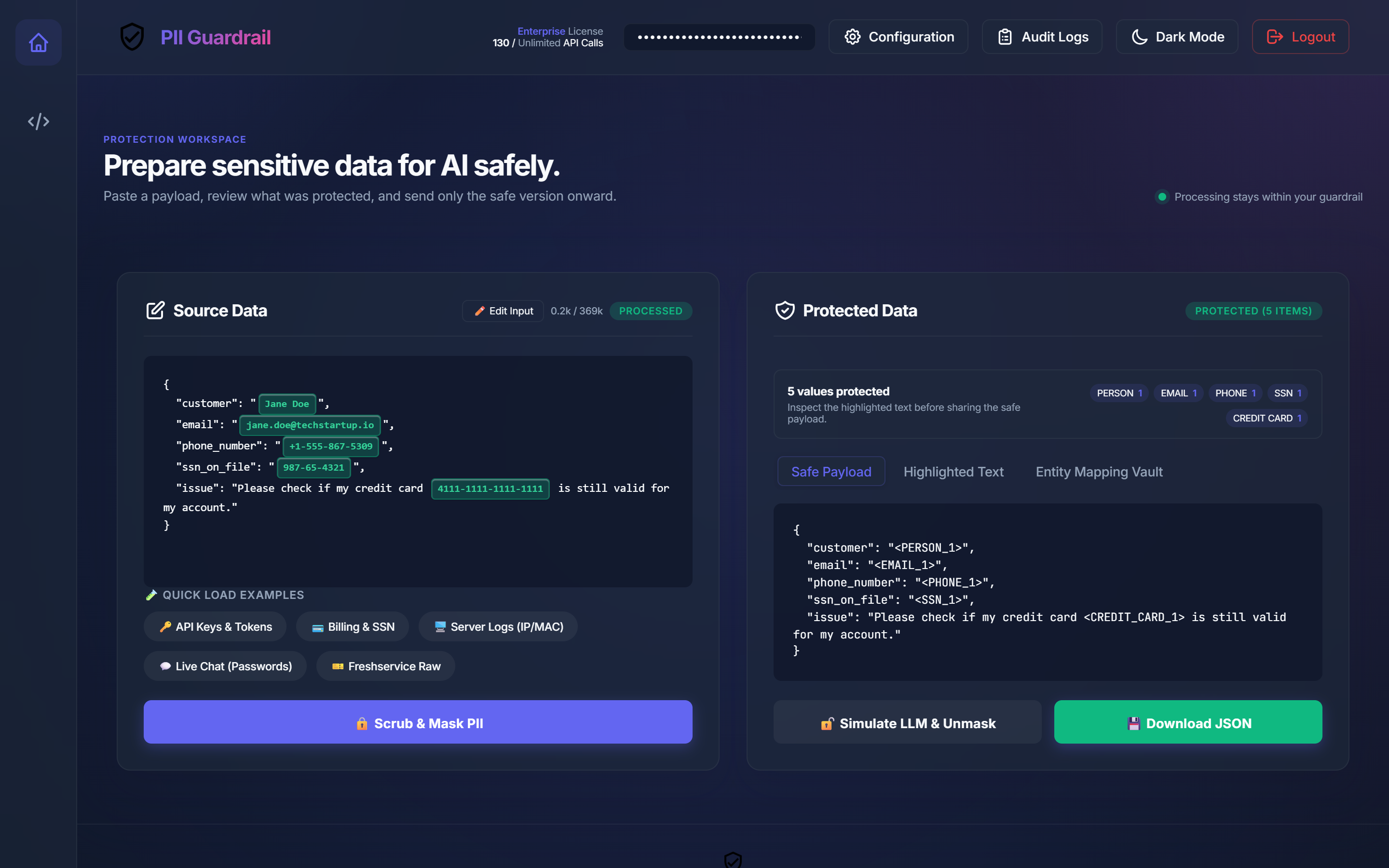
1. Deterministic Safe Payload Output (/mask)
Transformed prompt ready for LLM consumption with reversible placeholder tokens (<PERSON_1>, <SSN_1>, <CREDIT_CARD_1>) and UIDAI statutory masked Aadhaar (XXXX-XXXX-1234).
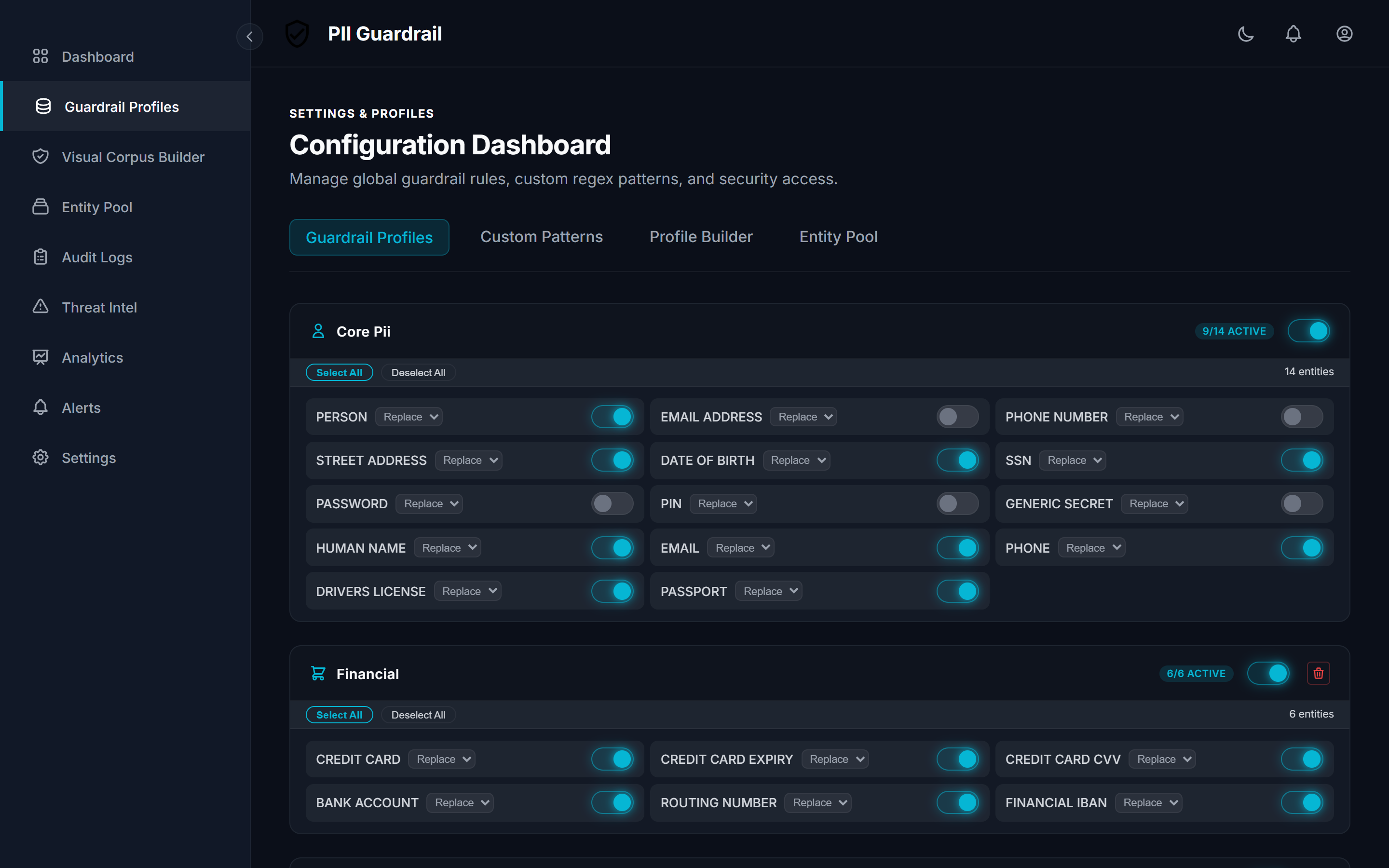
2. 30+ Entity Recognizers & Compliance Profiles (HIPAA, GDPR, India DPDP)
Granular toggles for Financial, Healthcare, IT Security, Core PII, and statutory regional compliance—including the turnkey India DPDP Act (2023) profile with UIDAI Masked Aadhaar (XXXX-XXXX-1234), PAN Card, ABHA Health ID, UPI VPA, and IFSC Code.
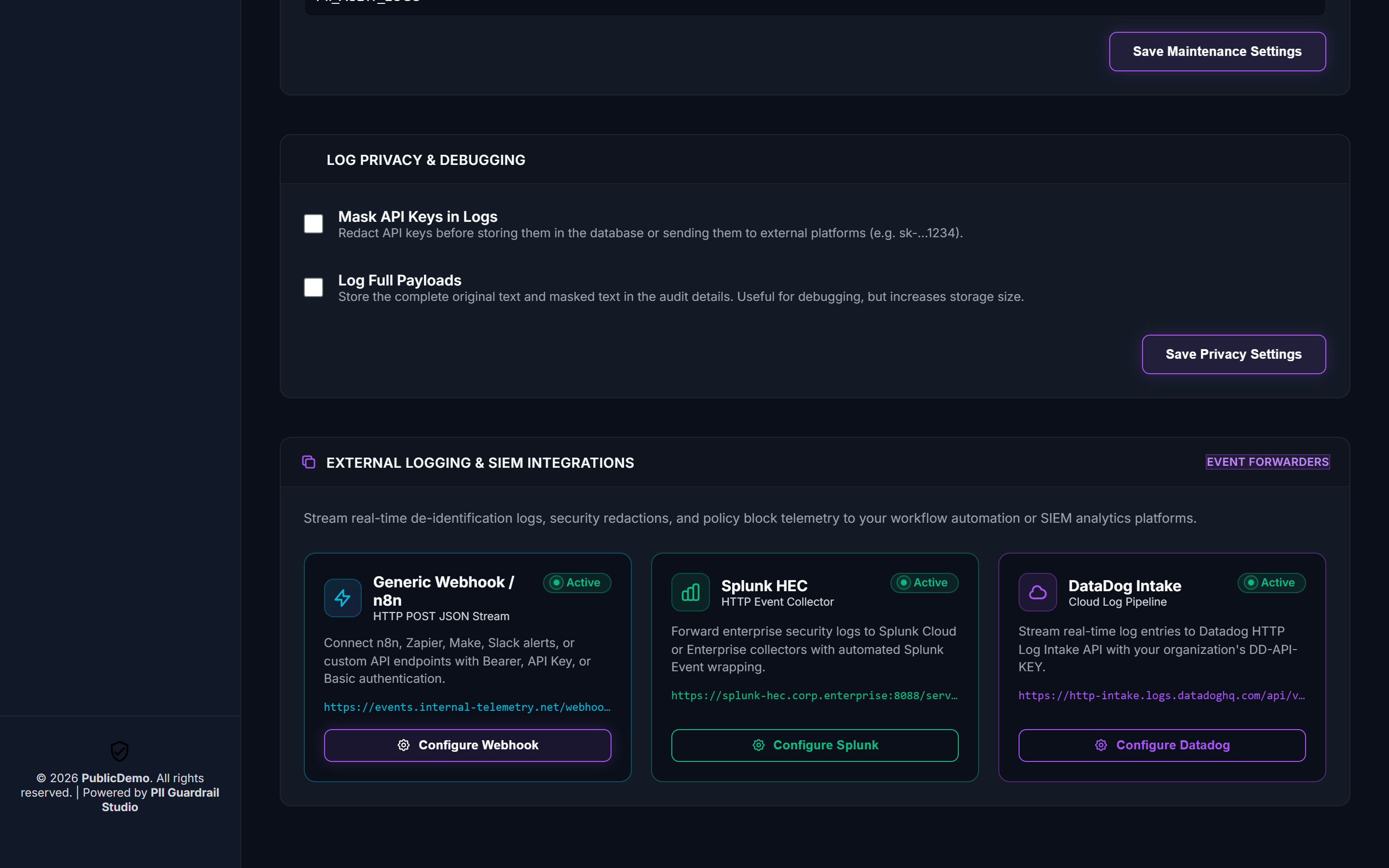
3. External Logging & SIEM Integrations Hub (Splunk, Datadog, Webhooks)
Enterprise log stream forwarders with automated Splunk Event wrapping, Datadog Intake API integration, and real-time radiating status beacons.
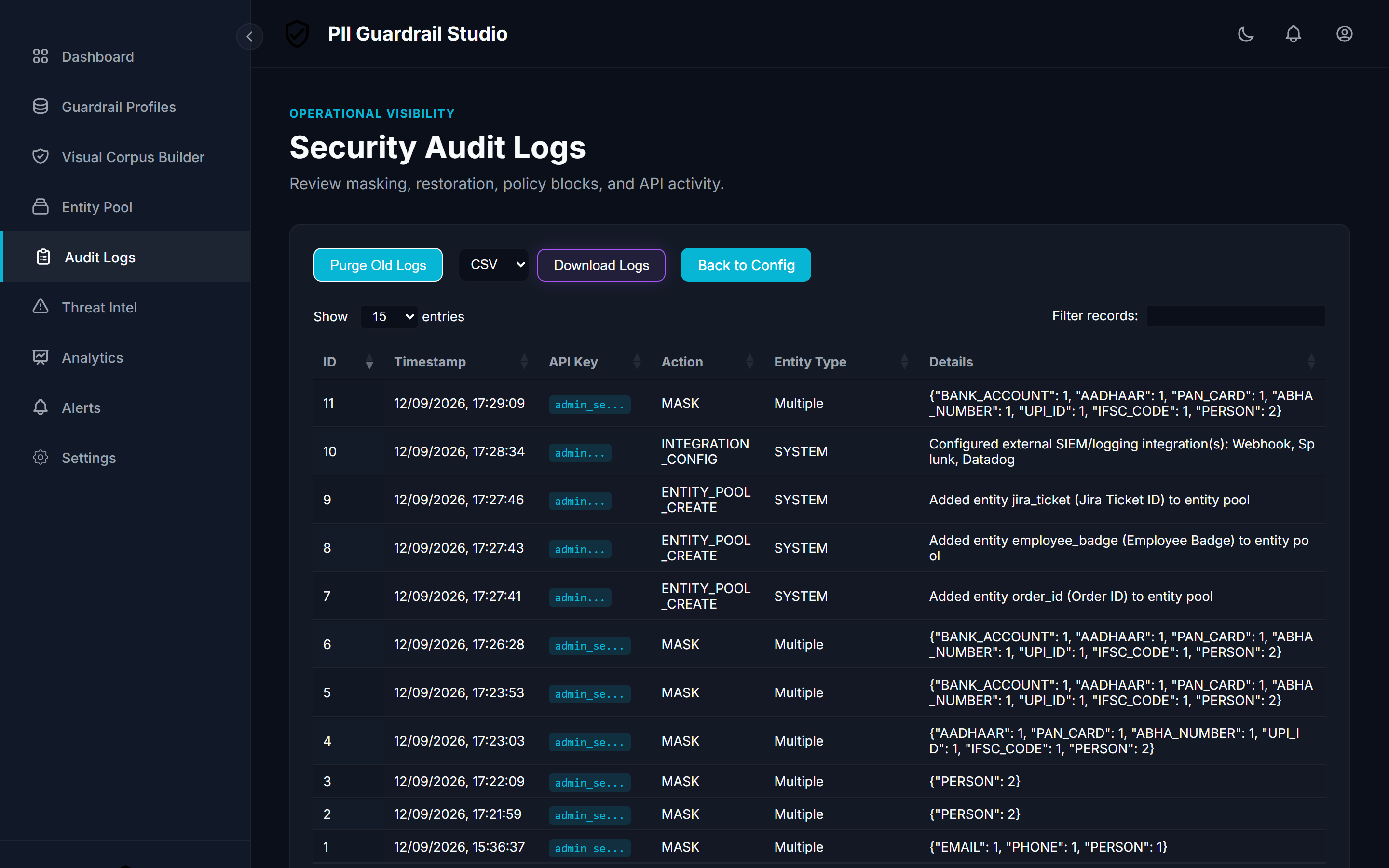
4. Enterprise Security Audit Logs & Telemetry
Immutable audit trails recording all masking events, policy intercepts, and administrative actions with full-text search, filtering, and CSV/JSON export.
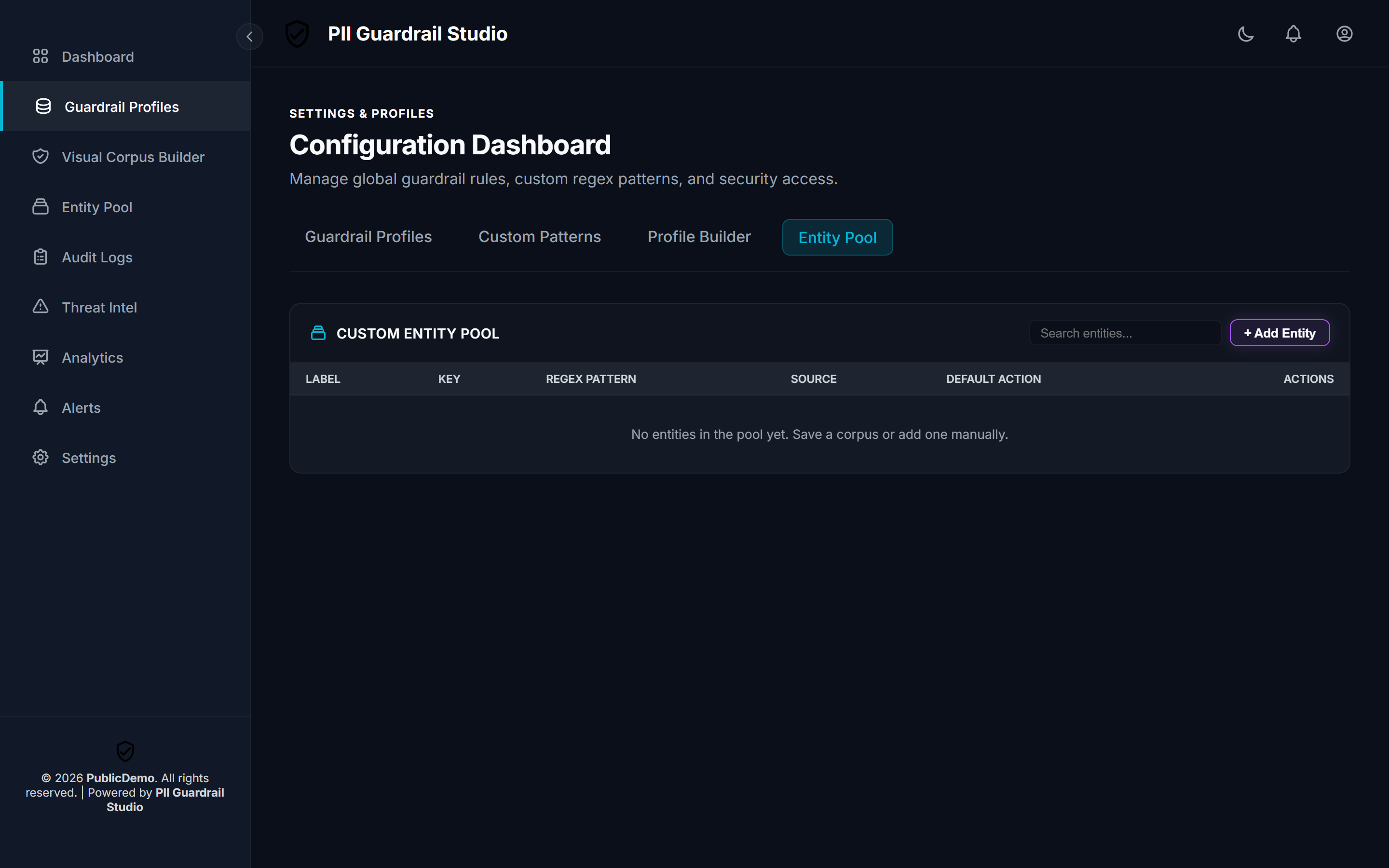
5. Dynamic Custom Entity Pool (SQLite-Backed)
Define, search, and manage custom organization-specific regex patterns and entity definitions persisted directly in the local encrypted database.
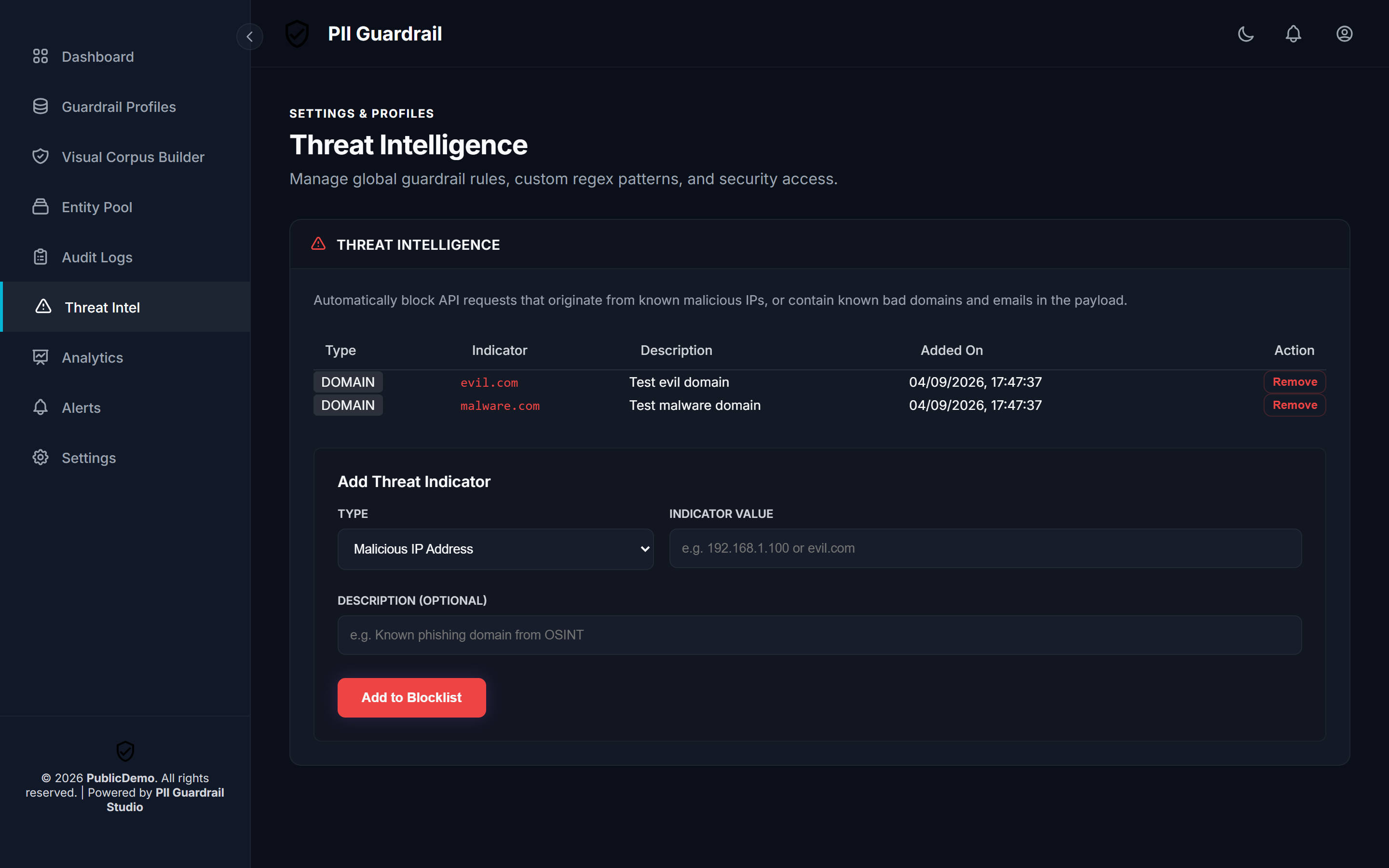
6. Real-Time Threat Intelligence & IoC Shield
Interception firewall blocking malicious IP addresses, phishing domains, and credential leaks before evaluation.
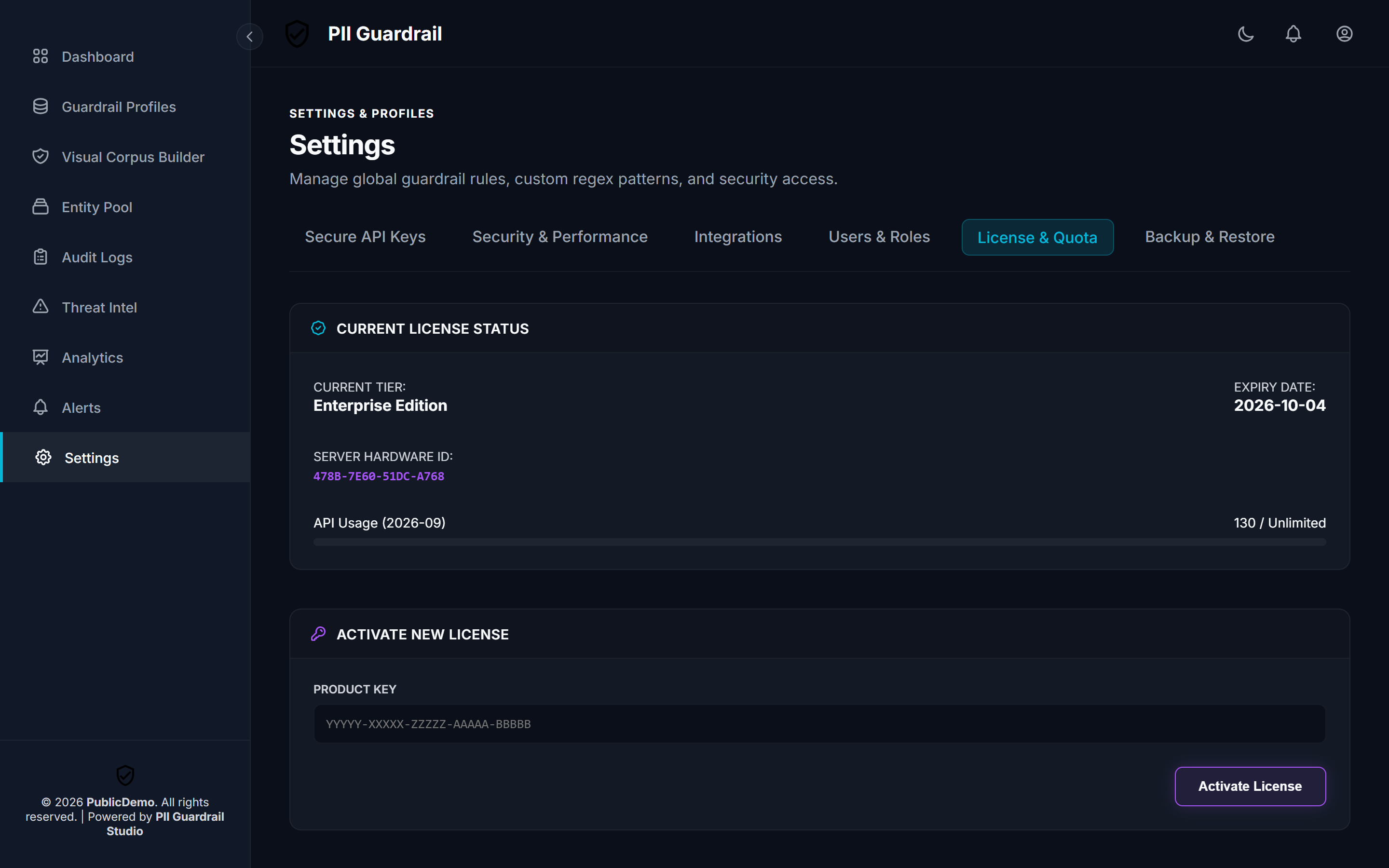
7. Node-Locked Enterprise Licensing & Hardware ID Management
Cryptographically bound to your server hardware using Ed25519 signatures with zero external network phone-home requirement.
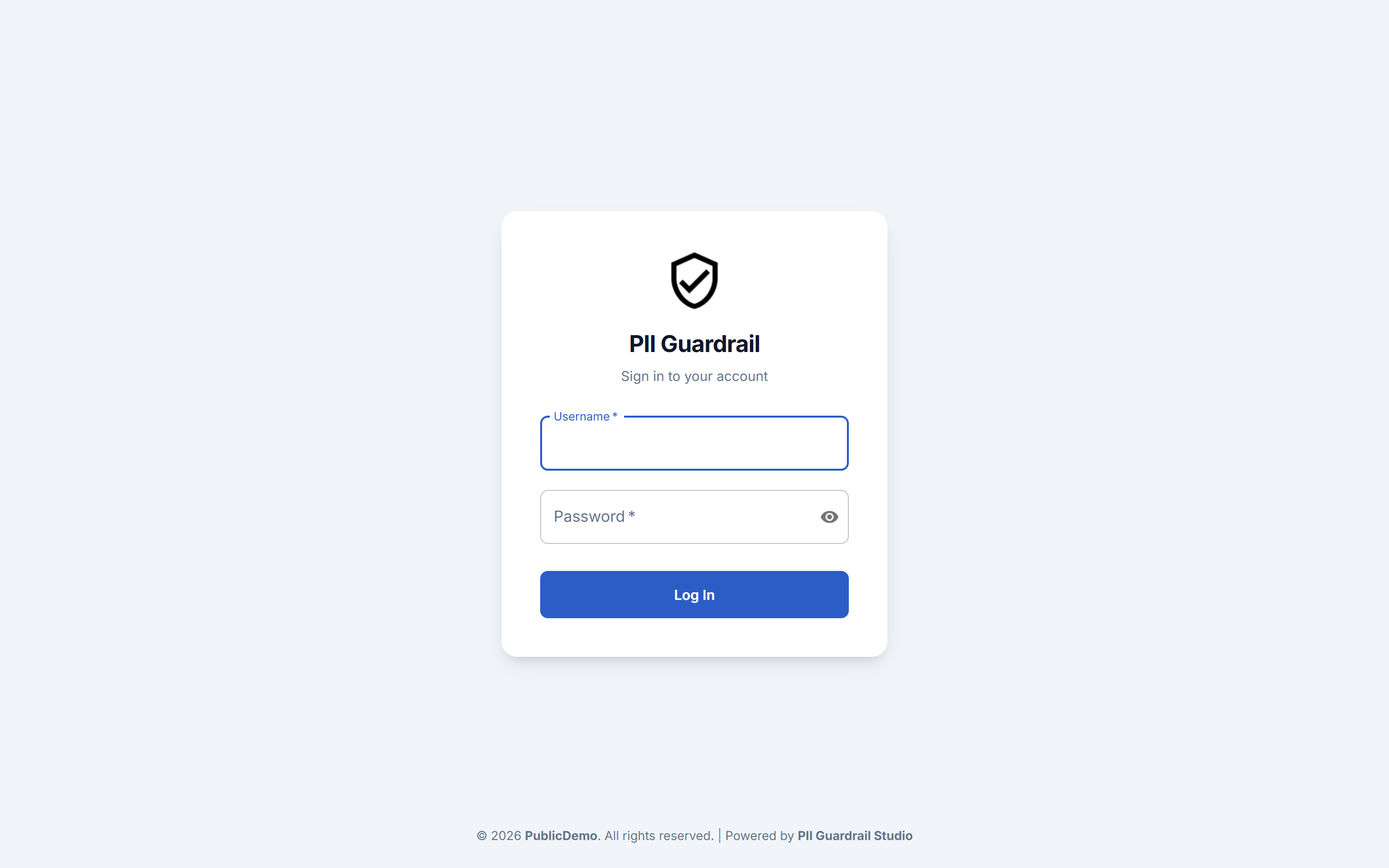
8. Enterprise Authentication Portal
Encrypted session management, role-based access control, secret visibility eye-toggles, and customizable enterprise branding.
⚡ Overview
Enterprise PII Guardrails Studio is an ultra-fast, defense-in-depth privacy gateway designed to intercept, detect, mask, and pseudonymize Personally Identifiable Information (PII) before it reaches third-party LLM APIs (OpenAI, Anthropic, Google Gemini, Azure OpenAI) or internal vector databases.
Key Highlights:
- Sub-25ms Live Masking: In-memory LRU authorization cache and non-blocking asynchronous audit pipeline.
- Turnkey Statutory Regulatory Profiles: 1-click baseline protection for HIPAA, GDPR, PCI-DSS v4.0, and India DPDP Act (2023) (with UIDAI Aadhaar, PAN, ABHA, UPI, and IFSC support).
- Zero-Leak Guarantee at Rest: Database, API keys, and audit logs are encrypted using SQLCipher AES-256-CBC.
- SHA-256 Cryptographic Verification: Every downloaded runtime engine is verified on the fly against official SHA-256 hashes prior to execution.
- Node-Locked Licensing (v4): Commercial licenses are cryptographically locked to the host's Server Hardware ID via Ed25519 asymmetric signatures—operating 100% offline with zero cloud dependency.
- Bi-Directional Token Restoration: Effortlessly restore LLM responses (
/unmask) back to original values for authorized end users.
🔄 How It Works (Zero-Trust Pipeline)
sequenceDiagram
    autonumber
    actor User as Client / App
    participant GW as PII Guardrail Gateway
    participant Cache as In-Memory Auth Cache
    participant Engine as Multi-Tier PII Recognizer
    participant DB as SQLCipher AES-256
    participant LLM as External LLM (OpenAI / Anthropic)

    User->>GW: POST /mask (Prompt with sensitive PII)
    GW->>Cache: Verify X-API-Key (< 0.1ms)
    GW->>Engine: Scan regex rules + NLP entities
    Engine->>DB: Asynchronously store reversible tokens & mapping
    GW-->>User: Return Safe Payload (<PERSON_1>, <SSN_1>)

    User->>LLM: Send sanitized payload
    LLM-->>User: Return completion with tokens

    User->>GW: POST /unmask (LLM output + mapping vault)
    GW-->>User: Return restored response with real entity values
🚀 Quickstart
Method 1: Using pip (Recommended)
# 1. Install from PyPI
pip install piiguardrails

# 2. Launch the studio
piiguardrails
On first launch, piiguardrails automatically streams the core binary, verifies its SHA-256 cryptographic checksum, provisions your encrypted database, and opens the studio dashboard on:
👉 http://localhost:8000
Method 2: Using uv (Instant Sandbox — Zero Setup)
Run directly in a self-contained, isolated environment without polluting global Python:
uv run --with piiguardrails piiguardrails
Method 3: Standalone Pre-Compiled Executable
For restricted air-gapped environments without Python installed, download the standalone binary directly from GitHub Releases:
- Windows x64:
EnterprisePIIGuardrail-v2.0.7-windows-x64.exe- SHA-256:
64dfa6af6893a24b33dd8bbca263b494c1f2a953462a4ac8134ac4a2b22a806c
- SHA-256:
- Linux x86_64:
EnterprisePIIGuardrail-v2.0.7-linux-x86_64- SHA-256:
1f501e9caea0a590704ae8793e16bb9129f35e8280d8e2880f46165a5172ddf7
- SHA-256:
Run directly:
# Linux
chmod +x EnterprisePIIGuardrail-v2.0.7-linux-x86_64
./EnterprisePIIGuardrail-v2.0.7-linux-x86_64

# Windows
.\EnterprisePIIGuardrail-v2.0.7-windows-x64.exe
Method 4: Docker / Podman Deployment
docker run -d \
  -p 8000:8000 \
  -v $(pwd)/data:/app/data \
  -e SQLCIPHER_PASSPHRASE="your-secure-passphrase-min-32-chars!" \
  --name pii-guardrail-studio \
  piiguardrails/enterprise-pii-guardrail:latest
🎁 Community Launch Promo: 6 Months Free Enterprise
To celebrate our v2.0 release, early adopters can unlock full Enterprise Tier features (unlimited API requests, unrestricted payload length, and custom regex policies) through March 31, 2027:
ED3-AMBGXK7UVD777777-GRYXEUYUZ432JOHY-UWVDBHXRLAXU4U47-7MBK2DQGIUV4JQT6-UJNRXNTHI3JPBGIS-P66HGKVYNLMQXHHS-M3N4RF3XDN6LZILT-WQNCGJ4KEY6ONIIM
To activate:
- Open the studio dashboard (
http://localhost:8000). - Go to Settings > License & Quota in the sidebar.
- Paste the key above and click Activate License.
🧩 Python Integration Example
Once the studio is running, integrate it directly into your LangChain, LlamaIndex, or raw API pipeline:
import requests

API_KEY = "your-api-key-here"  # Generated in the Studio UI
headers = {"X-API-Key": API_KEY, "Content-Type": "application/json"}

# 1. Mask sensitive input before sending to LLM
payload = {
    "text": "Hello Alice Smith, your verification code was sent to alice.smith@acme.corp. Call us at 415-555-2671."
}

mask_response = requests.post("http://localhost:8000/mask", json=payload, headers=headers).json()
print("Masked text for LLM:", mask_response["masked_text"])
# Output: "Hello <PERSON_1>, your verification code was sent to <EMAIL_1>. Call us at <PHONE_1>."

# 2. Query your LLM with safe, masked prompt...
# simulated_llm_reply = "We contacted <PERSON_1> at <EMAIL_1> regarding the ticket."

# 3. Unmask the LLM response back to real entities for your user
unmask_payload = {
    "text": "We contacted <PERSON_1> at <EMAIL_1>.",
    "mapping": mask_response["mapping"]
}
unmask_response = requests.post("http://localhost:8000/unmask", json=unmask_payload, headers=headers).json()
print("Restored response:", unmask_response["unmasked_text"])
# Output: "We contacted Alice Smith at alice.smith@acme.corp."
🛡️ Enterprise Feature Matrix
| Capability | Community Promo / Trial | Standard Tier | Enterprise Tier |
|---|---|---|---|
| Masking Latency | < 25ms | < 25ms | < 25ms |
| Pre-built Entity Recognizers | 30+ Included | 30+ Included | 30+ Included |
| Custom Regex Engine | 2 Patterns | 5 Patterns | Unlimited |
| Max Payload Size | 5,000 chars | 50,000 chars | Unrestricted |
| Monthly API Quota | 1,000 reqs | 20,000 reqs | Unlimited |
| Storage Security | SQLCipher AES-256 | SQLCipher AES-256 | SQLCipher AES-256 |
| Licensing Mode | Version 3 Floating | Version 3 Floating | Version 4 Node-Locked (--hwid) |
| Threat Intelligence Shield | ✅ Included | ✅ Included | ✅ Included |
| Audit Logging & Retention | ✅ Included | ✅ Included | ✅ Included |
📚 Complete Documentation Index
- 📖 API Reference Specification: Full OpenAPI / REST documentation with request/response schemas for
/mask,/unmask,/health, and Admin endpoints. - 🔑 Customer Licensing Guide: Guide on tiers, obtaining your Server Hardware ID, and activating enterprise keys offline.
- 💾 Backup & Disaster Recovery Guide: Database persistence,
.envencryption passphrase management, and server migration.
📋 System Requirements
- Operating System: Windows 10/11/Server (64-bit) or Linux (Ubuntu, Debian, RHEL, CentOS, Rocky, WSL2 x86_64)
- Python:
>= 3.8(if running viapip/uv) - Memory: Minimum 2 GB RAM (4 GB recommended for high throughput)
- Network Port: Default
8000(configurable via--portor.env)
📄 License
This software is governed by the Enterprise Evaluation and Commercial License Agreement. All rights reserved.
1 maintainer

Metadata
1 maintainer
Release files for piiguardrails 2.0.7.post1
For a detailed explanation of source distributions (sdists) and built distributions (wheels), please see the package formats documentation.
Source distribution (sdist)
| File | Size | Uploaded | Provenance | |
|---|---|---|---|---|
| piiguardrails-2.0.7.post1.tar.gz | 16.7 kB | Without provenance | Details |
Built distribution (wheel)
| File | Interpreter | ABI | Platform | Reset |
|---|---|---|---|---|
| piiguardrails-2.0.7.post1-py3-none-any.whl | Python 3 | none | any | Details |
Total release size: 29.3 kB
Release files / piiguardrails-2.0.7.post1.tar.gz
| Download URL | piiguardrails-2.0.7.post1.tar.gz |
|---|---|
| Size | 16.7 kB |
| Tags | Source |
|
SHA-256 checksum How to use checksums |
fe32a800a3b8c708542fbadf8ce6814700f3d294b025b58c36b0507080f93297
|
|
BLAKE2b-256 checksum How to use checksums |
dc213aa10c67cafbf59be047ee83e122c42aa4144a8f44bf0f31cc4e160fdb33
|
| Upload date | |
|
Uploaded using Trusted Publishing? What is trusted publishing? |
No |
| Uploaded via |
twine/7.0.0 CPython/3.11.12
|
Release files / piiguardrails-2.0.7.post1-py3-none-any.whl
| Download URL | piiguardrails-2.0.7.post1-py3-none-any.whl |
|---|---|
| Size | 12.6 kB |
| Tags | Python 3 |
|
SHA-256 checksum How to use checksums |
d55d6e3a932bb96231c4b73e69c9f1e06b4b5b6d427528bfcec4a9ceb0756bb9
|
|
BLAKE2b-256 checksum How to use checksums |
27914c0f16866f14ce7f14ac22d36fa7b90c8f2579b7f2696d347bb5a35716b2
|
| Upload date | |
|
Uploaded using Trusted Publishing? What is trusted publishing? |
No |
| Uploaded via |
twine/7.0.0 CPython/3.11.12
|
Security for piiguardrails 2.0.7.post1
Provenance
Provenance describes where a file came from. On PyPI, provenance is shared via attestations, which provide a verifiable record of the build or publishing details. View details, limitations and caveats.
No provenance found
None of the files in this release were uploaded with provenance metadata.
A note on package security
PyPI is a repository for distributing packages, not a service for auditing them. While third-party security researchers and our staff do their best to detect and remove malicious packages, PyPI cannot guarantee the quality, security or suitability of any given package.














