
PiKaraoke

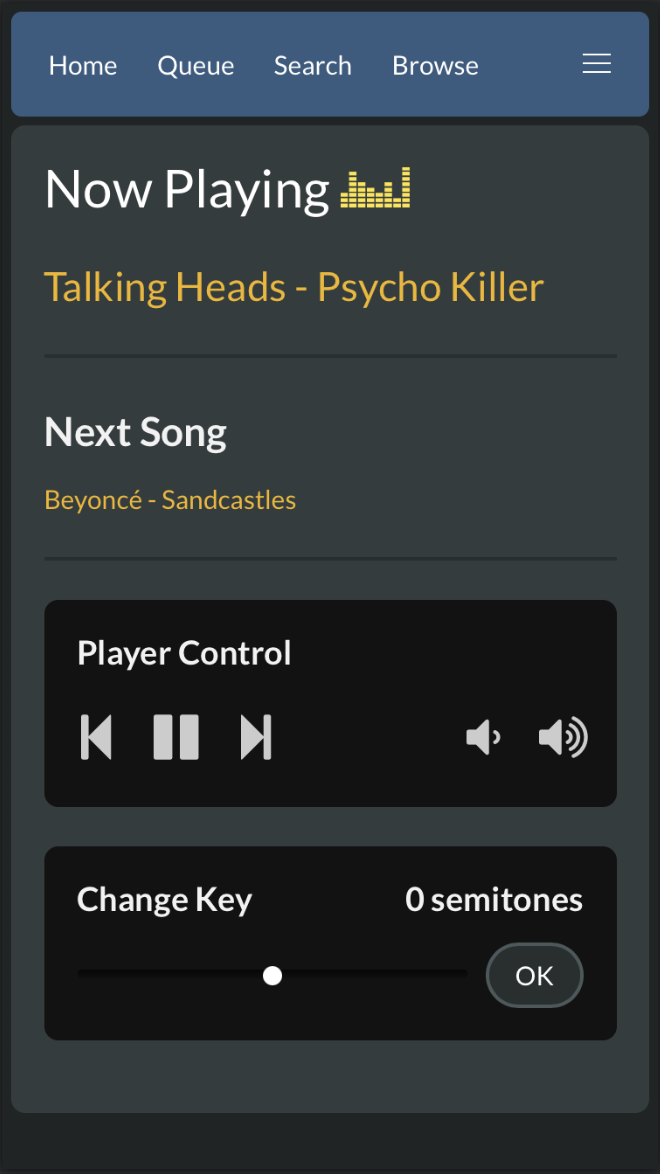
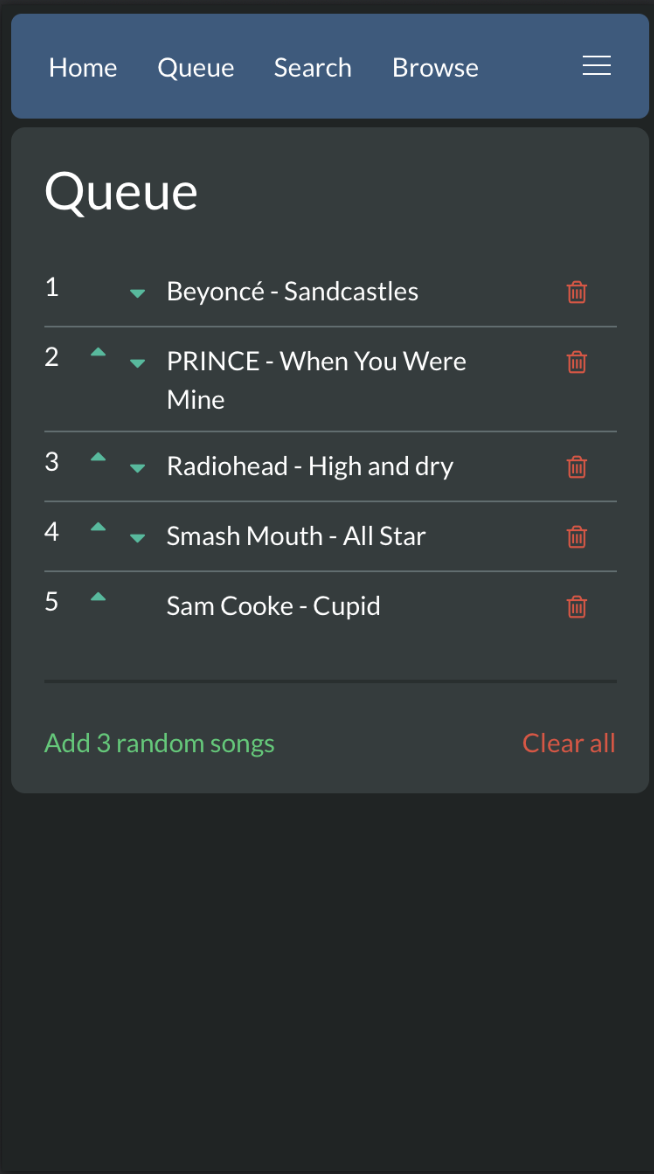
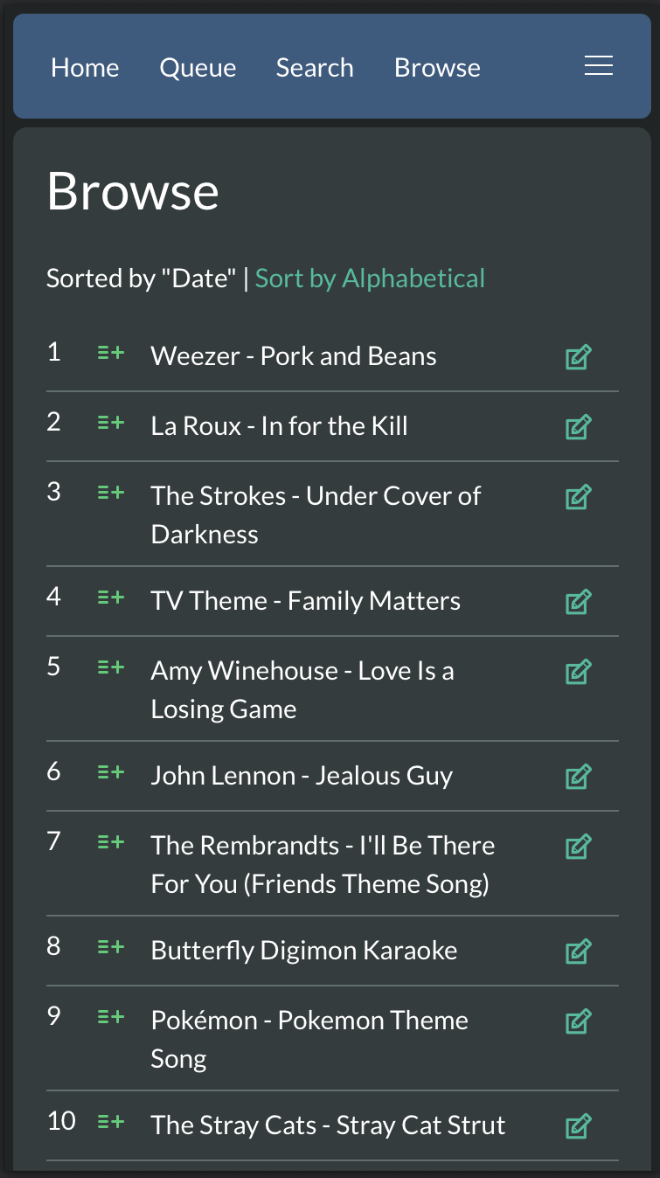
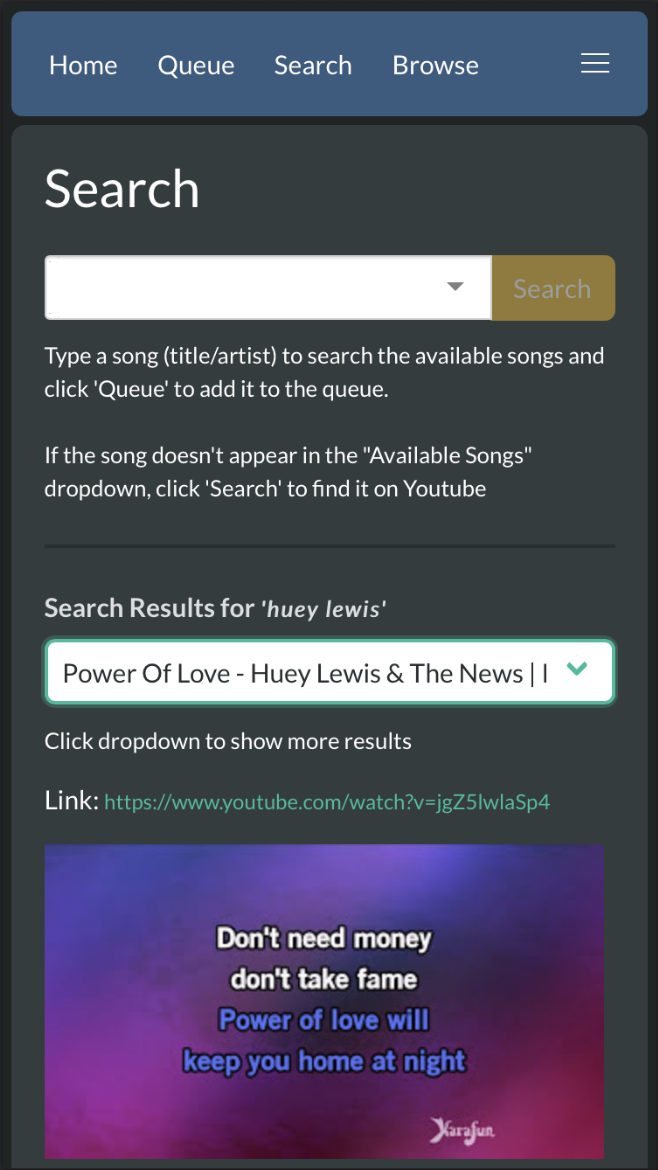
PiKaraoke is a cross-platform karaoke server that brings the professional "KTV" experience to your home. It transforms your computer or Raspberry Pi into a dedicated karaoke station with a full-screen player and an instant web interface. Guests can join by simply scanning a QR code—no app downloads required—to browse your local library, manage the queue, and access countless karaoke hits from YouTube.
- 📱 Instant Mobile Remote: Search and queue songs from any smartphone—just scan and sing.
- 📺 Dedicated Player: High-performance splash screen that can be opened on any web browser for a true karaoke room feel.
- 🌐 YouTube & Local Media: Play your own files or access more from the web.
- 🎹 Live Pitch Shifting: Adjust the key of any song to match your vocal range.
- 🛠️ Admin Control: Manage the queue and settings via a password-protected admin mode.
- 🎯 Hyper-accurate vocal performance scoring system: (not really, it's random. But kind of fun!)
- 🐧 Lightweight & Versatile: Runs anywhere from a basic Raspberry Pi to a high-end PC.
Love PiKaraoke? This project is independently maintained and free for everyone to enjoy. If PiKaraoke has made your parties better and you'd like to help keep the project alive and growing, feel free to buy me a coffee!


Table of Contents
- Supported Devices / OS / Platforms
- Quick Install
- Manual Installation
- Usage
- Docker
- Screenshots
- Developing pikaraoke
- Troubleshooting
Supported Devices / OS / Platforms
- OSX
- Windows
- Linux
- Raspberry Pi 4 or higher (Pi3 works ok with overclocking)
Quick Install
For a streamlined installation that handles all dependencies (uv, ffmpeg, deno) and installs PiKaraoke, run the following in your terminal:
Linux & macOS
curl -fsSL https://raw.githubusercontent.com/vicwomg/pikaraoke/master/build_scripts/install/install.sh | bash
Windows (PowerShell)
irm https://raw.githubusercontent.com/vicwomg/pikaraoke/master/build_scripts/install/install.ps1 | iex
After installation, you can launch pikaraoke from the command line with pikaraoke or from a desktop shortcut. Re-running the above command will update a previous pikaraoke installation to the latest version.
Manual installation (advanced users)
Prerequisites
- A modern web browser (Chrome/Chromium/Edge recommended)
- Python 3.10 or greater: Python downloads
- FFmpeg (preferably a build with lib-rubberband for transposing): FFmpeg downloads
- A js runtime installed to your PATH. Node.js is most common, Deno is probably easiest for non-developers.
Install the pikaraoke package
We recommend installing pikaraoke via uv.
uv tool install pikaraoke
You may alternately use the standard python pip install pikaraoke installer if you are familiar with virtual environments or you are not concerned with global package isolation.
Usage
Run pikaraoke from the command line with:
pikaraoke
Launches the player in "headed" mode via your default browser. Scan the QR code to connect mobile remotes. Use pikaraoke --headless to run as a background server for external browsers.
See the help command pikaraoke --help for available options.
To upgrade to the latest version of pikaraoke, run:
uv tool upgrade pikaraoke
Docker instructions
Run PiKaraoke in Docker using the command below. Note the requirements for port mapping, LAN IP specification, and persistent volume mounts (set to ~/.pikaraoke in the example for simplicity):
docker run -p 5555:5555 \
  -v ~/pikaraoke-songs:/app/pikaraoke-songs \
  -v ~/.pikaraoke:/home/pikaraoke/.pikaraoke \
  vicwomg/pikaraoke:latest \
  -u http://<YOUR_LAN_IP>:5555
For more information and a configurable docker-compose example, see official Dockerhub repo
Screenshots


Developing pikaraoke
The Pikaraoke project utilizes uv for dependency management and local development.
- Install uv
- Git clone this repo
From the pikaraoke directory:
# install dependencies and run pikaraoke from local code
uv run pikaraoke
See the Pikaraoke development guide for more details.
Troubleshooting and guides
See the TROUBLESHOOTING wiki for help with issues.
There are also some great guides on the wiki to running pikaraoke in all manner of bizarre places including Android, Chromecast, and embedded TVs!
1 maintainer

Metadata
1 maintainer
Release files for pikaraoke 1.20.0
For a detailed explanation of source distributions (sdists) and built distributions (wheels), please see the package formats documentation.
Source distribution (sdist)
| File | Size | Uploaded | |
|---|---|---|---|
| pikaraoke-1.20.0.tar.gz | 13.3 MB | Details |
Built distribution (wheel)
| File | Interpreter | ABI | Platform | Reset |
|---|---|---|---|---|
| pikaraoke-1.20.0-py3-none-any.whl | Python 3 | none | any | Details |
Total release size: 26.5 MB
Release files / pikaraoke-1.20.0.tar.gz
| Download URL | pikaraoke-1.20.0.tar.gz |
|---|---|
| Size | 13.3 MB |
| Tags | Source |
|
SHA-256 checksum How to use checksums |
6e39c96561dcbb5dd685bed439d39460d03db21e6a444383bd2a51acdaa34afd
|
|
BLAKE2b-256 checksum How to use checksums |
ab1e0b0daf842b004231b65406ff4f4ba009eda7c5ebeb5daf15568b4adc354a
|
| Upload date | |
|
Uploaded using Trusted Publishing? What is trusted publishing? |
Yes |
| Uploaded via |
twine/6.1.0 CPython/3.13.12
|
Provenance
Provenance describes where a file came from. On PyPI, provenance is shared via attestations, which provide a verifiable record of the build or publishing details. View details, limitations and caveats.


PyPI Publish Attestation
PyPI verified that this artifact, at this checksum, originated from the publisher listed below.
Signed by GitHub Actions, verified by PyPI on Jul 8, 2026.
Transparency logRelease files / pikaraoke-1.20.0-py3-none-any.whl
| Download URL | pikaraoke-1.20.0-py3-none-any.whl |
|---|---|
| Size | 13.2 MB |
| Tags | Python 3 |
|
SHA-256 checksum How to use checksums |
59ecbe57a6cb7dbaa024b8d9fa3260dbd96a4805eace2f5be9695338391ee7c1
|
|
BLAKE2b-256 checksum How to use checksums |
6a697f645b9b821368240b4e4d662a372147af1d292af00ccbfc34494658b500
|
| Upload date | |
|
Uploaded using Trusted Publishing? What is trusted publishing? |
Yes |
| Uploaded via |
twine/6.1.0 CPython/3.13.12
|
Provenance
Provenance describes where a file came from. On PyPI, provenance is shared via attestations, which provide a verifiable record of the build or publishing details. View details, limitations and caveats.
PyPI Publish Attestation
PyPI verified that this artifact, at this checksum, originated from the publisher listed below.
Signed by GitHub Actions, verified by PyPI on Jul 8, 2026.
Transparency log













