
Pil2ANSI
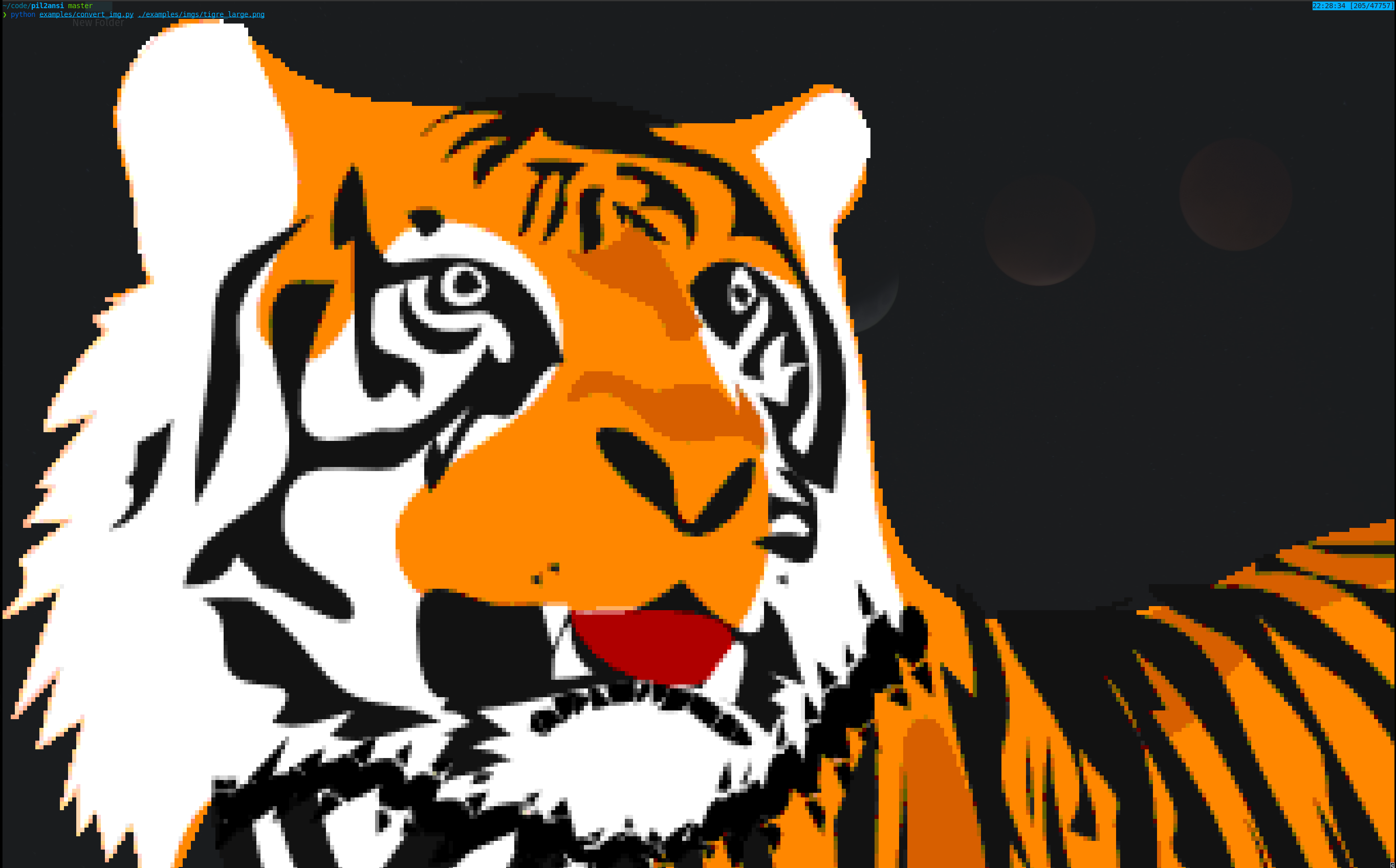
Library for converting Pillow images to ANSI art
Getting Started
Installation
pip install pil2ansi
Examples
Check out the Convert Image Example.
convert_img.py [-h] [--palette {color,grayscale,grayscale_inverted,ascii}] [--width WIDTH] [--no-alpha] img_path
Usage
Convert any PIL image to ANSI art
from PIL import Image
from pil2ansi import convert_img

# Open the image
img = Image.open("path/to/image.png")

# Convert to ANSI
ansi_img = convert_img(img)

# Print to screen
print(ansi_img)
Palettes
There are a few palettes to choose from. To select a palette import Palettes and then pass the one you want into the convert_img function.
from PIL import Image
from pil2ansi import convert_img, Palettes

# Open the image
img = Image.open("path/to/image.png")

# Convert to ANSI
ansi_img = convert_img(img, palette=Palettes.acsii)

# Print to screen
print(ansi_img)
The default palette is color. You can choose from color, grayscale, grayscale_inverted, and ascii.
Resizing the image
By default the image will crop to the width of your terminal widow. You can change the width of the output by passing width to convert_img. This width is the number of columns you want the image to fit in your terminal window. The aspect radio of the original image will be preserved.
from PIL import Image
from pil2ansi import convert_img

# Open the image
img = Image.open("path/to/image.png")

# Convert to ANSI
ansi_img = convert_img(img, width=100)

# Print to screen
print(ansi_img)
Transparency
By default any part of the image with an alpha of 0 will be converted to a , rendering it transparent. You can turn this off by setting alpha to False in convert_img.
from PIL import Image
from pil2ansi import convert_img

# Open the image
img = Image.open("path/to/image.png")

# Convert to ANSI
ansi_img = convert_img(img, alpha=False)

# Print to screen
print(ansi_img)
Development
Install all dependencies including dev dependencies by running make dev
Run tests with make test
Run mypy and black checks with make lint
1 maintainer

Metadata
1 maintainer
Release files for pil2ansi 1.0.0
For a detailed explanation of source distributions (sdists) and built distributions (wheels), please see the package formats documentation.
Source distribution (sdist)
| File | Size | Uploaded | |
|---|---|---|---|
| pil2ansi-1.0.0.tar.gz | 5.5 kB | Details |
Built distribution (wheel)
| File | Interpreter | ABI | Platform | Reset |
|---|---|---|---|---|
| pil2ansi-1.0.0-py3-none-any.whl | Python 3 | none | any | Details |
Total release size: 10.5 kB
Release files / pil2ansi-1.0.0.tar.gz
| Download URL | pil2ansi-1.0.0.tar.gz |
|---|---|
| Size | 5.5 kB |
| Tags | Source |
|
SHA-256 checksum How to use checksums |
c4547729d7f0790559ec93685dfa343ec80960155838c605f8ee5061bce40549
|
|
BLAKE2b-256 checksum How to use checksums |
00d1b4e6367bd00e6d1f5edd6455ad3f61dd4eb7c52277a1a7b4d8f8bdfc085f
|
| Upload date | |
|
Uploaded using Trusted Publishing? What is trusted publishing? |
No |
| Uploaded via |
twine/4.0.2 CPython/3.11.4
|
Release files / pil2ansi-1.0.0-py3-none-any.whl
| Download URL | pil2ansi-1.0.0-py3-none-any.whl |
|---|---|
| Size | 5.0 kB |
| Tags | Python 3 |
|
SHA-256 checksum How to use checksums |
395bcb5db6e7c5c29df7813bf59d84521837fab8cf0471d2b04f313ea18a7fb8
|
|
BLAKE2b-256 checksum How to use checksums |
a725ceae4606de2b7666ff401083decc04e485108e989d79e9634d25fea78e60
|
| Upload date | |
|
Uploaded using Trusted Publishing? What is trusted publishing? |
No |
| Uploaded via |
twine/4.0.2 CPython/3.11.4
|














