
A powerful Python framework for building scalable multi-agent systems with built-in orchestration, LLM integration, and intelligent task processing. Features dynamic scaling, fault tolerance, and advanced load balancing.

Project description
PilottAI
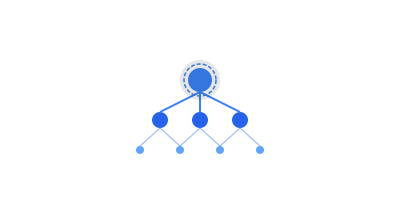
Build Intelligent Multi-Agent Systems with Python
Scale your AI applications with orchestrated autonomous agents




Overview
PilottAI is a Python framework for building autonomous multi-agent systems with advanced orchestration capabilities. It provides enterprise-ready features for building scalable AI applications.
Key Features
-
🤖 Hierarchical Agent System
- Manager and worker agent hierarchies
- Intelligent task routing
- Context-aware processing
- Specialized agent implementations
-
🚀 Production Ready
- Asynchronous processing
- Dynamic scaling
- Load balancing
- Fault tolerance
- Comprehensive logging
-
🧠 Advanced Memory
- Semantic storage
- Task history tracking
- Context preservation
- Knowledge retrieval
-
🔌 Integrations
- Multiple LLM providers (OpenAI, Anthropic, Google)
- Document processing
- WebSocket support
- Custom tool integration
Installation
pip install pilottai
Quick Start
from pilottai import Pilott
from pilottai.core import AgentConfig, AgentRole, LLMConfig

# Configure LLM
llm_config = LLMConfig(
  model_name="gpt-4",
  provider="openai",
  api_key="your-api-key"
)

# Setup agent configuration
config = AgentConfig(
  role="processor",
  role_type=AgentRole.WORKER,
  goal="Process documents efficiently",
  description="Document processing worker",
  max_queue_size=100
)


async def main():
  # Initialize system
  pilott = Pilott(name="DocumentProcessor")

  try:
    # Start system
    await pilott.start()

    # Add agent
    agent = await pilott.add_agent(
      agent_type="processor",
      config=config,
      llm_config=llm_config
    )

    # Process document
    result = await pilott.execute_task({
      "type": "process_document",
      "file_path": "document.pdf"
    })

    print(f"Processing result: {result}")

  finally:
    await pilott.stop()


if __name__ == "__main__":
  import asyncio

  asyncio.run(main())
Specialized Agents
PilottAI includes ready-to-use specialized agents:
- 🎫 Customer Service Agent: Ticket and support management
- 📄 Document Processing Agent: Document analysis and extraction
- 📧 Email Agent: Email handling and template management
- 🧠 Learning Agent: Knowledge acquisition and pattern recognition
- 📢 Marketing Expert Agent: Campaign management and content creation
- 📊 Research Analyst Agent: Data analysis and research synthesis
- 💼 Sales Representative Agent: Lead management and proposals
- 🌐 Social Media Agent: Content scheduling and engagement
- 🔍 Web Search Agent: Search operations and analysis
Documentation
Visit our documentation for:
- Detailed guides
- API reference
- Examples
- Best practices
Example Use Cases
-
📄 Document Processing
# Process PDF documents
result = await pilott.execute_task({
    "type": "process_pdf",
    "file_path": "document.pdf"
})
-
🤖 AI Agents
# Create specialized agents
researcher = await pilott.add_agent(
    agent_type="researcher",
    config=researcher_config
)
-
🔄 Task Orchestration
# Orchestrate complex workflows
task_result = await manager_agent.execute_task({
    "type": "complex_workflow",
    "steps": ["extract", "analyze", "summarize"]
})
Advanced Features
Memory Management
# Store and retrieve context
await agent.enhanced_memory.store_semantic(
    text="Important information",
    metadata={"type": "research"}
)
Load Balancing
# Configure load balancing
config = LoadBalancerConfig(
    check_interval=30,
    overload_threshold=0.8
)
Fault Tolerance
# Configure fault tolerance
config = FaultToleranceConfig(
    recovery_attempts=3,
    heartbeat_timeout=60
)
Project Structure
pilott/
├── core/            # Core framework components
├── agents/          # Agent implementations
├── memory/          # Memory management
├── orchestration/   # System orchestration
├── tools/           # Tool integrations
└── utils/           # Utility functions
Contributing
We welcome contributions! See our Contributing Guide for details on:
- Development setup
- Coding standards
- Pull request process
Support
License
PilottAI is MIT licensed. See LICENSE for details.
Release history Release notifications | RSS feed


Download files
Download the file for your platform. If you're not sure which to choose, learn more about installing packages.
Source Distribution
Built Distribution
Filter files by name, interpreter, ABI, and platform.
If you're not sure about the file name format, learn more about wheel file names.
Copy a direct link to the current filters
File details
Details for the file pilottai-0.2.6.tar.gz.
File metadata
- Download URL: pilottai-0.2.6.tar.gz
- Upload date:
- Size: 75.2 kB
- Tags: Source
- Uploaded using Trusted Publishing? No
- Uploaded via: poetry/2.1.3 CPython/3.10.17 Linux/6.11.0-1014-azure
File hashes
| Algorithm | Hash digest | |
|---|---|---|
| SHA256 |
684ce6a50ea0d55c8027752331811a52c43085eb4175e63d16521b7e1ce786f4
|
|
| MD5 |
b42f6dd14ce4630d33e7bca3ebbcb0c6
|
|
| BLAKE2b-256 |
1b92fda5420189d25189fdc70d1363a253a4a9017a540f3f11b775c7d390d751
|
File details
Details for the file pilottai-0.2.6-py3-none-any.whl.
File metadata
- Download URL: pilottai-0.2.6-py3-none-any.whl
- Upload date:
- Size: 107.4 kB
- Tags: Python 3
- Uploaded using Trusted Publishing? No
- Uploaded via: poetry/2.1.3 CPython/3.10.17 Linux/6.11.0-1014-azure
File hashes
| Algorithm | Hash digest | |
|---|---|---|
| SHA256 |
72c5248efc15e789ceb37c2c998aa9d2f911be527cd995eb50ccaf3553e47df9
|
|
| MD5 |
25df93bee959e7f326a1aacbf3f5e2d2
|
|
| BLAKE2b-256 |
f20e57d93d65479690c8f2c0c069c6d7a0a7c4fefe04d9f40932065eac8ef859
|






