
Turn any long-running command into a visual delight!

Project description

pip-art
Why stare at boring logs? Turn any long-running command into a surprise art show in your terminal!


🎨 The Philosophy
You run pip install, npm install, or docker build and watch lines of text scroll by. It's functional, but it's joyless.
pip-art transforms this dead time into a moment of discovery and delight. It hides the messy logs and displays a random piece of art from a community-driven gallery, turning your terminal into a tiny art museum while you wait.
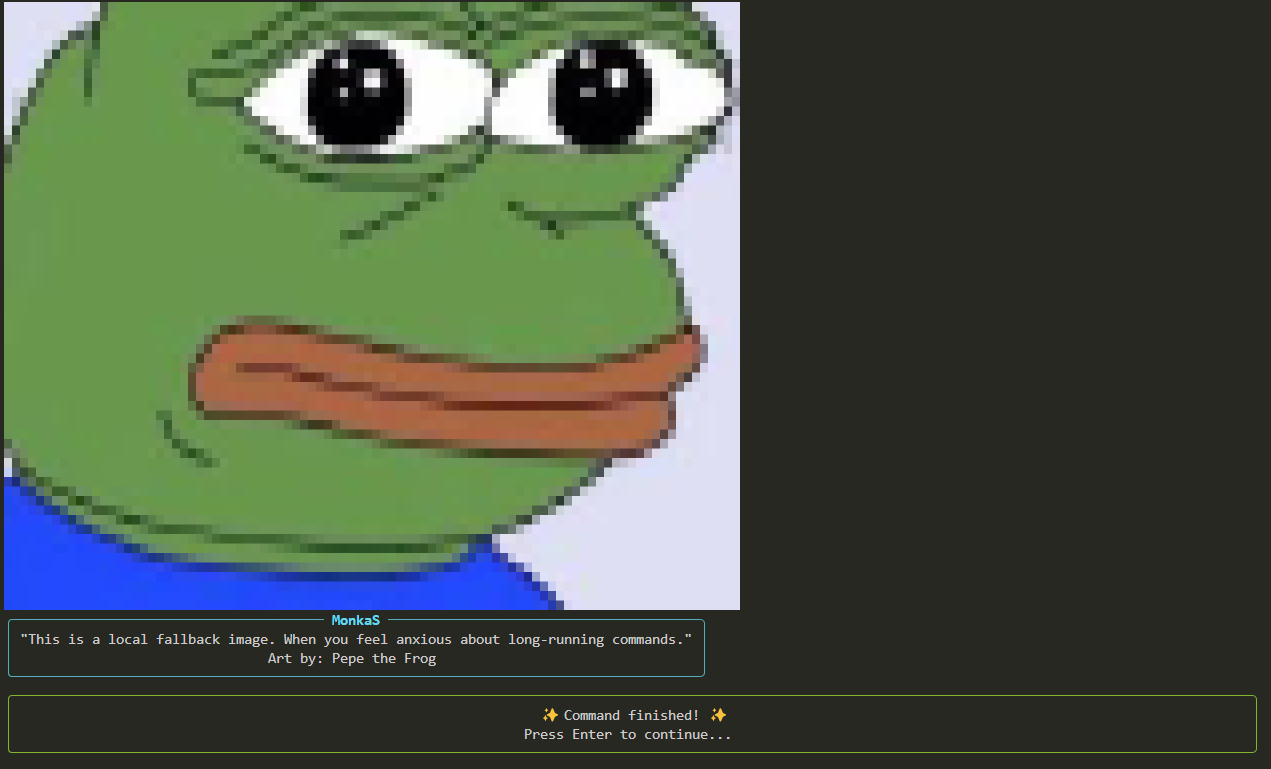
When the command is done, you get your terminal back, plus a final success or failure report.
🚀 Features
- Universal: Works with any command, not just
pip. - Clean Experience: Hides command output for a calm, clutter-free wait.
- GIF & PNG & JPG Support: The gallery welcomes static images and animations.
- Community-Powered: All art comes from a public GitHub repository. Anyone can contribute!
- Fully Customizable: Don't like the public gallery? Create your own! A simple config file lets you point
pip-artto any gallery you want.
🛠️ Installation
pip install pip-art
💡 How to Use
Just prefix any command with pip-art:
# Instead of this...
pip install numpy pandas tensorflow

# ...do this!
pip-art pip install numpy pandas tensorflow
# Works with any command
pip-art npm install
pip-art docker build .
🖼️ Curate Your Own Experience: The Config File
This is where pip-art becomes your tool. You can tell it to use your very own art gallery instead of the public one. Want a gallery of only cat pictures? Or 8-bit landscapes? You can do it!
How it works:
-
Create a config file: In your user's home directory, create a file named
.pip-art.toml.- On Windows:
C:\Users\YourUser\.pip-art.toml - On Linux/macOS:
~/.pip-art.toml
- On Windows:
-
Add your gallery: Inside this file, add one line:
# Point to your own GitHub repository's "images" folder
gallery_repo = "YOUR_USERNAME/YOUR_GALLERY_REPO_NAME"
That's it! The next time you run pip-art, it will fetch art from your repository.
To go back to the default community gallery, simply delete or comment out this line.
🤝 How to Contribute
There are two great ways to contribute to the pip-art ecosystem:
1. Add Art to the Main Community Gallery
Have a great piece of art everyone should see? Add it to the main gallery!
The process is managed through our gallery repository: pip-art-gallery. (This link should point to the actual default gallery repo you create).
-
Prepare your files:
- Image File: A
PNG,JPG, or an animatedGIF. - Metadata File (Optional but Recommended): A
.jsonfile with the exact same name as your image (e.g.,my-art.jsonformy-art.png).
- Image File: A
-
Metadata Format: This is how we credit you!
{
  "title": "Your Artwork Title",
  "author": "Your Name / Nickname",
  "description": "A short, fun description of your art."
}
-
Submit a Pull Request: Go to the gallery repo, upload your files to the
imagesfolder, and open a PR.
2. Create Your Own Gallery to Share
Made a cool themed gallery? Share it! Create a public GitHub repository, fill the images folder with art, and tell people to use your gallery_repo link in their config file.
This project is licensed under the MIT License. Made with ❤️ to make the terminal a more joyful place.
Release history Release notifications | RSS feed


Download files
Download the file for your platform. If you're not sure which to choose, learn more about installing packages.
Source Distribution
Built Distribution
Filter files by name, interpreter, ABI, and platform.
If you're not sure about the file name format, learn more about wheel file names.
Copy a direct link to the current filters
File details
Details for the file pip_art-0.1.2.tar.gz.
File metadata
- Download URL: pip_art-0.1.2.tar.gz
- Upload date:
- Size: 19.5 kB
- Tags: Source
- Uploaded using Trusted Publishing? No
- Uploaded via: twine/6.1.0 CPython/3.12.4
File hashes
| Algorithm | Hash digest | |
|---|---|---|
| SHA256 |
a672ae54dccf9bccbcdc4293b6cdb2f2f8b5535c67142fa89b473b428f2753c2
|
|
| MD5 |
d9cd6754aee6894261720de426c32567
|
|
| BLAKE2b-256 |
3154d439327a75a384e999e397ecb638b370c364b17a54132b2430a64c75096a
|
File details
Details for the file pip_art-0.1.2-py3-none-any.whl.
File metadata
- Download URL: pip_art-0.1.2-py3-none-any.whl
- Upload date:
- Size: 17.0 kB
- Tags: Python 3
- Uploaded using Trusted Publishing? No
- Uploaded via: twine/6.1.0 CPython/3.12.4
File hashes
| Algorithm | Hash digest | |
|---|---|---|
| SHA256 |
c06573c0e5ea3dcad8efd19cc66379cb8c3cabc9a2151084fac4fcf8076e685b
|
|
| MD5 |
03910b166580ab36071dcd768196af43
|
|
| BLAKE2b-256 |
b33a8f382e444cdb6e68f953da699d0a071b3b662d347454dc932f1c1e9c12cb
|






